https://github.com/nexmo/nexmo-nodered
Node Red Nodes for The Nexmo APIs
https://github.com/nexmo/nexmo-nodered
messaging node-red phone-verification sms voice
Last synced: over 1 year ago
JSON representation
Node Red Nodes for The Nexmo APIs
- Host: GitHub
- URL: https://github.com/nexmo/nexmo-nodered
- Owner: Nexmo
- License: mit
- Created: 2018-10-23T10:18:52.000Z (over 7 years ago)
- Default Branch: main
- Last Pushed: 2025-03-21T05:35:30.000Z (over 1 year ago)
- Last Synced: 2025-03-23T22:15:52.439Z (over 1 year ago)
- Topics: messaging, node-red, phone-verification, sms, voice
- Language: HTML
- Size: 5.68 MB
- Stars: 5
- Watchers: 17
- Forks: 6
- Open Issues: 20
-
Metadata Files:
- Readme: README.md
- License: LICENSE
Awesome Lists containing this project
README
node-red-contrib-nexmo (beta)
===========================
[Node-RED](http://nodered.org) nodes for Nexmo APIs
## Features
- [Voice API](https://developer.nexmo.com/voice/voice-api/overview) - Make and receive calls, use text to speech, recording, and DTMF input, forward calls to other destinations
- [SMS](https://developer.nexmo.com/messaging/sms/overview) - Send and receive SMS globally
- [Verify](https://developer.nexmo.com/verify/overview) - Verify a phone number with SMS and voice fallback
- [Number Insight](https://developer.nexmo.com/number-insight/overview) - Get details and formatting of phone numbers
## Account Setup
The first time you use a node you will need to create Nexmo authentication parameters.
The SMS, Insight and Verify Nodes simply use your Nexmo API key and secret.
The voice API uses a concept of [Applications](https://developer.nexmo.com/concepts/guides/applications) that are authenticated with JWTs generated by a private key. This is a little more complex to setup but we've tried to make it as easy as possible in node-red.
## Getting Started
In order to use the Nexmo Node-RED package you'll need to [sign-up for a Nexmo account](https://dashboard.nexmo.com/sign-up).
Once signed up, grab your API credentials (API key and secret) from the [dashboard getting started page](https://dashboard.nexmo.com/getting-started-guide).
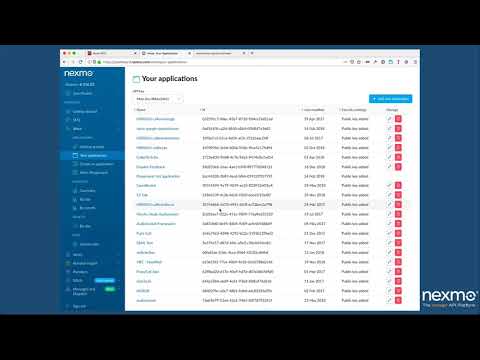
This video will then walk you through getting started with the Nexmo Node-RED package.
[](https://www.youtube.com/watch?v=cfdNm1xII2A)