https://github.com/nfhipona/web-storage-manager
Web utility storage manager for handling data encryption, save and persist, update and data purge in your local and session storage
https://github.com/nfhipona/web-storage-manager
angularjs encoded-data encrypted-store javascript local-storage persistent-storage reactjs session-storage storage web
Last synced: 5 months ago
JSON representation
Web utility storage manager for handling data encryption, save and persist, update and data purge in your local and session storage
- Host: GitHub
- URL: https://github.com/nfhipona/web-storage-manager
- Owner: nfhipona
- License: mit
- Created: 2018-10-03T11:09:27.000Z (over 7 years ago)
- Default Branch: master
- Last Pushed: 2025-07-22T07:36:21.000Z (11 months ago)
- Last Synced: 2025-10-29T01:49:51.939Z (8 months ago)
- Topics: angularjs, encoded-data, encrypted-store, javascript, local-storage, persistent-storage, reactjs, session-storage, storage, web
- Language: JavaScript
- Homepage: https://nfhipona.github.io/web-storage-manager/
- Size: 4.62 MB
- Stars: 0
- Watchers: 1
- Forks: 0
- Open Issues: 0
-
Metadata Files:
- Readme: README.md
- License: LICENSE
Awesome Lists containing this project
README
[](https://nodei.co/npm/web-storage-manager/)
# Web Storage Manager
[web-storage-manager](https://nfhipona.github.io/web-storage-manager/) is a web development utility for managing web storage to handle save, update and data purge. It has support for storage `data encryption` or just a simple storage `data encoding`. Check out the package in npm registery [here](https://www.npmjs.com/package/web-storage-manager).
## Installation
```bash
npm i web-storage-manager --save
```
## Imports
```js
import { LocalStorage, SessionStorage, EncodedLocalStorage, EncodedSessionStorage } from 'web-storage-manager';
```
or using helper
```js
import { createLocalStorage, createSessionStorage } from 'web-storage-manager';
// Options conforms to:
/*
interface Options {
delimiter?: string,
isEncoded: boolean
}
*/
// createLocalStorage(window, options)
const LocalStorage = createLocalStorage(window, { isEncoded: false });
const SessionStorage = createSessionStorage(window, { isEncoded: false });
const EncodedLocalStorage = createLocalStorage(window, { isEncoded: true });
const EncodedSessionStorage = createSessionStorage(window, { isEncoded: true });
```
or using the base class
```js
import { WebStorage, EncodedWebStore } from 'web-storage-manager';
// both class has a constructor:
// constructor(storage: Storage, delimiter: string = '.')
const LocalStorage = new WebStorage(window.localStorage, delimiter);
const SessionStorage = new WebStorage(window.sessionStorage, delimiter);
const EncodedLocalStorage = new EncodedWebStore(window.localStorage, delimiter);
const EncodedSessionStorage = new EncodedWebStore(window.sessionStorage, delimiter);
```
#### Using `Encrypted Web Store`
```js
import { Cryptor, CryptorDefaults, createEncryptedLocalStorage, createEncryptedSessionStorage } from 'web-storage-manager';
/*
const CryptorDefaults = {
salt: 'salty',
keyLength: 24,
algorithm: 'aes-192-cbc',
password: 'encrypted-web-storage-manager',
byteLength: 16 // Buffer
};
*/
const cryptor = new Cryptor(CryptorDefaults, null);
const EncryptedLocalStorage = createEncryptedLocalStorage(cryptor /* window, delimiter */);
const EncryptedSessionStorage = createEncryptedSessionStorage(cryptor /* window, delimiter */);
```
or using the base class
```js
import { Cryptor, CryptorDefaults, EncryptedWebStore } from 'web-storage-manager';
/*
const CryptorDefaults = {
salt: 'salty',
keyLength: 24,
algorithm: 'aes-192-cbc',
password: 'encrypted-web-storage-manager',
byteLength: 16 // Buffer
};
*/
const cryptor = new Cryptor(CryptorDefaults, null);
const WebStorage = new EncryptedWebStore(window.localStorage, cryptor);
```
`NOTES:` make sure to save the value from `cryptor.ivHex` to somewhere safe for later decryption usage.
```js
import { Cryptor, CryptorDefaults, EncryptedWebStore } from 'web-storage-manager';
/*
const CryptorDefaults = {
salt: 'salty',
keyLength: 24,
algorithm: 'aes-192-cbc',
password: 'encrypted-web-storage-manager',
byteLength: 16 // Buffer
};
*/
const oldVectorivHex = 'a17a97ab3...af31ae9';
const cryptor = new Cryptor(CryptorDefaults, oldVectorivHex);
const OldWebStorage = new EncryptedWebStore(window.localStorage, cryptor);
// then... use as normal
const result = OldWebStorage.getItem('npmjs-encrypted');
// expected result: encrypted-web-storage-manager
```
## Usage and Examples
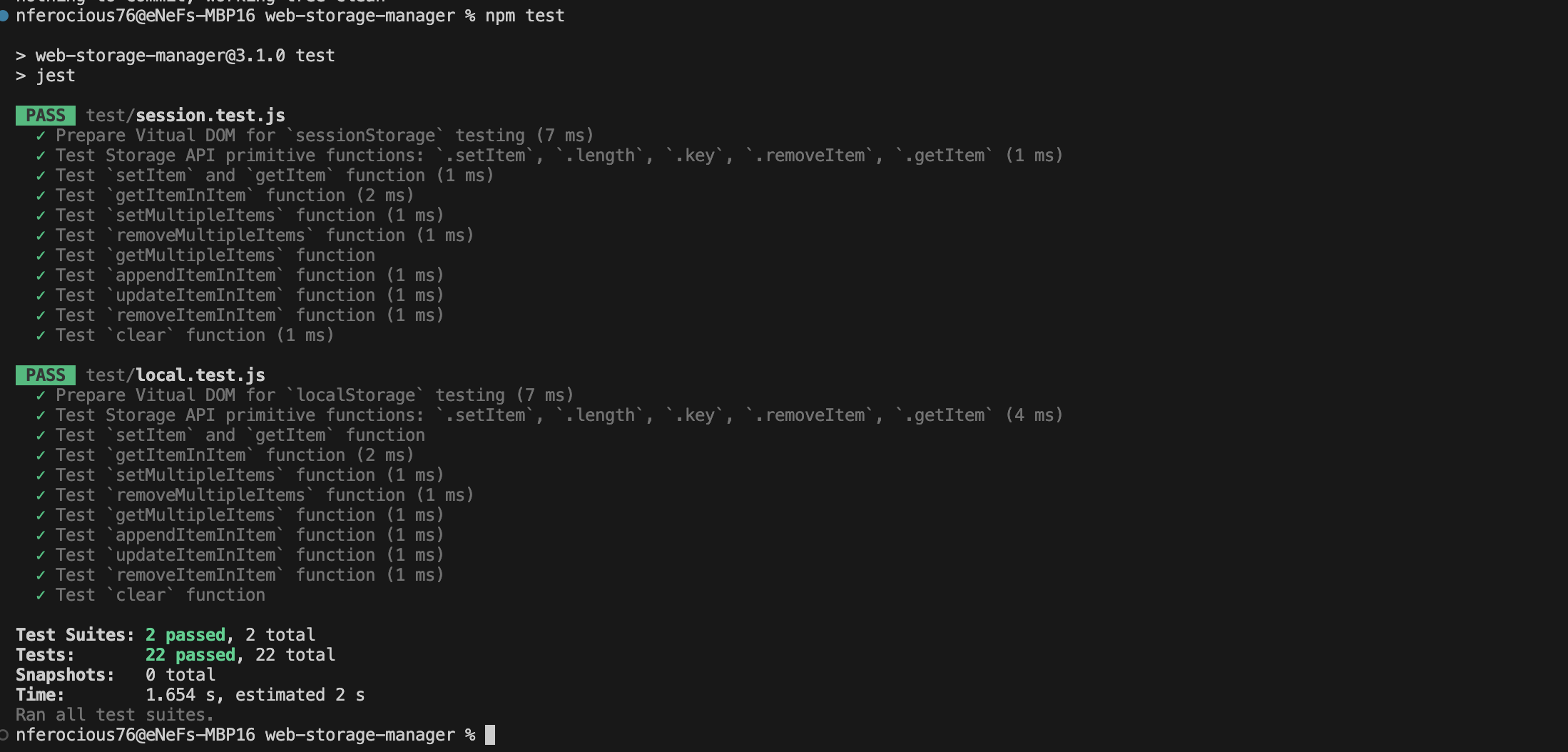
Please refer to test files `local.test.js` and `session.test.js` for a complete sample and usage.
```js
WebStorage.setItem('sampleKey', 'sampleValue');
const testObject = {
nestedKey: {
nestedKeyA: 'nestedKeyA-target-value',
nestedKeyB: {
nestedKeyC: { itemKey: 'itemKey-value', itemKey2: 'itemKey2-target-value' },
nestedKeyD: [{ id: 'id1' }, { id: 'id2' }, { id: 'id3' }, { id: 'idz' }]
}
}
};
const isSuccess = WebStorage.setItem('testKey', testObject);
// expected result: true
const item2 = WebStorage.getItemInItem('testKey.nestedKey.nestedKeyA');
// expected result: nestedKeyA-target-value
const result = WebStorage.getItemInItem('testKey.nestedKey.nestedKeyB.nestedKeyC');
// expected result: { itemKey: 'itemKey-value', itemKey2: 'itemKey2-target-value' }
WebStorage.appendItemInItem('testKey.nestedKey.nestedKeyB.nestedKeyC', { appendItemInItemAKey: 'appendItemInItemA-target-appended-value' });
// expected result: { itemKey: 'itemKey-value', itemKey2: 'itemKey2-target-value', appendItemInItemAKey: 'appendItemInItemA-target-appended-value' }
WebStorage.appendItemInItem('testKey.nestedKey.nestedKeyB.nestedKeyD', { id: 'id4', value: 'appendItemInItemB-target-appended-value' });
// expected result: [{ id: 'id1' }, { id: 'id2' }, { id: 'id3' }, { id: 'idz' }, { id: 'id4', value: 'appendItemInItemB-target-appended-value' }]
WebStorage.updateItemInItem('testKey.nestedKey.nestedKeyB.nestedKeyD', { name: 'id', value: 'id4' }, { id: 'id4', value: 'appendItemInItemB-target-appended-updated-value' });
// expected result: [{ id: 'id1' }, { id: 'id2' }, { id: 'id3' }, { id: 'idz' }, { id: 'id4', value: 'appendItemInItemB-target-appended-updated-value' }]
const result = WebStorage.getItemInItem('testKey.nestedKey.nestedKeyB.nestedKeyC', { name: 'appendItemInItemAKey' });
// expected result: appendItemInItemA-target-appended-value
const result = WebStorage.getItemInItem('testKey.nestedKey.nestedKeyB.nestedKeyD', { name: 'id', value: 'id4' });
// expected result: { id: 'id4', value: 'appendItemInItemB-target-appended-updated-value' }
WebStorage.removeItemInItem('testKey.nestedKey.nestedKeyB.nestedKeyC', { name: 'itemKey2' });
// expected result: { itemKey: 'itemKey-value', appendItemInItemAKey: 'appendItemInItemA-target-appended-value' }
```
#### Using `EncryptedWebStore`
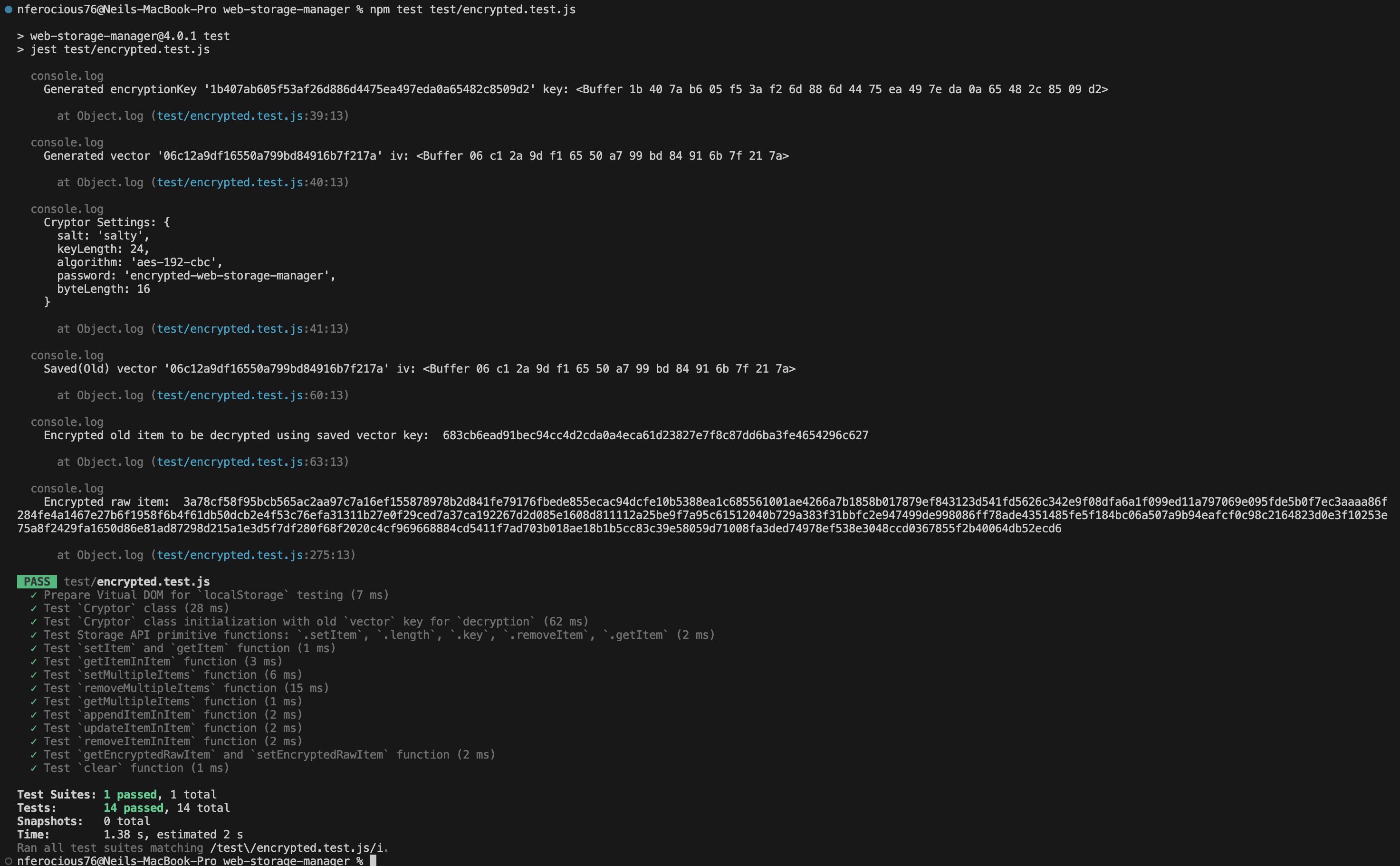
Please refer to test files `encrypted.test.js` for a complete sample and usage.
```js
const result = WebStorage.getEncryptedRawItem('testKey');
// expected result: 97efabdb...303df5b55
const isSuccess = WebStorage.setItem('testKey', result);
// expected result: true
```
## Available Functions
```js
key: ƒ key(n)
length: ƒ length()
setItem: ƒ setItem(key, value)
getItem: ƒ getItem(key)
clear: ƒ clear()
getItemInItem: ƒ getItemInItem(key, attrCompare)
getMultipleItems: ƒ getMultipleItems(keys)
appendItemInItem: ƒ appendItemInItem(key, value)
setMultipleItems: ƒ setMultipleItems(items)
updateItemInItem: ƒ updateItemInItem(key, attrCompare, newValue)
removeItem: ƒ removeItem(key)
removeItemInItem: ƒ removeItemInItem(key, attrCompare)
removeMultipleItems: ƒ removeMultipleItems(keys)
```
#### Using `EncryptedWebStore`
```js
setEncryptedRawItem: ƒ setEncryptedRawItem(key)
getEncryptedRawItem: ƒ getEncryptedRawItem(key, value)
```
## Unit Test
`Web Storage API Unit Test Result`
`Encrypted Storage API Unit Test Result`
## Contribute
We would love for you to contribute to `Web Storage Manager`. See the [LICENSE](https://github.com/nfhipona/web-storage-manager/blob/master/LICENSE) file for more info.
### About
`Web Storage Manager` is a wrapper built on top of Storage API.
This project has grown and had a major revamp in its version 3. And in its version 4, support for encrypted storage is added.
## License
`Web Storage Manager` is available under the MIT license. See the [LICENSE](https://github.com/nfhipona/web-storage-manager/blob/master/LICENSE) file for more info.