https://github.com/nickssilver/queue-mgmt-sys
Alx portpolio Project
https://github.com/nickssilver/queue-mgmt-sys
Last synced: 11 months ago
JSON representation
Alx portpolio Project
- Host: GitHub
- URL: https://github.com/nickssilver/queue-mgmt-sys
- Owner: nickssilver
- Created: 2023-03-21T18:49:11.000Z (about 3 years ago)
- Default Branch: master
- Last Pushed: 2023-03-29T20:20:57.000Z (about 3 years ago)
- Last Synced: 2025-03-15T13:11:30.428Z (about 1 year ago)
- Language: JavaScript
- Size: 676 KB
- Stars: 0
- Watchers: 1
- Forks: 0
- Open Issues: 0
-
Metadata Files:
- Readme: README.md
Awesome Lists containing this project
README
:busts_in_silhouette:Queue Management System (QMS)
[](https://postimg.cc/DJnN864s)
The objective of this endeavor is to improve the current queuing system utilized in various establishments such as retail stores and fast food restaurants where long lines are typical. Instead of waiting in lengthy lines, the software endeavors to offer customers the ability to reserve their spot in the queue and anticipate the estimated wait time from a comfortable location. This initiative takes the form of a website where users can utilize their mobile phones to scan a QR code that will direct them to a webpage where they can register for the queue and receive a unique token number. To confirm registration, users will receive a notification via SMS and email. Upon completing registration, users can access a webpage where they can check their queue position and token number. Additionally, users will receive notifications via SMS and Email when it's their turn in the queue.
Dynamic queue allocation:card_file_box:
If an employee clicks the 'next customer' button, this algorithm will rearrange the queue based on the size of each queue. It identifies the largest and smallest queues and transfers some individuals from the largest queue to the smallest queue if it would improve their position. For instance, if the smallest queue has 3 people, and the largest queue has 7 people, the algorithm will transfer the person at position 5 of the largest queue to position 4 of the smallest queue. This process continues until the condition is met, which is when the length of the largest queue is greater than the length of the smallest queue plus one.
To balance out the number of people in each counter, we can transfer two individuals from the second counter to the first counter. However, the question is which two people to transfer. If we choose the last two people, it would be simpler to implement, but it would be unfair to the individuals who came before them.
Therefore, the algorithm will work as follows: the fourth and fifth individuals in the second queue will be moved to the third and fourth positions, respectively, in the first counter, and the sixth person in the second counter will naturally take the fourth position in the second counter.
## Customer side
The software is able to perform the following operations:
1. **Register user**: The software is able to register user by asking their name, phone number
and email address. The user will receive an OTP on their phone via SMS and email.
OTP can minimize the risk of fraudulent login attempts. Only one phone number can be registered at a time.
This page can be accessed at http://127.0.0.1:8000/ if you localhost it. Twilio API is used to send SMS and smtplib module is used to send emails. I have left the variables for both as a blank string at top in views.py file. You need to fill those details if you want to use them. You might also need to lower the security of your email account for it to work. Compiling twilio and smtplib codes in a seperate file is suggested before moving on to views.py file.
2. **Provide token number**: It provides the customer with a unique token number that distinguishes
one record from all others. The token number starts with one and increments by one. It will start with one again if the system is restarted.
3. **Assign counter**: It can assign user a counter with the smallest queue,
given there are more than one counter present at the location. The assigned counter number might change later as the queue is dynamic. More explaination in the #employee side.
4. **Check queue status**: The software provides a way for user to check their assigned counter number and position in queue.
5. **Notify turn**: The software is able to notify the user when it’s their turn to reach
the assigned counter through SMS and email.
## Screenshots
**Index page**: User can access main page by scanning the QR code assigned to the hosted website.

**Registration page**: This page will only submit if there are no blank columns, the email is of valid format and the phone number is not already registered and is should start with (254) Kenyan

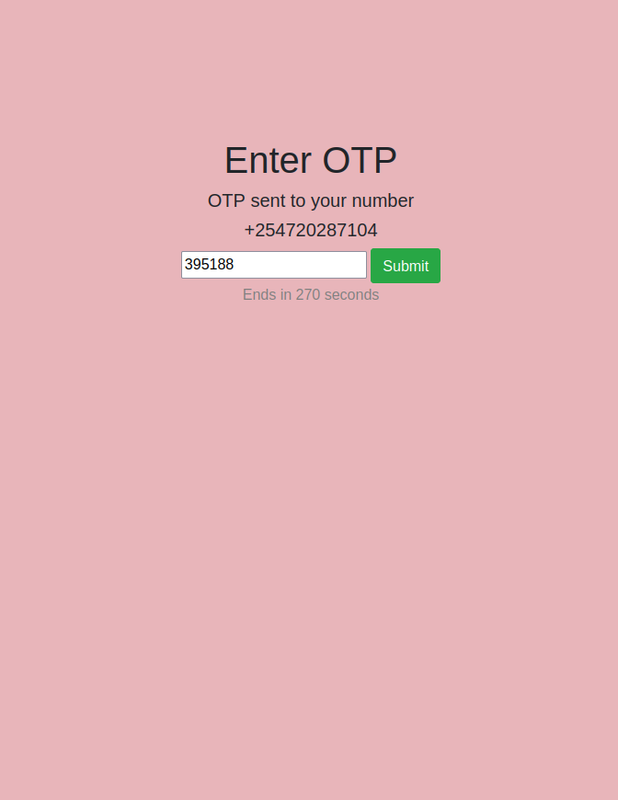
**OTP page**: The otp is notified through SMS and email. The registration will be complete if the otp is correct and a counter number with smallest queue will be assigned to the customer.
[](https://postimg.cc/tZw89MVz)
**Queue details page**: Customer can check their assigned counter number and position in queue by inputting their token number.

**SMS** (using Twilio)

**Email** (using smtplib)

# Employee side
1. **Login**: The employees can login using their username and password. The customer can only register if there is atleast one employee logged in.
2. **Select counter**: The software allows the employees to select a counter that is free. An employee can only have one unique counter at a time. The employee can also change counters and the counters will be reassigned to the customers who were assigned to previous counter.
3. **Customer control**: The employees can call-in the customer in the first position of queue to their counter.
4. **Logout**: Employees can logout and leave anytime they want. If an employee logs out and the queue assigned to his counter isn't empty, the counters will be reassigned to the people of that queue in ascending order. If all the employees logged out, all the user (customer) data will be deleted (if any).
## Screenshots
**Login page**: This website can be accessed by using '/login' after the link i.e. http://127.0.0.1:8000/login for localhost. The username and password can be set by admin.

**Select counter page**: The employee can select any available counter and also change it.

**Employee page**: The employee can call-in next customer by clicking the 'next customer' button.

When the 'next customer' button is clicked, the positions of all the people in that counter is decremented by one. Hence, the details of the person belonging to that counter with position 0 is displayed as shown below. When this button is clicked again, the position of person present at the counter will become -1 and it will get deleted.

# Manager/Admin side
1. **Login**: The admin can login using username and password which is set while making a database.
2. **Select total counters**: The admin has the power to change the total number of counters available for employees to choose.
3. **Add/remove employees**: The admin can add new employees and they can create a new username and password using the admin portal. The admin can also remove any employee.
4. **Logout**: The admin can logout anytime.
## Screenshots
**Users**: The admin can add employees and give then username and password in this section.
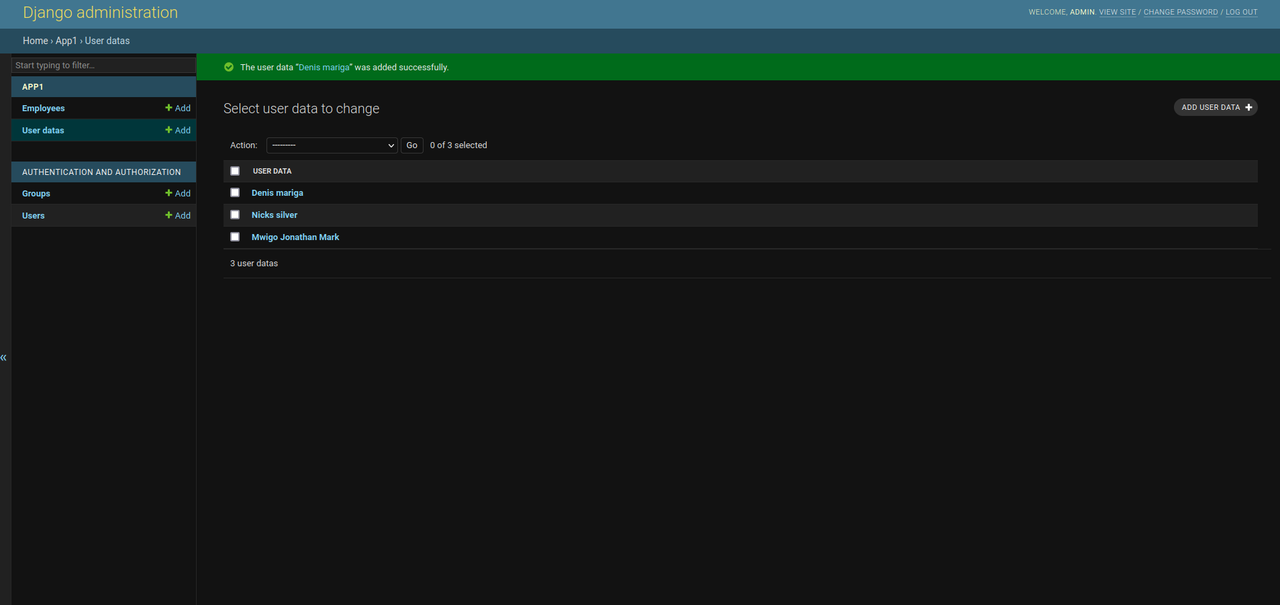
**User datas**: All the temporary cutomer data is stored here.
**Employees**: The counter number of employees is saved here. It is 0 by default. The column number for admin works differently. It works as the total number of counters that can be selected by employees.

Employees can be added by admin by clicking on the 'add user' button in the users section as specified by the arrow below.

The admin can change the total number of counters that can be selected by employees by going to the employees section and selecting the name of the admin (can be anything) as specified below. The admin mustn't tamper with any other option.

As mentioned before, the column of CounterNumber for admin works as total number of counters.

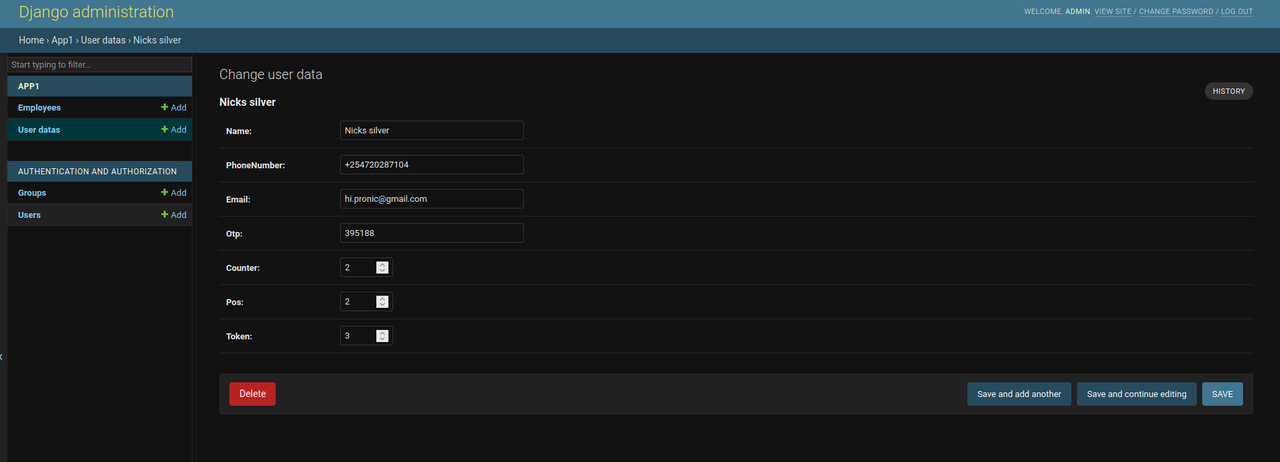
Example of customer data:
[](https://postimg.cc/wyCJFqDd)
[](https://postimg.cc/sGvRwz9s)
P.S.: Admin has a lot of other permissions too but it is advised not to use them to avoid any errors in QMS. For eg, deleting a customer's data, changing employee's counter number, etc.
Note: You are required to input secret key in the settings.py file.