https://github.com/nico-martin/ask-my-website
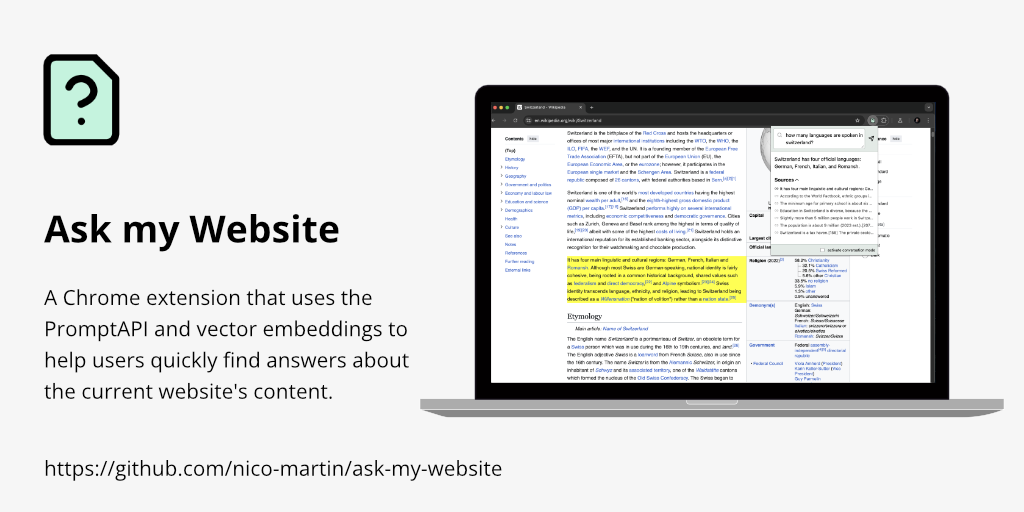
A Chrome extension that uses PromptAPI and vector embeddings to help users quickly find answers about the current website's content.
https://github.com/nico-martin/ask-my-website
prompt-api rag retrieval-augmented-generation transformers-js
Last synced: 29 days ago
JSON representation
A Chrome extension that uses PromptAPI and vector embeddings to help users quickly find answers about the current website's content.
- Host: GitHub
- URL: https://github.com/nico-martin/ask-my-website
- Owner: nico-martin
- License: mit
- Created: 2024-11-27T08:55:07.000Z (over 1 year ago)
- Default Branch: main
- Last Pushed: 2024-12-03T12:23:54.000Z (over 1 year ago)
- Last Synced: 2025-07-14T07:08:11.232Z (11 months ago)
- Topics: prompt-api, rag, retrieval-augmented-generation, transformers-js
- Language: TypeScript
- Homepage:
- Size: 137 KB
- Stars: 8
- Watchers: 1
- Forks: 1
- Open Issues: 0
-
Metadata Files:
- Readme: readme.md
- License: LICENSE
Awesome Lists containing this project
README
# Ask my website
"Ask my Website" is a Chrome extension that uses the PromptAPI and vector embeddings to help users quickly find answers about the current website's content.
## What problems does it solve?
The goal of this extension is to use a larrge language model to help users quickly find answers to questions about the current website's content.
While developing this extension I came across three main problems that needed to be solved.
### Large content
The PromptAPI (as most small LLMs) is limited in the amount of tokens it can process. As of now it is 6144 tokens. This means that in most cases we can't just use `document.body.innerText` as input and let the LLM find the relevant parts. We need to find a way to find only the relevant sections of the website.
### Sources
Having an LLM answer a question always carries a certain risk of hallucinations. The best solution to the problem is to show the user the sources on which the answers are based. This way the user can decide for themselves whether the answer is trustworthy.
### User Experience
While researching I realized that most existing extensions use the `sidePanel` approach. This means we use a lot of horizontal space and it is always visible.
For my extension I wanted to have a very subtle user interface that only appears when the user needs it. This is why I decided to use the extension popup for the classic input and only a small icon in the website for the conversation-mode.
## Retrieval Augmented Generation (RAG)
The core of the extension is a RAG set up. This means that we use a predefined prompt layout that is populated with the relevant content:
1. The content of the website is parsed and split into sections. Each section consists of the heading (H1, H2, H3) and the following paragraphs (p, li or td tags)
2. Each paragraph is then vectorized using a `sentence-transformers` library with [Transformers.js](https://huggingface.co/docs/transformers.js/en/index)
3. Once the user asks a question the extension will find the most similar paragraphs and adds its section as context to the prompt. The paragraph itself is considered a "source"
4. The prompt is then sent to the PromptAPI and the answer is displayed to the user
5. The sources are displayed as well and can easily be accessed
## Conversation mode
Instead of using the classic input field the user can also enter the "Conversation mode". This means that the user can hold down the `Space` key and ask questions. The extension will record the question, search the vectorDB, run the prompt and read the answer out loud.
No typing and no clunky Popup. Just ask and listen.