https://github.com/nielslange/smntcs-show-active-plugins
This plugin adds a submenu item to the Plugins menu item, that links to all active plugins.
https://github.com/nielslange/smntcs-show-active-plugins
smntcs smntcs-plugin wordpress wordpress-plugin
Last synced: 2 months ago
JSON representation
This plugin adds a submenu item to the Plugins menu item, that links to all active plugins.
- Host: GitHub
- URL: https://github.com/nielslange/smntcs-show-active-plugins
- Owner: nielslange
- License: gpl-2.0
- Created: 2023-04-23T07:03:14.000Z (about 3 years ago)
- Default Branch: trunk
- Last Pushed: 2025-04-06T11:06:00.000Z (about 1 year ago)
- Last Synced: 2025-04-06T12:20:01.502Z (about 1 year ago)
- Topics: smntcs, smntcs-plugin, wordpress, wordpress-plugin
- Language: PHP
- Homepage: https://wordpress.org/plugins/smntcs-show-active-plugins/
- Size: 792 KB
- Stars: 0
- Watchers: 2
- Forks: 0
- Open Issues: 0
-
Metadata Files:
- Readme: README.md
- License: LICENSE
Awesome Lists containing this project
README
# SMNTCS Show Active Plugins
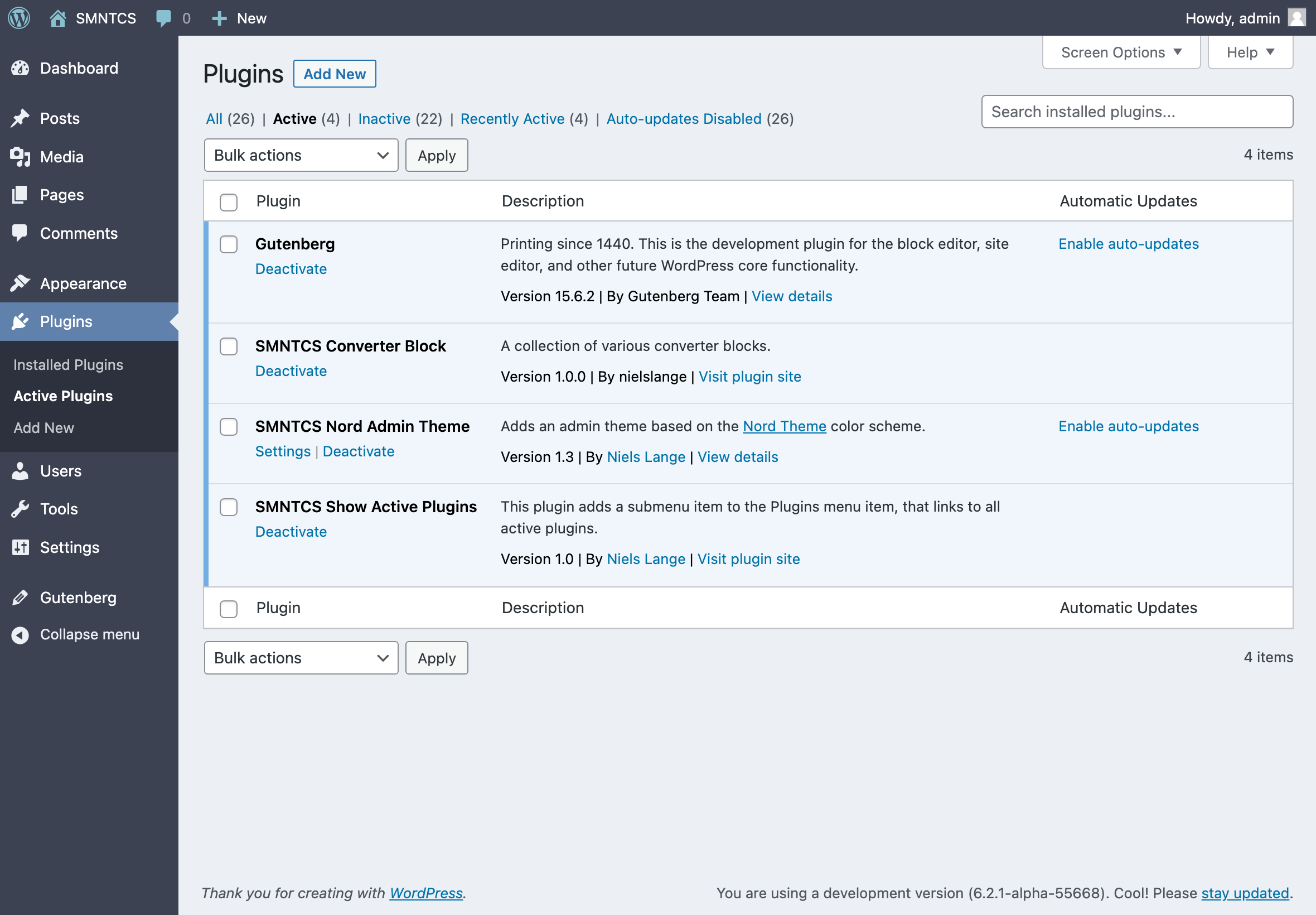
By default, the WordPress plugin section includes menu links for "Installed Plugins" and "Add New Plugin". This plugin enhances navigation efficiency by adding a new menu link titled "Active Plugins". This direct link allows users to immediately view all active plugins without the need to first navigate through "Installed Plugins" and select the view to show active plugins.
## Description
By default, the WordPress plugin section includes menu links for "Installed Plugins" and "Add New Plugin". This plugin enhances navigation efficiency by adding a new menu link titled "Active Plugins". This direct link allows users to immediately view all active plugins without the need to first navigate through "Installed Plugins" and select the view to show active plugins. This is useful if you have a lot of plugins installed and want to quickly want to access all active plugins.
## Screenshot
## Installation
1. Upload `smntcs-show-active-plugins` to the `/wp-content/plugins/` directory.
2. Activate the plugin through the `Plugins` menu in WordPress.
3. Go to the `Plugins` menu and click on `Show Active Plugins`.
## Changelog
### 1.1 (2025.03.30)
- Optimise the plugin description.
### 1.0 (2025.03.29)
- Initial release.