https://github.com/night0721/auth-bot
Discord Bot to verify user, allowing server owner to recover server by pulling back members
https://github.com/night0721/auth-bot
auth bot discord express
Last synced: 9 months ago
JSON representation
Discord Bot to verify user, allowing server owner to recover server by pulling back members
- Host: GitHub
- URL: https://github.com/night0721/auth-bot
- Owner: night0721
- License: gpl-3.0
- Created: 2023-04-10T13:54:24.000Z (about 3 years ago)
- Default Branch: master
- Last Pushed: 2024-05-01T08:12:27.000Z (about 2 years ago)
- Last Synced: 2024-05-01T09:29:08.907Z (about 2 years ago)
- Topics: auth, bot, discord, express
- Language: JavaScript
- Homepage: https://git.night0721.xyz/auth-bot
- Size: 57.6 KB
- Stars: 2
- Watchers: 1
- Forks: 2
- Open Issues: 0
-
Metadata Files:
- Readme: README.md
- License: LICENSE
Awesome Lists containing this project
README
# Auth
Auth is a Discord Bot to verify user, giving server owner the ability to pull back members in case of deletetion or forgot login.
# Getting Start
### 1. Create a bot in [Discord Developer Portal](https://discord.com/developers/applications)
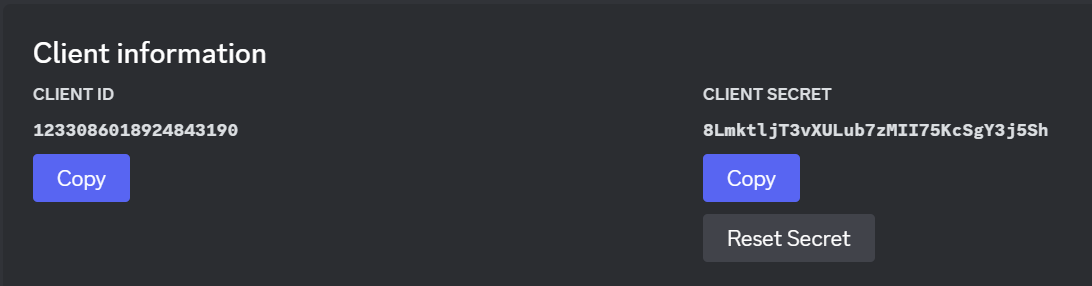
Copy TOKEN, CLIENT ID and CLIENT SECRET (Bot Tab, OAuth2 Tab)\

> [!CAUTION]
> Please keep the TOKEN and CLIENT SECRET personally, **DO NOT** share to the others.
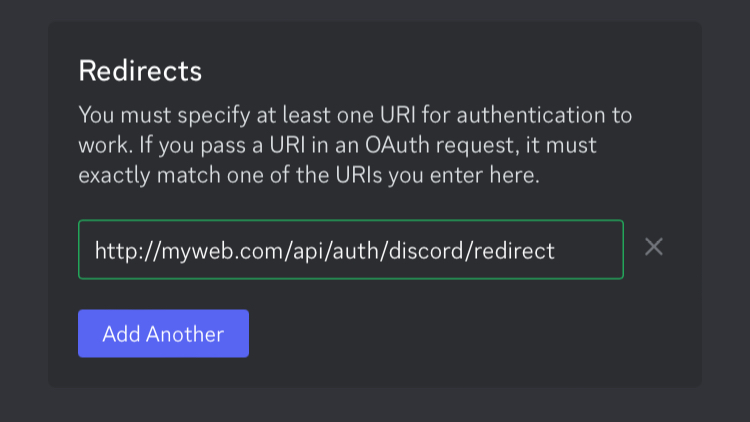
### 2. Paste your URL to Redirects (OAuth2 Tab)
> [!TIP]
> The URL is formed by (http/https)://(domain)/api/auth/discord/redirect
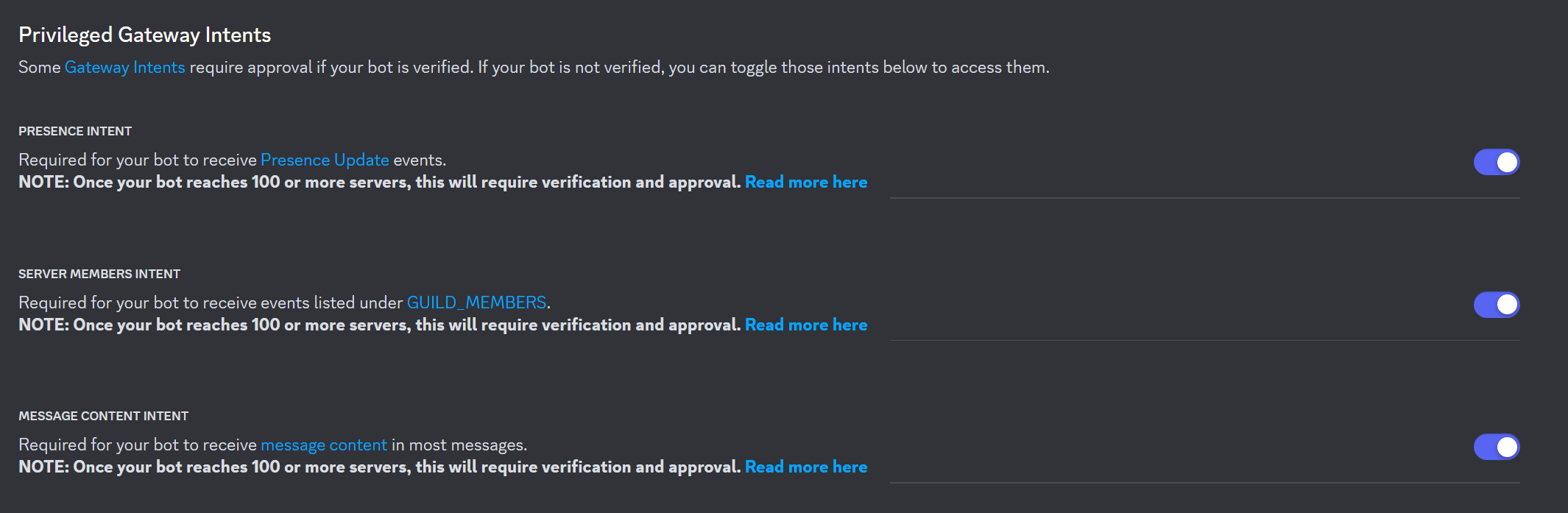
### 3. Enable Intents
### 4. Generate Bot Invite URL (OAuth2 Tab)
Tick these boxes in SCOPES:
- bot
- applications.commands
Tick these boxes in BOT PERMISSIONS:
- Manage Server
- Manage Roles
- Manage Channels
- Create Instant Invite
- Read Messages/View Channels
- Send Messages
- Manage Messages
- Read Message History
> [!IMPORTANT]
> Please make sure your bot has enabled Intents and Permissions mentioned above, or else some functions might not work
Then, use the link at the bottom to invite your bot to Servers.
### 5. Setting up database
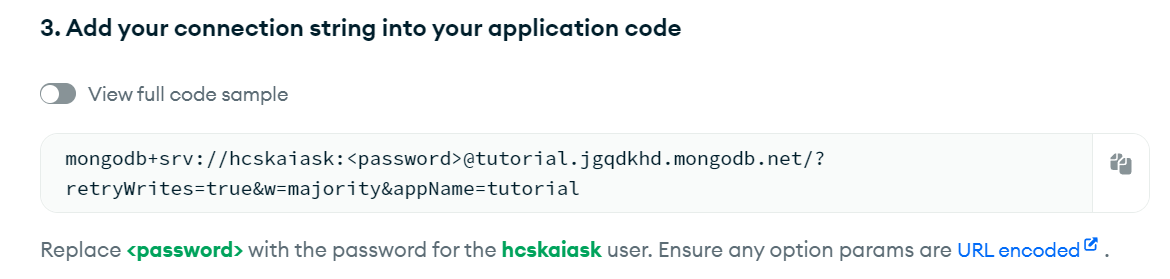
Create a [Mongo Database](https://mongodb.com)\
Go to Overview > Data Services > Connect > Drivers.\
Copy the code in Step 3\
### 6. Choose the host you are using
- [Replit](#Replit)
- [Other Host](#Other-Host)
## Replit
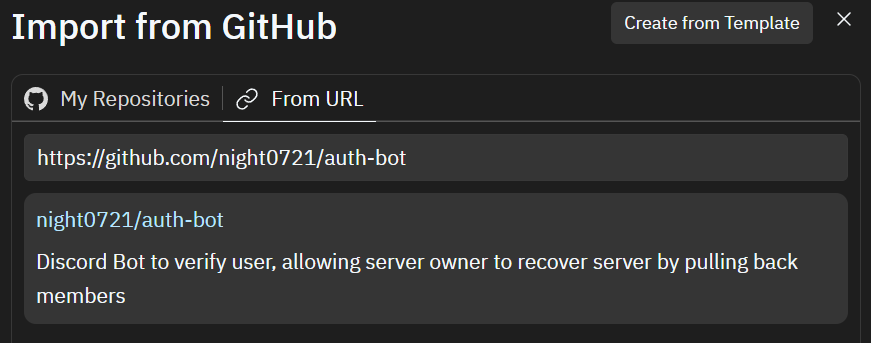
### 7. Create a new project by importing from github
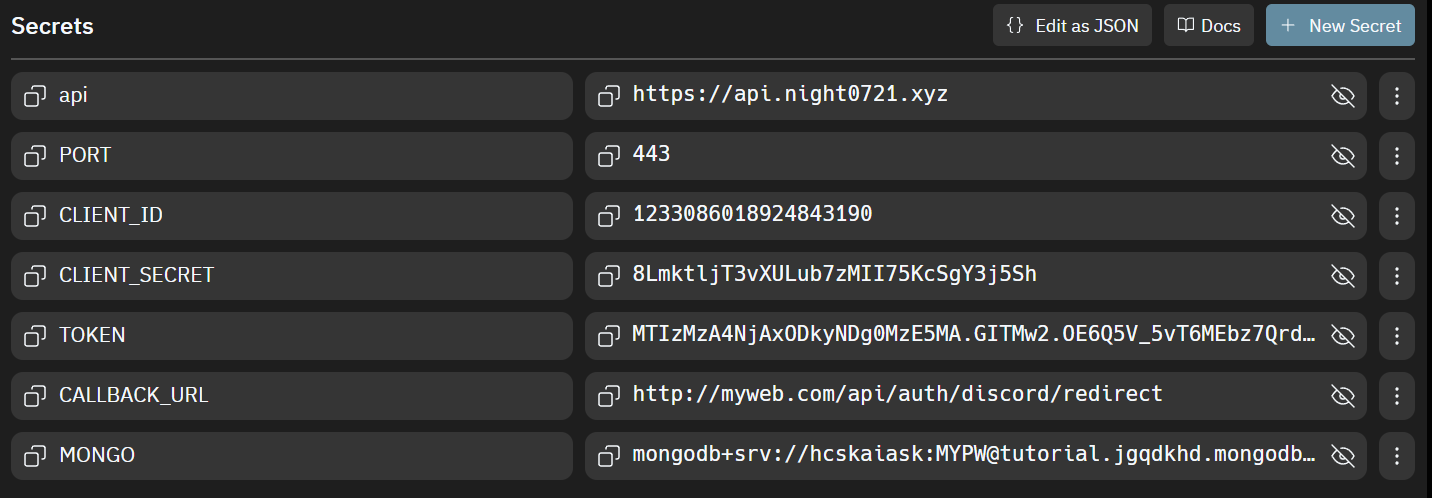
### 8. Paste the information you have copied in (1, 2, 5) to Secrets
## Other Host
### 7. Clone the repository and install the dependencies
```cmd
git clone https://github.com/night0721/auth-bot.git
cd auth-bot
npm install
```
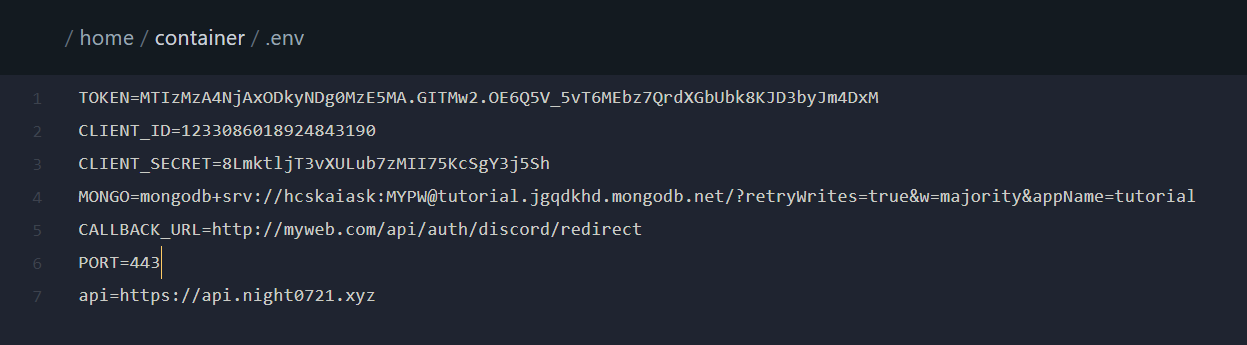
### 8. Create a .env file and paste the code below
Replace XXX with the value you have copied in (1, 2, 5)
```Dotenv
TOKEN=XXX
CLIENT_ID=XXX
CLIENT_SECRET=XXX
MONGO=mongodb+srv://XXX
CALLBACK_URL=http://XXX.XXX/api/auth/discord/redirect
PORT=XXX
api=https://api.night0721.xyz
```
### 9. Run the server, and now enjoy!
```cmd
npm run dev
```
or click **Start** button for Replit user
> [!NOTE]
> Try running **/setup** command in your server's verify channel, please remember to keep the code sent by your bot for pulling members.
Join our Discord Server for update's news!
## Support
If you need support, you can join the [Discord Server](https://discord.gg/SbQHChmGcp)
## License
This project is licensed under the GNU Public License v3.0. See [LICENSE](https://github.com/night0721/Auth/blob/master/LICENSE) for more information.
## Contribution
If you have any ideas for improvements or new features, please feel free to fork the project and create a pull request or open an issue.
All contributions are welcome, including translations, documentation, and code.