https://github.com/nikartx/android-widget
Example how to create custom layout for 2 titles into CollapsingToolbarLayout and how to add CollapsingViewBehavior for views
https://github.com/nikartx/android-widget
android android-ui animate-title appbar-behavior appbarlayout avatar avatarview behavior collapsingtoolbar collapsingtoolbarlayout custom-view subtitle titles view viewbehavior
Last synced: 3 months ago
JSON representation
Example how to create custom layout for 2 titles into CollapsingToolbarLayout and how to add CollapsingViewBehavior for views
- Host: GitHub
- URL: https://github.com/nikartx/android-widget
- Owner: nikartx
- Created: 2018-03-20T14:41:48.000Z (over 8 years ago)
- Default Branch: master
- Last Pushed: 2018-08-09T14:22:50.000Z (almost 8 years ago)
- Last Synced: 2025-03-12T08:45:23.558Z (over 1 year ago)
- Topics: android, android-ui, animate-title, appbar-behavior, appbarlayout, avatar, avatarview, behavior, collapsingtoolbar, collapsingtoolbarlayout, custom-view, subtitle, titles, view, viewbehavior
- Language: Java
- Homepage:
- Size: 3.8 MB
- Stars: 4
- Watchers: 1
- Forks: 0
- Open Issues: 0
-
Metadata Files:
- Readme: README.md
Awesome Lists containing this project
README
# CollapsingTitleLayout
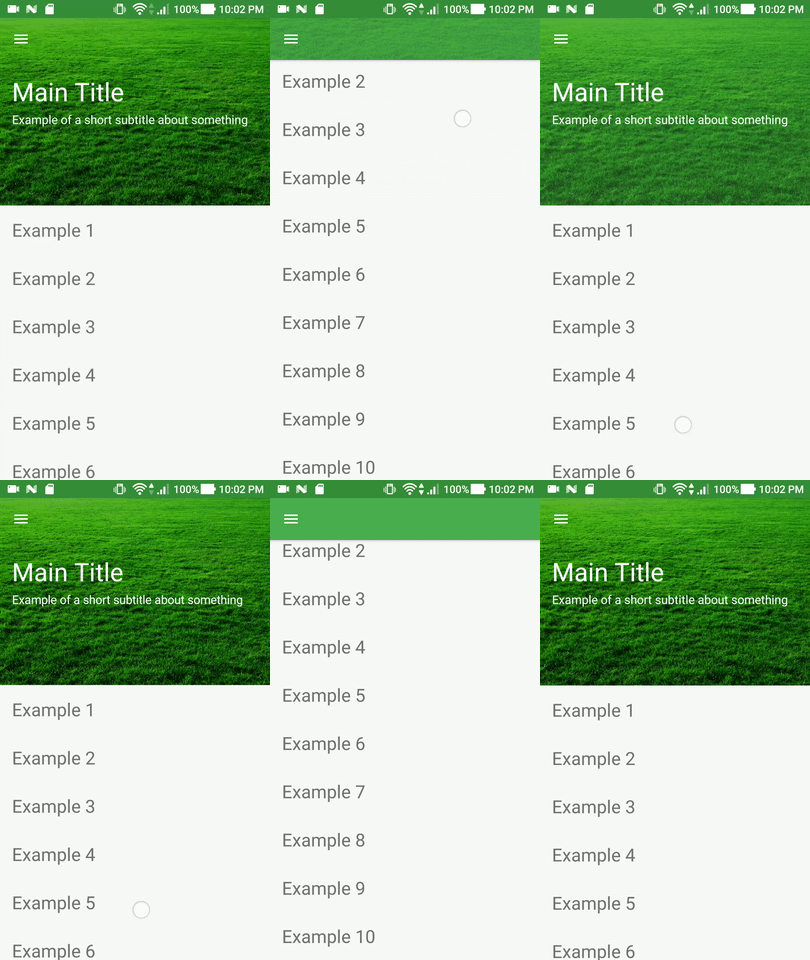
In CollapsingToolbarLayout we can create only one animated title, but this solution eliminates this drawback.
Example custom layout for 2 animated titles into CollapsingToolbarLayout.
## Screenshots
## How to use?
Adjust the xml view [Example](https://github.com/nikartm/Android-Widget/blob/master/app/src/main/res/layout/fragment_collapsing_title.xml):
```
```
Or programmatically:
```
titleLayout.setTitle(getString(R.string.title))
.setSubTitle(getString(R.string.subtitle))
.setTitleColor(getResources().getColor(R.color.colorAccent))
.setSubTitleColor(getResources().getColor(R.color.colorAccent))
.setTitleSize(40)
.setSubTitleSize(16);
```
# CollapsingViewBehavior
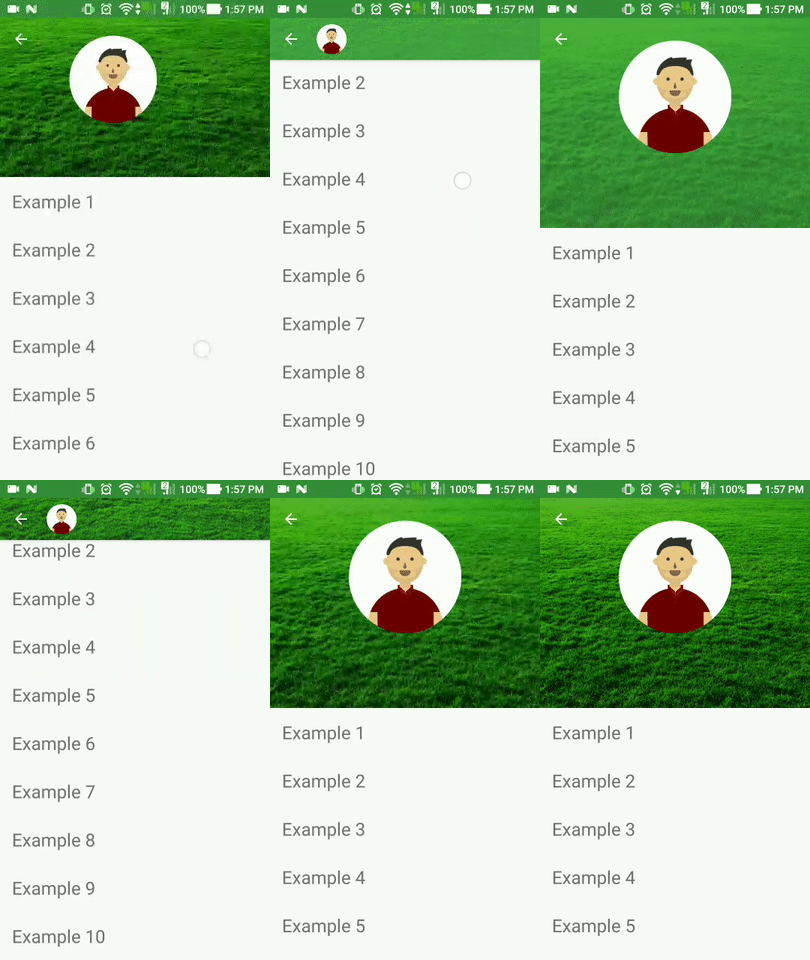
CollapsingViewBehavior to expand or collapse view to target place. You can use this behavior with ImageView, TextView, Switch e.t.c. Or your anyone custom view.
## Screenshots
## How to use?
Adjust the xml view [Example](https://github.com/nikartm/Android-Widget/blob/master/app/src/main/res/layout/fragment_collapsing_avatar.xml):
```
```
Add to /values/attr.xml [Example](https://github.com/nikartm/Android-Widget/blob/master/app/src/main/res/values/attr.xml)
```
```