https://github.com/nikolaynik/material_table_view
Comprehensive, feature-rich and intuitive UI/UX widget solution for many data table use cases that is easy to integrate into any Flutter app
https://github.com/nikolaynik/material_table_view
flutter flutter-package flutter-sliver flutter-table flutter-ui flutter-widget
Last synced: 9 months ago
JSON representation
Comprehensive, feature-rich and intuitive UI/UX widget solution for many data table use cases that is easy to integrate into any Flutter app
- Host: GitHub
- URL: https://github.com/nikolaynik/material_table_view
- Owner: NikolayNIK
- License: mit
- Created: 2022-12-05T14:48:21.000Z (over 3 years ago)
- Default Branch: master
- Last Pushed: 2025-08-18T10:56:24.000Z (11 months ago)
- Last Synced: 2025-10-23T01:41:45.115Z (9 months ago)
- Topics: flutter, flutter-package, flutter-sliver, flutter-table, flutter-ui, flutter-widget
- Language: Dart
- Homepage: https://pub.dev/packages/material_table_view
- Size: 23.6 MB
- Stars: 53
- Watchers: 1
- Forks: 13
- Open Issues: 16
-
Metadata Files:
- Readme: README.md
- Changelog: CHANGELOG.md
- License: LICENSE
Awesome Lists containing this project
README
# material_table_view
[](https://pub.dev/packages/material_table_view)
[](https://github.com/NikolayNIK/material_table_view/blob/master/LICENSE)
[](https://app.netlify.com/sites/visionary-chimera-cb5753/deploys)
Comprehensive, feature-rich and intuitive UI/UX widget solution for many data table use cases
that is easy to integrate into any Flutter app.
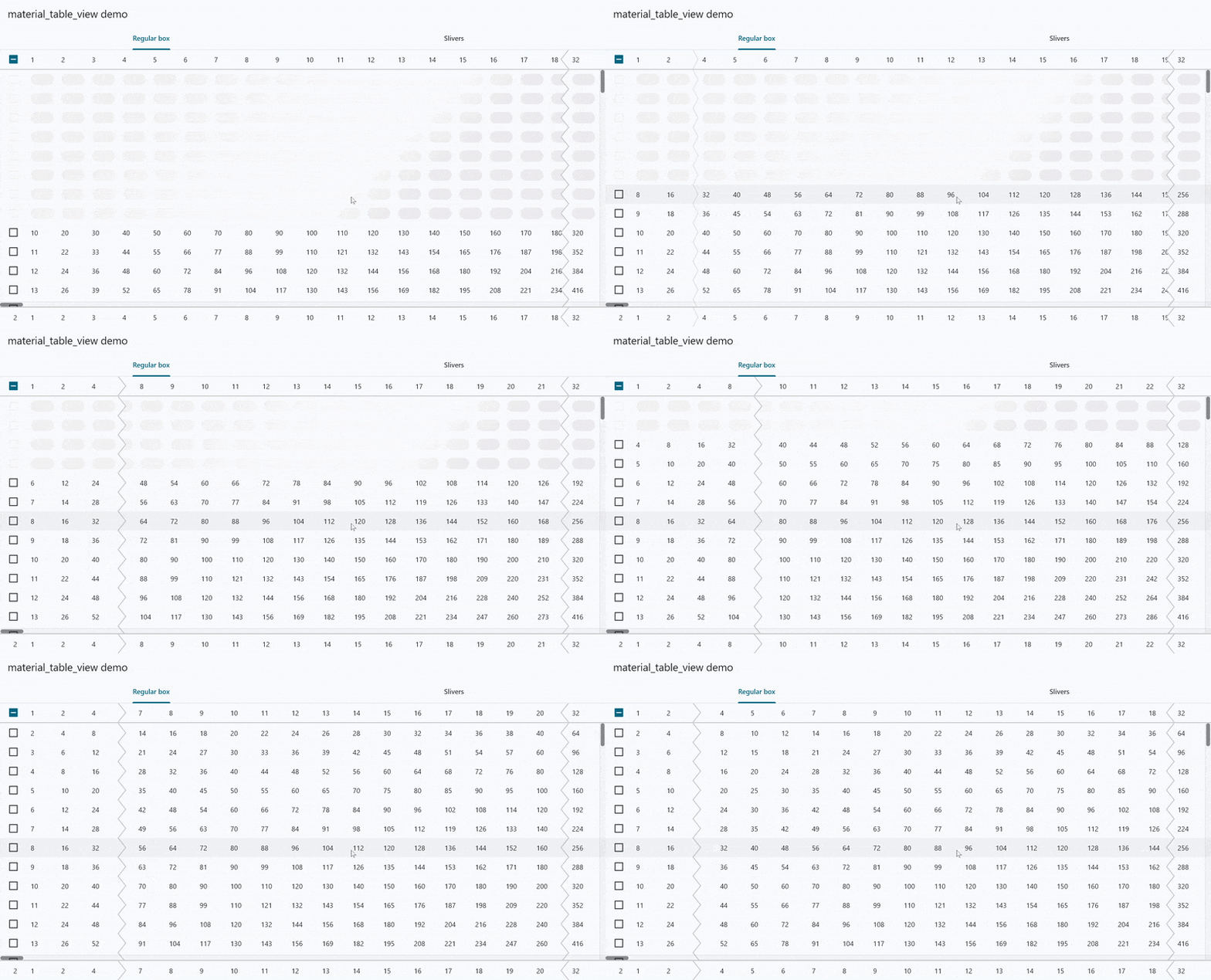
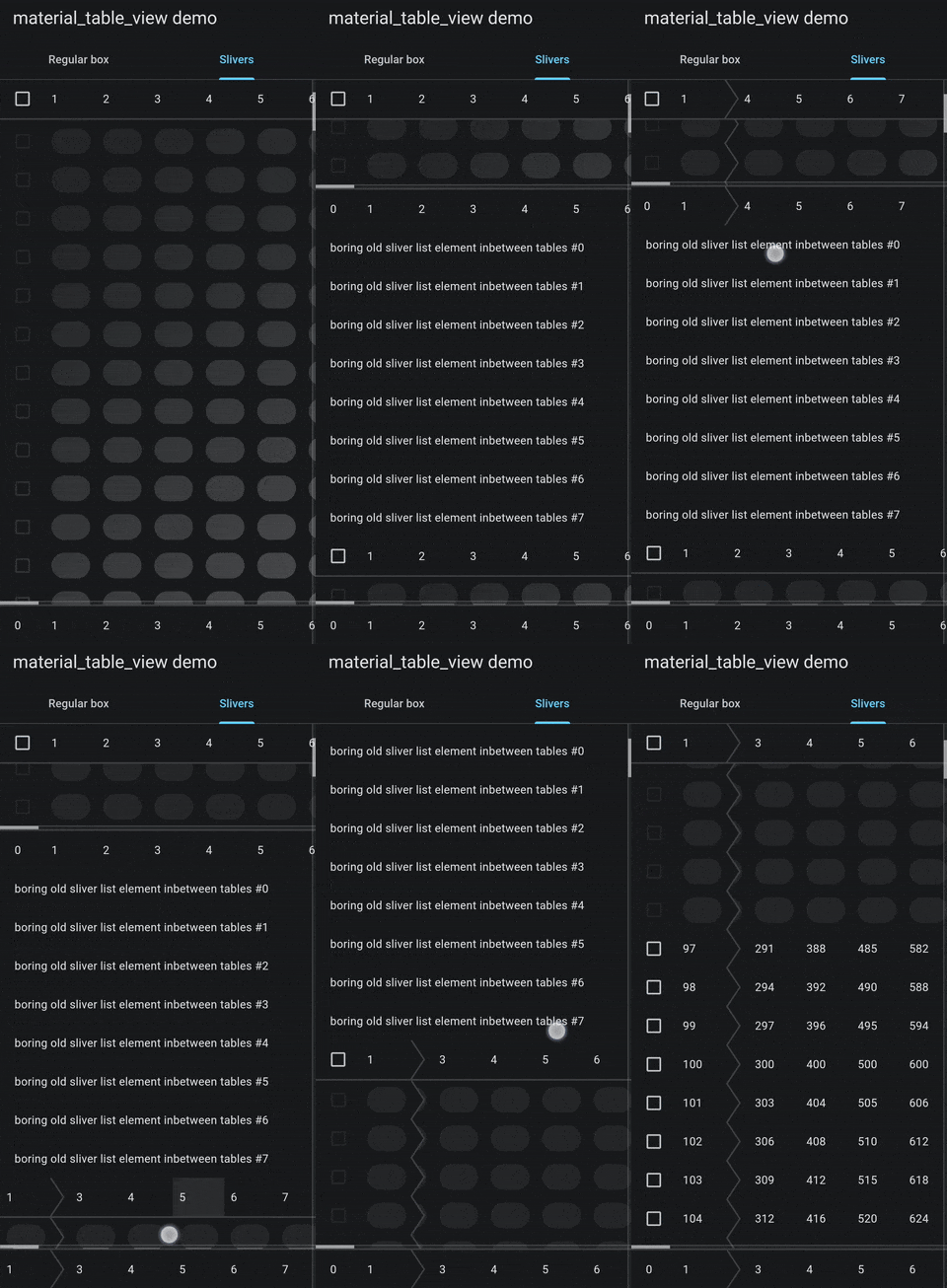


## Demo app
The source code for the demo app is included in the package example
and is available [here](https://github.com/NikolayNIK/material_table_view_demo).
Demo app compiled as an Android app is available on [the Google Play](https://play.google.com/store/apps/details?id=com.nikolaynik.material_table_view_demo).
Demo app compiled as a web app is hosted [here](https://master--material-table-view-demo.nikolaynik.com/).
## Project goals
1. To provide intuitive, visually consistent and customizable UI/UX with opinionated defaults.
1. To make the solution adaptable to any screen size, any input method and any platform.
1. To keep public API as stable as possible.
1. To keep as many features optional as possible.
1. To leave state management completely up to the developer: although some state management solutions might work better than others, the project should never dictate the choice.
1. To avoid dependencies as much as possible.
1. To keep performance in mind as much as possible
## Features
- Customizability and reactivity: all headers, footers, rows and cells are widgets,
which makes it easier to handle state changes as well as to infinitely customize the content.
- Both horizontal and vertical scrolling allowing to display large
amount of data to the user.
- Lazily built fixed-height rows allowing for billions of rows
to be in one table. Practice commonly known as virtualization.
- Optional dynamic height for each row allowing for more use cases.
- `ExpandableTableRow` widget that animates row expansion and shrinking.
- Fixed-width columns that can be frozen (fixed) at the edge of a screen
instead of getting scrolled off-screen.
This helps the user not to lose a row-identifying information
while scrolling horizontally. Columns will automatically
be unfrozen in case of insufficient horizontal space based
on a developer-defined freeze priorities enabling a responsive design
when the table will adjust to any screen size be it mobile or desktop.
- `sticky` column property, which causes frozen columns
to scroll off of the edge but come back upon scrolling
in the other direction to conserve the horizontal space when it's limited.
- Support for a custom individual row widget wrapper allowing
the developer to wrap each individual row in on InkWell
while containing all cell widgets inside enabling for
many material interactions within that row.
- Support for placeholder rows.
- Support for custom optionally animated shading of the placeholder
rows allowing the shader to depend on a vertical scrolling offset
and to start or stop animating whenever any or none of
the placeholders are visible.
- Included shimmer shader that allows for animated linear gradient
to be applied to placeholder rows.
- Scroll behaviour defined by an application theme used
including scroll physics, overscroll effects, etc.
It means that the platform-default scrolling behaviour
will be used by default unless overridden.
- Customizable vertical and horizontal scrollbar.
- Customizable animated wiggly dividers separating frozen and scrolled columns.
- Horizontally scrollable header and footer support.
- `SliverTableView` - sliver variant of a table view which can be used
in a `CustomScrollView` alongside other slivers (including other instances
of the `SliverTableView`) to be scrolled vertically by a single view.
It features sticky header and footer, and the same capabilities as a regular `TableView`.
- `TableColumnControlHandlesPopupRoute` - a route that displays a custom popup
as well as column control handles over a `TableView` or a `SliverTableView`
that allow user to resize and reorder the columns.
- Row reordering feature implemented with Flutter's reorderable list mechanisms.
- Full RTL layout support.
## Usage
```dart
TableView.builder(
columns: [
const TableColumn(
width: 56.0,
freezePriority: 100,
),
for (var i = 1; i < 100; i++)
const TableColumn(width: 64),
],
rowCount: 1048576,
rowHeight: 56.0, // optional, but highly recommended
rowBuilder: (context, row, contentBuilder) {
if (noDataYetFor(row)) {
return null; // to use a placeholder
}
// When [freezePriority] or [placeholderShade] are used, some widgets may not be used here.
// For more information see the paragraph below.
// To set the background color the row can be wrapped in a [ColoredBox].
return Material(
type: MaterialType.transparency, // only this type may be used to wrap the entire row
child: InkWell(
onTap: () => print('Row $row clicked'),
child: contentBuilder(
context,
(context, column) => Text('$column'), // build a cell widget, any widget can be used here
),
),
);
},
// specify other parameters for other features
),
```
## Limitations
### Row wrapping widgets restriction
Whenever at least one column gets frozen or placeholder shading is being used,
the table starts using custom composition to paint itself for optimization purposes.
In this case, restrictions described below start to apply.
Some widgets can not be used to wrap row widget built in
a rowBuilder and placeholderBuilder functions.
Any widget that may need to utilize compositing will either cause
an exception or will not work as expected.
This includes widgets like `RepaintBoundary`, `Opacity`, `ShaderMask`,
clipping widgets and more.
`Material` widget may only be used with
a specified type of `MaterialType.transparency`, which is the only
type not requiring compositing.
To set the background color `ColoredBox` can be used instead.
`Column`, `Row` and `Flex` widgets will throw a runtime exception upon
painting when their children are overflowing their bounds,
because they'll try to clip their children in case of overflow.
For some of these, special alternatives
are provided by the package that will work for that purpose
(and that purpose only):
- `TableRowOpacity` - an alternative for `Opacity` widget;
- `TableRowFadeTransition` - an alternative for `FadeTransition` widget;
- `tableRowDefaultAnimatedSwitcherTransitionBuilder` function - an alternative
for the `AnimatedSwitcher.defaultTransitionBuilder` function
which can be used as a `transitionBuilder` for the `AnimatedSwitcher` in that context
as a default one will not work.
If any alternative you need is not available,
feel free to use [GitHub Discussions](https://github.com/NikolayNIK/material_table_view/discussions)
to search for an existing idea or to create a new one.
Drawing on top of cells in the row widget might not work as expected.
These limitations do **not** apply to cell widgets built by a `cellBuilder` closure.
## Known issues
- After the first column gets frozen on the
right side, all columns after it suddenly disappear
when they should either stay or get animated away.
This issue appears only when a large enough right
scroll padding specified so users are not expected
to come across it.
- Vertical scrollbar is affected by horizontal stretching
when using a stretching overscroll effect for the
horizontal scroll that is default on Android causing the
scrollbar to stretch off the screen on overscroll.
- Enabling/disabling either horizontal or vertical scrollbar
for currently active tables will lead to a state loss
and to possible runtime errors.
## Community
Feel free to use [GitHub Discussions](https://github.com/NikolayNIK/material_table_view/discussions) if you want:
- to ask a question to get help;
- to influence the project;
- to share ideas;
- to share interesting things this project allowed you to make;
- or to just discuss something related.
### Reporting bugs
If you encounter any bugs, feel free to use [GitHub Issue Tracker](https://github.com/NikolayNIK/material_table_view/issues)
to search for an existing issue or to open up a new one.
### Contribution
If you have something to contribute to the package, feel free to send out a
[GitHub Pull Request](https://github.com/NikolayNIK/material_table_view/pulls).
## License
All the source code is open
and distributed under the MIT license.