https://github.com/nora-soderlund/routerenderer
A pure JavaScript package to render paths, directions, routes, or lines in 3d using nothing but WebGL.
https://github.com/nora-soderlund/routerenderer
Last synced: about 1 year ago
JSON representation
A pure JavaScript package to render paths, directions, routes, or lines in 3d using nothing but WebGL.
- Host: GitHub
- URL: https://github.com/nora-soderlund/routerenderer
- Owner: nora-soderlund
- License: agpl-3.0
- Created: 2023-04-30T09:15:23.000Z (about 3 years ago)
- Default Branch: master
- Last Pushed: 2023-05-13T17:00:19.000Z (about 3 years ago)
- Last Synced: 2025-02-07T17:18:43.263Z (over 1 year ago)
- Language: TypeScript
- Homepage:
- Size: 215 KB
- Stars: 0
- Watchers: 1
- Forks: 1
- Open Issues: 0
-
Metadata Files:
- Readme: README.md
- License: LICENSE
Awesome Lists containing this project
README
# RouteRenderer
A pure JavaScript package to render paths, directions, routes, or lines in 3d using nothing but WebGL.
https://user-images.githubusercontent.com/78360666/236035333-a6c91394-8e8b-4482-877f-3ea463873bb6.mp4
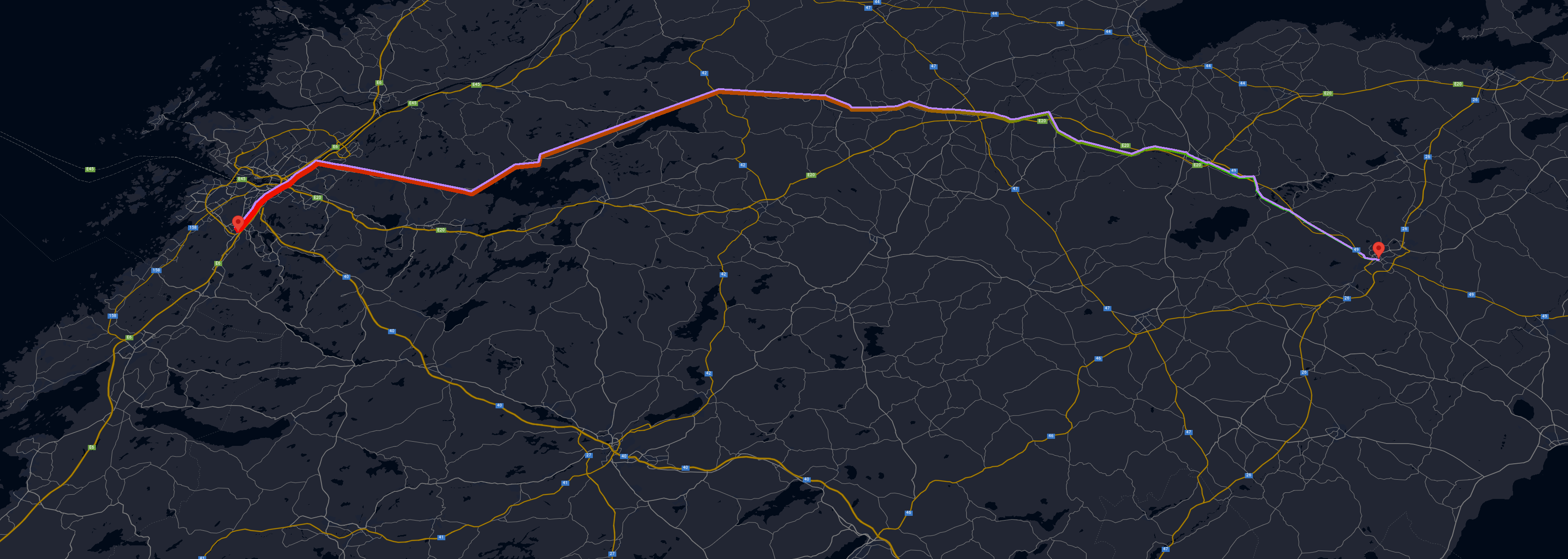
Google Maps WebGL Overlay View integration is included.
# Get started
## Prerequisites
- gl-matrix must be loaded before this package, e.g.:
```html
```
- Google Maps JS API is required to be loaded before constructing `RouteWebGLOverlayView` **only**.
`RouteWebGLOverlayView` is only an adaption of this package for Google Maps, this package works as a core standalone regardless.
If you do not plan on using Google Maps, you do not need this.
## Installation
- Download the latest release and extract the bundle file(s); or use an existing CDN:
```js
```
- Initialize a `Renderer` instance on a canvas element and set a path, e.g.:
```js
function render(renderer, context, now) {
renderer.render(context, now);
window.requestAnimationFrame((now) => render(renderer, context, now));
};
const canvas = document.getElementById("canvas");
canvas.width = screen.width;
canvas.height = screen.height;
const context = canvas.getContext("webgl", {
premultipliedAlpha: true
});
const renderer = new RouteRenderer.Renderer({
keepMinimumAltitude: true,
cameraFov: 4,
cameraRotation: [ .5, 0, 0 ]
});
renderer.registerMouseEvents(canvas);
renderer.setupContext(context);
renderer.setPaths([
[
{ x: 0, y: 0, z: 1 },
{ x: 0, y: 1, z: 1 },
{ x: .5, y: 1.5, z: 1 }
]
], null, false);
render(renderer, context, performance.now());
```
# References
## Renderer
### Constructor
- `constructor(options: RendererOptions)`
### Methods
- `setOptions(options: RendererOptions)`
Only adds or replaces current options, does not rewrite the entire options object!
- `setupContext(context: WebGLRenderingContext)`
Initializes required program information, a WebGL rendering context is required.
Must be called before attempting to render.
- `setPaths(paths: any[][], animations: Animation[] | null = null, project: boolean = true, projectionFunction?: (point: { latitude: number; longitude: number; altitude: number; }, options: RendererOptions) => { x: number; y: number; z: number; }`
Replaces the current paths with the input paths, note that this is a two dimensional array, each first dimensional item declares a new path, e.g. a leg of a direction step, second dimensional item declares an array of coordinates.
X and Y are expected to be latitude and longitudes, however, if `project` is passed as false, then X and Y are expected to be raw units.
Z is expected to be elevation irregardless of projection.
The default projection uses the [World Geodetic System WGS84](https://en.wikipedia.org/wiki/World_Geodetic_System) standard, [same as Google Maps](https://developers.google.com/maps/documentation/javascript/coordinates).
To overwrite this projection function with your own, pass a function as the `projectionFunction` parameter.
- `registerMouseEvents(canvas: HTMLCanvasElement)`
Sets up mouse interaction with the canvas element for X and Y axis rotations.
- `render(context: WebGLRenderingContext, now: number, matrix?: Float64Array)`
Renders the current scene on the passed context, `now` is expected to be a high res timestamp, e.g. from `requestAnimationFrame`, `matrix` can be passed to use in the scene rendering if needed for e.g. Google Maps WebGL Overlay View implementations, etc.
## WebGLOverlayView
### Constructor
- `constructor(renderer: Renderer, paths: any[][])`
Sets up a Google Maps WebGL Overlay View with a custom projection using the transformer in the draw function.
Returns an WebGLOverlayView instance.
**This instance overwrites `autoClear`, `center`, `keepPerspectiveProjection` in the options.**
## RendererOptions
- `topColor?: number[];`
- `bottomColor?: number[];`
- `startBlockColor?: number[];`
- `endBlockColor?: number[];`
- `leftWallColor?: number[];`
- `rightWallColor?: number[];`
- `wallColor?: number[];`
Colors in the format of RGBA arrays, e.g. `[ 255, 0, 0, 255 ]` for solid red.
`leftWallColor`, `rightWallColor`, `startBlockColor`, and `endBlockColor` takes priority over `wallColor`.
Default colors varies but are high contrast and should be changed.
- `wallWidth?: number;`
Defines how wide the walls should be, default is `0.1` units.
- `elevationGradient?: boolean;`
- `elevationGradientColors?: number[][];`
Defines if the walls should have a gradient color for elevation. The color array only accepts 2 items, in the order of lowest (from) to highest (to).
Default, if enabled, is solid green to solid red.
- `keepMinimumAltitude?: boolean;`
The path is anchored by the lowest altitude to depth 0, to disable this, set this to true.
- `keepMinimumPositions?: boolean;`
The path is anchored by top left start position by default to help with centering.
- `keepPerspectiveProjection?: boolean;`
Initializes the default projection matrix with a field of view, aspect ratio, near- and far clip units.
Disable this to use with other contexts, such as the Google Maps WebGL Overlay View.
- `projectionZoomLevel?: number;`
Defines the zoom level for the Mercator world coordinate projection, default is 4.
Increase this to get a more detailed (but larger) model.
This only applies when a paths is set without a custom projection function, but it is also passed as an option in the options parameter and can be reused.
- `cameraFov?: number;`
Defines the camera FOV, default is 45.
- `cameraTranslation?: number[];`
- `cameraRotation?: number[];`
Defines the camera translation and rotation in the format of XYZ, e.g.: `[ 0, 0, 0 ]`.
- `grid?: boolean;`
- `gridColor?: number[];`
- `gridPadding?: number;`
Defines if a flat panel should cover the ground, default is false.
If enabled, padding is set to 1 unit default.
## Animation
- `type: "distance" | "elevation";`
Defines the type of the animation, whether to animate the elevation or the distance.
- `forwards: boolean;`
Defines the direction to move the animation, if repeat is enabled, then this is switched on each animation interval.
Default is true.
- `interval: number;`
Defines the animation interval in milliseconds.
- `repeat: boolean;`
Keeps the animation running forever, if enabled, it switches the forwards property on each animation interval.
- `progress?: AnimationProgress;`
Used internally to track the animation progress, however, can be used to alter the start or current progress.
## AnimationProgress
- `elapsed: number;`
Defines how many milliseconds has surpassed since the animation start.
If the interval is 2000 milliseconds and elapsed is set to 1000, the animation will have reached 50%.