https://github.com/norbert515/flutter_localizer
Make localizing hard-coded strings fun!
https://github.com/norbert515/flutter_localizer
Last synced: about 1 year ago
JSON representation
Make localizing hard-coded strings fun!
- Host: GitHub
- URL: https://github.com/norbert515/flutter_localizer
- Owner: Norbert515
- Created: 2020-05-06T11:30:30.000Z (about 6 years ago)
- Default Branch: master
- Last Pushed: 2020-05-06T13:49:20.000Z (about 6 years ago)
- Last Synced: 2025-03-21T11:50:24.934Z (about 1 year ago)
- Language: Java
- Homepage:
- Size: 1.73 MB
- Stars: 27
- Watchers: 2
- Forks: 6
- Open Issues: 4
-
Metadata Files:
- Readme: README.md
Awesome Lists containing this project
README
[](https://github.com/Norbert515/flutter_localizer/stargazers)
[](https://github.com/Norbert515)
[](https://twitter.com/norbertkozsir)

# Flutter Localizer IntelliJ Plugin
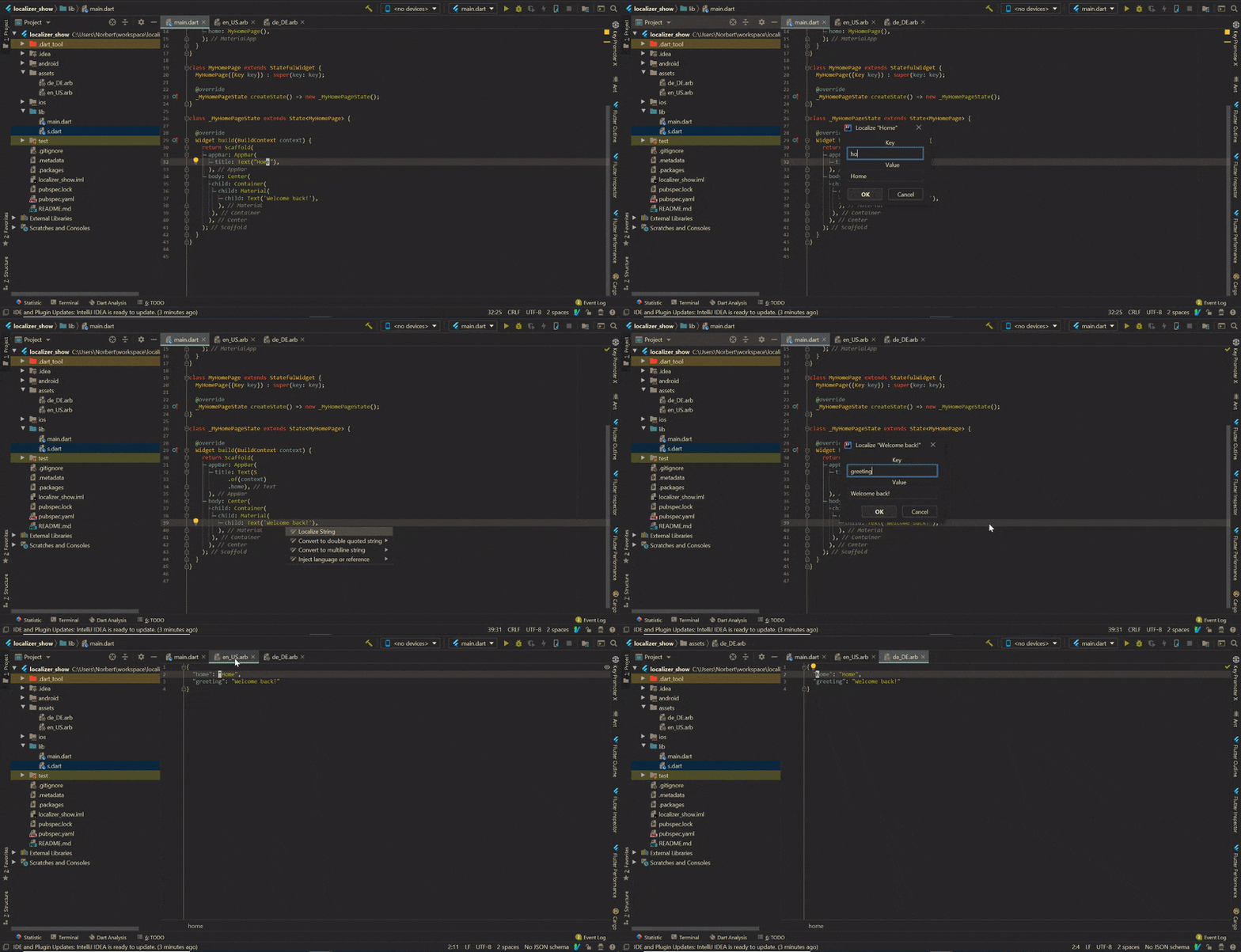
IntelliJ Plugin to ease the process of localizing hard coded strings in Flutter projects
## Installation
The plugin is still under development and therefore not available on the IntelliJ Plugin repository.
Either download [flutter_localizer.zip](https://github.com/Norbert515/flutter_localizer/raw/master/flutter_localizer.zip) or build the project yourself.
Then follow this guide on how to install plugins from a zip file:
https://ballerina.io/learn/intellij-plugin/#installing-the-zip-file-via-the-ide
## Usage
### Setup

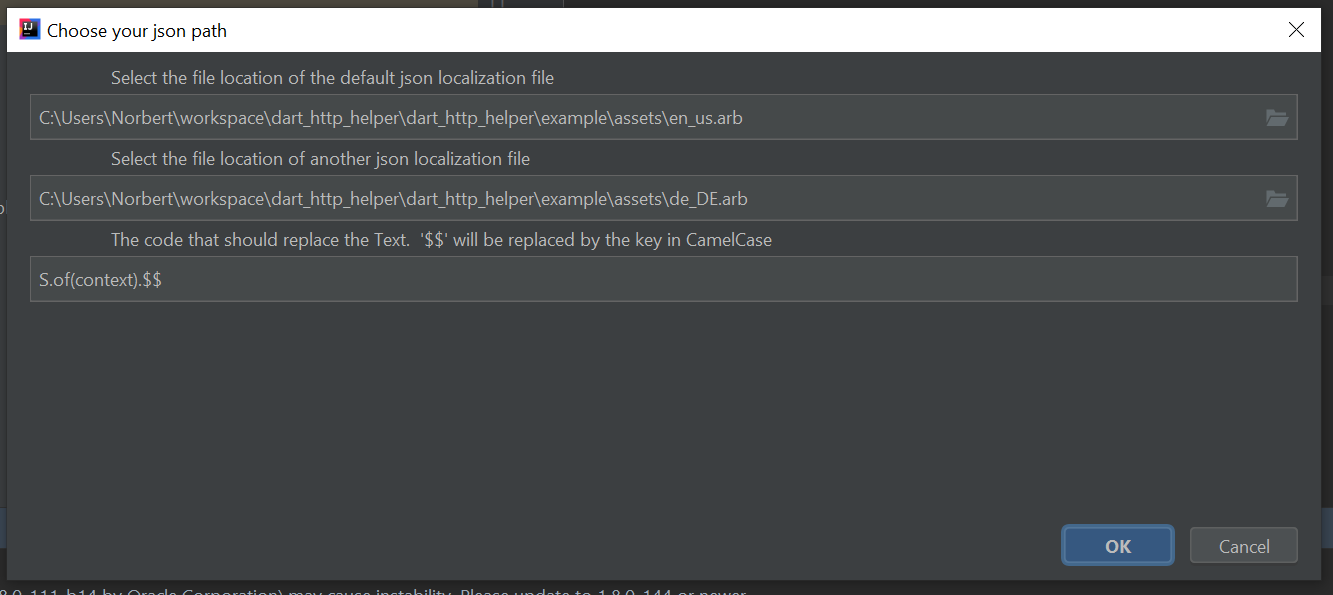
You can supply up two json file paths which will be filled with the localized values.
Next, you have to specify the code which should be generated. "$$" will be replaced by the key
in camelCase
Example:
```
S.of(context).$$
```
### Localization
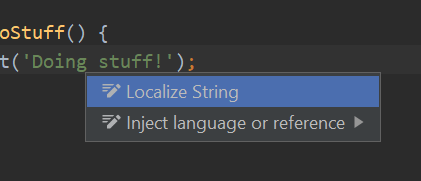
All you have to do is hover over a string, and press Alt+Enter (invoke the quick action command).
In the following dialog you have to specify the key for that given string. This should be in camel_case.
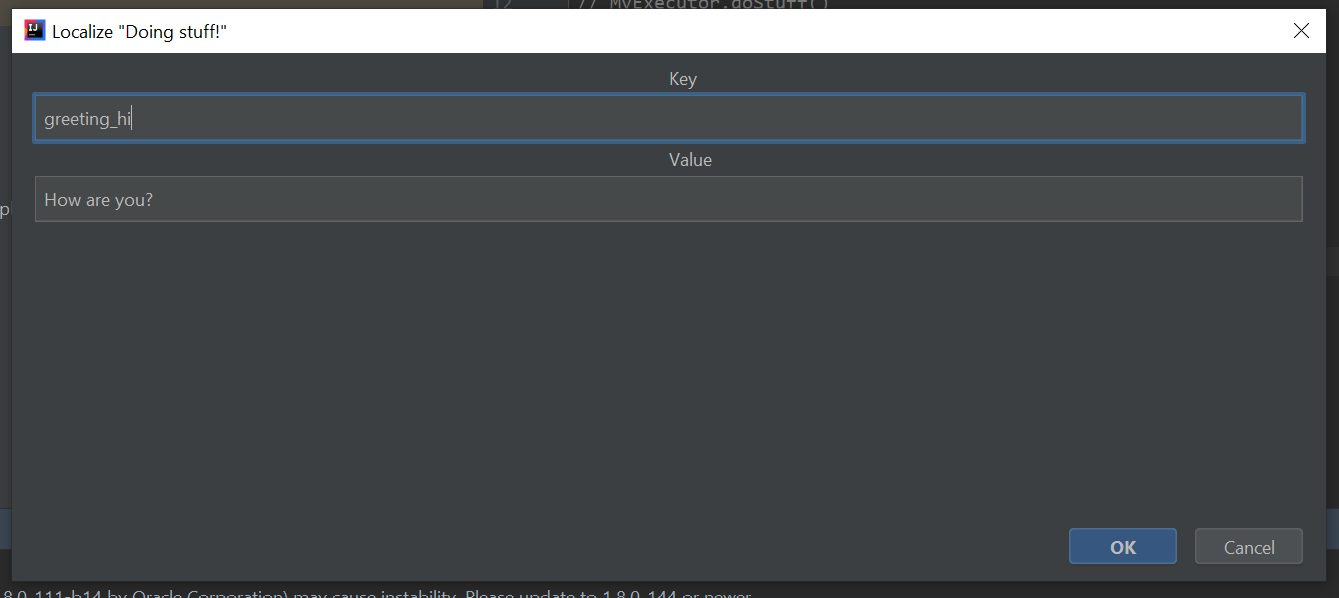
Press "Ok" and you are done!
---
Keep in mind, this only updated the JSON file and the code to access it. If you are using a localization technique witch
relies on code generation, you must run that code generator before you run the app!
## Contribution
This is very early, but contributions, ideas and feedback is appreciated!