https://github.com/norkzyt/comic-downloader
Fast, reliable, and easy-to-use CLI tool for downloading comics (manga, manhwa, and more) from popular websites.
https://github.com/norkzyt/comic-downloader
cli comic-downloader comics downloader linux macos manga manga-downloader manhwa reading windows
Last synced: 12 months ago
JSON representation
Fast, reliable, and easy-to-use CLI tool for downloading comics (manga, manhwa, and more) from popular websites.
- Host: GitHub
- URL: https://github.com/norkzyt/comic-downloader
- Owner: NorkzYT
- License: gpl-3.0
- Created: 2025-03-25T20:25:41.000Z (over 1 year ago)
- Default Branch: main
- Last Pushed: 2025-07-11T06:30:14.000Z (12 months ago)
- Last Synced: 2025-07-11T10:19:01.195Z (12 months ago)
- Topics: cli, comic-downloader, comics, downloader, linux, macos, manga, manga-downloader, manhwa, reading, windows
- Language: Go
- Homepage:
- Size: 22.8 MB
- Stars: 5
- Watchers: 1
- Forks: 1
- Open Issues: 3
-
Metadata Files:
- Readme: README.md
- Contributing: CONTRIBUTING.md
- Funding: .github/FUNDING.yml
- License: LICENSE
- Code of conduct: CODE_OF_CONDUCT.md
- Codeowners: .github/CODEOWNERS
Awesome Lists containing this project
README

Fast, reliable, and easy-to-use CLI tool for downloading comics (manga, manhwa, and more) from popular websites.





## 📚 Table of Contents
Expand Table of Contents
- [Supported Websites](#-supported-websites)
- [Installation](#-installation)
- [Linux & macOS](#linux--macos)
- [Windows](#%EF%B8%8F-windows)
- [Docker](#-docker)
- [Usage](#-usage)
- [Basic Usage](#basic-usage)
- [Chapter Range](#chapter-range)
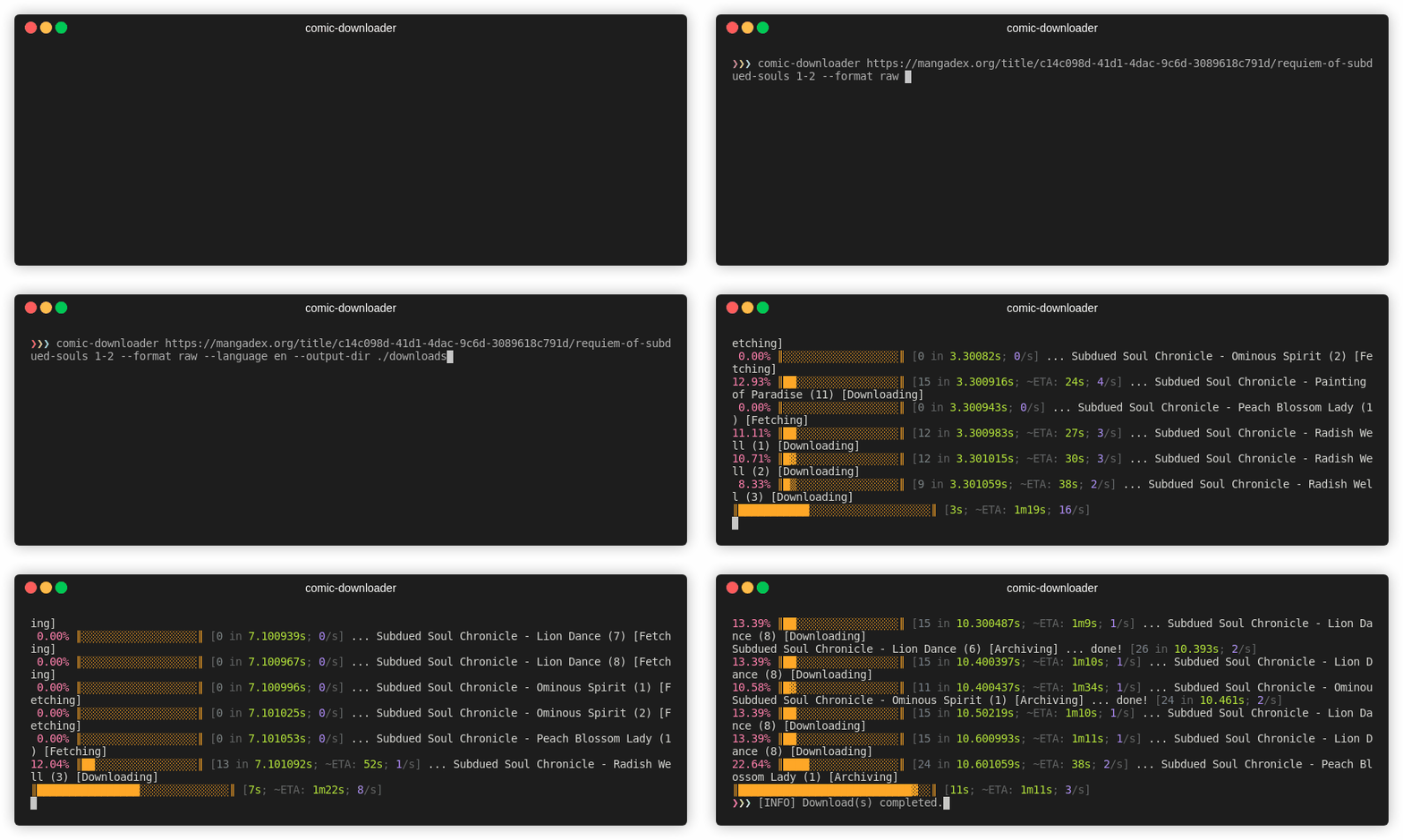
- [Language Selection](#language-selection)
- [Bundling Chapters](#bundling-chapters)
- [Help](#help)
- [Troubleshooting](#%EF%B8%8F-troubleshooting)
- [Contribution](#-contribution)
- [Star History](#-star-history)
## 🌐 Supported Websites
Expand Supported Websites
Currently, comic-downloader supports the following websites:
- [Asura Scans](https://asuracomic.net)
- [CypherScans](https://cypheroscans.xyz)
- [InManga](https://inmanga.com)
- [KappaBeast](https://kappabeast.com)
- [Mangabuddy](https://mangabuddy.com)
- [MangaDex](https://mangadex.org)
- [MangaMonk](https://mangamonk.com)
- [MangaWorldNZ](https://www.mangaworld.nz)
- [ReaperScans](https://reaperscans.com)
- [Toongod](https://toongod.org)
- [ToonClash](https://toonclash.com)
- [Zonatmo](https://zonatmo.com)
If a site you use isn't listed, please [open an issue](https://github.com/NorkzYT/comic-downloader/issues) or contribute directly via pull request.
## 🚀 Installation
### Linux & macOS
1. Download the latest binary from the [Releases page](https://github.com/NorkzYT/comic-downloader/releases).
2. Extract the downloaded archive.
3. Move the binary into a directory within your system's `PATH`:
```bash
sudo mv comic-downloader /usr/local/bin/
```
Or create Symbolic Link. This way, if you rebuild the binary, the link will still point to the updated file.
```bash
sudo ln -s comic-downloader /usr/local/bin/comic-downloader
```
#### macOS Users
To bypass the Gatekeeper security prompt, run:
```bash
sudo spctl --master-disable
```
### 🖥️ Windows
1. Download the latest `.exe` from [Releases](https://github.com/NorkzYT/comic-downloader/releases).
2. Place the `.exe` in a directory in your system's `PATH` (e.g., `C:\Windows\System32`).
Run via Command Prompt:
```cmd
comic-downloader [URL] [range]
```
### 🐳 Docker
Before running **comic‑downloader** (whether you use the local CLI or the Docker image), you must start your Browserless & Tenshi containers:
```bash
make up
```
#### comic-downloader Container
Rrun comic-downloader via Docker Compose with:
```bash
docker compose -f docker/containers/comic-downloader/docker-compose.yml up -d --force-recreate
```
> **Note:** Downloads will be saved in your current working directory.
## 🔧 Environment Setup
1. Copy the example file:
```bash
cp .env.example .env
```
2. Open `.env` and fill in each value (the example is below). At minimum you need:
```dotenv
# Enable compose bake (optional)
COMPOSE_BAKE=true
# Tenshi (FastAPI) container credentials
TENSHI_PASSWORD='tenshi'
TENSHI_VNC_PASSWORD='xxx'
# Browserless (Chromium) settings
BROWSERLESS_HOST_IP='xxx.xxx.xxx.xx'
BROWSERLESS_TOKEN='your_token_here'
REMOTE_DEBUG_URL='http://localhost:6082'
FASTAPI_BASE_URL='http://localhost:6081'
# Toggle Docker mode and debug logs
DOCKER=false
DEBUG=false
```
3. Make sure those containers are up:
```bash
make up
```
> **Important:** If **Browserless** (port 8454 or 3000 in Docker) or **Tenshi** (port 6081) aren’t reachable, **comic-downloader** will refuse to start.
If you're running locally, the application will connect to:
```
ws://${BROWSERLESS_HOST_IP}:8454?token=${BROWSERLESS_TOKEN}
```
If you're running under Docker (i.e. `DOCKER=true`), it will connect to:
```
ws://comic-downloader-browserless:3000?token=${BROWSERLESS_TOKEN}
```
> **Note:** Make sure your `.env` file is correctly configured; otherwise, comic-downloader will not be able to establish a connection with Browserless.
## 💻 Usage
### Basic Usage
Interactive download of all chapters:
```bash
comic-downloader [URL]
```
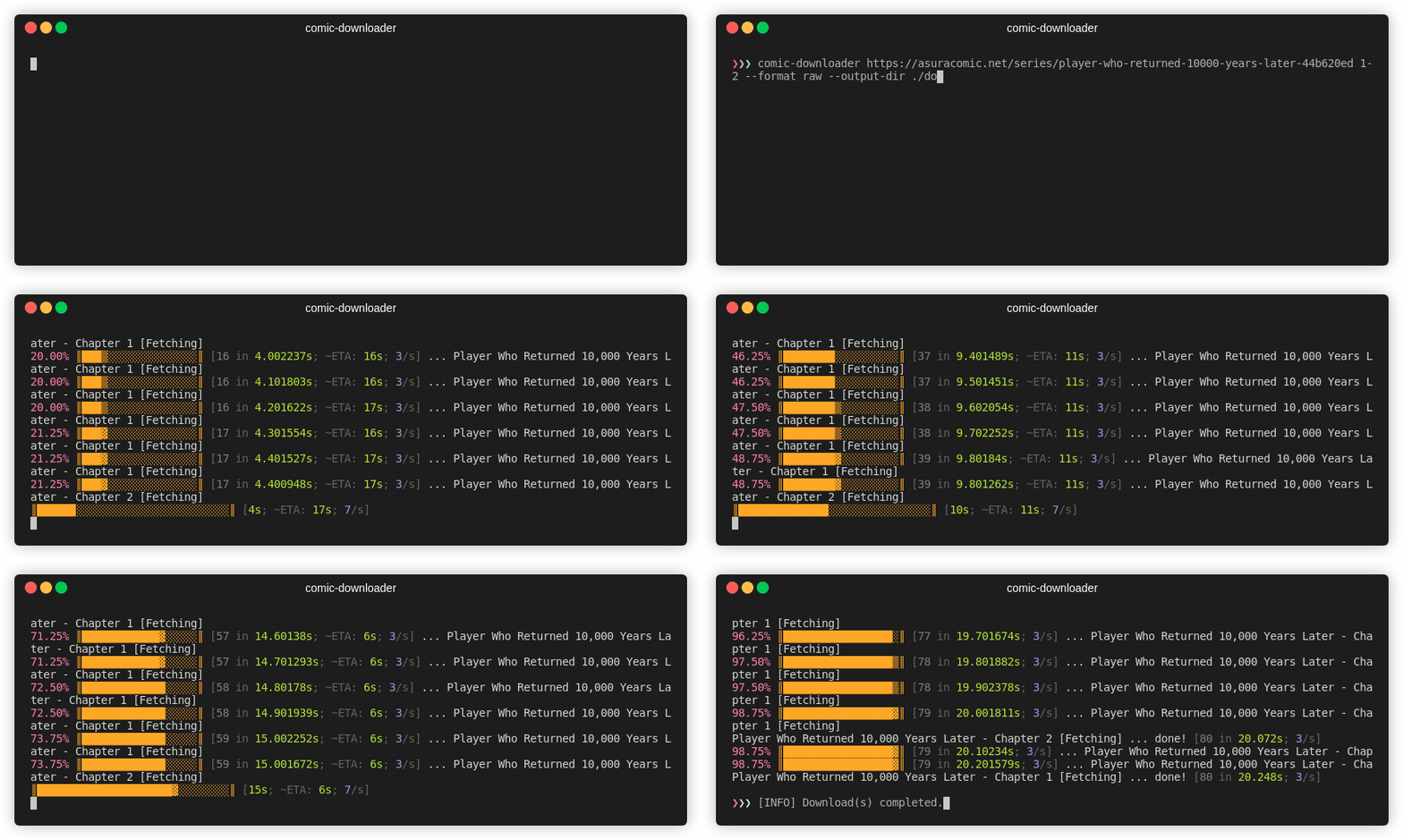
The URL must be the series' main page.
### Chapter Range
Specify specific chapters or ranges:
```bash
comic-downloader [URL] 1-50
```
### Language Selection
Explicitly select a language:
```bash
comic-downloader [URL] 1-10 --language en
```
### Bundling Chapters
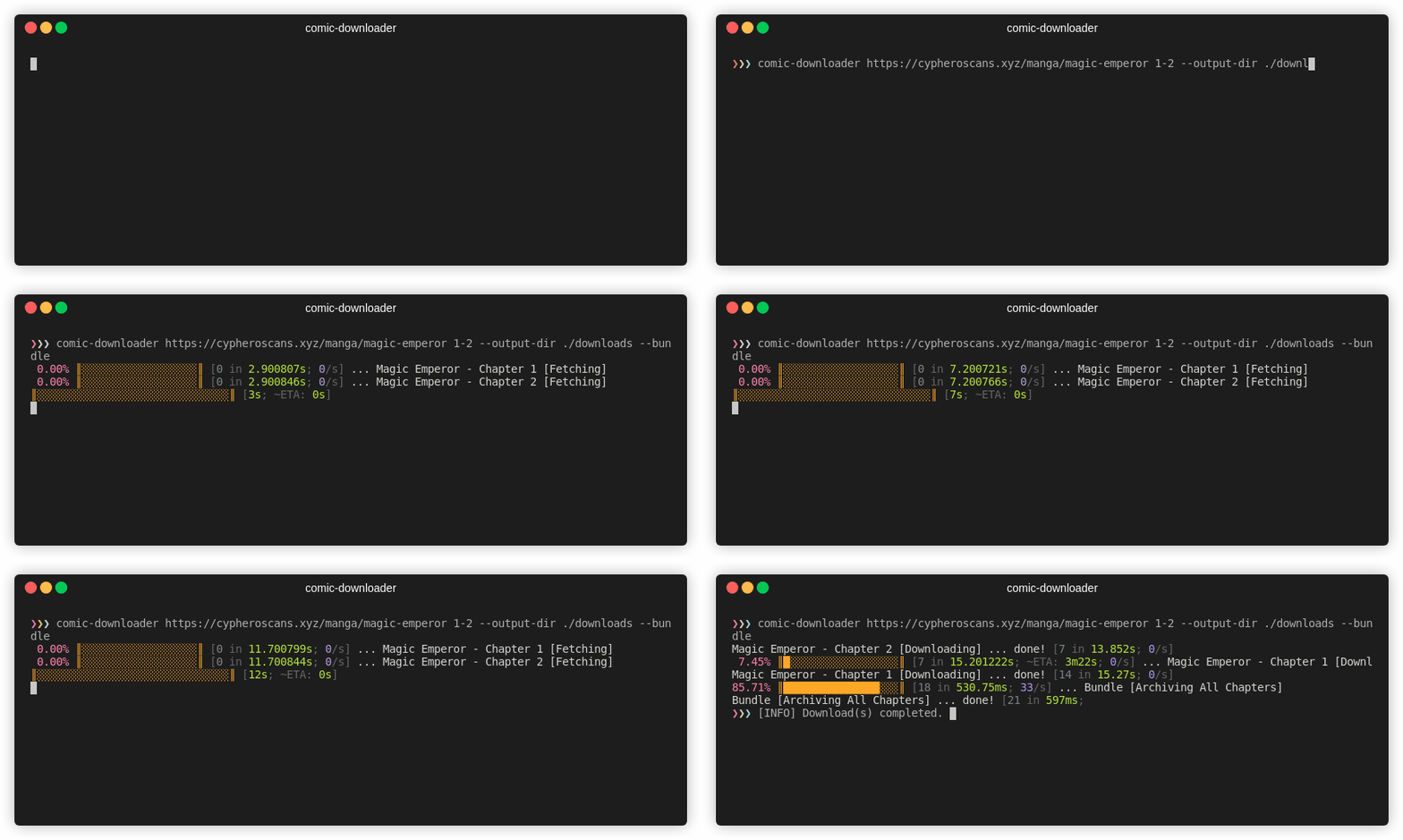
Combine chapters into a single `.cbz` file:
```bash
comic-downloader [URL] 1-2 --bundle
```
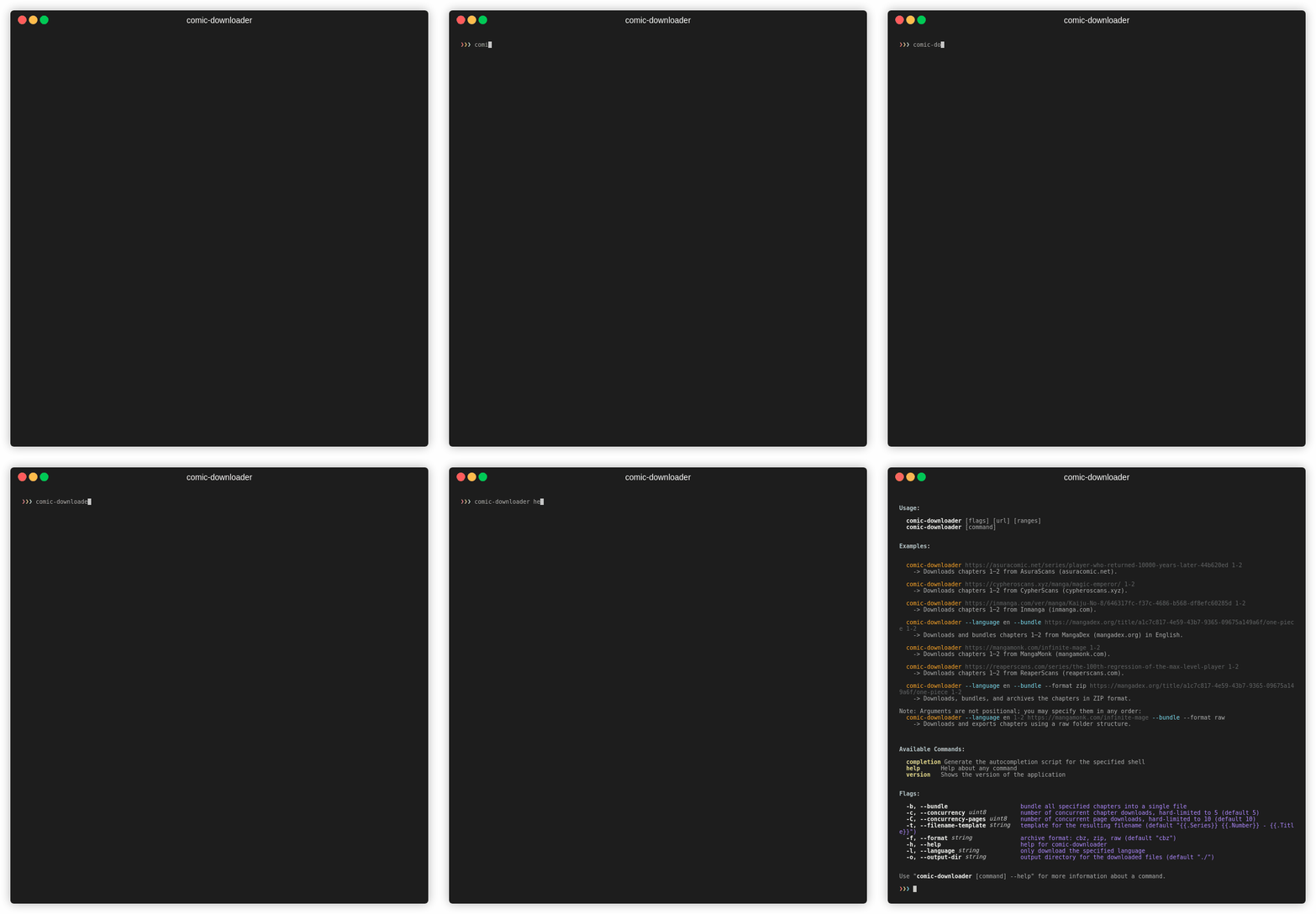
### Help
View all commands and options:
```bash
comic-downloader help
```
## 🛠️ Troubleshooting
- **"Command not recognized":** Verify the binary is in a PATH-accessible location.
- **macOS unsigned binary error:** Run `sudo spctl --master-disable`.
## 🤝 Contribution
Contributions, issues, and pull requests are welcome! See [CONTRIBUTING.md](CONTRIBUTING.md) for guidelines.
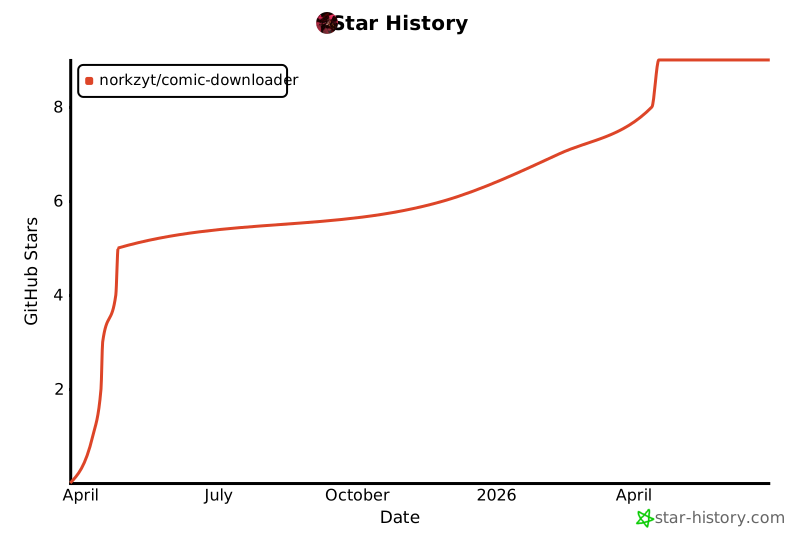
## 📈 Star History