https://github.com/notcoffee418/power_control_center
Automated system for managing airconditioning system using IR remote ESP32 devices, smart meter and solar inverter reader and a PIR detector.
https://github.com/notcoffee418/power_control_center
airconditioning automation esp32
Last synced: about 1 month ago
JSON representation
Automated system for managing airconditioning system using IR remote ESP32 devices, smart meter and solar inverter reader and a PIR detector.
- Host: GitHub
- URL: https://github.com/notcoffee418/power_control_center
- Owner: NotCoffee418
- License: apache-2.0
- Created: 2025-09-27T06:23:38.000Z (10 months ago)
- Default Branch: main
- Last Pushed: 2026-01-06T18:21:42.000Z (6 months ago)
- Last Synced: 2026-01-08T19:09:54.684Z (6 months ago)
- Topics: airconditioning, automation, esp32
- Language: Rust
- Homepage:
- Size: 2.99 MB
- Stars: 0
- Watchers: 0
- Forks: 1
- Open Issues: 1
-
Metadata Files:
- Readme: README.md
- License: LICENSE
Awesome Lists containing this project
README
# power-control-center


## About
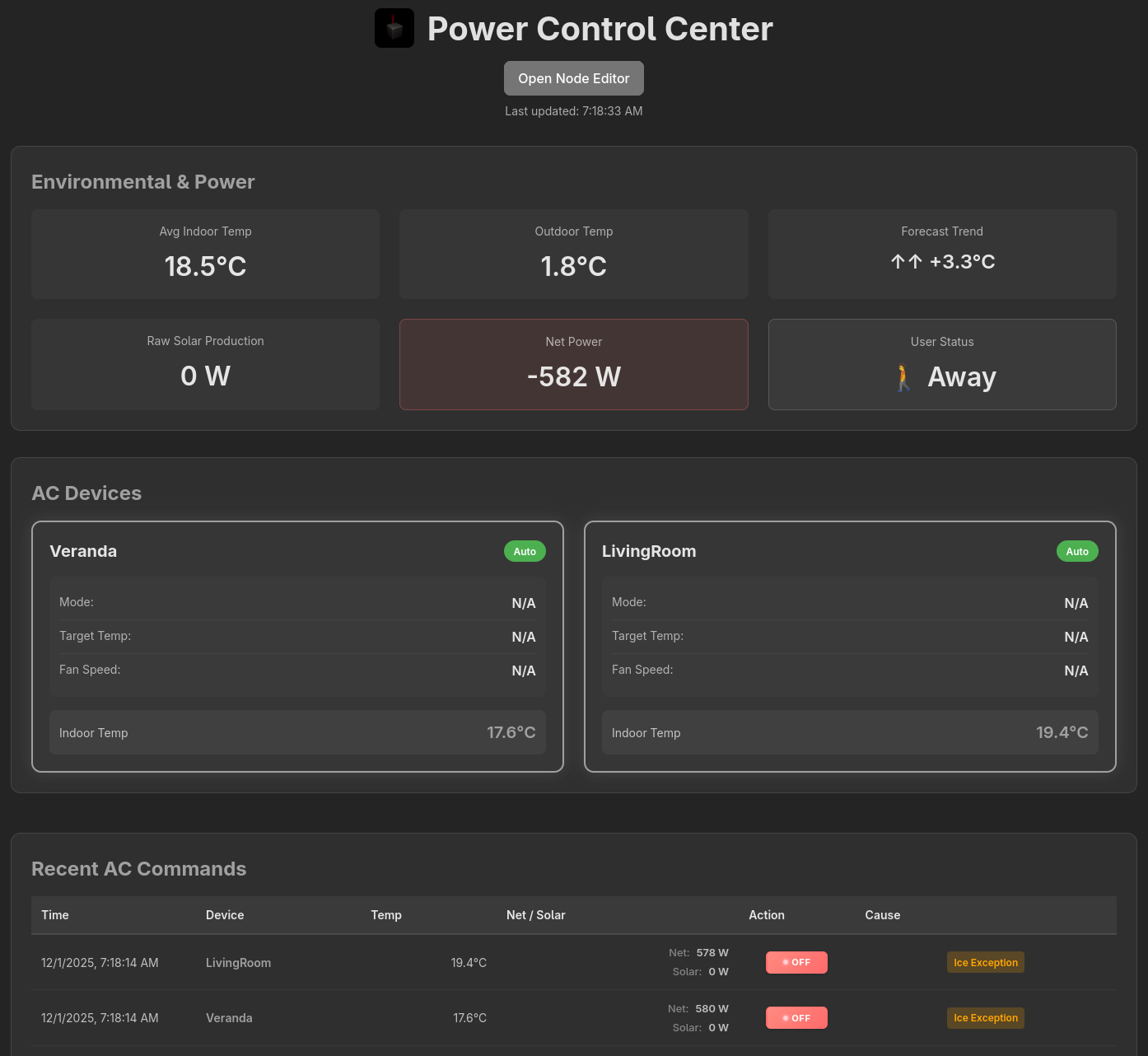
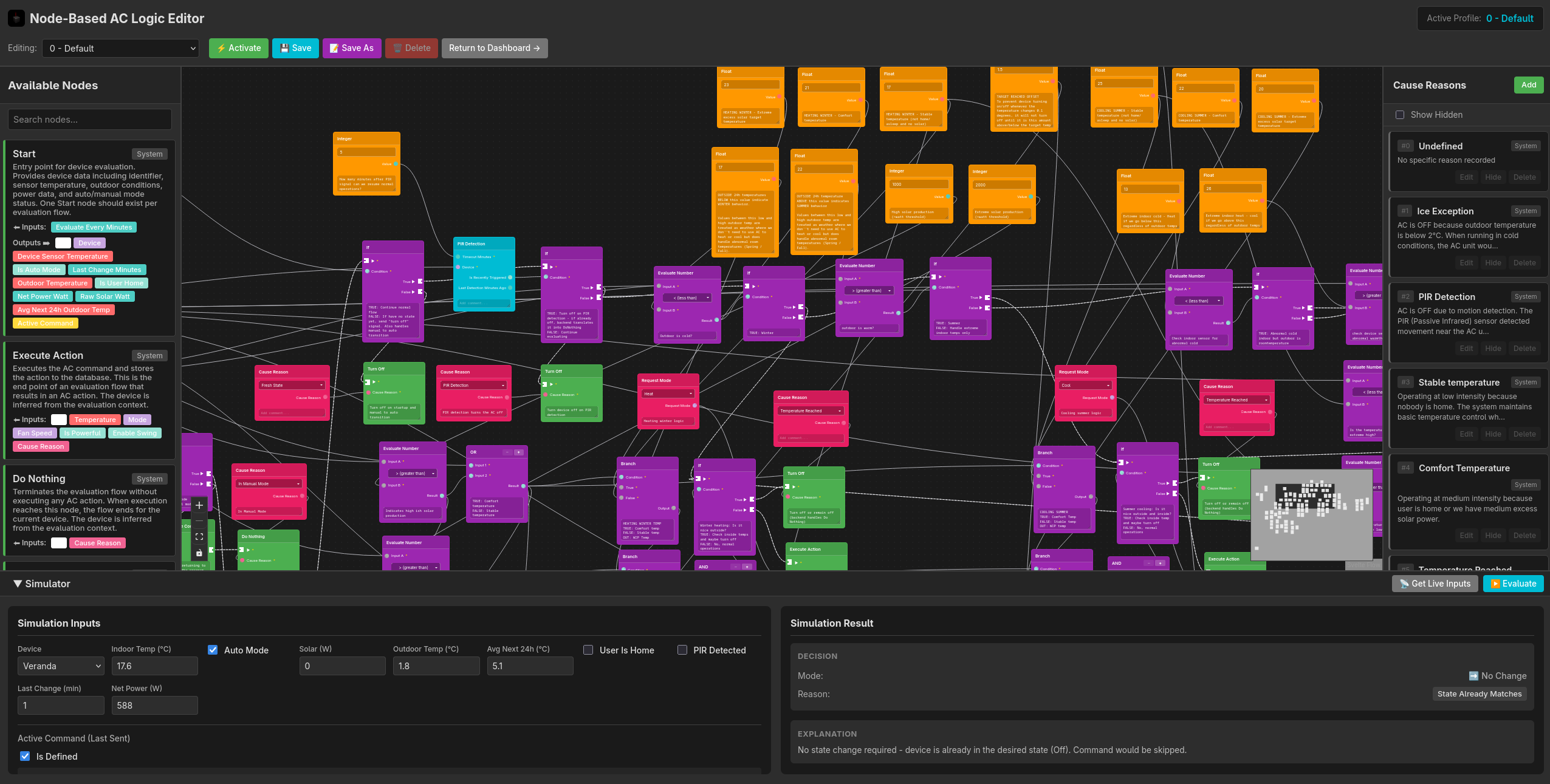
Power Control Center is a central hub for temperature and power management in your home. It integrates with various ESP32-based devices to monitor and control air conditioning units based on temperature, power consumption, and presence detection. The system provides a unified web dashboard to monitor and manage all connected devices.
## Web Dashboard
The web dashboard is accessible on port 9040 by default. For example: http://raspberrypi.local:9040
## Related Repositories
This system integrates with several ESP32-based devices:
1. **[esp32-ir-airco-controller](https://github.com/NotCoffee418/esp32-ir-airco-controller)** - ESP32 device with temperature sensor and IR emitter to control the airco unit. The repository includes a printable case for the device.
2. **[european_smart_meter](https://github.com/NotCoffee418/european_smart_meter)** - Reads European smart meter to determine current power consumption, and reads the Huawei solar inverter.
3. **[ac-pir-detector](https://github.com/NotCoffee418/ac-pir-detector)** *(optional component)* - ESP32 with PIR sensor to disable AC for a few minutes until presence is no longer detected. Intended to maintain a stable temperature near the outside AC unit while in the area. [Printable case available here](https://github.com/NotCoffee418/arbitrary-3d-models/tree/main/ac_pir_detector_case).
## Installation
### Quick Install (One-liner)
Install the latest release with a single command:
```bash
curl -fsSL https://raw.githubusercontent.com/NotCoffee418/power_control_center/main/installation/install.sh | sudo bash
```
### Manual Installation
1. Download the installation script:
```bash
wget https://raw.githubusercontent.com/NotCoffee418/power_control_center/main/installation/install.sh
chmod +x install.sh
```
2. Run the installer:
```bash
sudo ./install.sh
```
The installer will:
- Detect your system architecture (x86_64, arm64, armv7)
- Download the latest release binary
- Create necessary system user and directories
- Install the systemd service
- Set appropriate permissions
### Post-Installation Configuration
1. Create a configuration file at `/etc/power_control_center/config.json`:
```bash
sudo nano /etc/power_control_center/config.json
```
See the [Configuration](#configuration) section below for detailed information about all available options. You can also reference [config-example.json](config-example.json) for a complete example.
2. Enable and start the service:
```bash
sudo systemctl enable power_control_center
sudo systemctl start power_control_center
```
3. Check the service status:
```bash
sudo systemctl status power_control_center
```
4. View logs:
```bash
sudo journalctl -u power_control_center -f
```
### Supported Architectures
- Linux x86_64
- Linux ARM64 (aarch64)
- Linux ARMv7
## Files
### Config
Config file must be manually created on the device, use config.example.toml as a template.
Path: `/etc/power_control_center/config.json`
### Database
Database file will be automatically created on the device, if it does not exist.
Path is defined in config but is quite expected to be at this path.
Path: `/var/lib/power_control_center/pcc.db`
## API Endpoints
### PIR Detection Endpoints
#### POST /api/pir/detect
Records a PIR (motion) detection event and immediately turns off the corresponding AC device.
**Query Parameters:**
- `device` (required) - The device name (e.g., "Veranda")
**Headers:**
- `Authorization: ApiKey ` or `Authorization: Bearer `
**Example:**
```bash
curl -X POST "http://localhost:9040/api/pir/detect?device=Veranda" \
-H "Authorization: ApiKey your_pir_api_key_here"
```
**Behavior:**
- Immediately turns off the AC for the specified device
- Records the detection time
- Prevents the AC from being turned back on for the configured timeout period (default: 5 minutes)
#### POST /api/pir/alive
Receives a keep-alive signal from PIR devices for monitoring purposes.
**Query Parameters:**
- `device` (optional) - The device name
**Headers:**
- `Authorization: ApiKey ` or `Authorization: Bearer `
**Example:**
```bash
curl -X POST "http://localhost:9040/api/pir/alive?device=Veranda" \
-H "Authorization: ApiKey your_pir_api_key_here"
```
## Configuration
The configuration file should be created at `/etc/power_control_center/config.json`. See [config-example.json](config-example.json) for a complete example.
### Configuration Fields
```json
{
"database_path": "/var/lib/power_control_center/pcc.db",
"listen_address": "0.0.0.0",
"listen_port": 9040,
"smart_meter_api_endpoint": "http://raspberrypi.local:9039",
"ac_controller_endpoints": {
"LivingRoom": {
"endpoint": "http://192.168.50.201",
"api_key": "secret123"
},
"Veranda": {
"endpoint": "http://192.168.50.202",
"api_key": "secret456"
}
},
"latitude": 51.5074,
"longitude": -0.1278,
"pir_api_key": "your_pir_api_key_here",
"pir_timeout_minutes": 5
}
```
#### Field Descriptions
- **`database_path`**: Path to the SQLite database file. Default: `/var/lib/power_control_center/pcc.db` (recommended to keep default)
- **`listen_address`**: IP address the web server will bind to. Default: `0.0.0.0` (all interfaces, recommended to keep default)
- **`listen_port`**: Port number for the web dashboard. Default: `9040` (recommended to keep default)
- **`smart_meter_api_endpoint`**: URL to your [european_smart_meter](https://github.com/NotCoffee418/european_smart_meter) API endpoint (e.g., `http://your-device-ip:9039`). Configure this based on how you set up the smart meter API.
- **`ac_controller_endpoints`**: Object mapping room names to AC controller configurations. Each entry requires:
- `endpoint`: URL to the [esp32-ir-airco-controller](https://github.com/NotCoffee418/esp32-ir-airco-controller) device
- `api_key`: API key for the device (generated through the device's dashboard)
- **`latitude`** and **`longitude`**: Geographic coordinates for your location. Used for solar calculations and automation. You can find your coordinates using Google Maps or similar services.
- **`pir_api_key`**: API key for authenticating [ac-pir-detector](https://github.com/NotCoffee418/ac-pir-detector) requests. This is an arbitrary key that must match what you configured on the PIR device. (optional, defaults to empty/no auth)
- **`pir_timeout_minutes`**: Number of minutes to keep AC off after PIR motion detection. Default: `5` (optional)