https://github.com/nothans/dfs-optimizer
Optimize your Daily Fantasy Sports (DFS) football lineups with MATLAB
https://github.com/nothans/dfs-optimizer
dfs draftkings fantasy-football matlab
Last synced: about 1 year ago
JSON representation
Optimize your Daily Fantasy Sports (DFS) football lineups with MATLAB
- Host: GitHub
- URL: https://github.com/nothans/dfs-optimizer
- Owner: nothans
- License: mit
- Created: 2022-09-13T20:57:19.000Z (over 3 years ago)
- Default Branch: main
- Last Pushed: 2023-07-20T21:20:05.000Z (almost 3 years ago)
- Last Synced: 2025-03-31T02:34:09.440Z (about 1 year ago)
- Topics: dfs, draftkings, fantasy-football, matlab
- Language: MATLAB
- Homepage: https://nothans.com/win-at-dfs-by-optimizing-your-fantasy-football-lineups
- Size: 572 KB
- Stars: 8
- Watchers: 2
- Forks: 0
- Open Issues: 0
-
Metadata Files:
- Readme: README.md
- License: LICENSE
Awesome Lists containing this project
README
[](https://www.mathworks.com/matlabcentral/fileexchange/117835-dfs-fantasy-football-lineup-optimizer) [](https://matlab.mathworks.com/open/github/v1?repo=nothans/dfs-optimizer&file=dfs.m)
# DFS Optimizer
## Download Projection Data
* Go to [Daily Fantasy Fuel](https://www.dailyfantasyfuel.com/nfl/projections/) and click on “Download Projects as CSV”
* Save the file to your computer as “DFF_data.csv” into a new folder
## Access MATLAB
You might have MATLAB installed on your computer, so all you have to do is open MATLAB. If you don’t have MATLAB installed, you can use MATLAB Online at [matlab.mathworks.com](https://matlab.mathworks.com/) by signing in and clicking “Open MATLAB Online (basic).”
## Import the Data
- Right-click on the “Current Folder” and click “Upload Files”
- Select the CSV file that you downloaded from Daily Fantasy Fuel
- Right-click on the DFF_data.csv that we uploaded and click Open
- Click “Import Selection” and “Import Data”
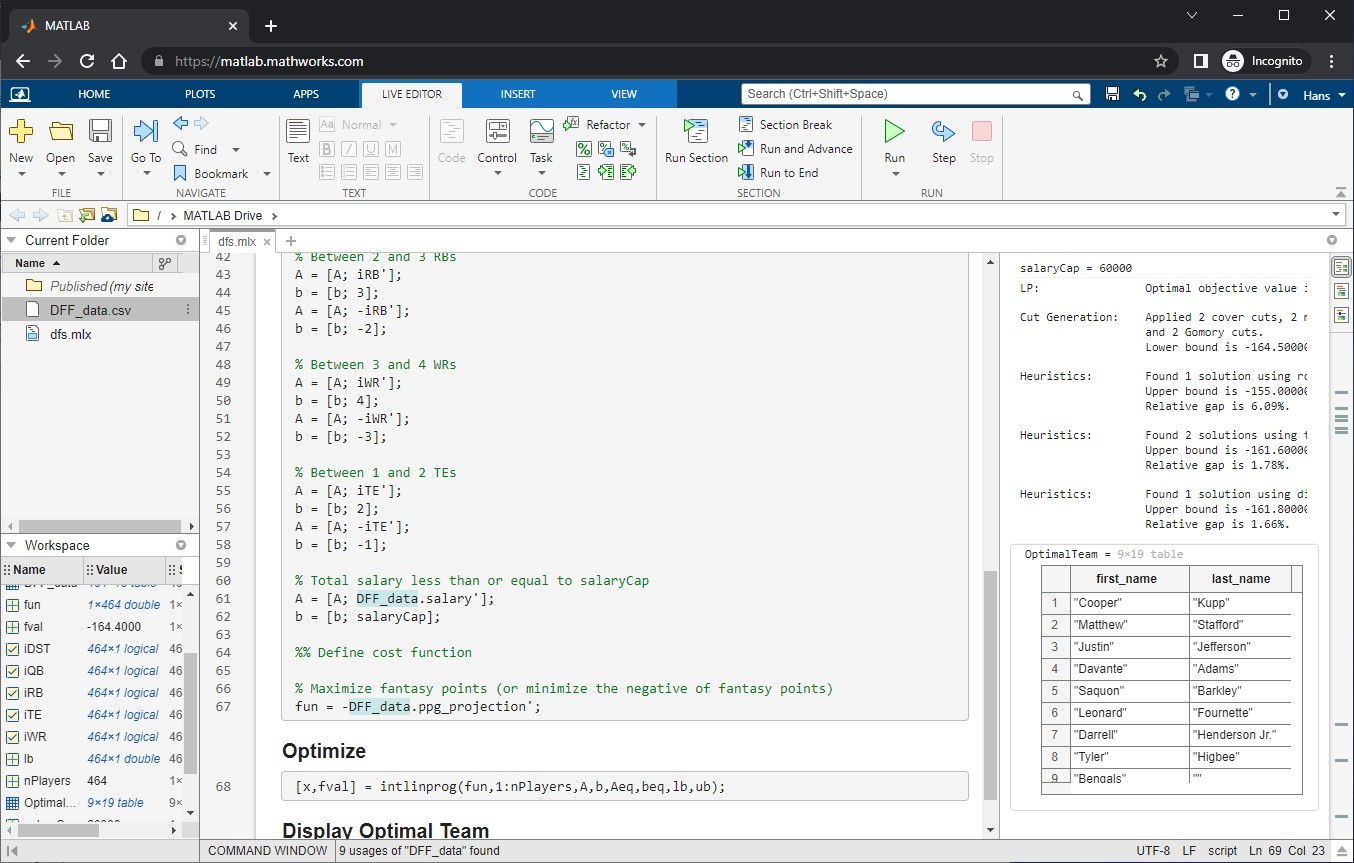
## Enter and Run the Code
- Right-click on the Current Folder area, click _New_, and then _Live Script_
- Name it “dfs.m” and open it
- Copy and paste my MATLAB code from [GitHub](https://github.com/nothans/dfs-optimizer/blob/main/dfs.m) into your new MATLAB Live Script.
- Click “Save”
- Change the *salaryCap* variable to the salary cap to optimize for. 50,000 to 60,000 is a common range.
- Click the *Run* button on the Live Editor tab
## Resources
- Full Tutorial - https://nothans.com/win-at-dfs-by-optimizing-your-fantasy-football-lineups
- Source code at GitHub - [https://github.com/nothans/dfs-optimizer](https://github.com/nothans/dfs-optimizer)
- Daily Fantasy Fuel - [https://www.dailyfantasyfuel.com/nfl/projections/](https://www.dailyfantasyfuel.com/nfl/projections/)
- MATLAB - [https://matlab.mathworks.com/](https://matlab.mathworks.com/)
- Optimization Toolbox documentation - [https://www.mathworks.com/help/optim/](https://www.mathworks.com/help/optim/)