https://github.com/novichenkoanton/stringifytextfield
Custom UITextField is based on Stringify framework functionality.
https://github.com/novichenkoanton/stringifytextfield
ios stringify swift uitextfield
Last synced: 9 months ago
JSON representation
Custom UITextField is based on Stringify framework functionality.
- Host: GitHub
- URL: https://github.com/novichenkoanton/stringifytextfield
- Owner: NovichenkoAnton
- License: mit
- Created: 2020-04-09T17:39:53.000Z (about 6 years ago)
- Default Branch: master
- Last Pushed: 2025-02-13T07:14:26.000Z (over 1 year ago)
- Last Synced: 2025-03-27T08:02:51.534Z (about 1 year ago)
- Topics: ios, stringify, swift, uitextfield
- Language: Swift
- Homepage:
- Size: 125 KB
- Stars: 3
- Watchers: 1
- Forks: 3
- Open Issues: 2
-
Metadata Files:
- Readme: README.md
- License: LICENSE
Awesome Lists containing this project
README
# StringifyTextField
Custom `UITextField` is based on `Extendy` framework functionality.
[](https://cocoapods.org/pods/StringifyTextField)
[](https://raw.githubusercontent.com/NovichenkoAnton/StringifyTextField/master/LICENSE)
[](https://cocoapods.org/pods/StringifyTextField)
## Requirements
- iOS 10.0+
## Installation
### CocoaPods
StringifyTextField is available through [CocoaPods](https://cocoapods.org). To install it, simply add the following line to your Podfile:
```ruby
pod 'StringifyTextField', '~> 1.0'
```
## Usage
```swift
import StringifyTextField
//Connect IBOutlet
@IBOutlet var stringifyTextField: StringifyTextField!
//Create programmatically
let manualTextField = StringifyTextField(type: .amount)
manualTextField.frame = CGRect(x: 20, y: 100, width: 200, height: 40)
```
`StringifyTextField` is a textfield which can format inputed string with 4 available formats.
Available formats:
```swift
public enum TextType: UInt {
case amount = 0
case creditCard = 1
case IBAN = 2
case expDate = 3
}
```
### Amount format
You can specify currency mark for `.amount` text type

Set up maximum integer digits (if your amount contains integer and fraction parts).
```swift
stringifyTextField.maxIntegerDigits = 6
```
If your amount doesn't contain a fraction part, you can disable `decimal` through Interface Builder or programmatically.
```swift
stringifyTextField.decimal = false
```
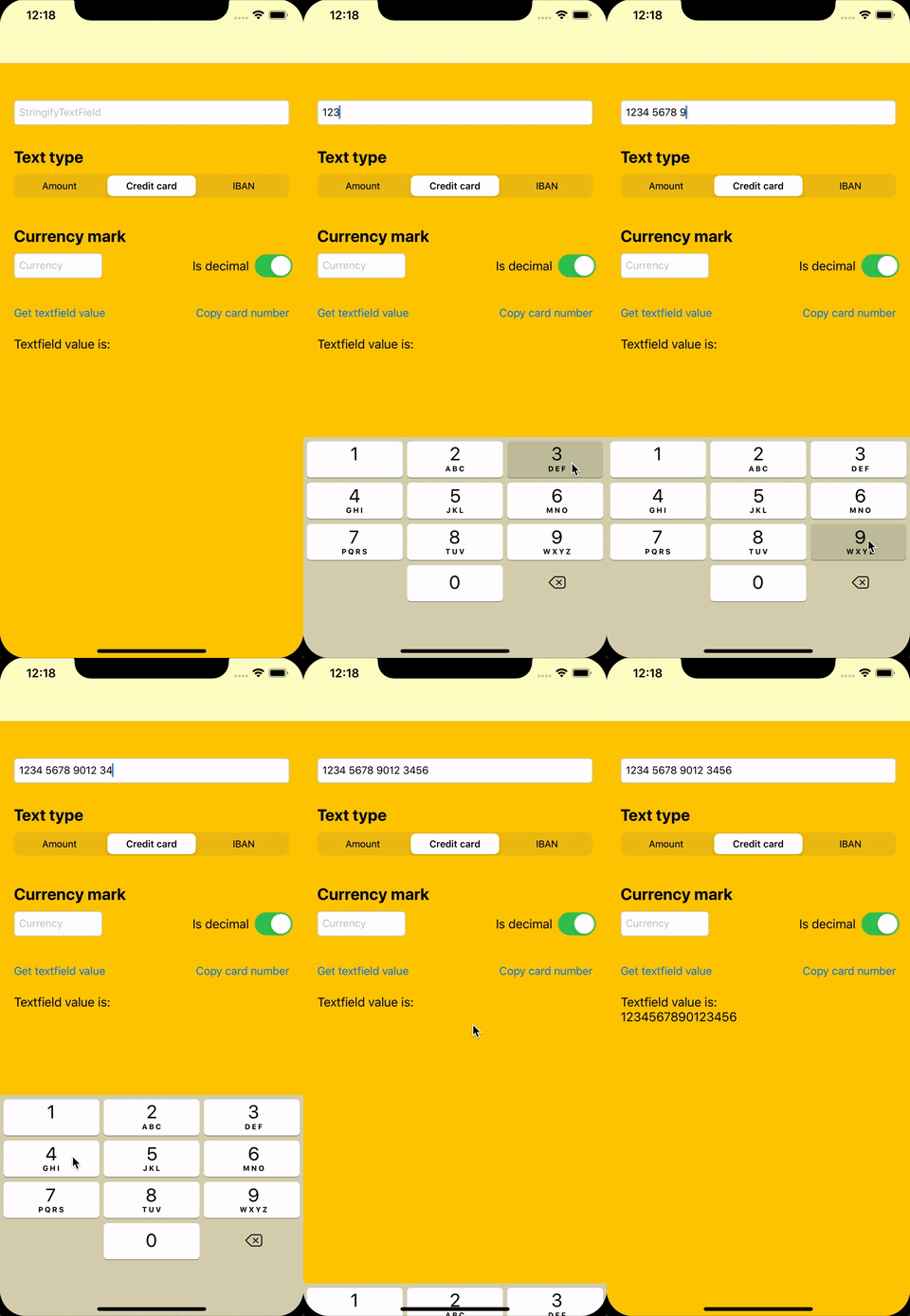
### Credit card format
### Exp date format
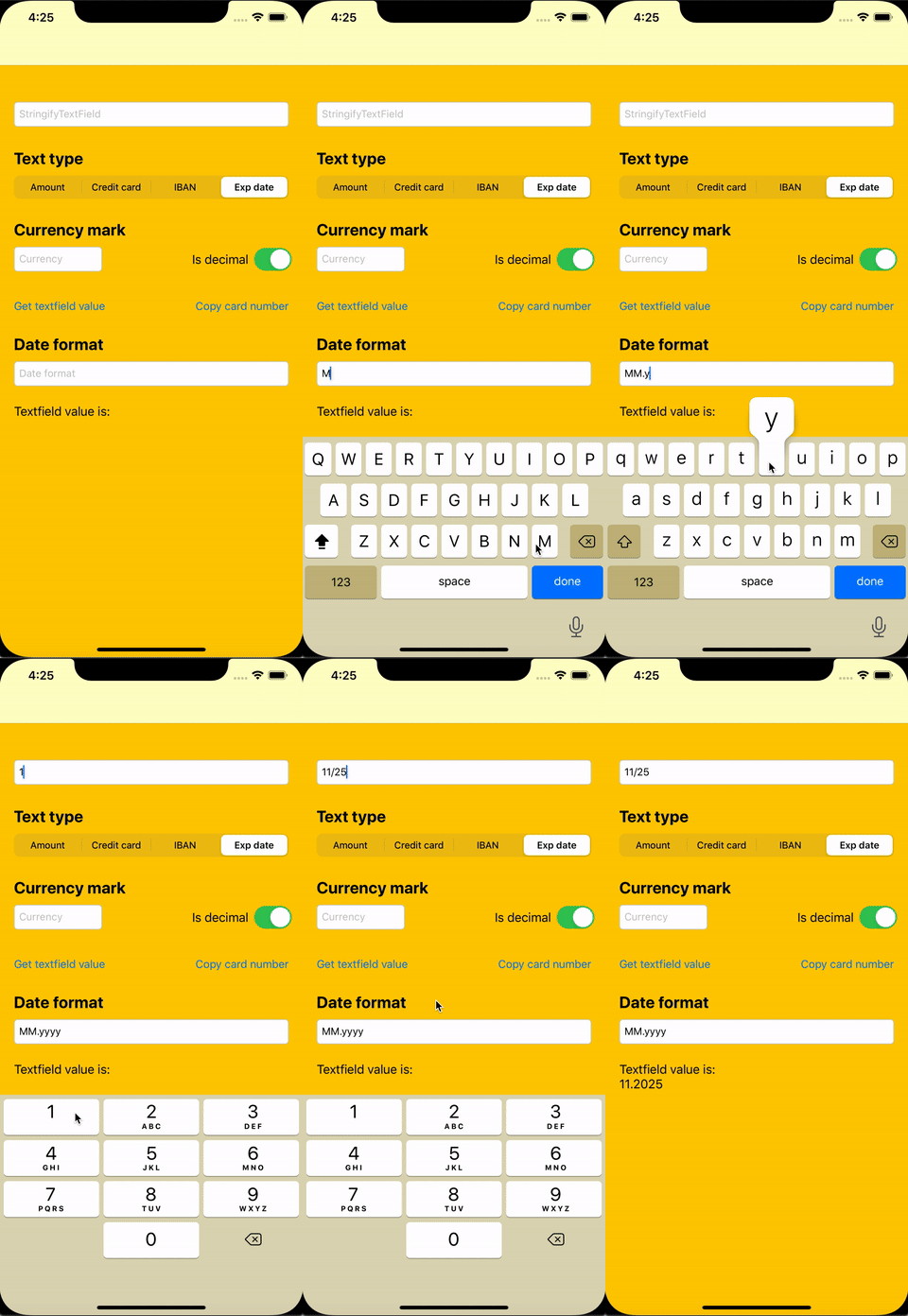
You can specify date format to get needed "clean" value
```swift
stringifyTextField.dateFormat = "MM.yyyy"
```
### Plain value
You can get plain value from `StringifyTextField`, e.g for `.expDate` format it will be value with applying specific date format.
```swift
let expDate = stringifyTextField.plainValue
```
### Bottom line & floated placeholder
You can add bottom line dispay in `StringifyTextField`
```swift
stringifyTextField.lineVisible = true
stringifyTextField.lineColorDefault = UIColor.black
stringifyTextField.lineColorActive = UIColor.blue
```
and floated label display
```swift
stringifyTextField.floatingPlaceholder = true
stringifyTextField.floatingPlaceholderColor = UIColor.black
stringifyTextField.floatingPlaceholderActiveColor = UIColor.blue
```

## Demo
You can see other features in the example project.