https://github.com/nparashar150/google_drive_handler
Google Drive file upload and delete script.
https://github.com/nparashar150/google_drive_handler
gcp google-drive-api googleapis nodejs
Last synced: over 1 year ago
JSON representation
Google Drive file upload and delete script.
- Host: GitHub
- URL: https://github.com/nparashar150/google_drive_handler
- Owner: nparashar150
- Created: 2021-12-27T16:44:39.000Z (over 4 years ago)
- Default Branch: main
- Last Pushed: 2022-01-21T09:35:16.000Z (over 4 years ago)
- Last Synced: 2025-02-28T19:43:27.278Z (over 1 year ago)
- Topics: gcp, google-drive-api, googleapis, nodejs
- Language: JavaScript
- Homepage:
- Size: 889 KB
- Stars: 5
- Watchers: 1
- Forks: 0
- Open Issues: 0
-
Metadata Files:
- Readme: README.md
Awesome Lists containing this project
README
### Upload to your Google Drive with terminal itself
#### Steps to get started with the Script
1. Clone the Repository
2. Create .env File
3. Create a Project at [GCP](https://console.cloud.google.com/)
4. Enable Google Drive API under Enable API and Services
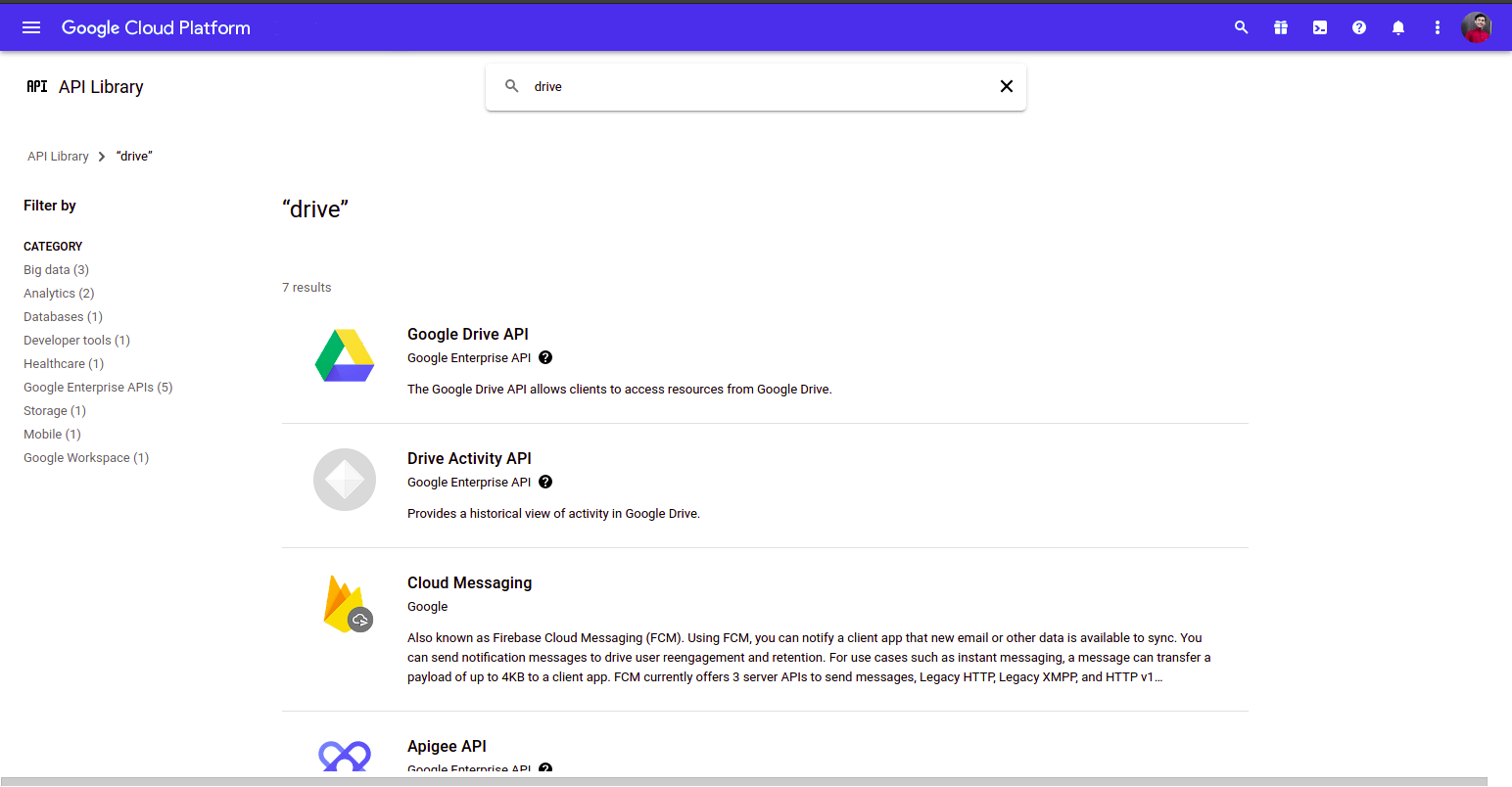
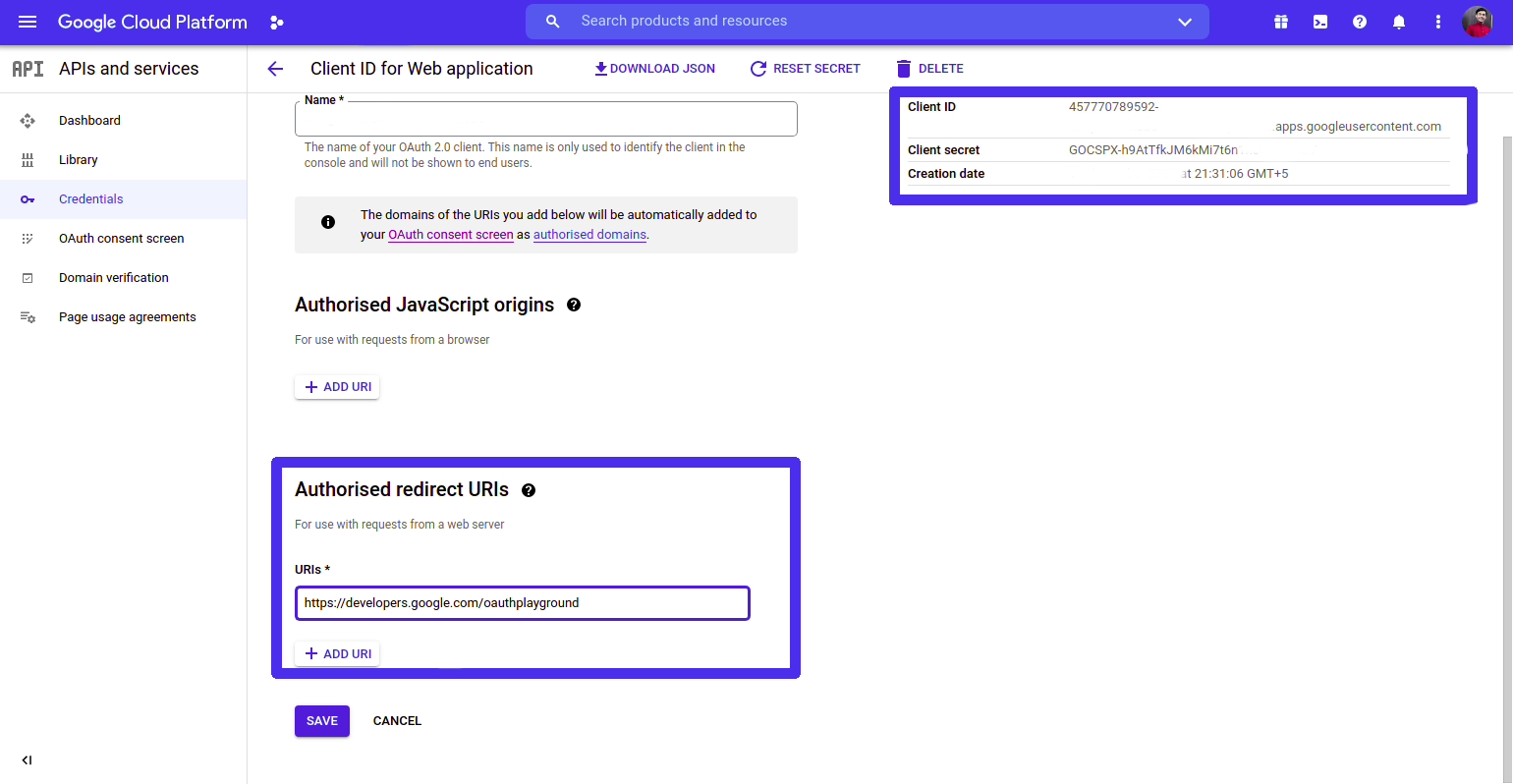
5. Under API and Services Generate a OAuth 2.0 Client ID
6. Pase `https://developers.google.com/oauthplayground` as Redirect URI inside the OAuth 2.0 Client ID
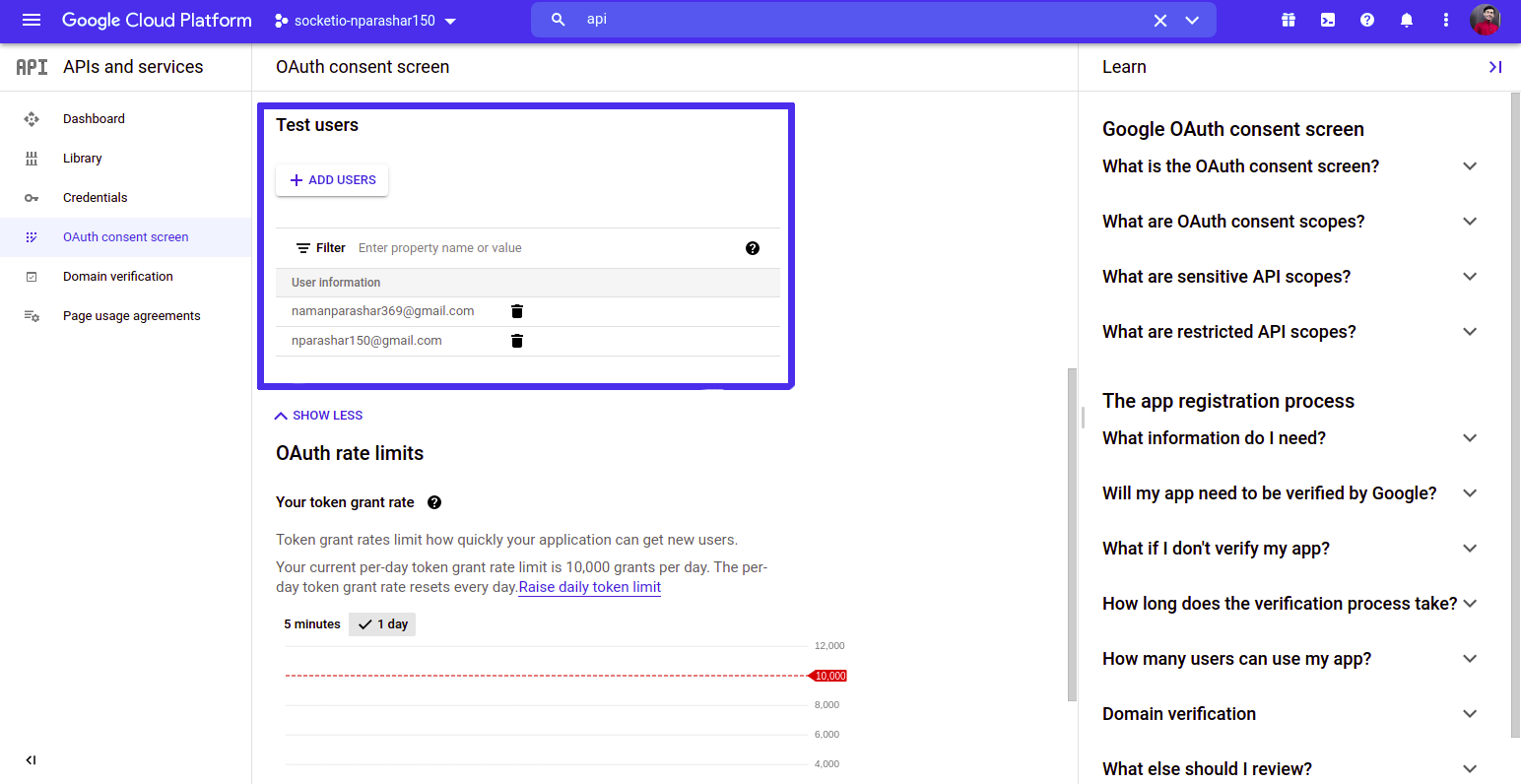
7. Whitelist your Email Address Under OAuth Consent Screen section
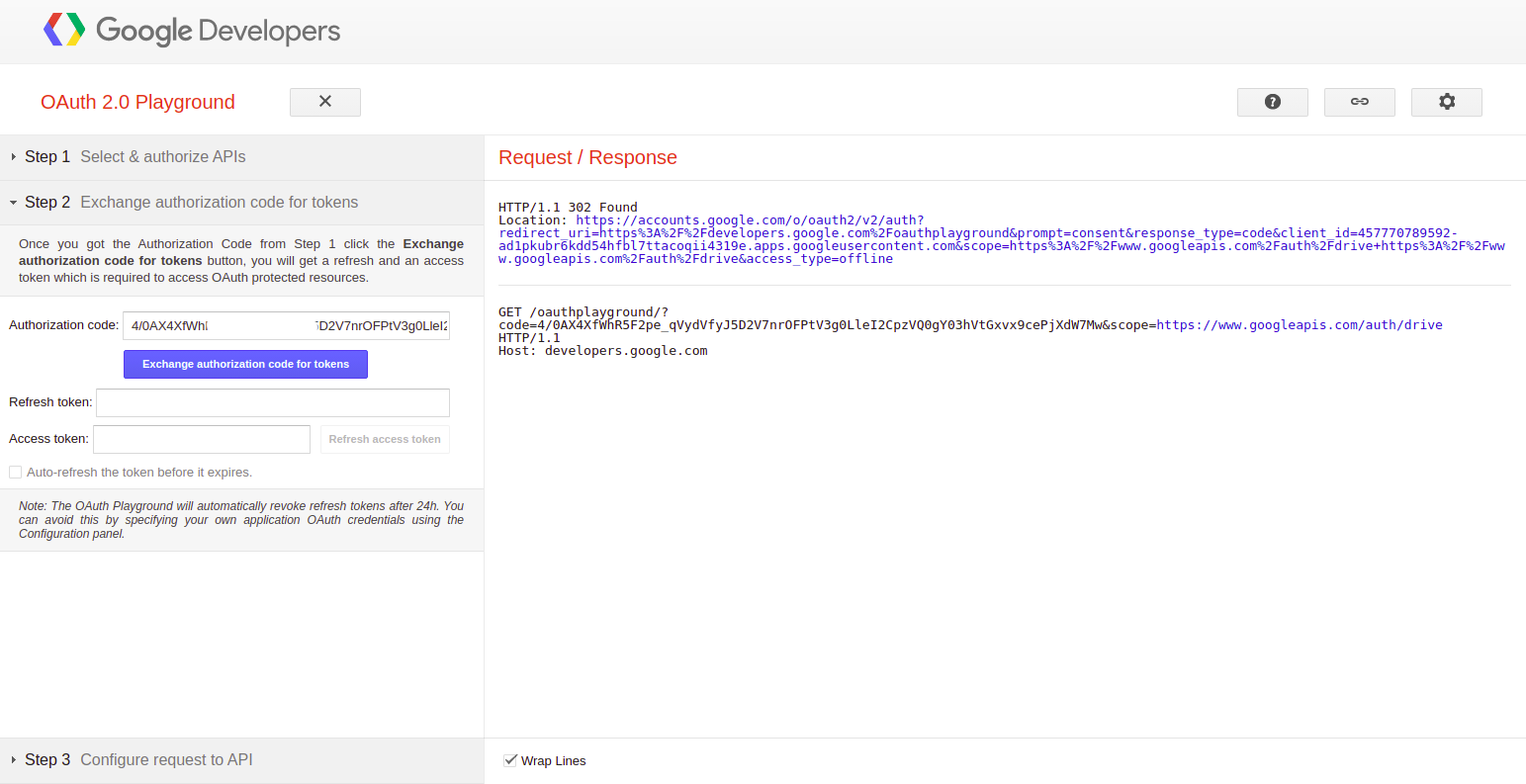
8. Go to [OAuthPlayground](https://developers.google.com/oauthplayground)
9. Select Google Drive V3 and Paste your Client Id and Client Secret
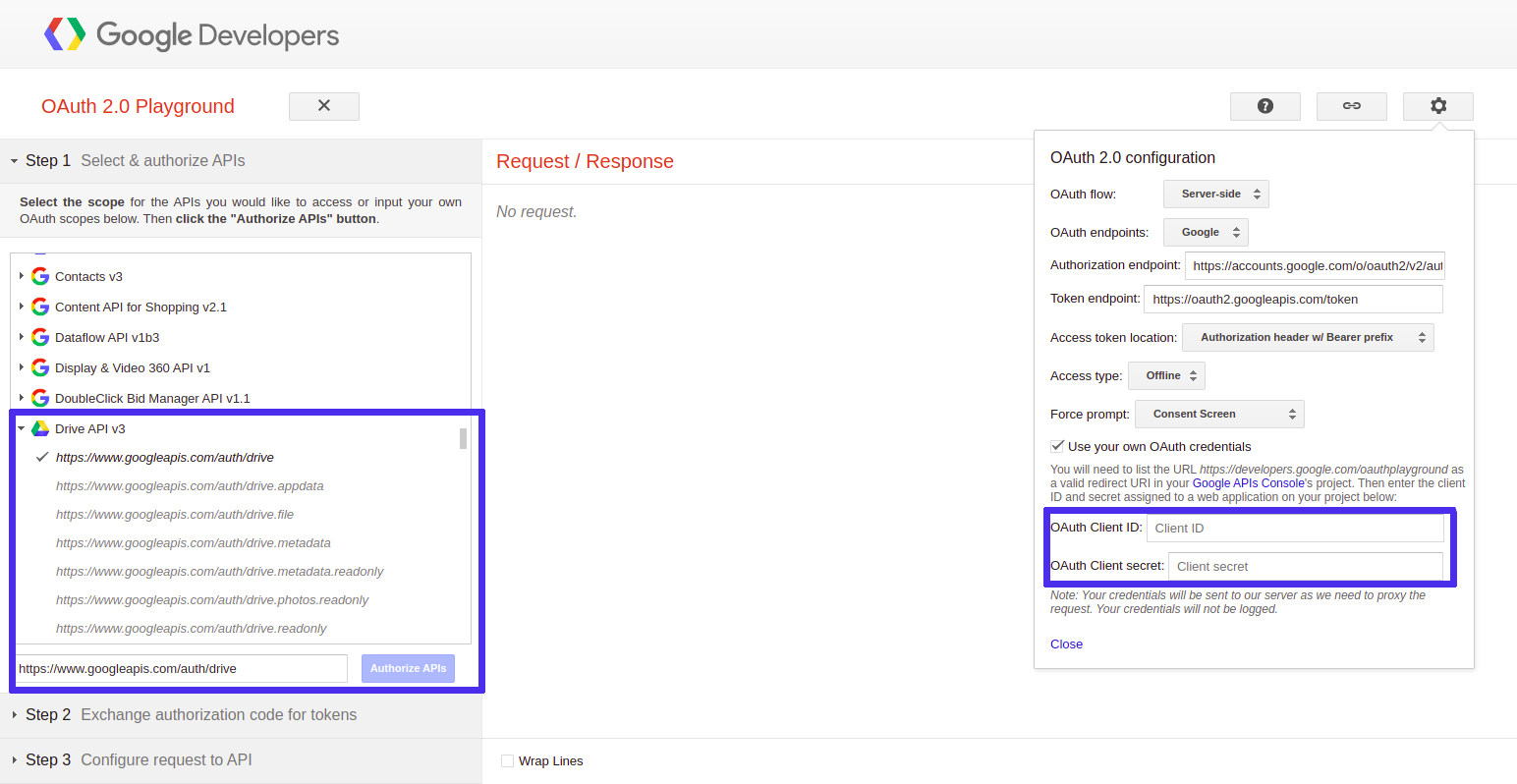
10. Exchange Authorization code with Refresh Token and Access Token
11. Add the following inside your .env file which you created earlier
| | KEY | | value |
|--|---------------|---|------------------|
| | CLIENT_ID | | yourClientID |
| | CLIENT_SECRET | | yourClientSecret |
| | REDIRECT_URI | | yourRedirectURI |
| | REFRESH_TOKEN | | yourRefreshToken |
12. Place your file at the dir
13. Install required packages
14. **Note**: To upload the file run yarn upload "fileName" "mimeType" "folderId (if you want to upload inside a folder)"
15. **Note**: To delete the file you need the files' FILEID and run it as yarn delete 'FILEID'
16. **Note**: To create a folder you need to run yarn createFolder 'folderName'
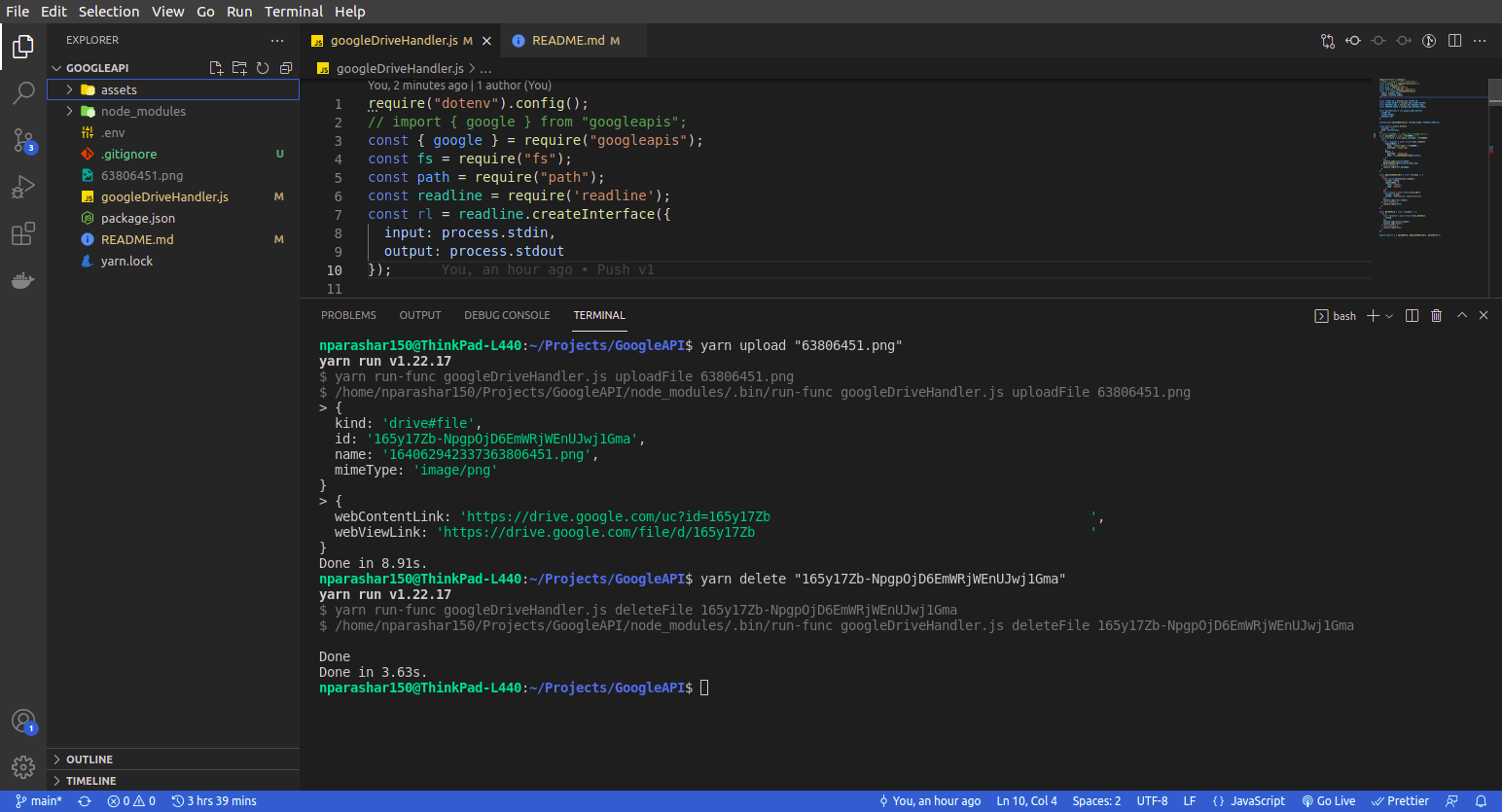
17. Once you are done the setup you only need to run follow Steps after Step 11 everytime.
#### Star the Repository if you like my work