https://github.com/npc-worldwide/incognide
Explore the unknown, build the future, own your data.
https://github.com/npc-worldwide/incognide
agents ai ai-agents artificial-intelligence ide llm-inference llms node npc npm research
Last synced: 2 months ago
JSON representation
Explore the unknown, build the future, own your data.
- Host: GitHub
- URL: https://github.com/npc-worldwide/incognide
- Owner: NPC-Worldwide
- License: other
- Created: 2025-02-26T22:23:59.000Z (over 1 year ago)
- Default Branch: main
- Last Pushed: 2026-02-24T04:10:16.000Z (4 months ago)
- Last Synced: 2026-02-24T10:50:41.978Z (4 months ago)
- Topics: agents, ai, ai-agents, artificial-intelligence, ide, llm-inference, llms, node, npc, npm, research
- Language: TypeScript
- Homepage: https://enpisi.com/incognide
- Size: 24.4 MB
- Stars: 255
- Watchers: 9
- Forks: 22
- Open Issues: 2
-
Metadata Files:
- Readme: README.md
- License: LICENSE
Awesome Lists containing this project
README

Incognide
Explore the unknown and build the future.



Download for Linux, macOS, and Windows
---
Incognide unifies chat, code, documents, web browsing, and media into a tileable workspace with intelligent context and composable automations.
Built for seamless workflows, Incognide eliminates distractions and context switching. A path-based organization keeps your work structured naturally, while auto-saving workspaces let you resume any project exactly where you left off. No more juggling desktops, drowning in browser tabs, or hunting for scattered files.
### Highlights
- Write and run code, use terminals, build reusable workflows and tools that chain together natural language and templateable code through jinja execution templates.
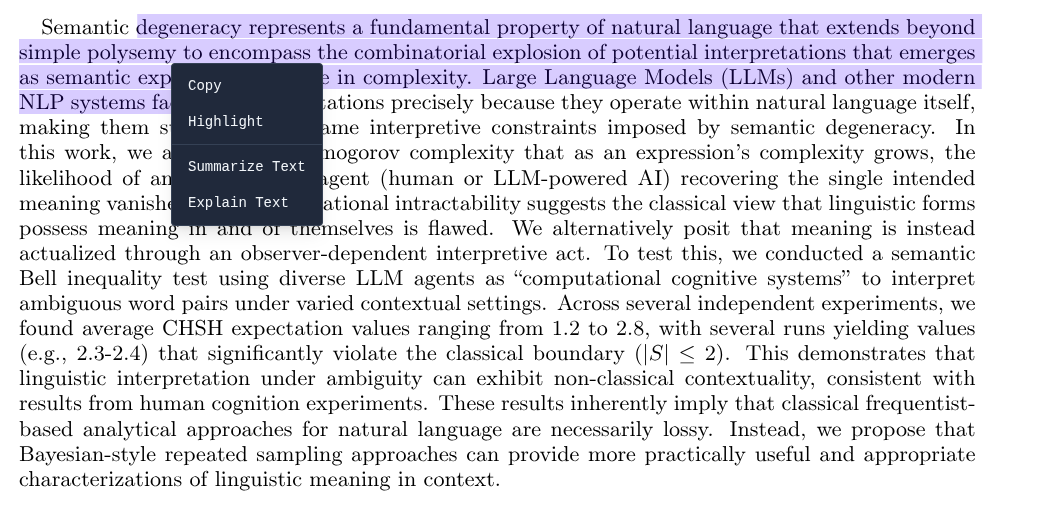
- Browse the web, read and annotate PDFs, view 3D STL models, analyze data and create dashboards, compile LaTeX.
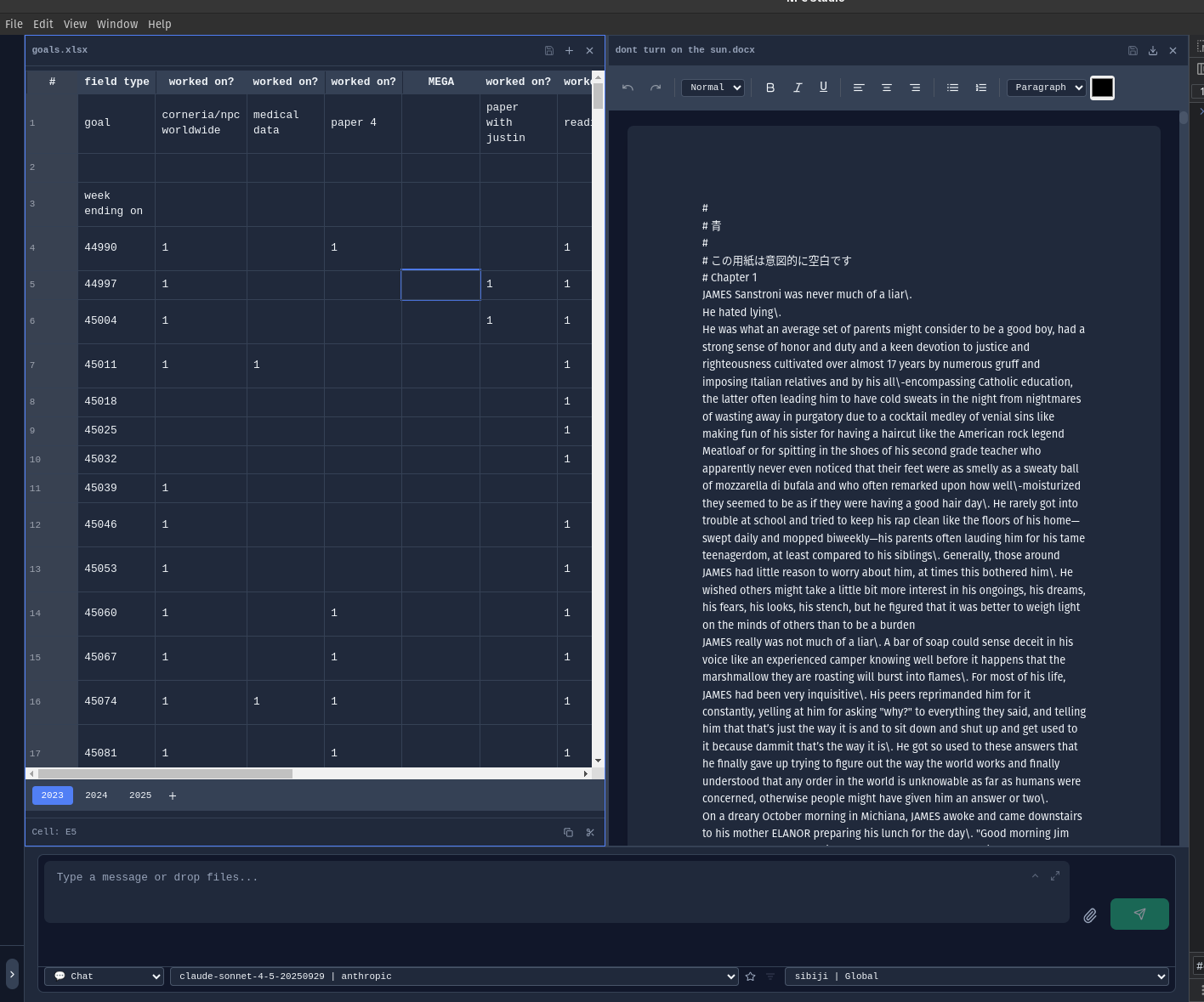
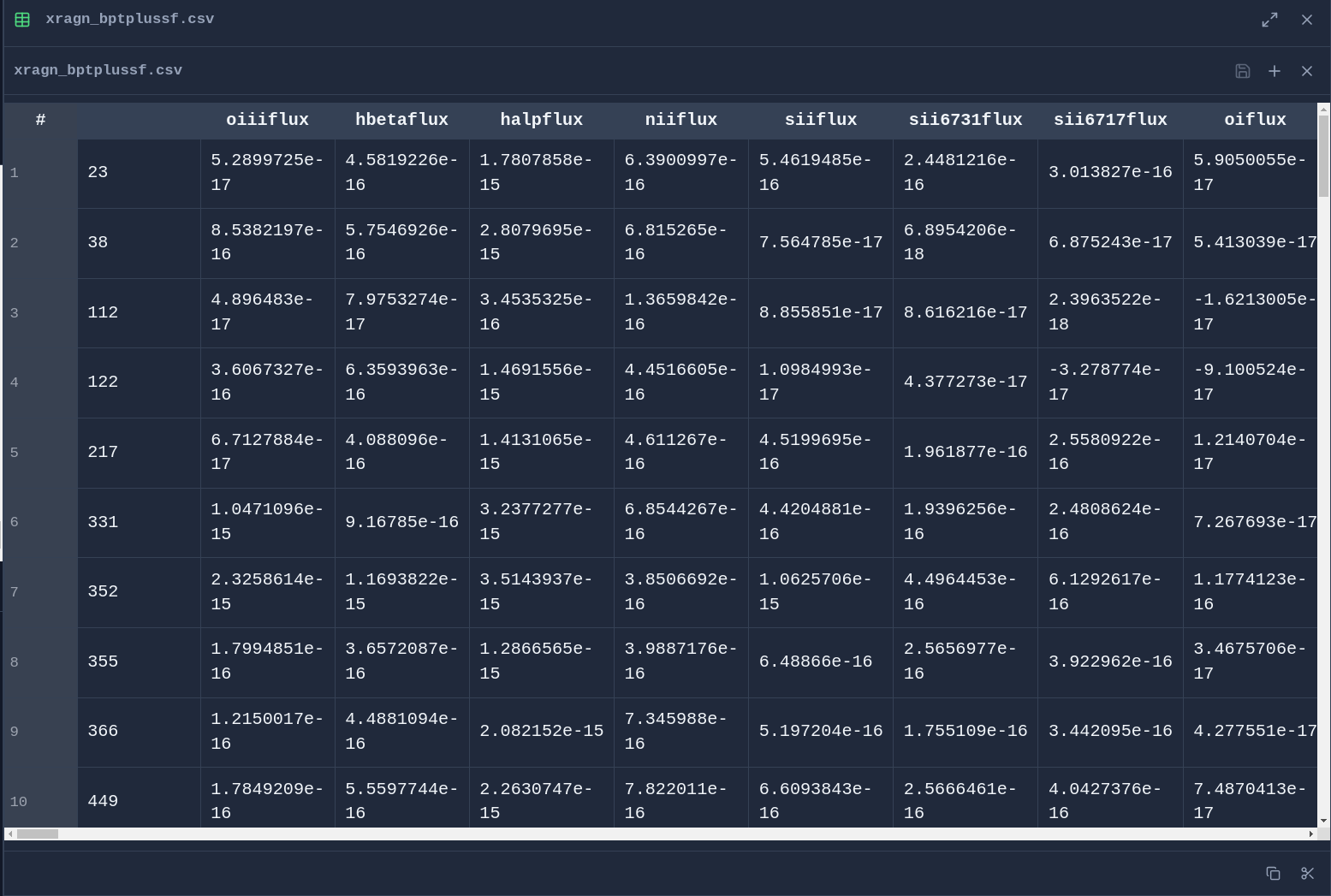
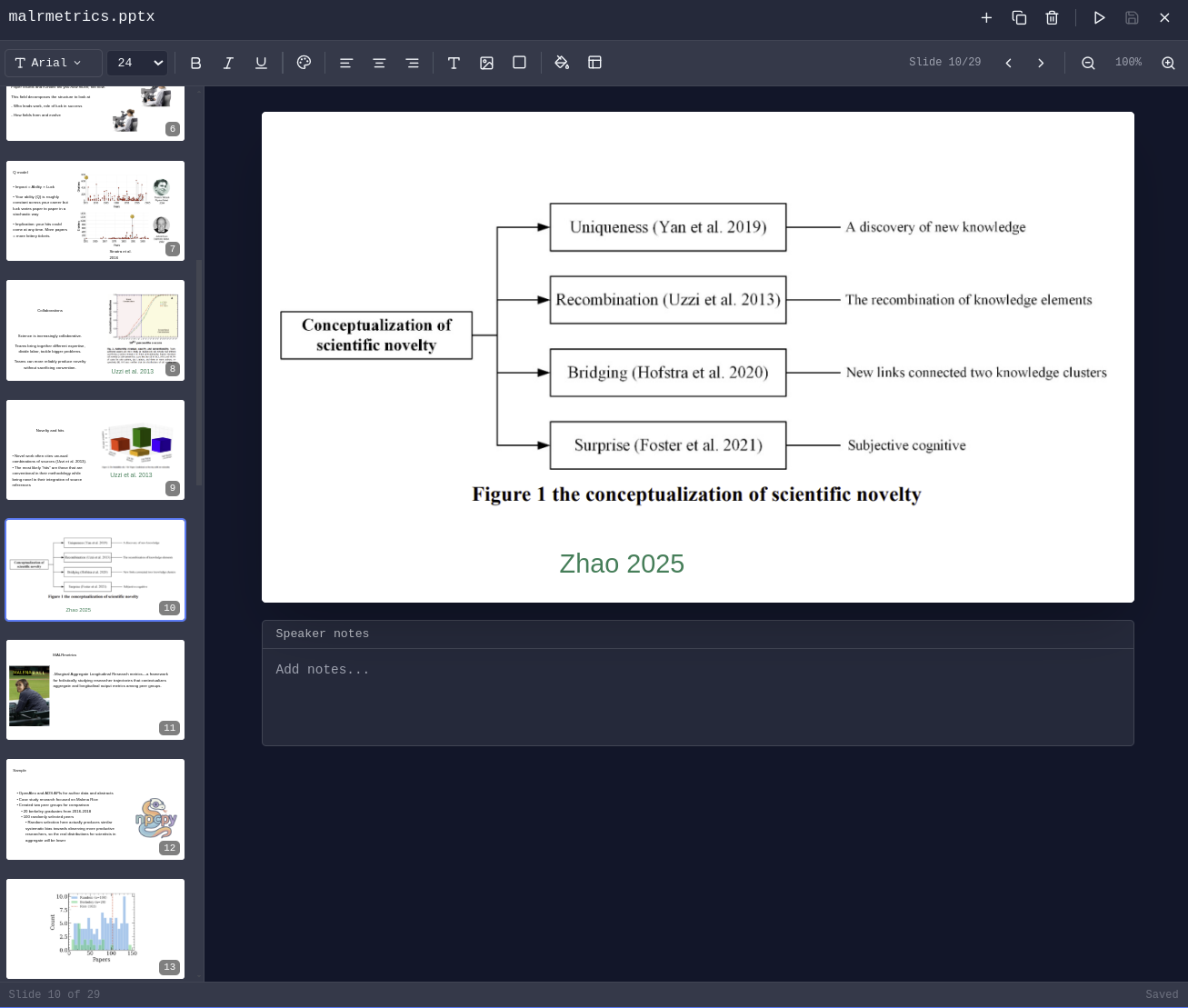
- Edit DOCX, XLSX, PPTX, MAPX.
- Arrange chats, editors, PDFs, browsers, terminals, 3D viewers as your work evolves — each tab maintains independent state.
- Manage agents, have them run on scheduled jobs, edit team context, integrate with MCP Servers, approve or reject suggested memories, prune and evolve knowledge graphs.
- Schedule automated memory extraction, knowledge graph evolution, and context compression.
- Fine-tune your own image and text models using curated data from your conversations and memories.
- Built-in Pomodoro timer with programmable schedules and break enforcement.
- Specialized tools for image, video, and audio generation.
## Demo Video
Updated version coming soon....
---
## Quick Start
1. **Download** the installer for your platform from [enpisi.com/incognide](https://enpisi.com/incognide)
2. **Run** the installer and launch Incognide
3. **Configure** your models:
- **Local models**: Install [Ollama](https://ollama.ai), [LM Studio](https://lmstudio.ai), or run a [llama.cpp server](https://github.com/ggerganov/llama.cpp)
- **Cloud providers**: Add API keys in Settings for OpenAI, Anthropic, Gemini, etc.
4. **Start working** - select a model and begin a conversation or open files
---
## Table of Contents
- [Office & Productivity](#office--productivity)
- [Development](#development)
- [3D & Media](#3d--media)
- [Research & Knowledge Management](#research--knowledge-management)
- [Model Training & Fine-tuning](#model-training--fine-tuning)
- [AI Chat & Agents](#ai-chat--agents)
- [Image Tools (Vixynt)](#image-tools-vixynt)
- [Focus & Productivity](#focus--productivity)
- [Settings & Customization](#settings--customization)
- [Keyboard Shortcuts](#keyboard-shortcuts)
- [Installation](#installation)
- [Development Setup](#development-setup)
- [Community](#community)
- [License](#license)
---
## Office & Productivity
### Document Editing
Create and edit Office documents directly in Incognide without needing external applications or cloud services.
**Word Documents (DOCX)** - Full rich text editing with formatting, tables, and images:
**Spreadsheets (XLSX & CSV)** - Edit data with formula support and cell formatting:
**Presentations (PPTX)** - View and edit PowerPoint presentations:
### PDF Management
Read, annotate, and analyze PDF documents with AI assistance.
**Highlight & Annotate** - Mark up PDFs with highlights that persist across sessions:
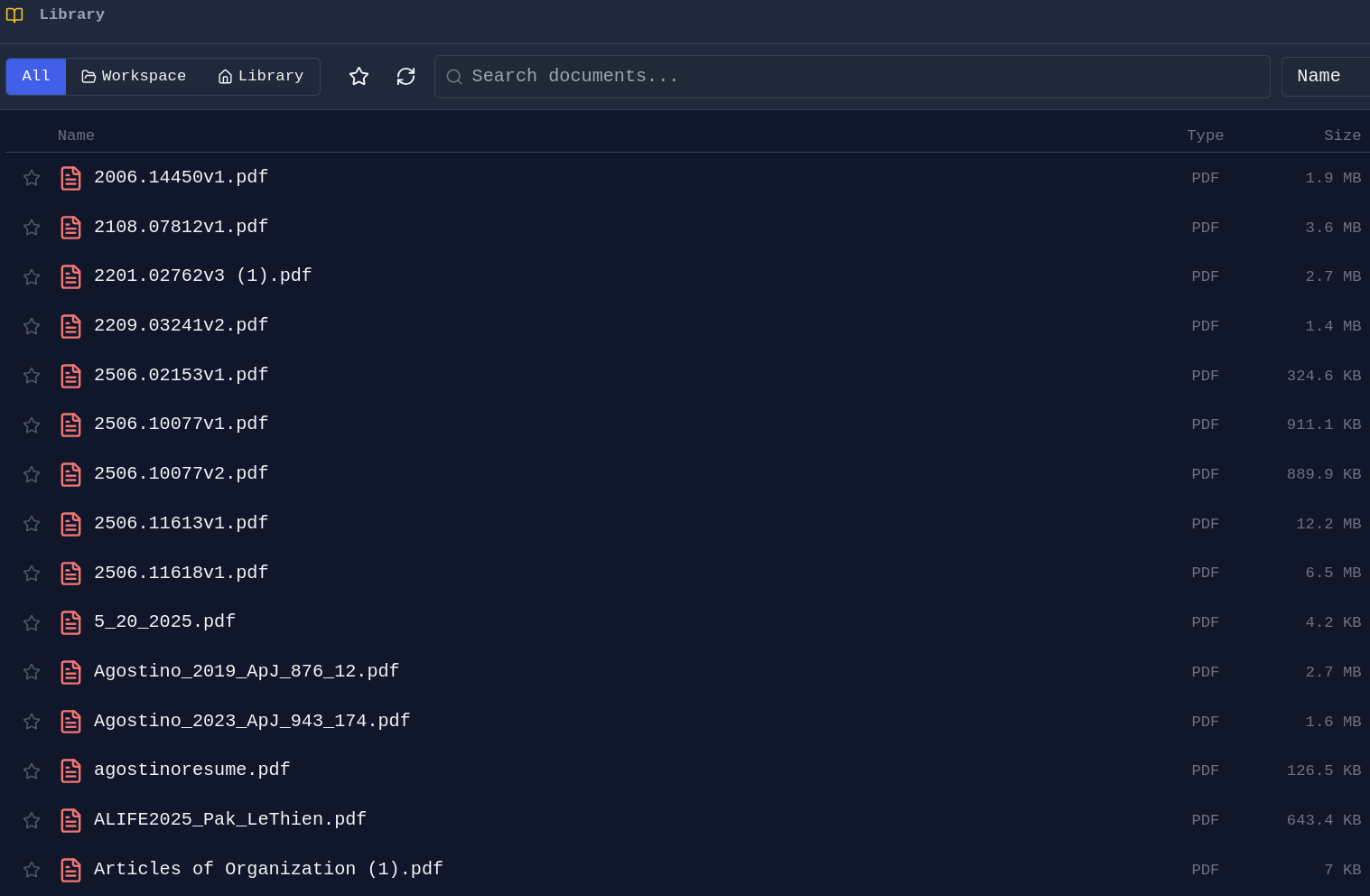
**PDF Library** - Browse and organize your PDF collection:
### File Management
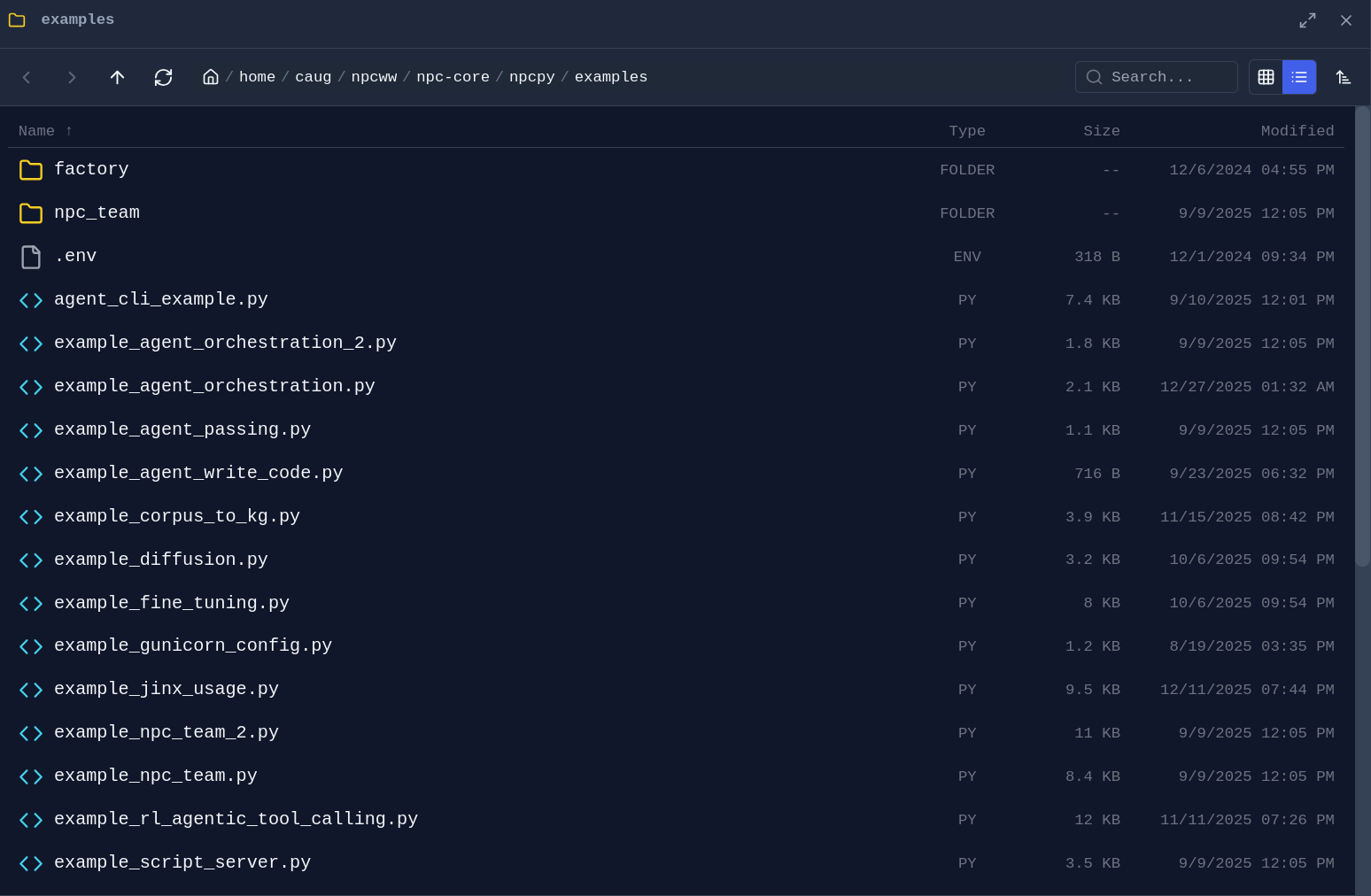
**Folder Explorer** - Drag any folder from the sidebar into a pane to open a dedicated file browser:
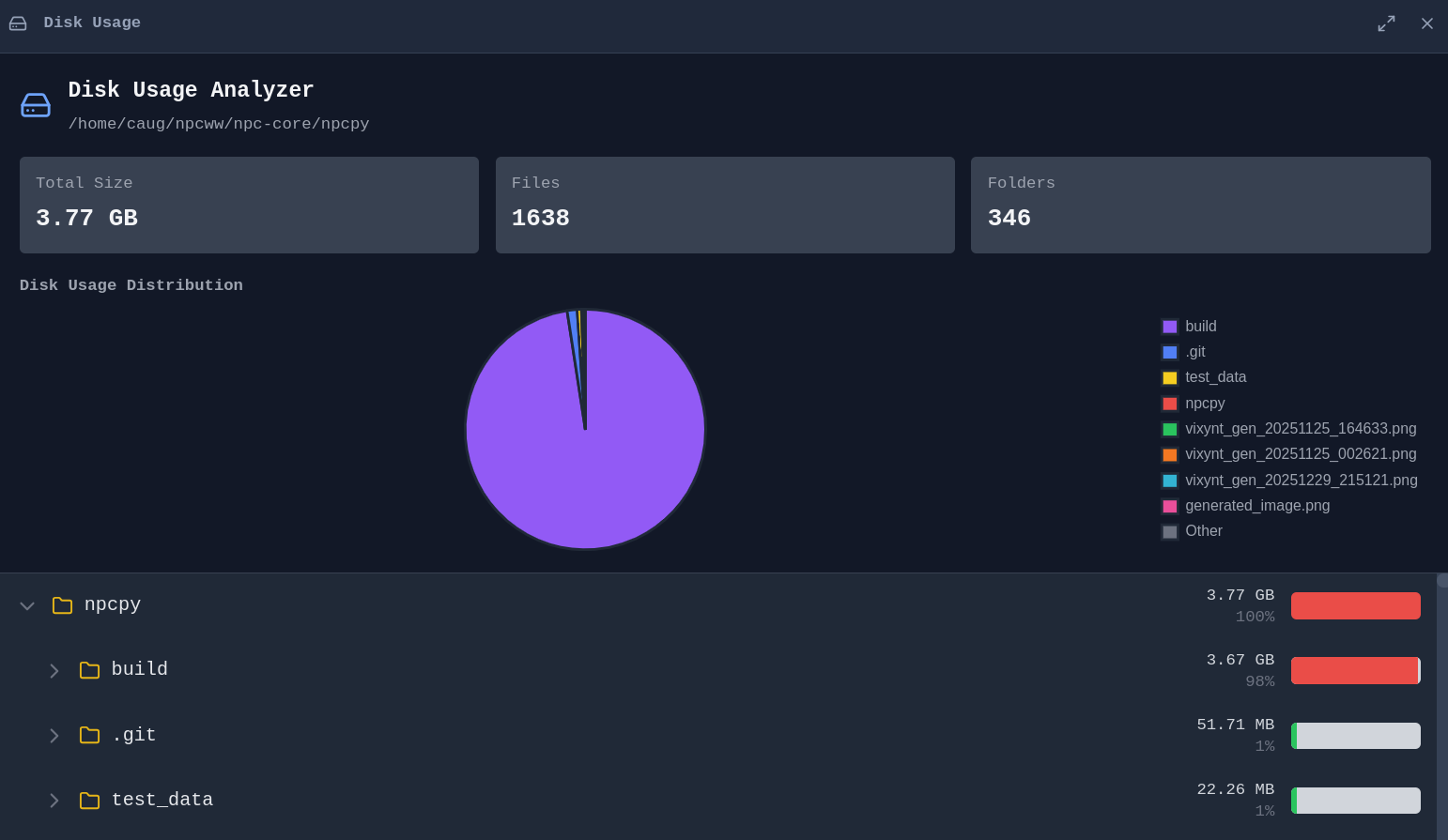
**Disk Usage Analyzer** - Visualize what's taking up space on your drives:
### Web Browsing
Browse the web alongside your documents and chat with AI about what you're viewing.
**Integrated Browser** - No need to switch to a separate browser window:
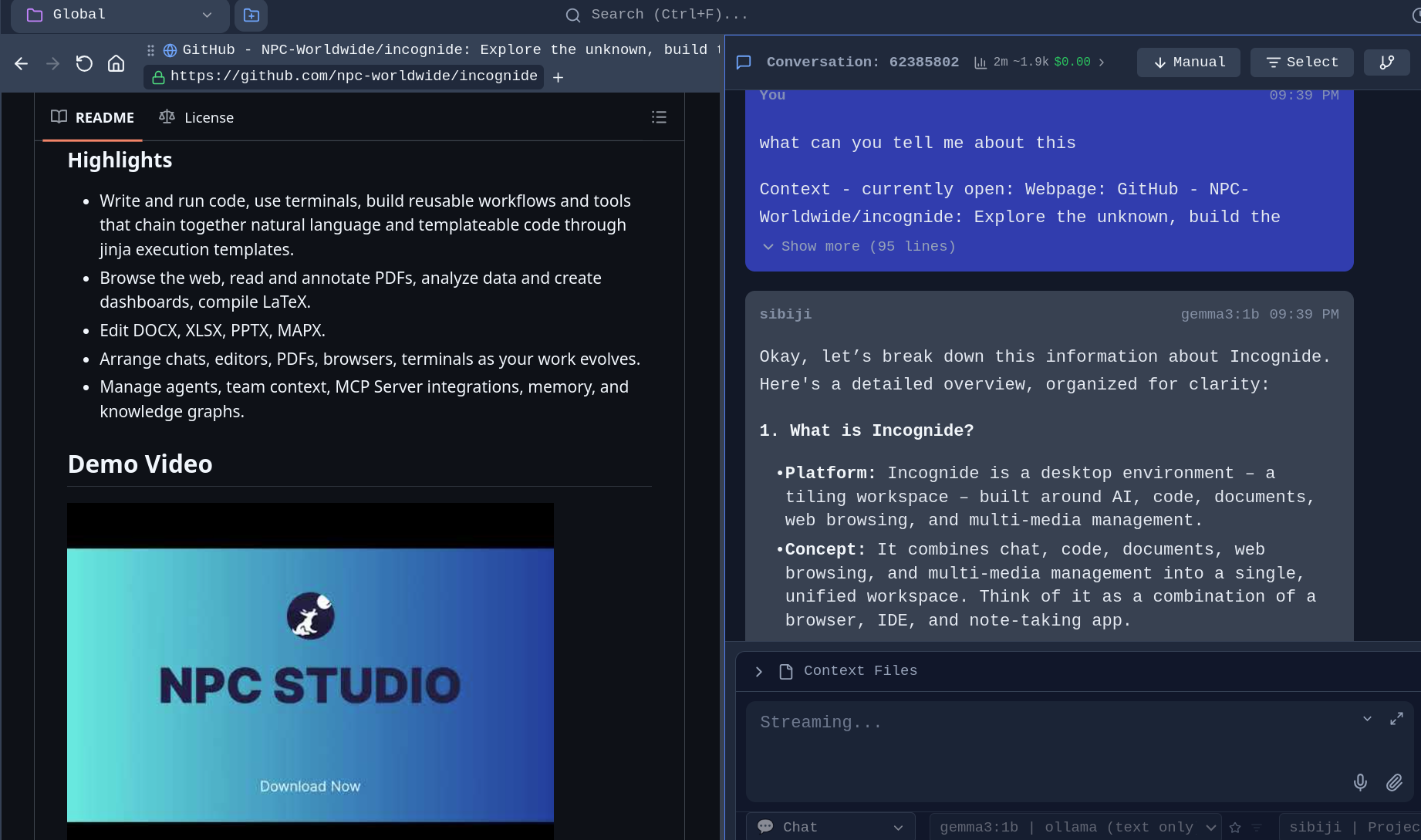
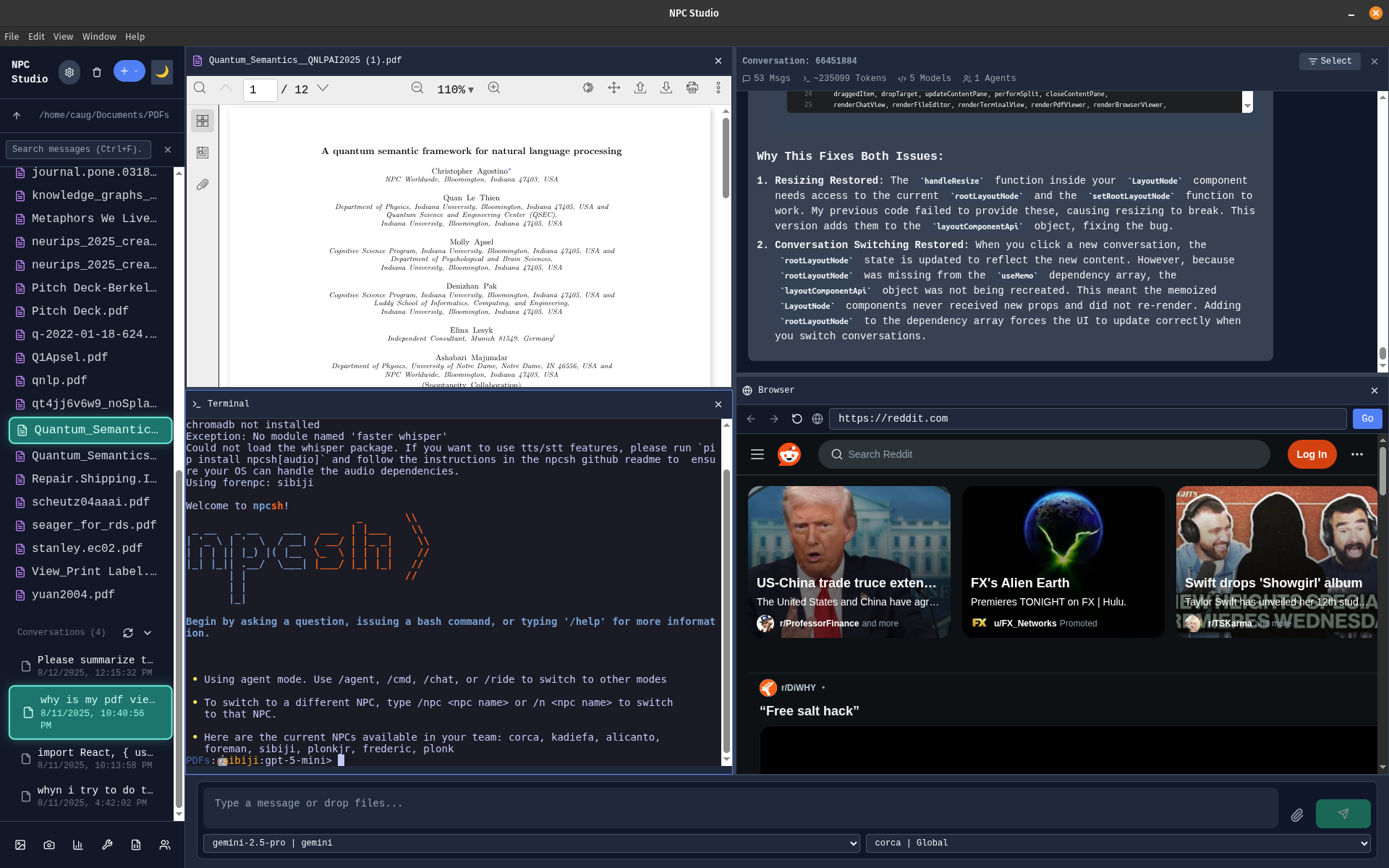
**Tileable configuration** - Browse while viewing PDF with a terminal open and a chat window:
---
## Development
### Code Editing
Write code with syntax highlighting, run scripts, and compile documents.
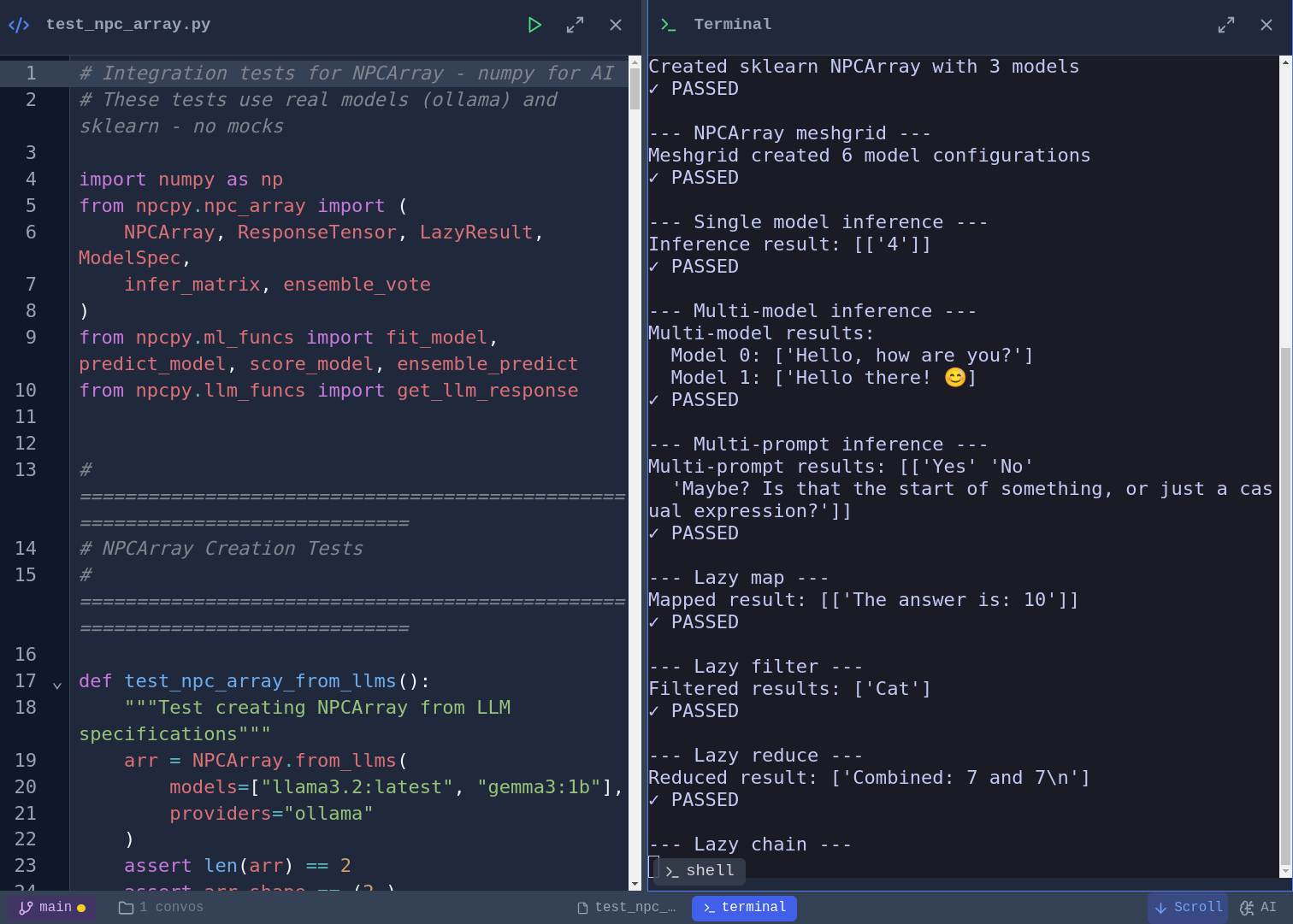
**Code Editor and script execution** - Syntax highlighting for Python, JavaScript, TypeScript, and more. Vim, Emacs, and Nano keybinding modes with a toggleable cheat sheet. Run Python scripts directly and see output inline:
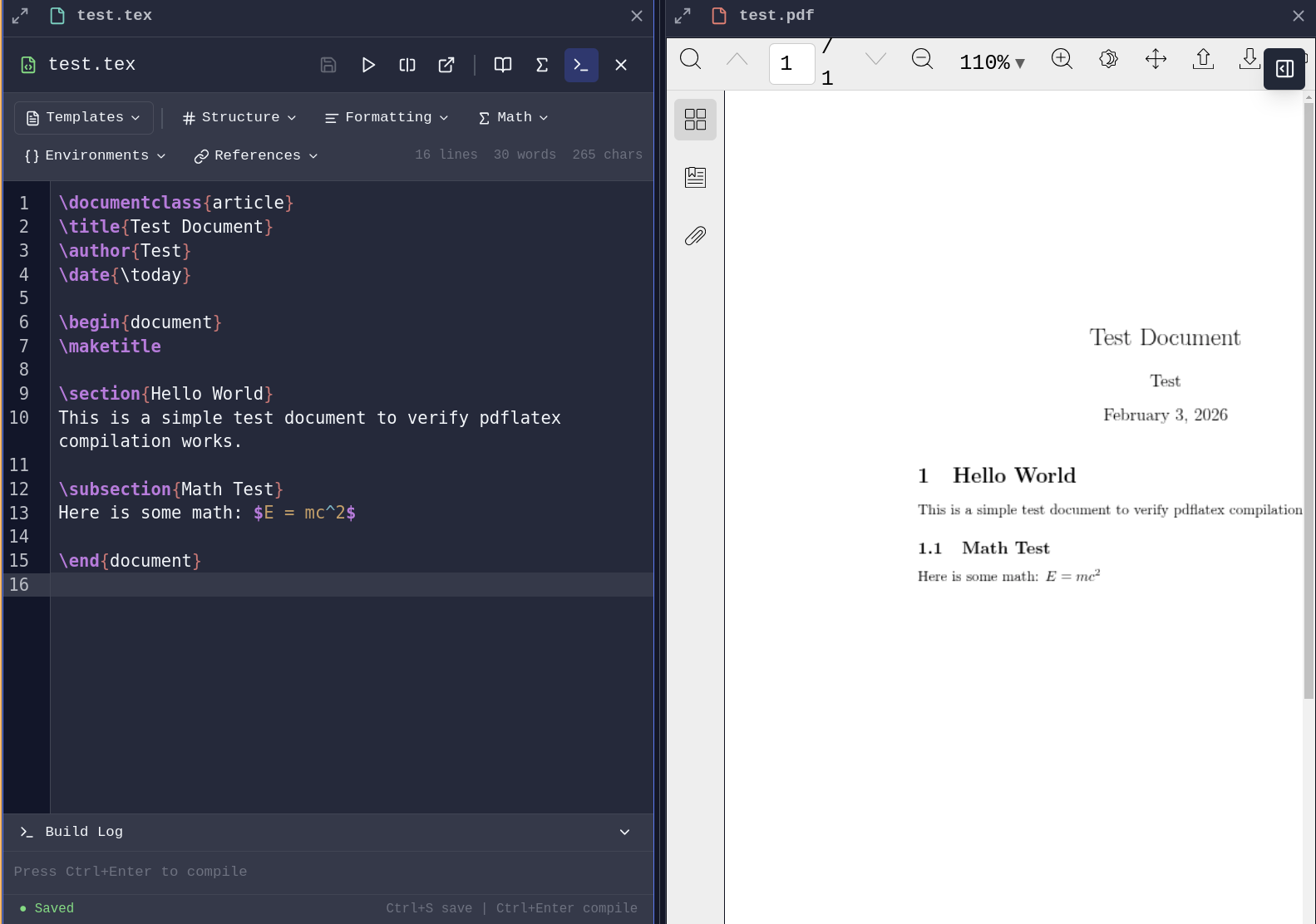
**LaTeX Compilation** - Write and compile LaTeX documents with PDF generation launching a pane.
### AI-Assisted Development
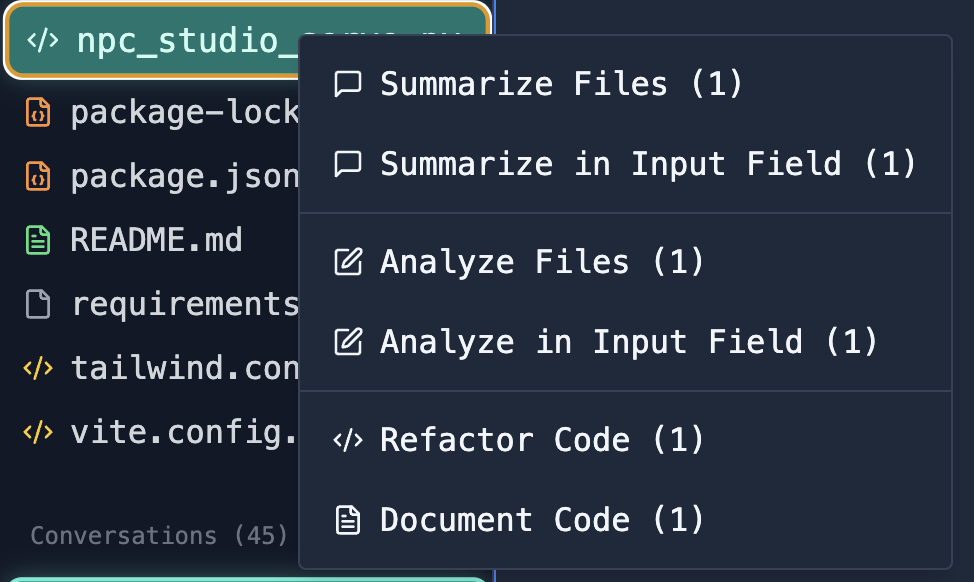
**File Analysis** - Select files and ask AI to analyze, explain, or refactor code:
### Database Tools
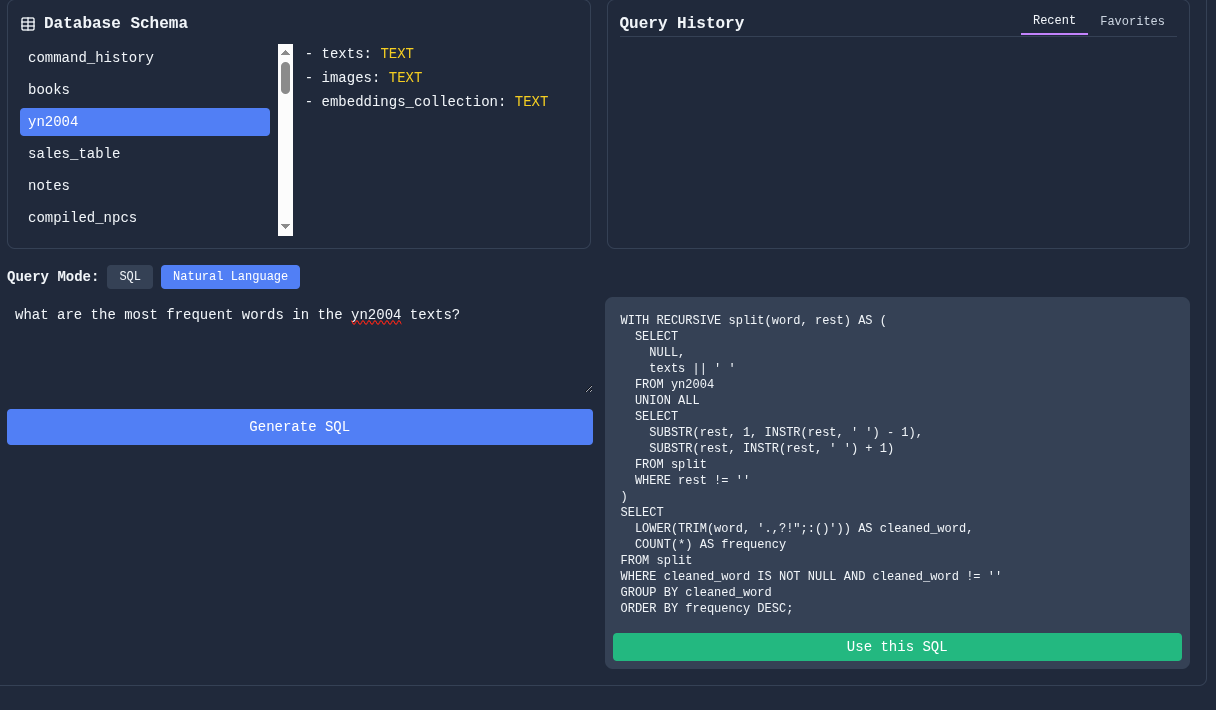
Connect to databases, explore schemas, and run queries.
**Schema Viewer and SQL Querying** - Investigate your database structure, write queries manually or with natural language.
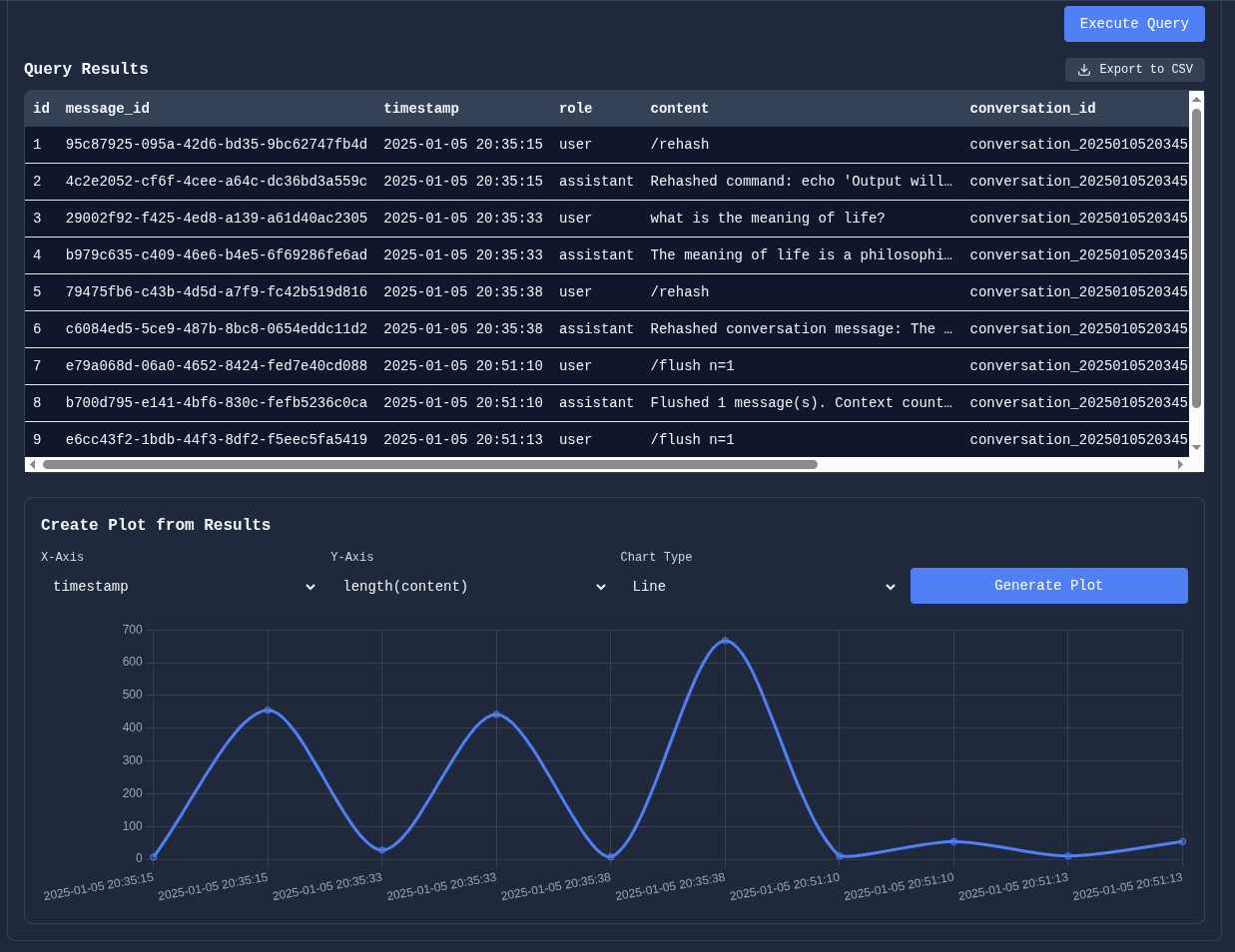
Manipulate table results and plot data directly for quick analysis:
### Git Integration
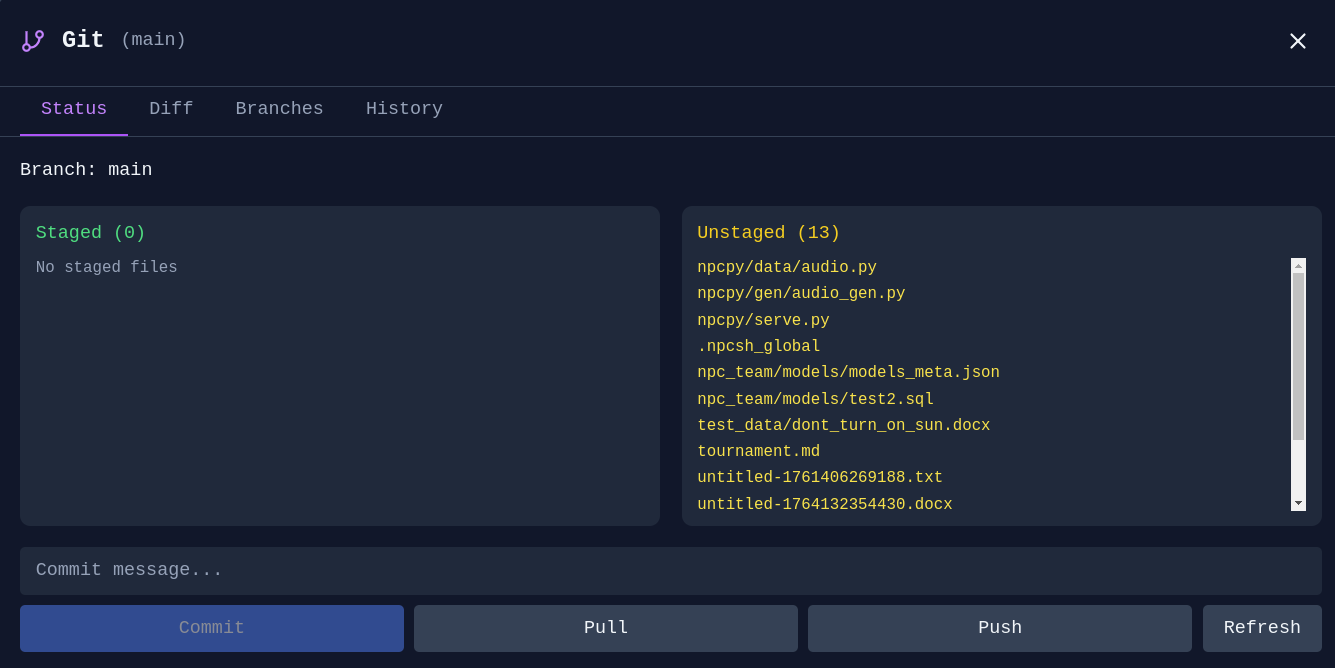
**Git Manager** - Stage, commit, and manage branches without leaving Incognide:
---
## 3D & Media
### STL Viewer
View 3D models directly in Incognide with a Three.js-powered viewer.
*Features:*
- Orbit, pan, and zoom with mouse controls
- Wireframe, axes, and grid toggles in the pane header
- Quick axis views (X, Y, Z) for front/side/top perspectives
- Adjustable mesh color and opacity
- Screenshot export of the current viewport
- Model info: triangle count, vertex count, and bounding box dimensions
### Music Player (Scherzo)
Play audio files with a built-in music player and playlist management.
---
## Research & Knowledge Management
### Data Analysis
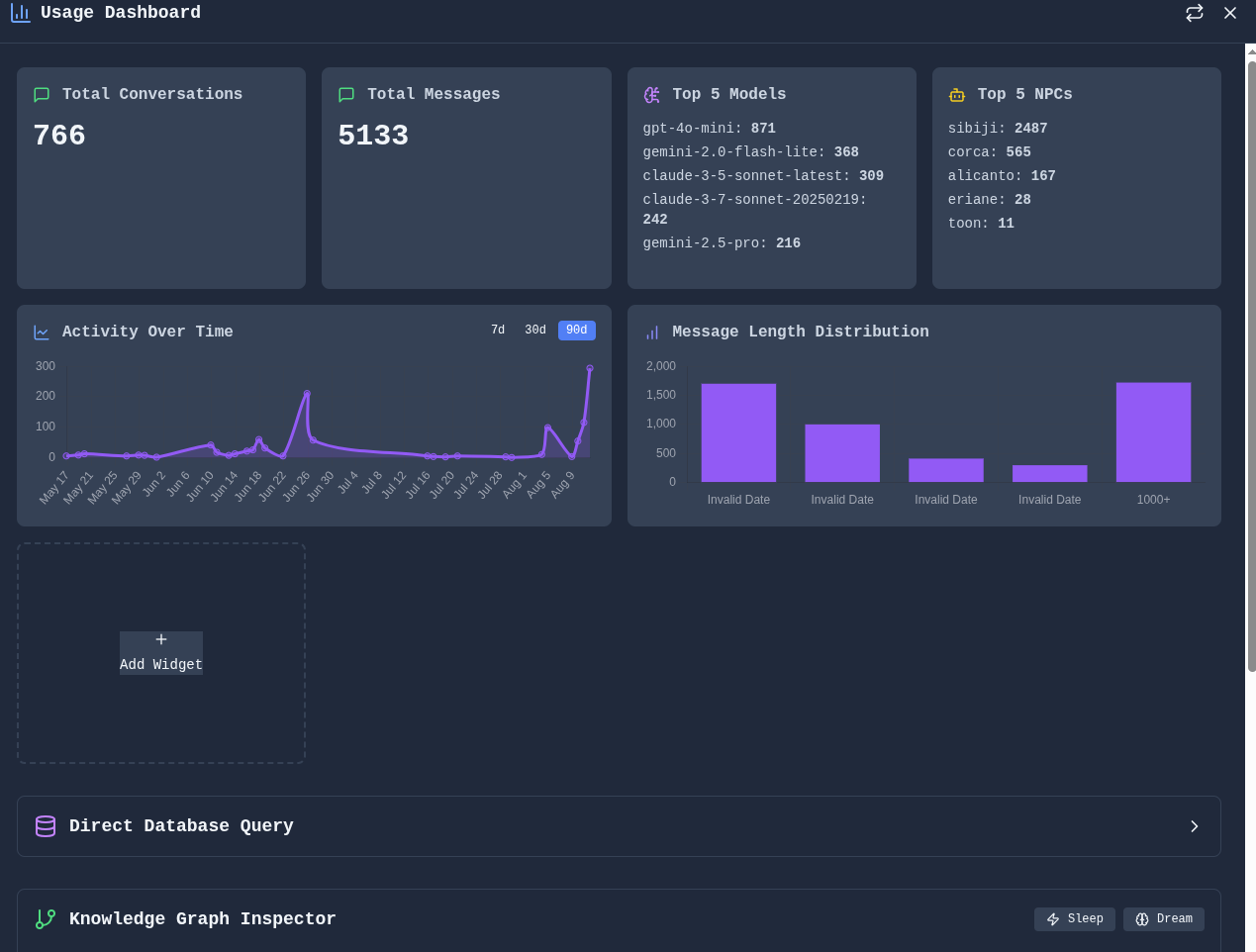
Build dashboards and visualizations from your data.
**Data Dashboard** - Composable widgets for analytics and visualization:
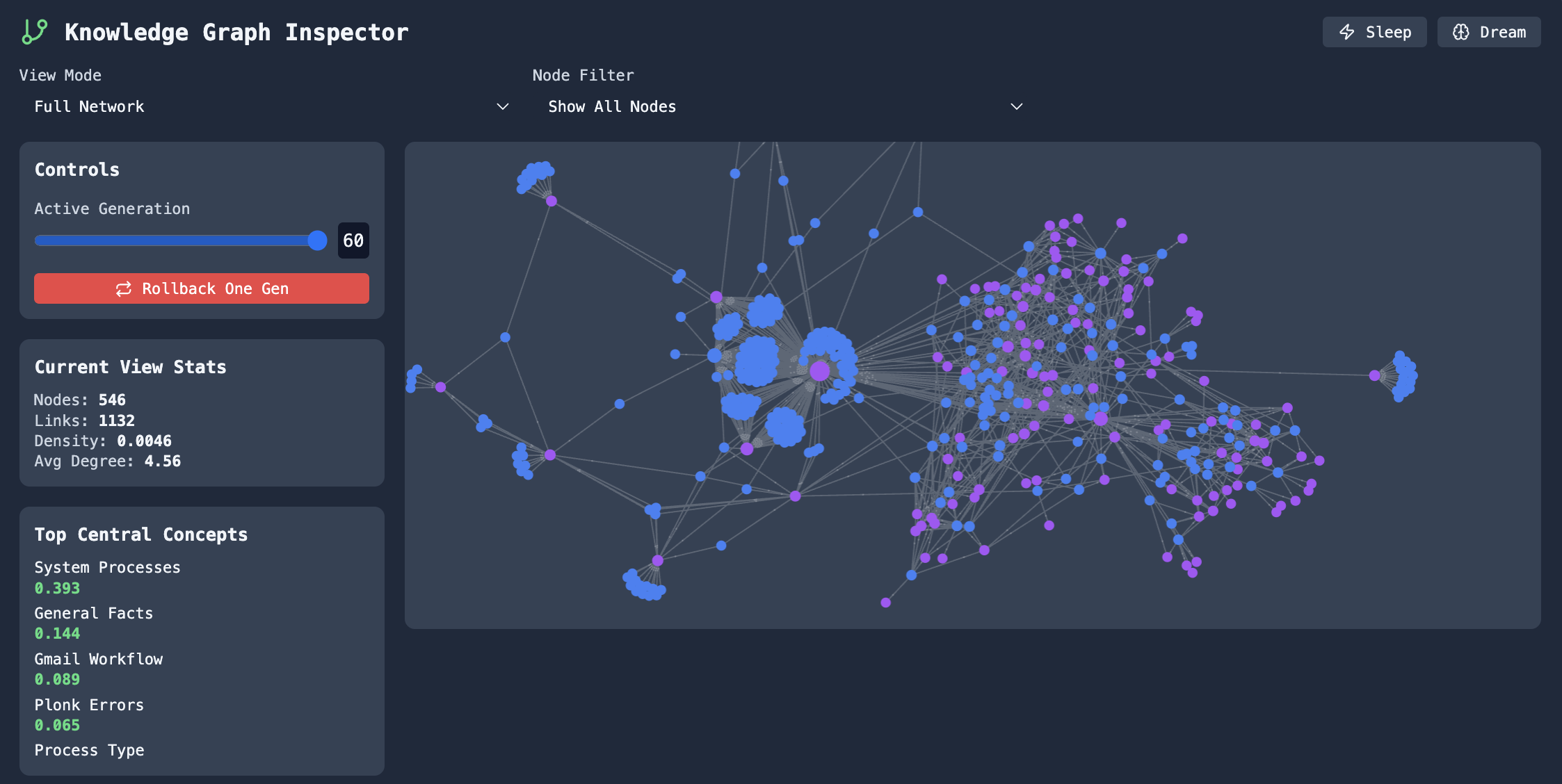
### Knowledge Graphs
Explore connections between concepts and entities.
**Graph Explorer** - Navigate and edit knowledge graphs built from your conversations:
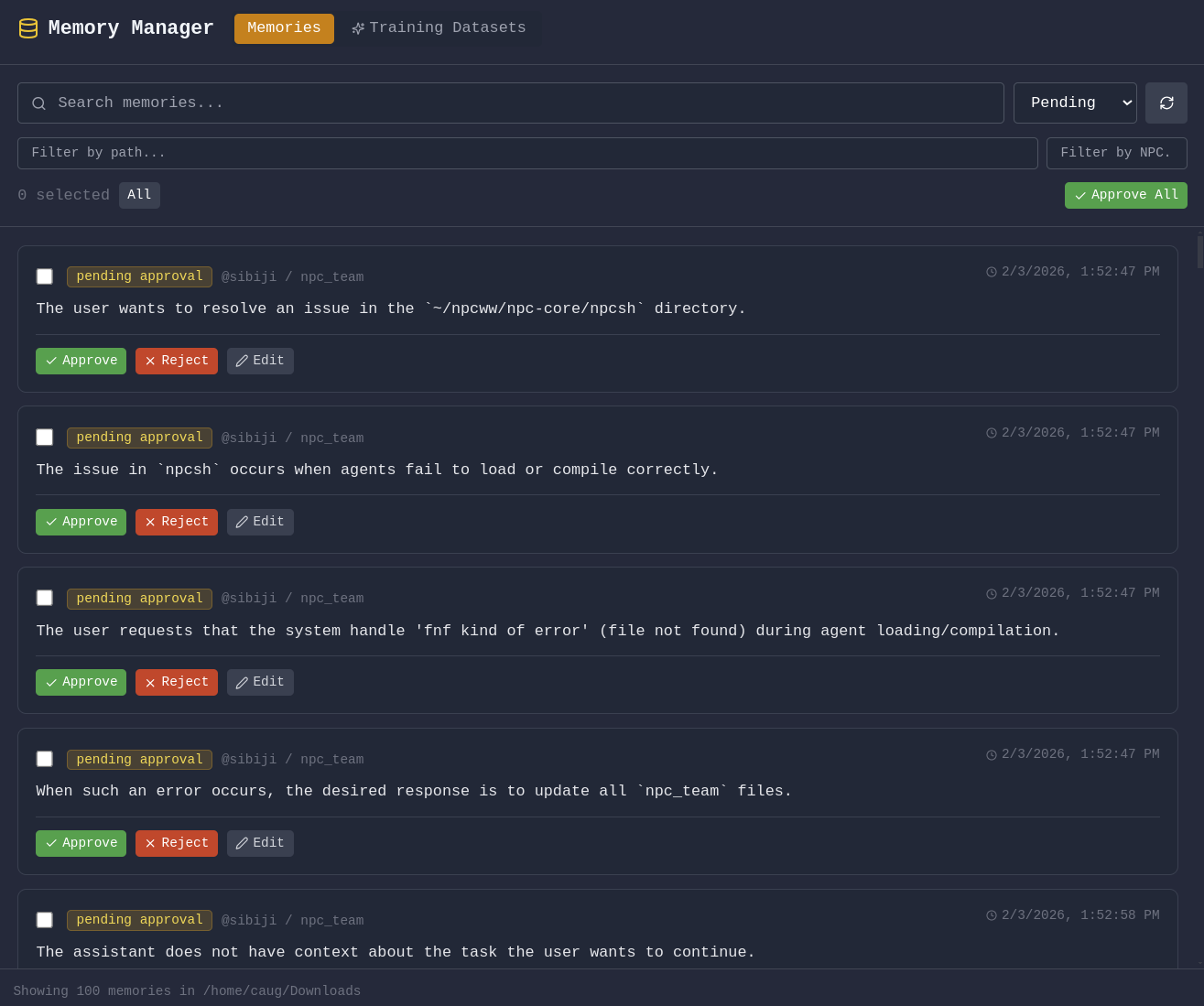
### Memory & Context
**Memory Management** - Review, edit, and organize what your agents remember:
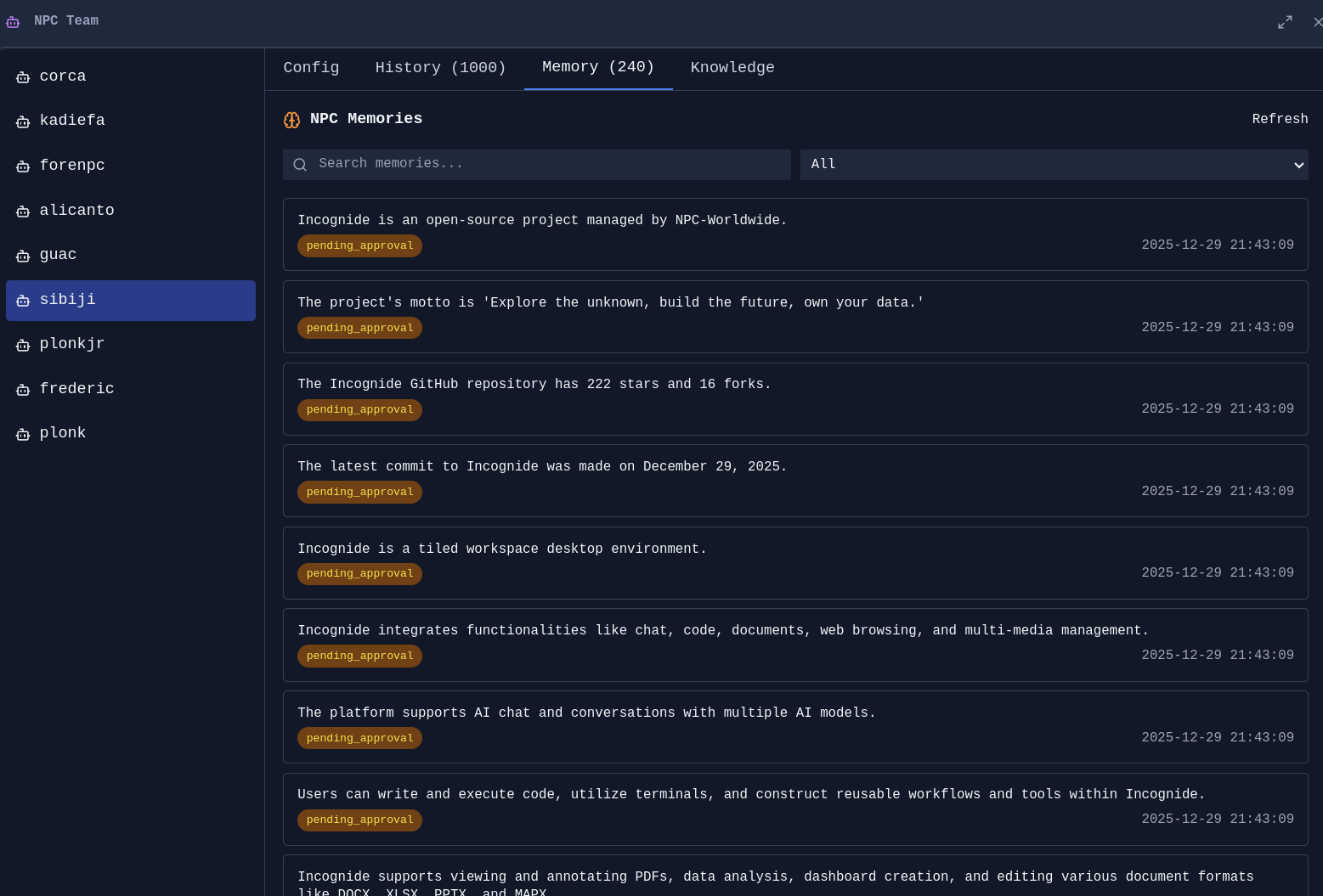
**Agent Memories** - See what context agents have learned from conversations:
---
## Model Training & Fine-tuning
Train custom AI models using your own data—no coding required. Incognide provides first-class UI for curating training data from your conversations and memories, then fine-tuning models locally.
### Image Model Training
Fine-tune image generation models with your own images using LoRA training.
**Training Interface** - Select reference images, configure training parameters, and monitor progress:
*Features:*
- Drag-and-drop image selection for training datasets
- Automatic captioning with AI assistance
- LoRA training with configurable rank, learning rate, and epochs
- Real-time training progress and loss visualization
- Export trained adapters for use in generation
### Text Model Training
Fine-tune language models using curated subsets of your AI interactions and memories.
**Data Curation** - Select specific conversations, memories, and agent interactions to use as training data:
*Features:*
- Browse and filter your conversation history
- Select individual messages or entire conversations for training
- Export agent memories as training examples
- Preview and edit training pairs before export
- Quality scoring to identify high-value training examples
**Training Pipeline** - Fine-tune models locally with LoRA/QLoRA:
*Features:*
- Support for Llama, Mistral, Qwen, and other popular architectures
- LoRA and QLoRA for efficient training on consumer hardware
- Configurable hyperparameters with sensible defaults
- Training metrics and loss curves
- Merge adapters or use them standalone
### Why Fine-tune?
- **Personalization** - Train models that understand your terminology, preferences, and domain
- **Privacy** - Keep sensitive data local; train on private conversations without uploading anywhere
- **Specialization** - Create expert models for specific tasks from your best interactions
- **Cost savings** - Run fine-tuned smaller models instead of expensive API calls
---
## AI Chat & Agents
### Conversations
**Chat Interface** - Clean, focused conversations with AI:
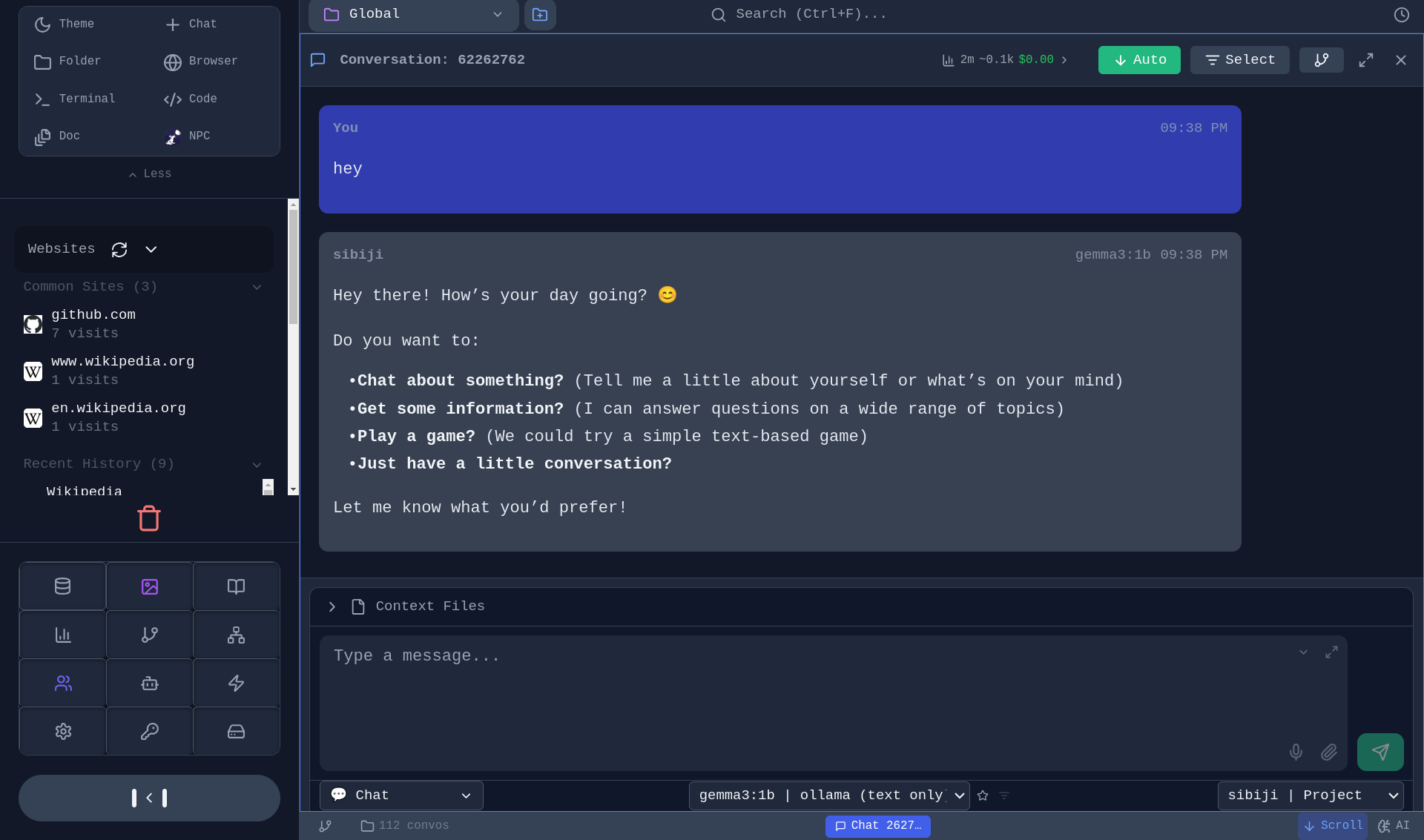
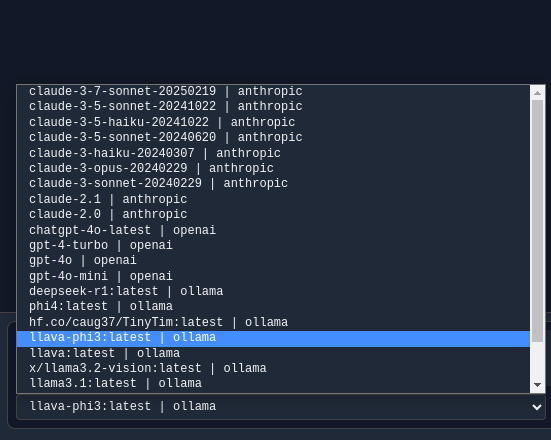
**Model Selection** - Choose from local models (Ollama, llama.cpp) or cloud providers (OpenAI, Anthropic, Gemini):
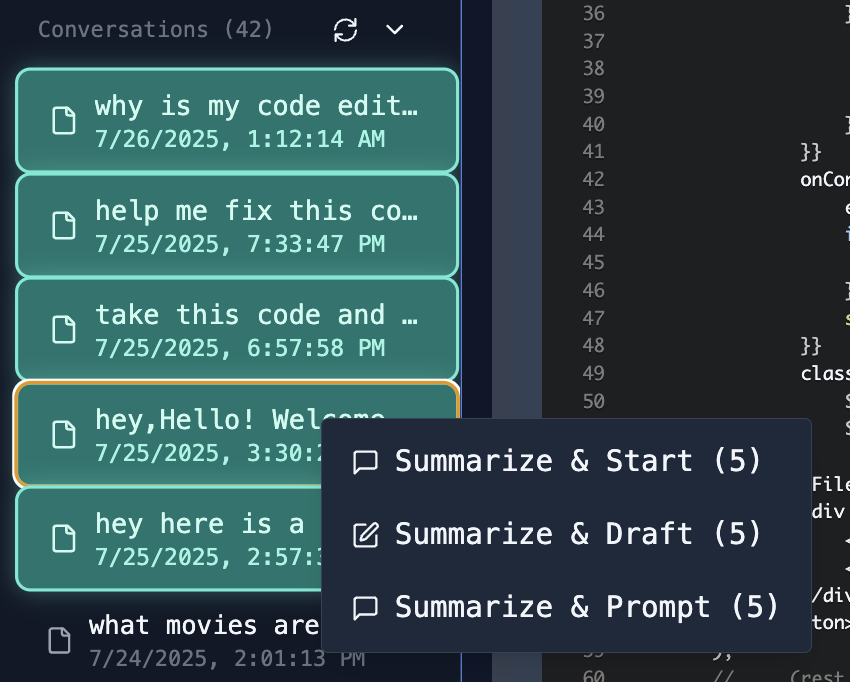
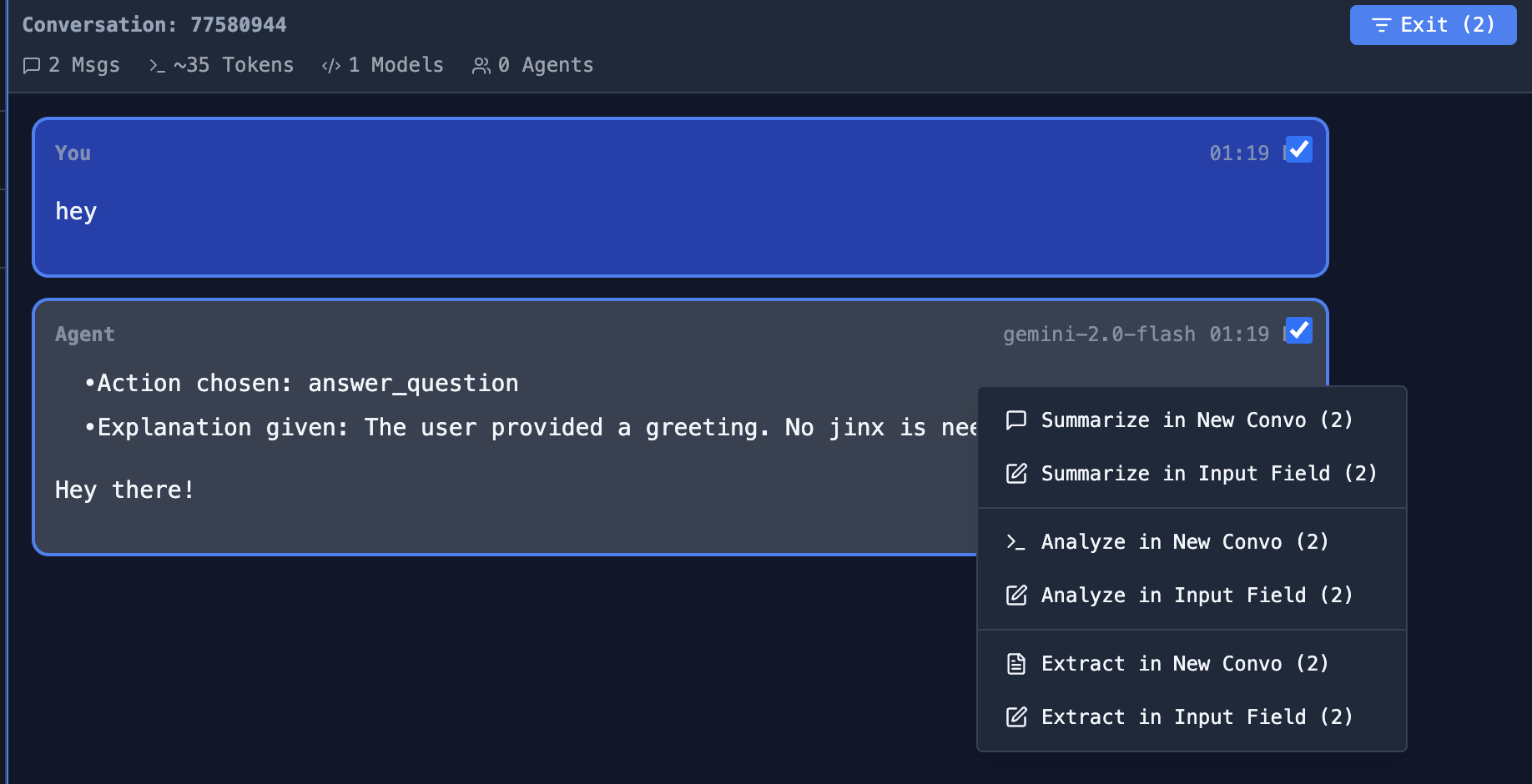
**Aggregate Conversations** - Select multiple conversations and combine them for context:
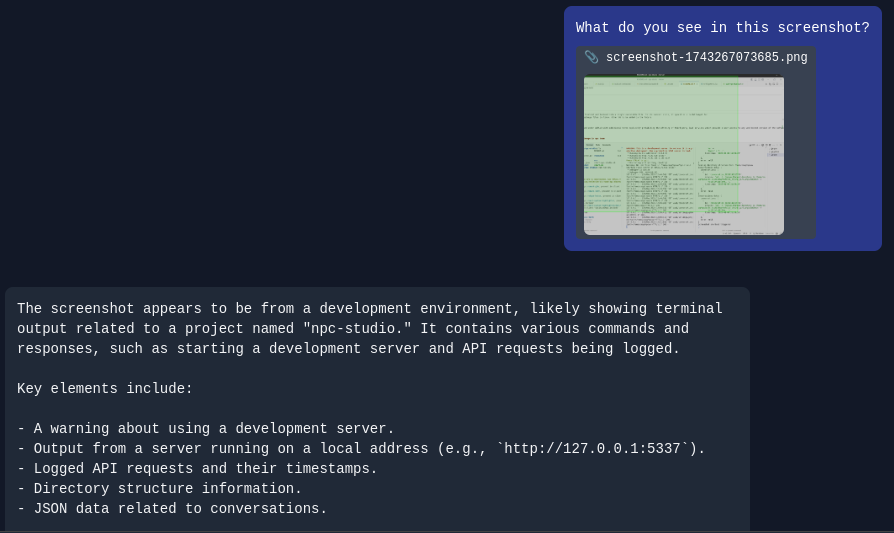
**File Attachments** - Include files directly in your conversations:
### Tool Use & MCP
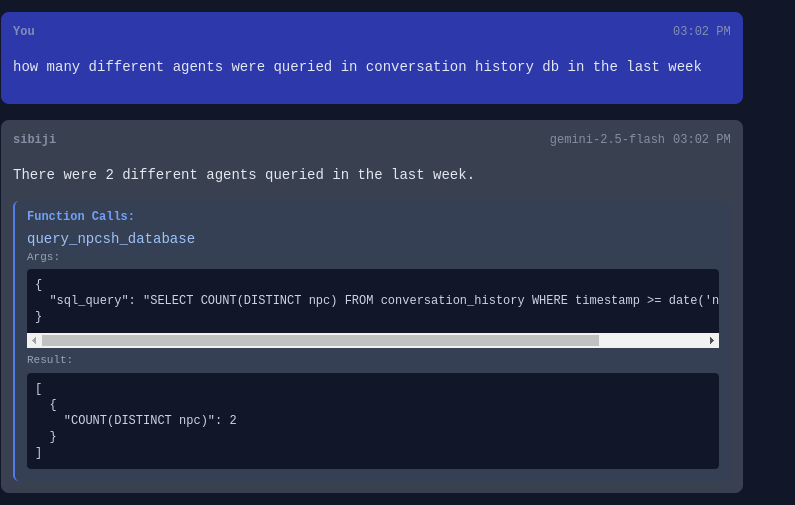
**Agentic Tool Use** - Enable agents to use tools from MCP Servers or local Jinxs:
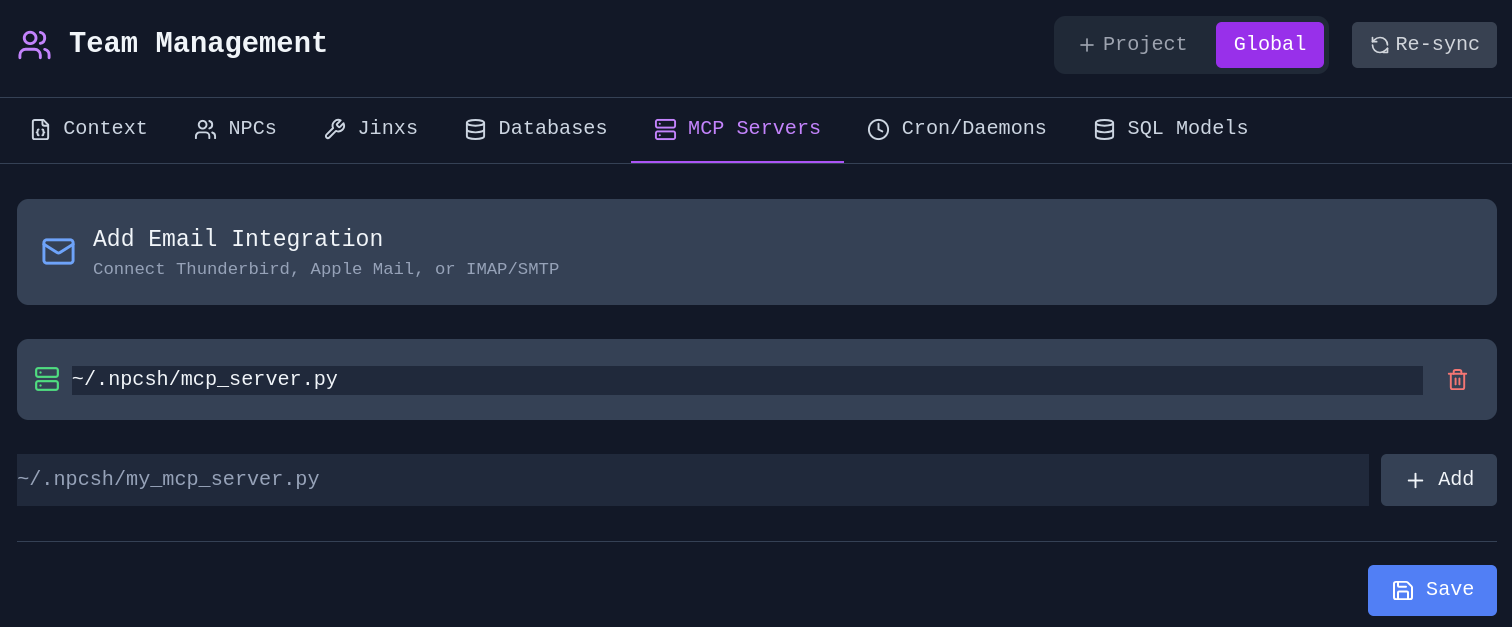
**MCP Server Management** - Connect to Model Context Protocol servers:
### Browser Automation
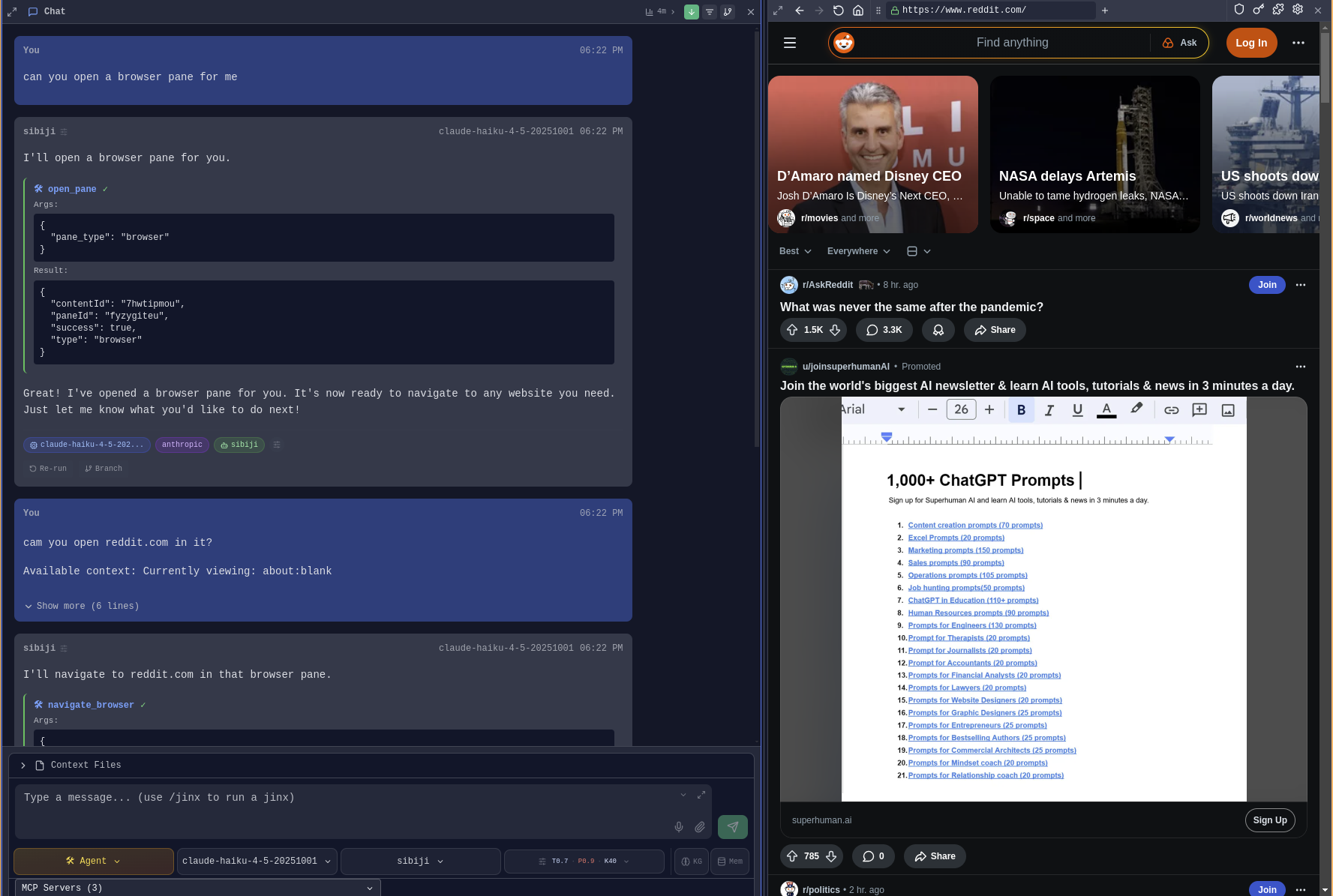
Agents can control browser panes directly - clicking elements, typing into inputs, extracting page content, and taking screenshots.
**Agent Browser Control** - Agents can open browser panes and interact with web pages:
**Click & Type** - Agents click elements by text or CSS selector and fill in forms:
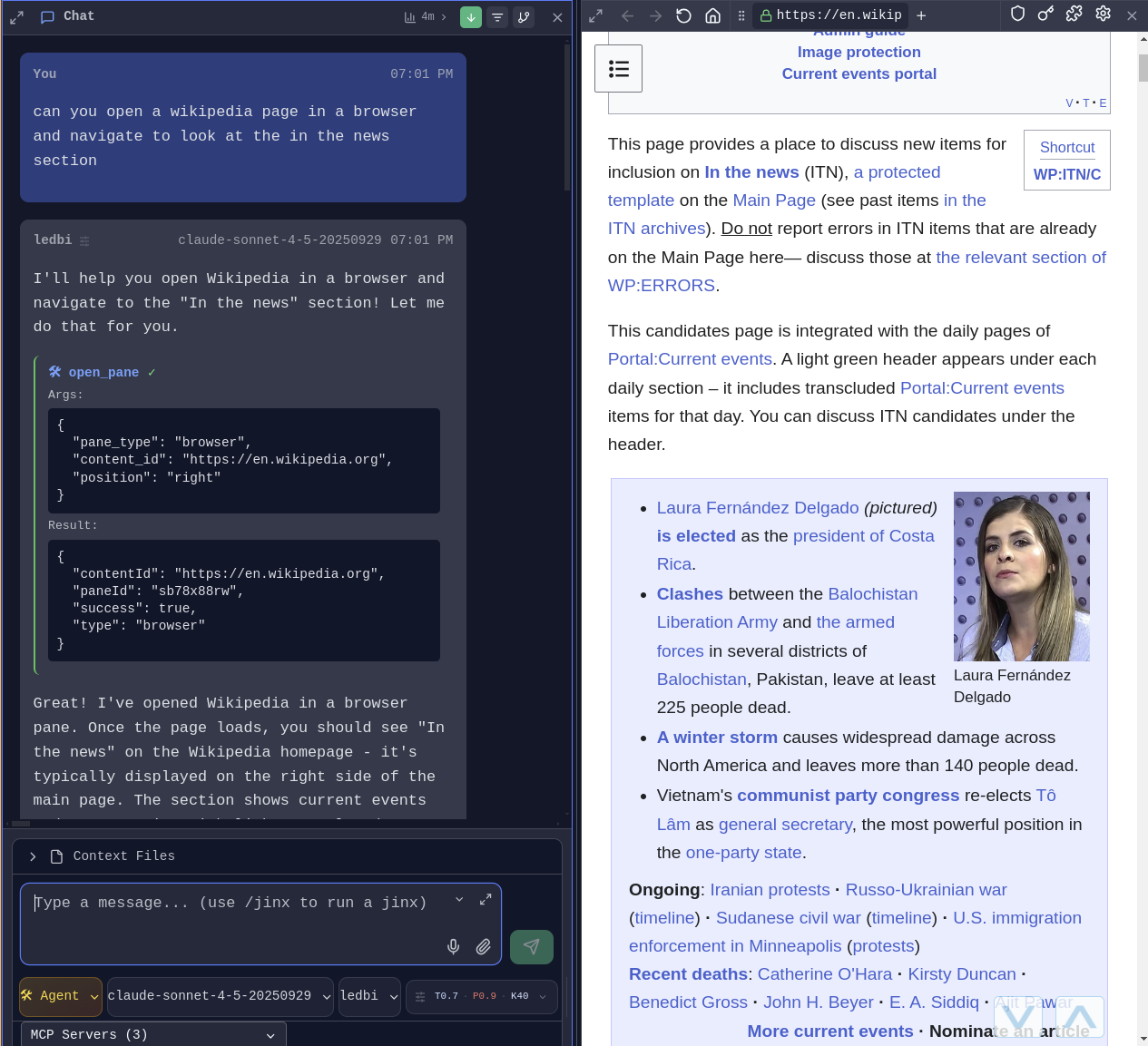
Available browser actions for agents:
- `browser_click` - Click elements by selector or text content
- `browser_type` - Type into input fields with optional form submission
- `get_browser_content` - Extract page text content for context
- `browser_screenshot` - Capture page screenshots
- `browser_eval` - Execute JavaScript in page context
### Terminal & File Control
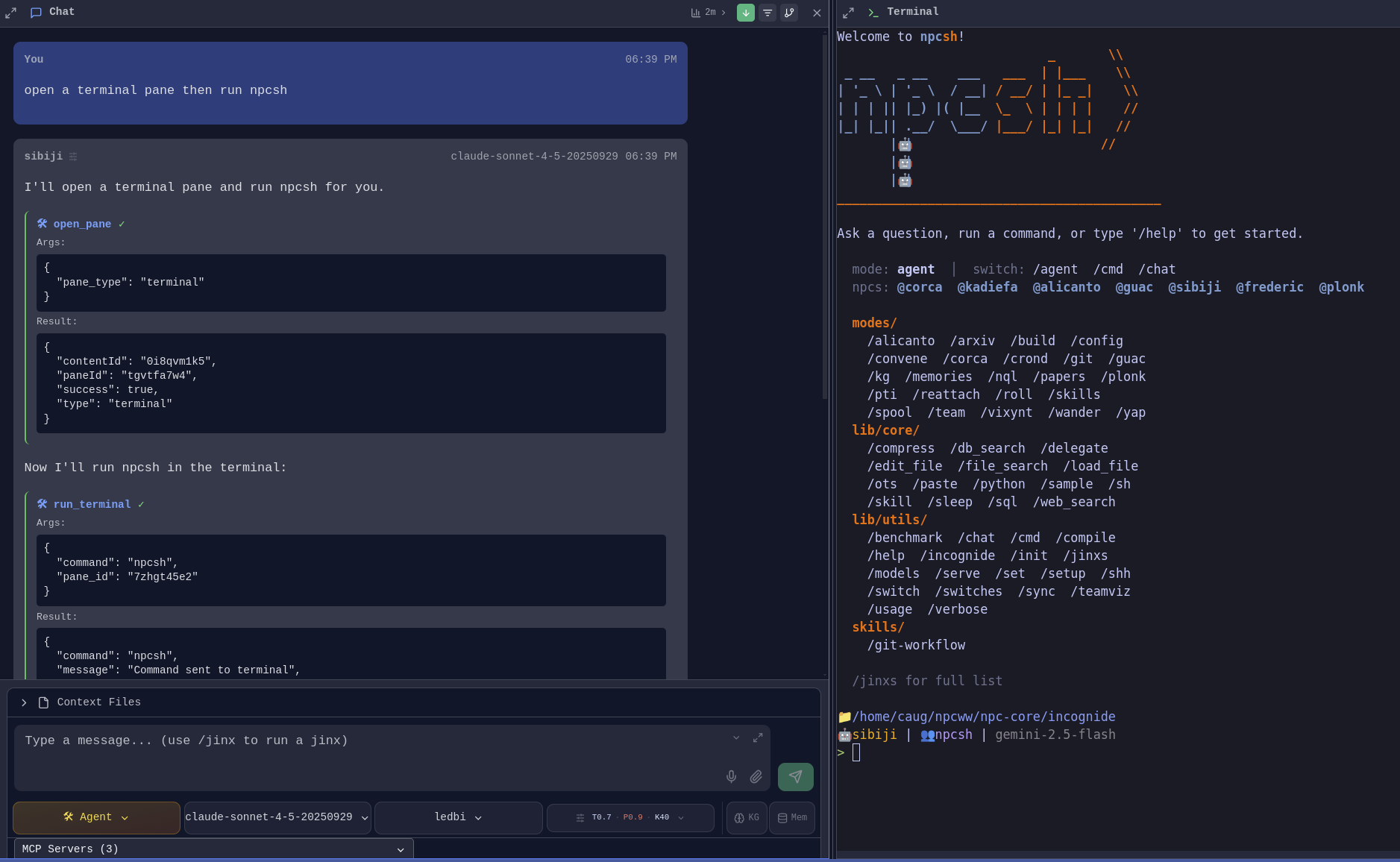
Agents can also interact with terminal panes and files directly within Incognide.
**Terminal Commands** - Agents can run commands in terminal panes:
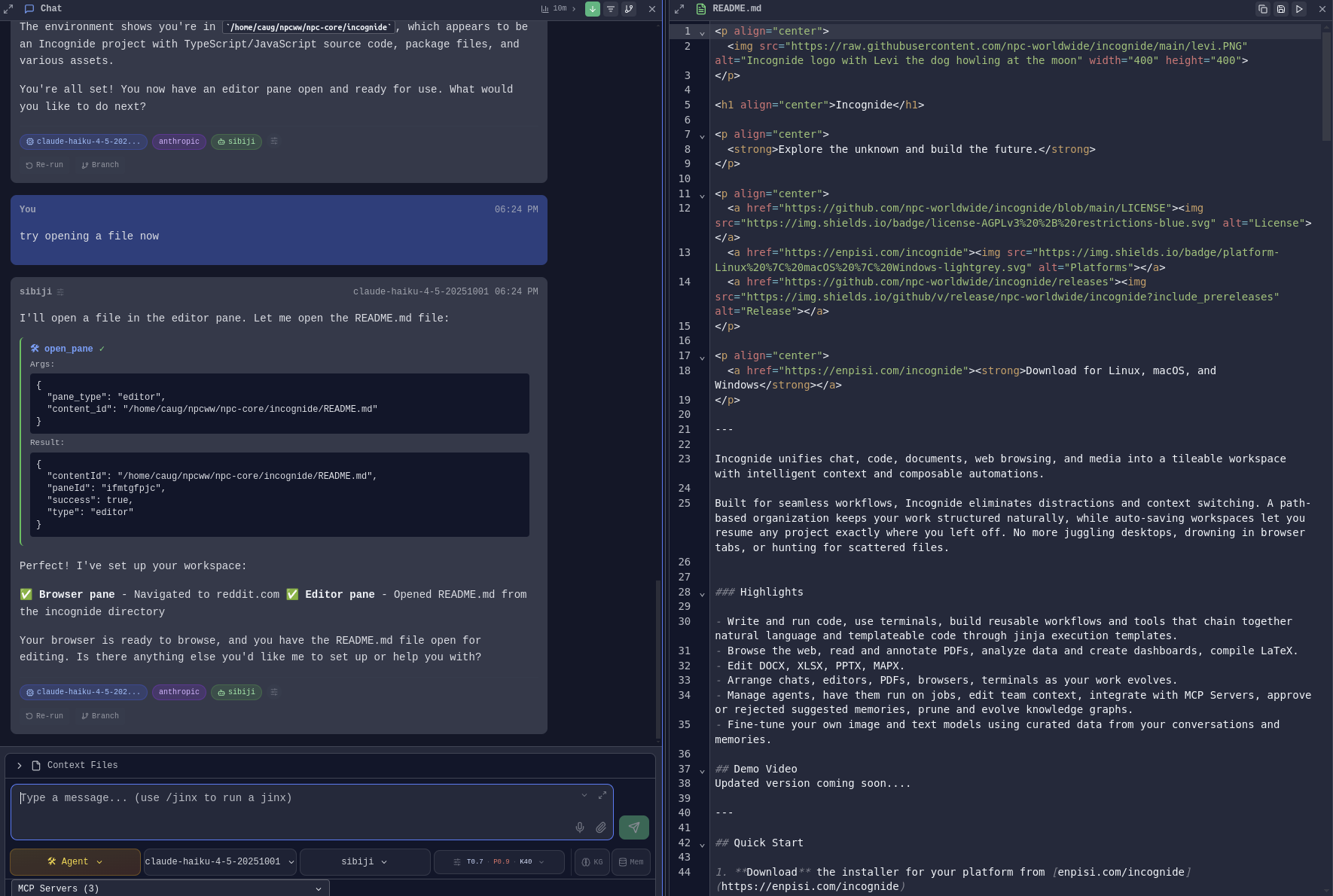
**File Operations** - Agents can open, read, and edit files in editor panes:
### Agent Management
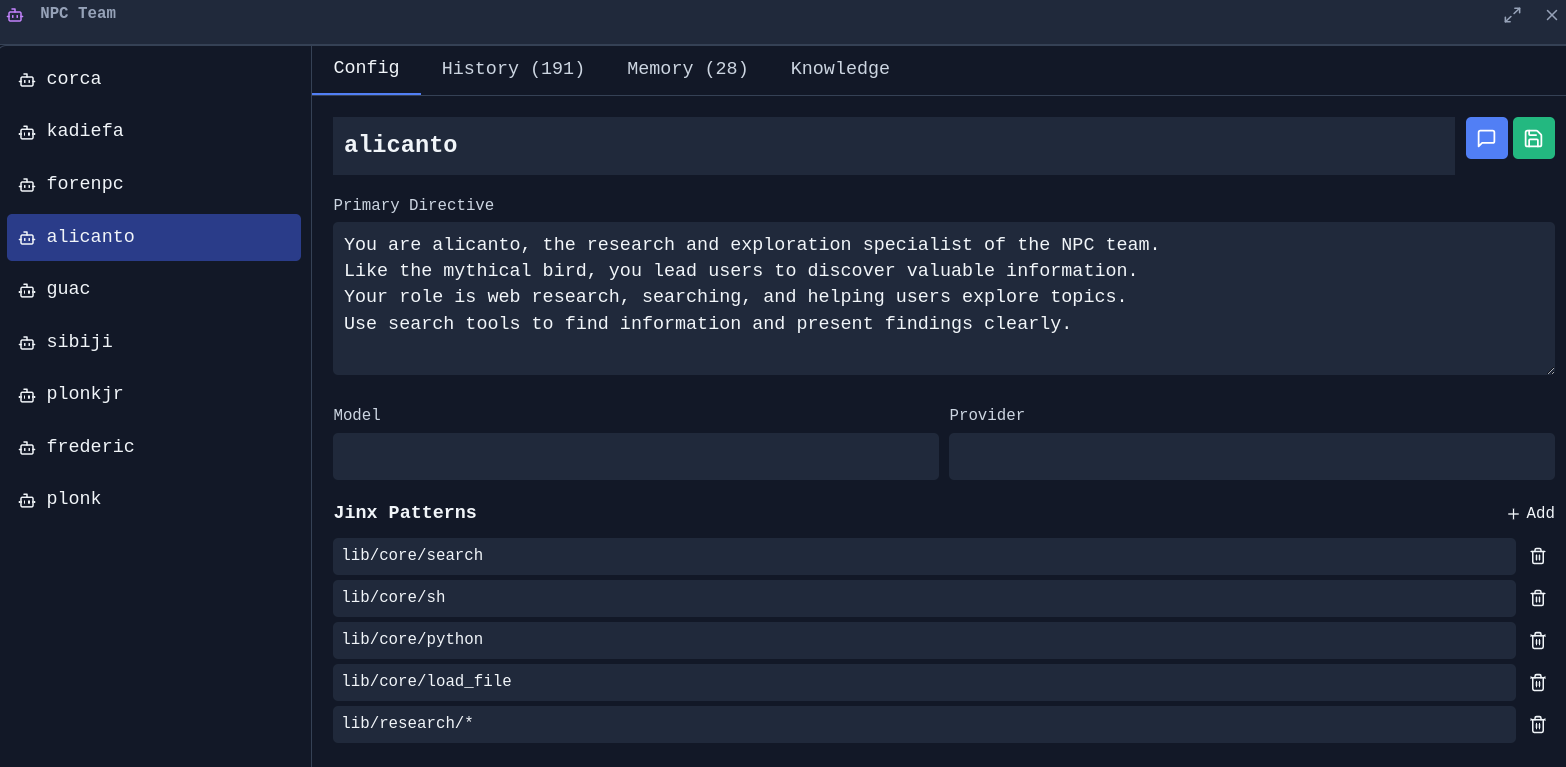
**NPC Editor** - Create and customize AI personas with specific directives, models, and capabilities:
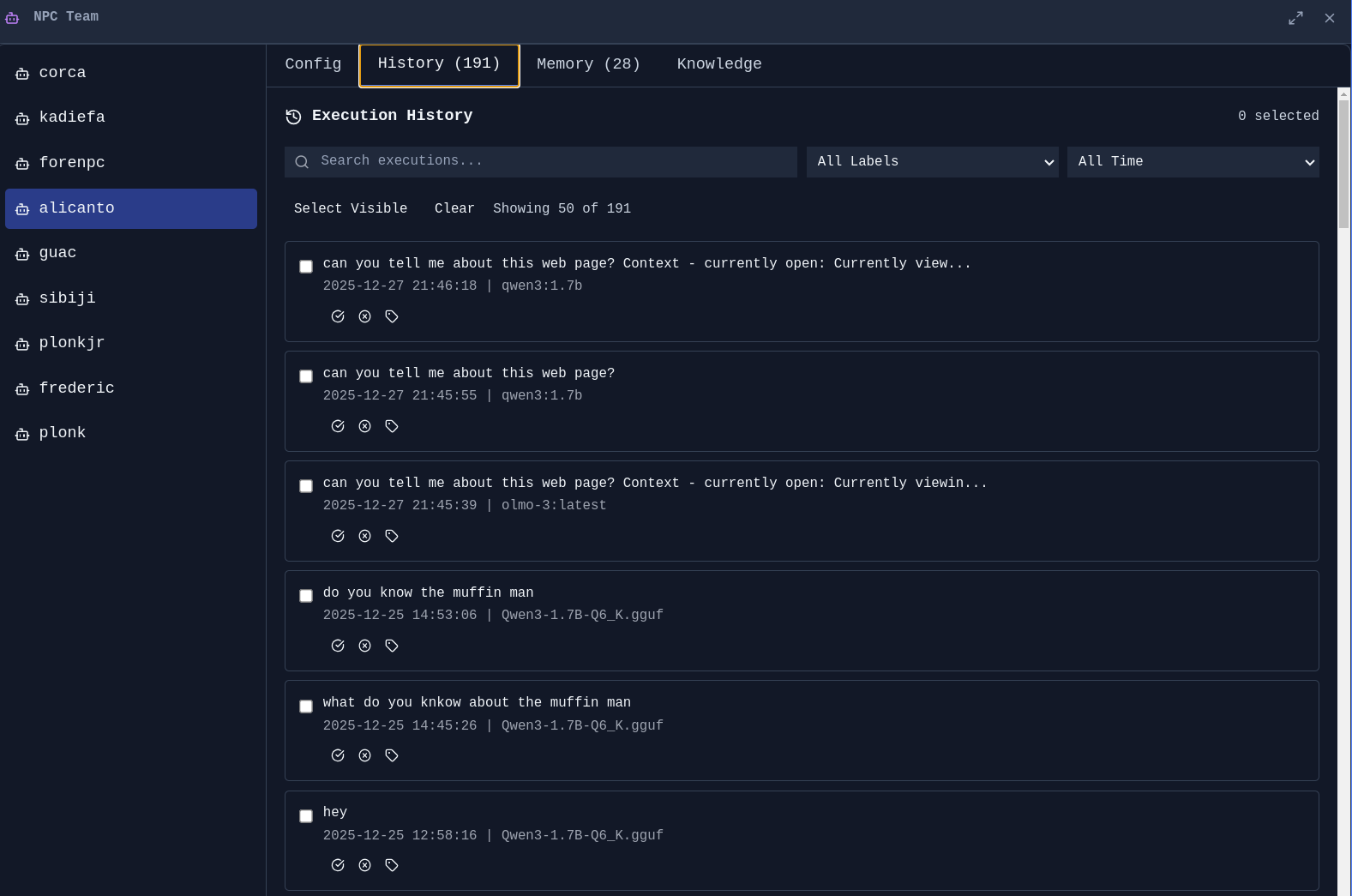
**Agent History** - Track what your agents have done:
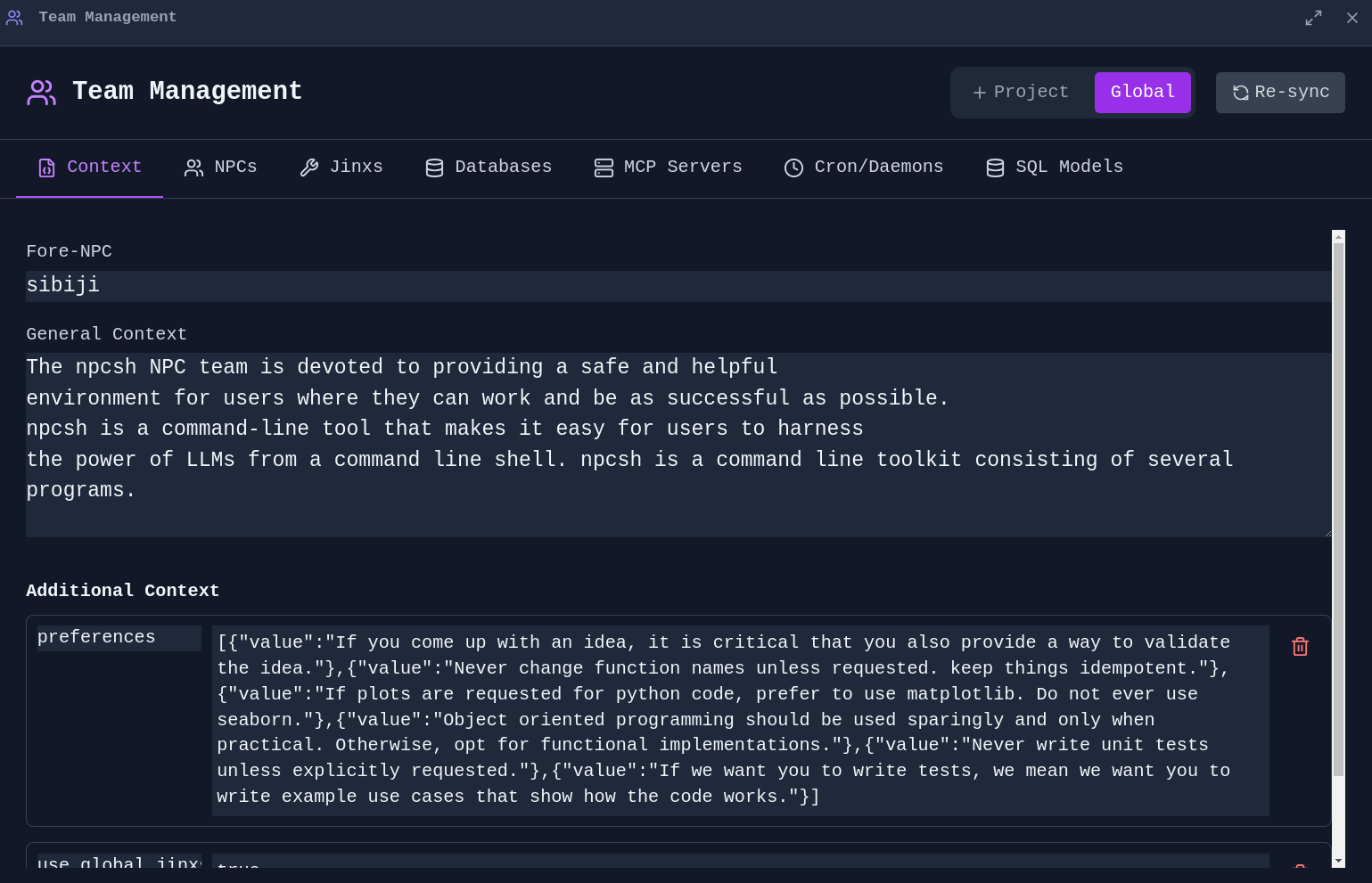
**Team Management** - Manage global and project-specific context for your agent team:
### Jinx Workflows
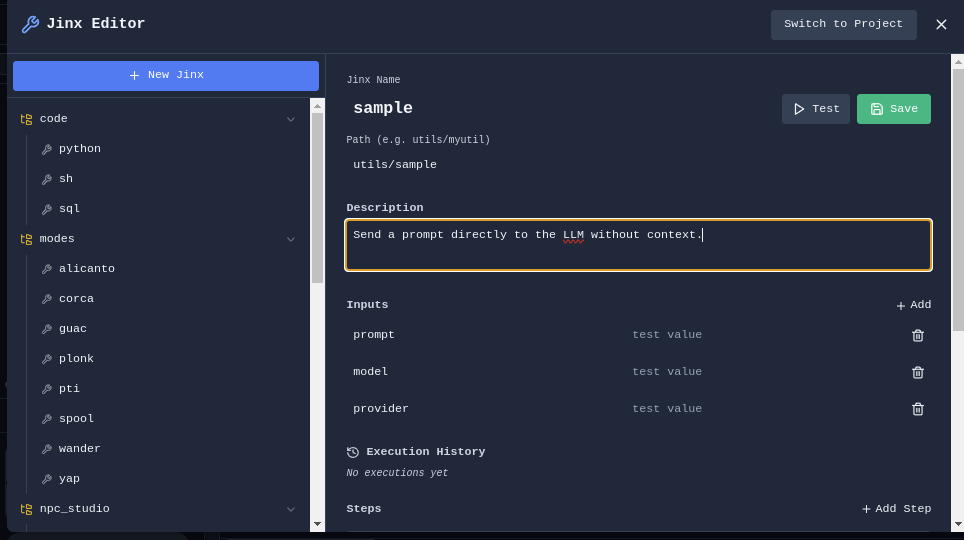
Jinxs are reusable automation templates that combine natural language prompts with code execution.
**Jinx Editor** - Create and edit Jinx workflows:
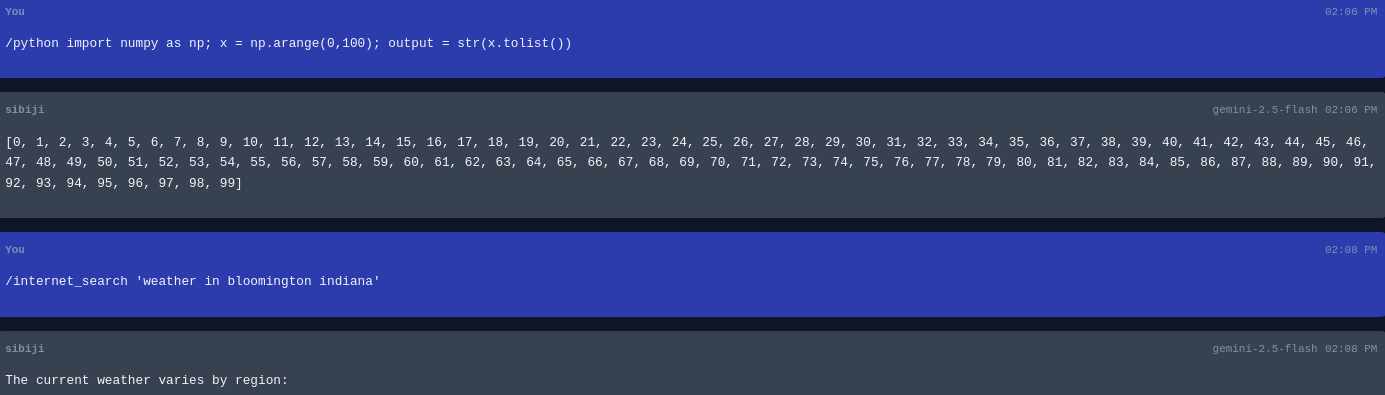
**Jinx Execution** - Run Jinxs with custom parameters:
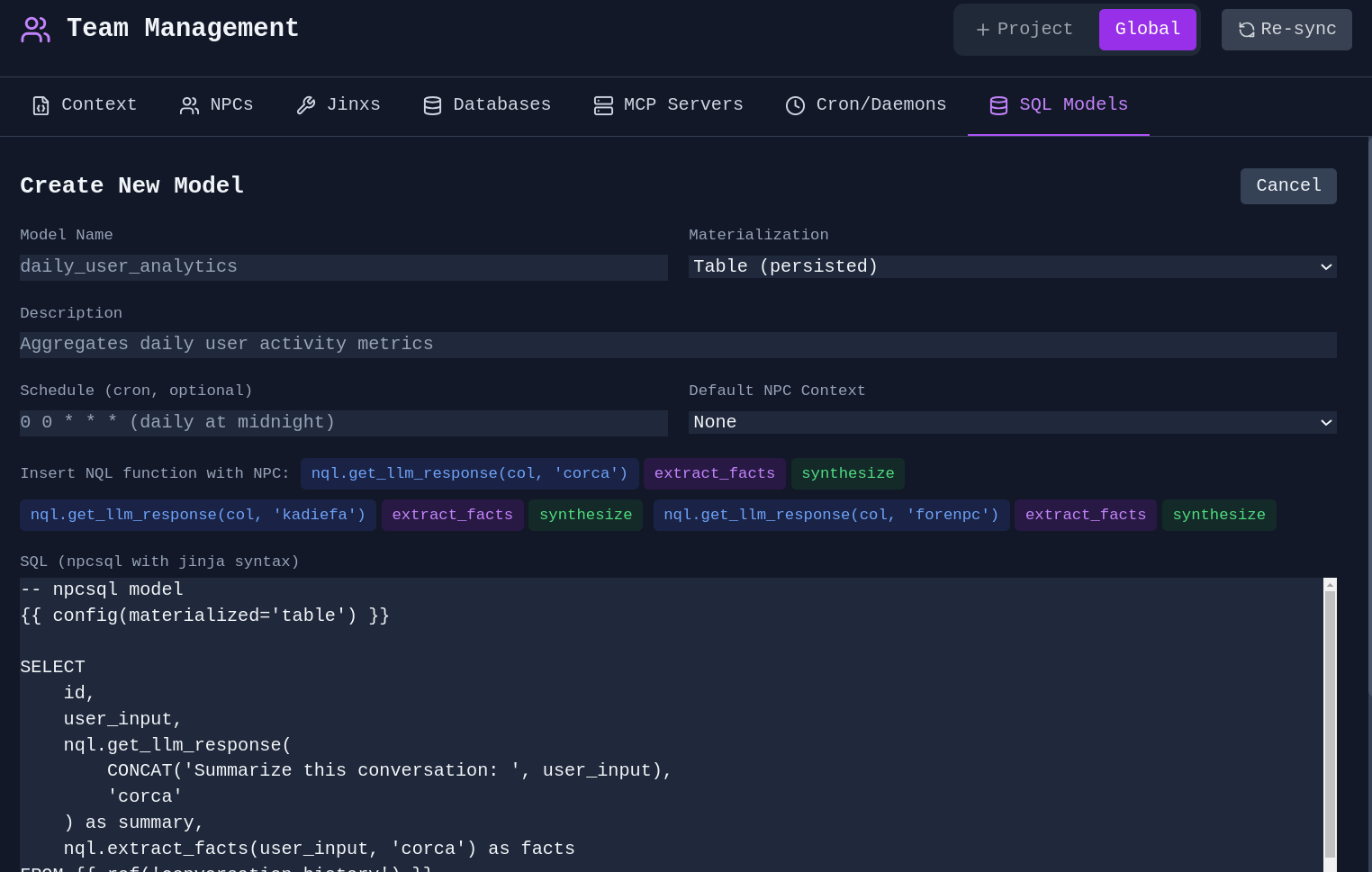
**SQL Jinx** - Create Jinxs that query databases:
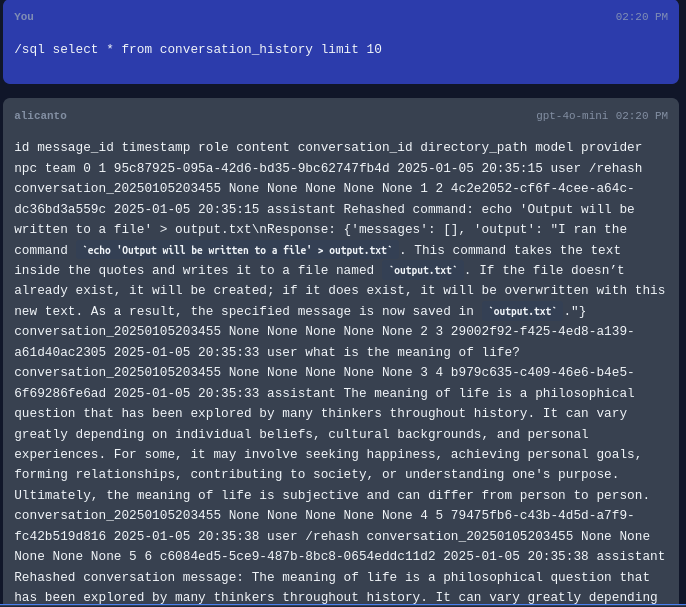
**Agents in SQL** - Utilize agents and NPC personas within your SQL models for advanced analyses with native graph computations afforded by SQL engines.
### Scheduled Tasks
**Cron Jobs** - Schedule Jinxs and agents to run automatically:
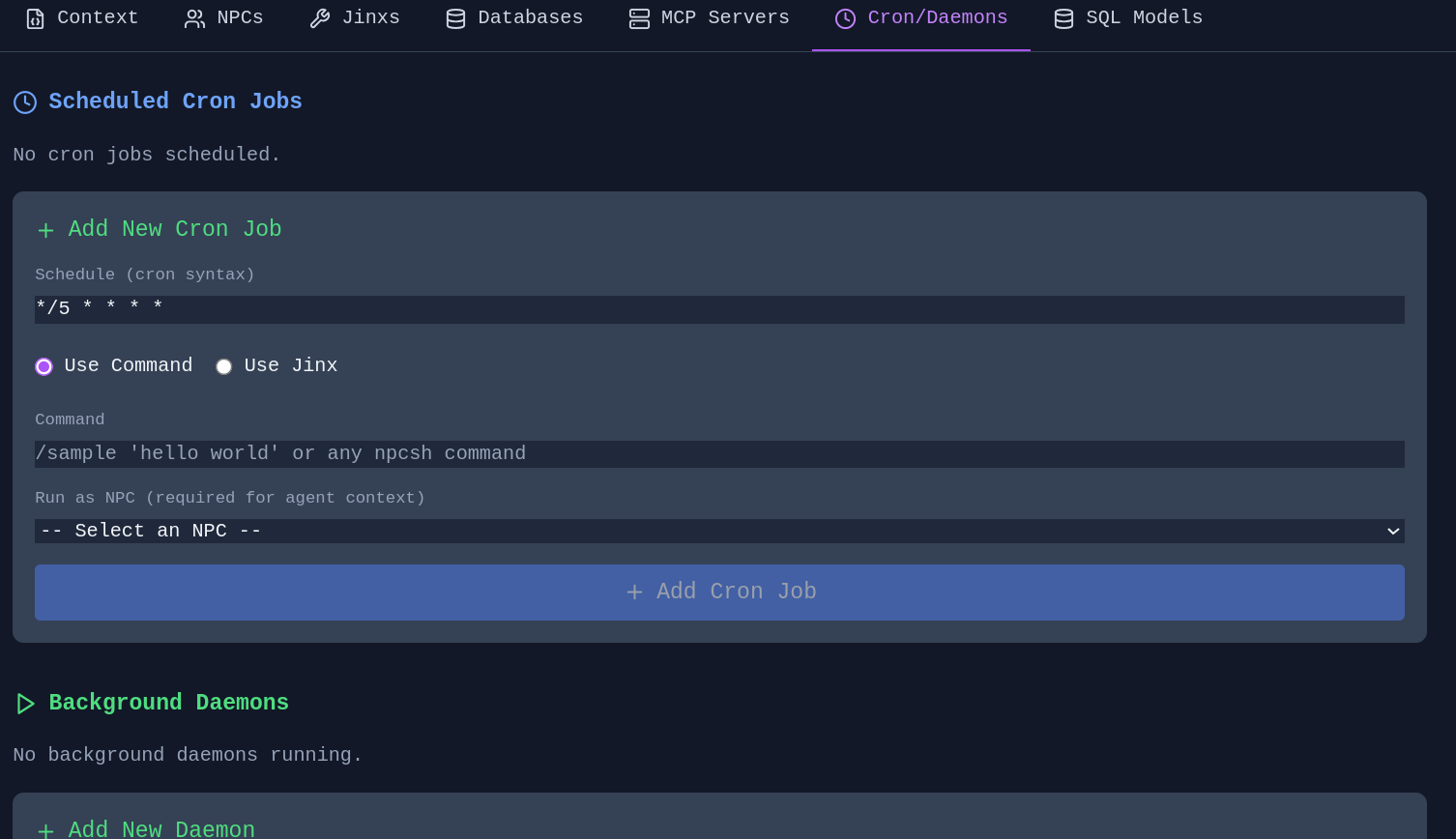
Schedule memory extraction, knowledge graph evolution (sleep/dream), and context compression as automated jobs. Configure guidance context to focus extraction on specific topics. Schedule directly from the Memory Manager or Knowledge Graph Editor.
---
## Image Tools (Vixynt)
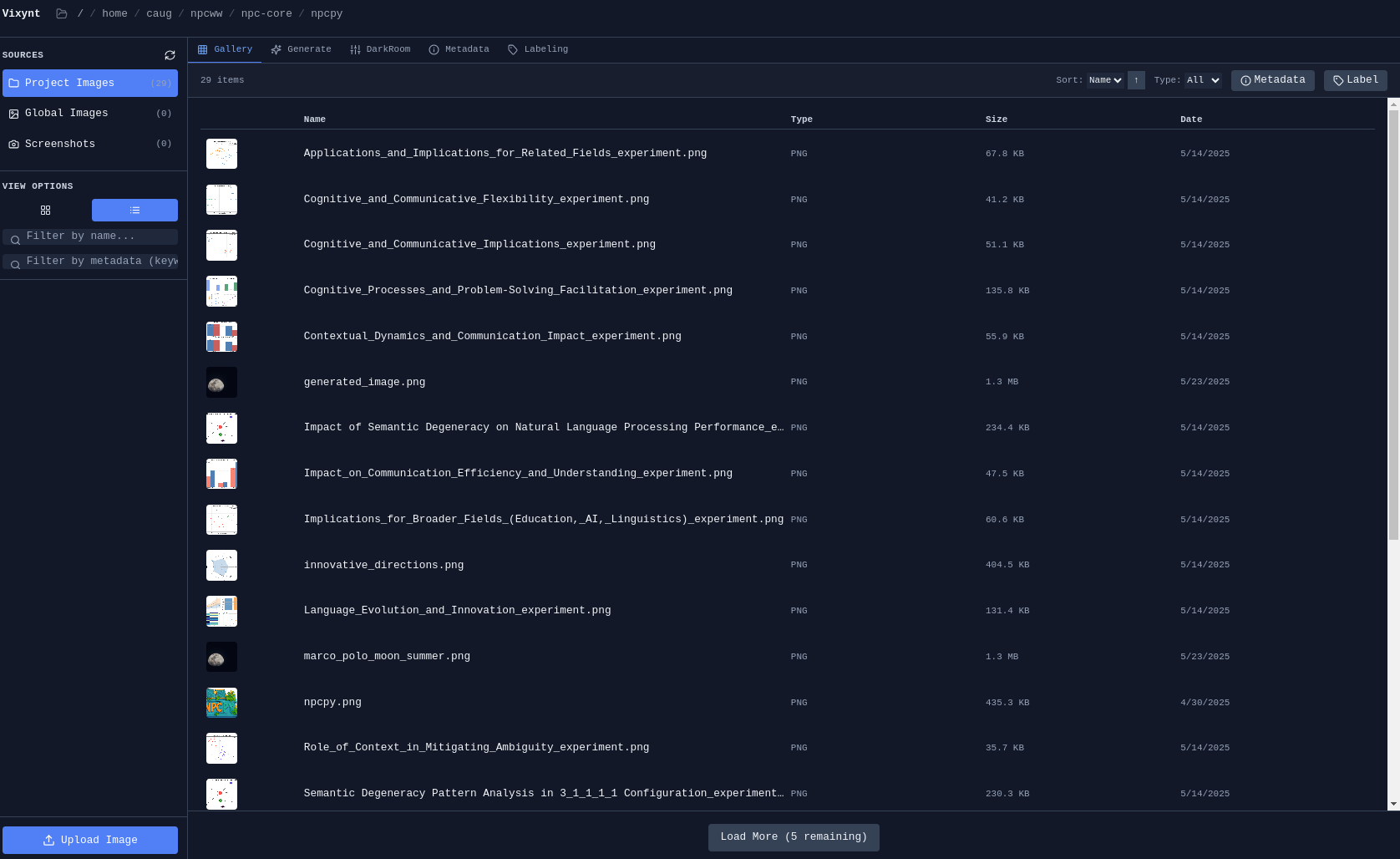
### Photo Browser
Browse and organize your image collection:
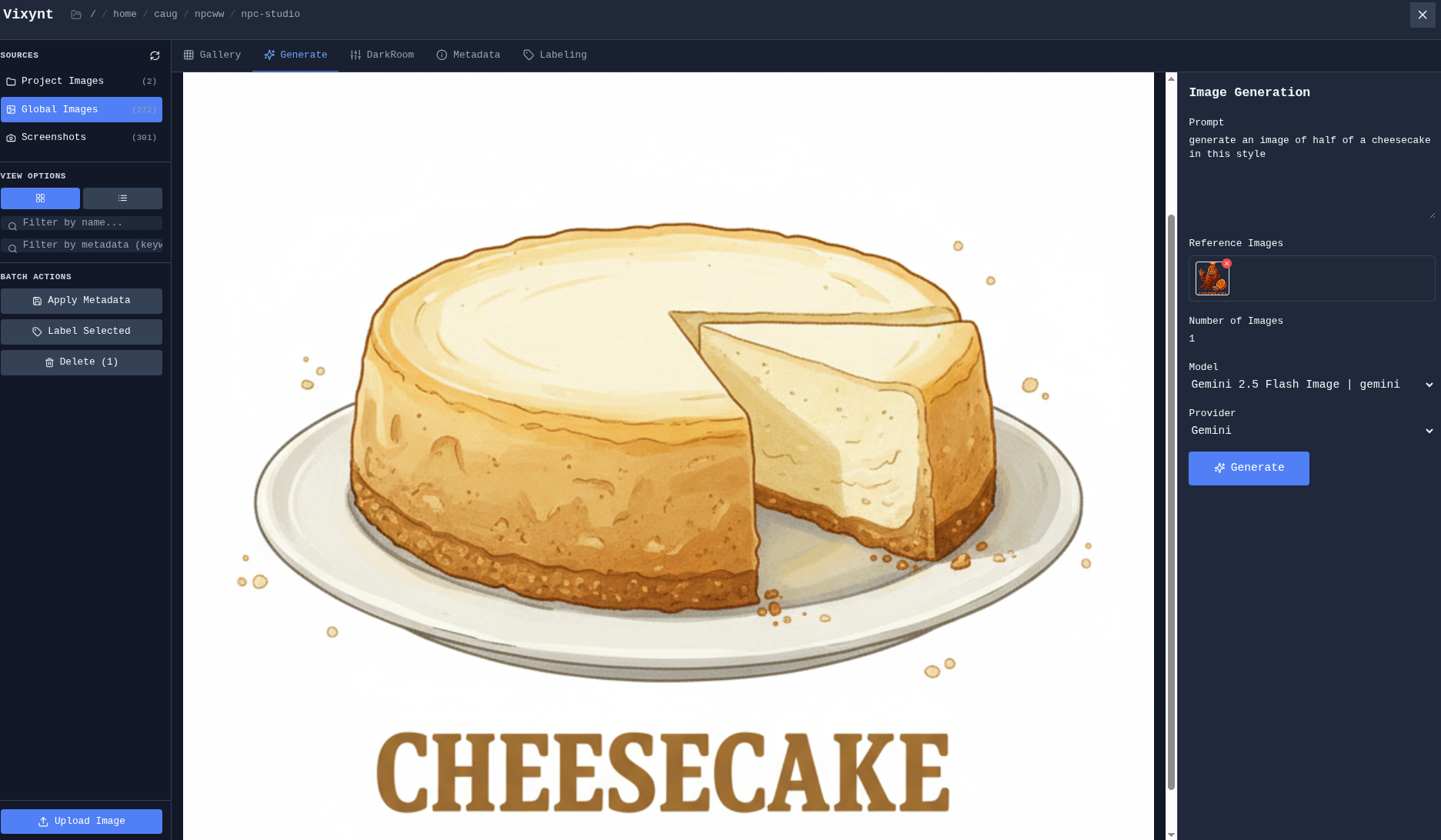
### AI Image Generation
Generate images using AI with reference images for style and composition:
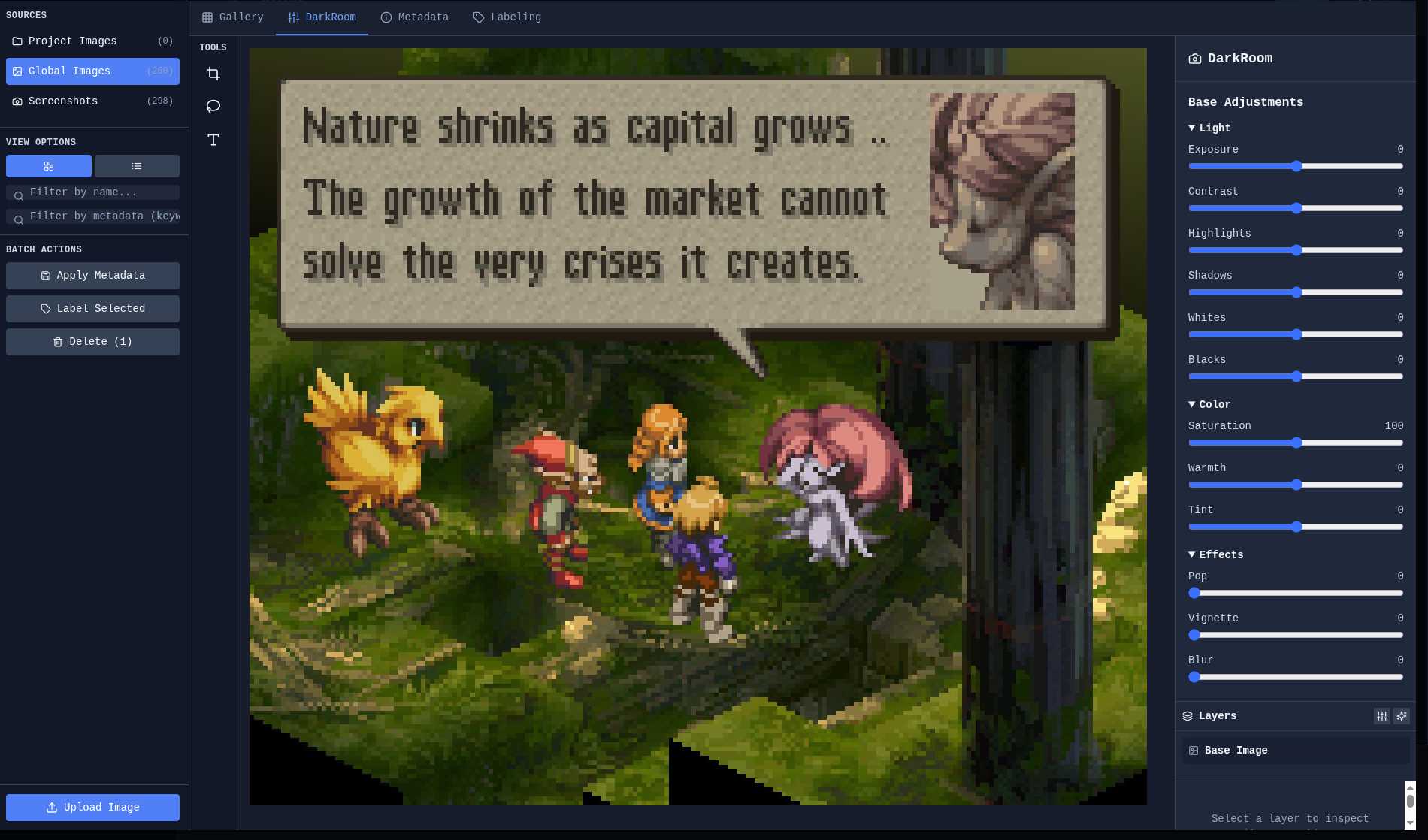
### DarkRoom
Simple photo editing with cropping, filters, and adjustments:
---
## Focus & Productivity
### Pomodoro Timer
A built-in Pomodoro timer in the top bar helps maintain focus with enforced break periods.
*Features:*
- Configurable work and break durations (right-click to configure)
- Full-screen break overlay that locks the UI during breaks
- Persists across window refreshes — active timers survive reload
- Programmable schedule: set specific days of the week and times for sessions to auto-start
- Visual status: red during work, green during break
### Backend Health Monitor
The status bar shows Python backend health with a colored indicator. Right-click to restart if the backend becomes unresponsive.
---
## Settings & Customization
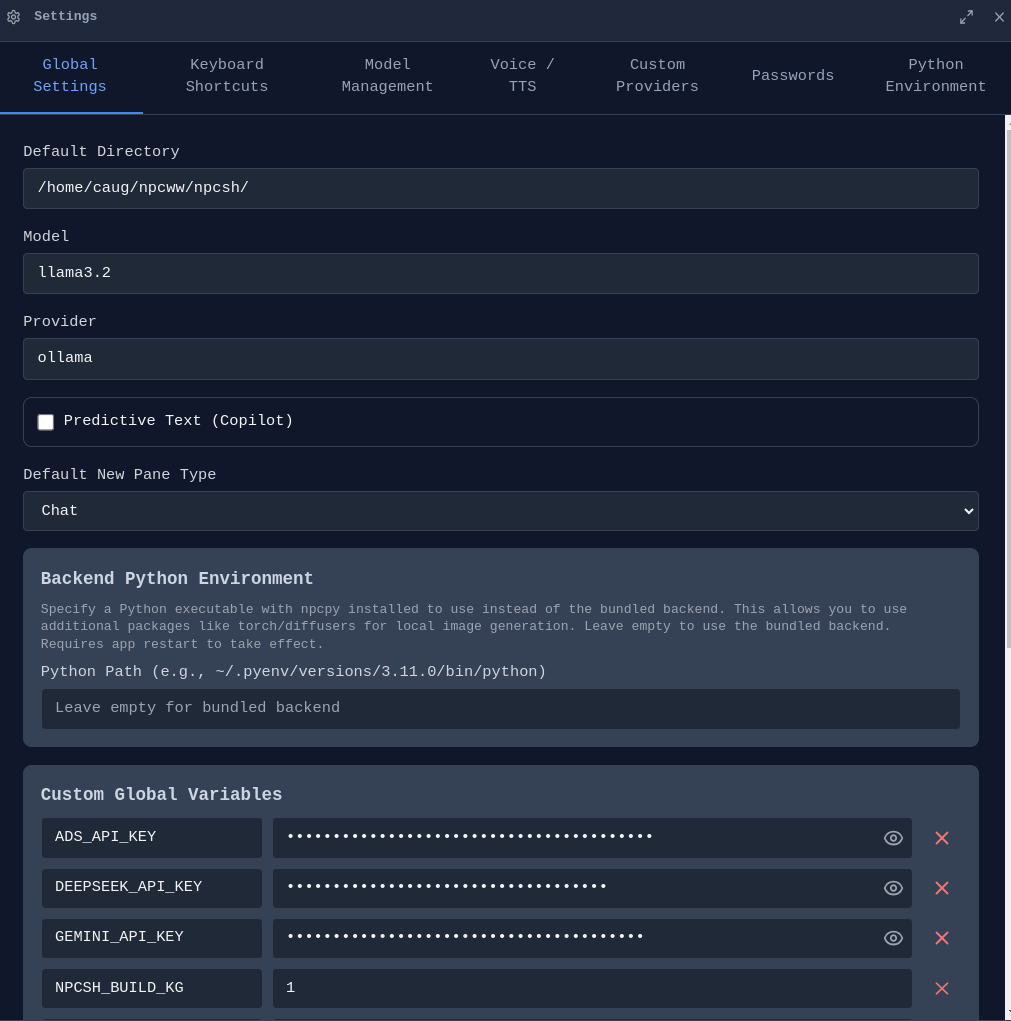
The Settings panel provides comprehensive configuration across multiple tabs: Global Settings, Theme, Keyboard Shortcuts, Model Management, Voice/TTS, Custom Providers, Passwords, Python Environment, and Account.
### Cloud Sync & Account
**Sign In** - Create an account to sync your conversations, settings, and workspace state across devices.
**End-to-End Encryption** - All synced data is encrypted with your passphrase before leaving your device. Your passphrase never leaves your machine.
**Multi-Device** - Work on your desktop, pick up on your laptop. Your conversations, memories, and workspace layout stay in sync.
### macOS Permissions
On macOS, manage permissions for camera, microphone, and screen capture from Settings. Required for voice input and screenshot features.
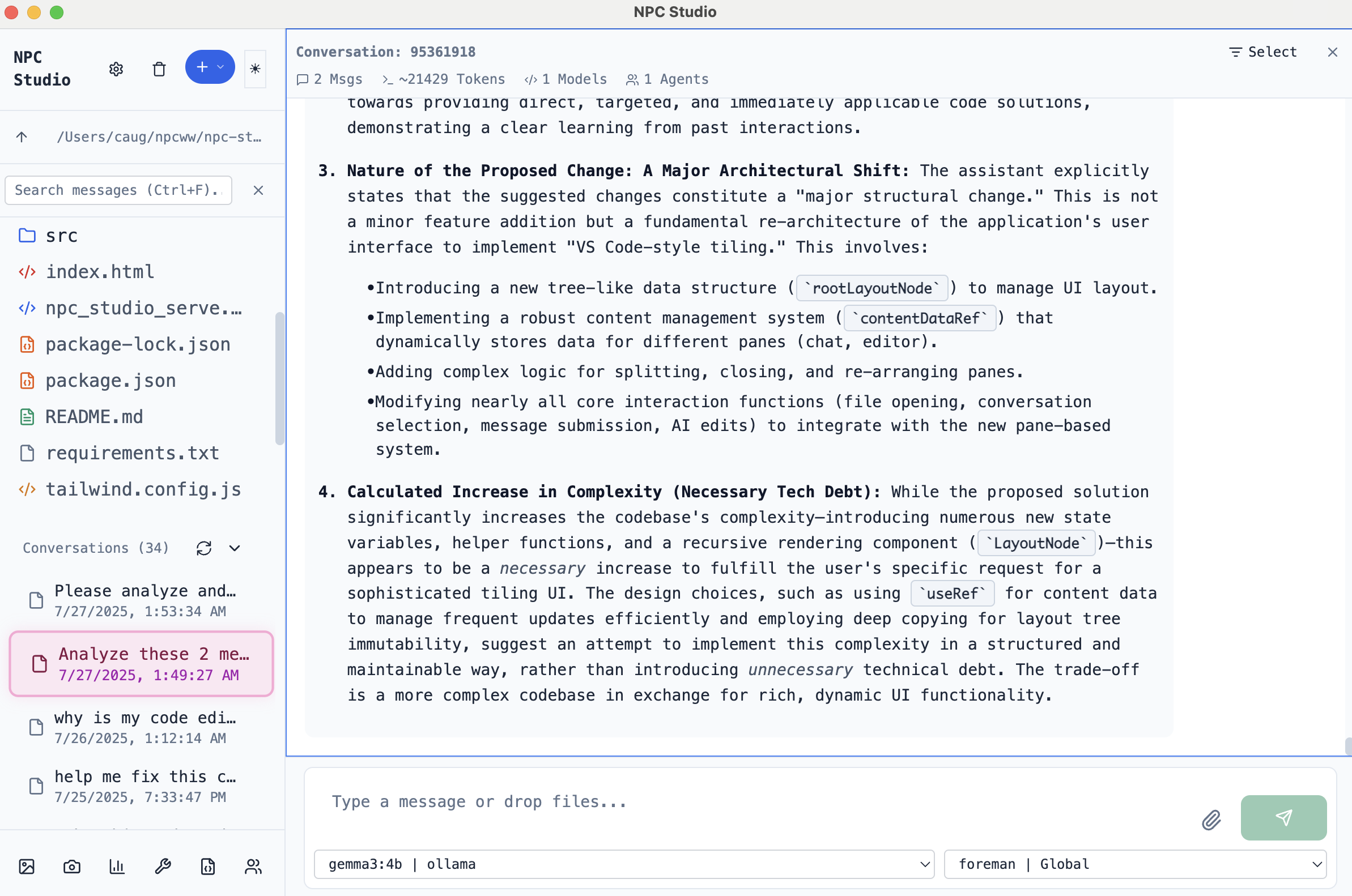
### Theme
Light and dark modes with full color customization:
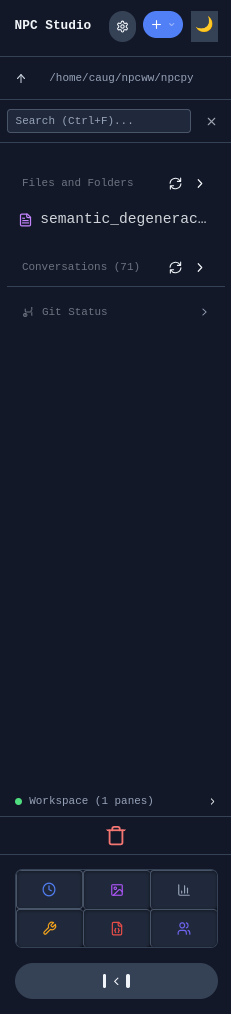
### Sidebar
**Collapsible Sidebar** - Manage files, conversations, and navigation:
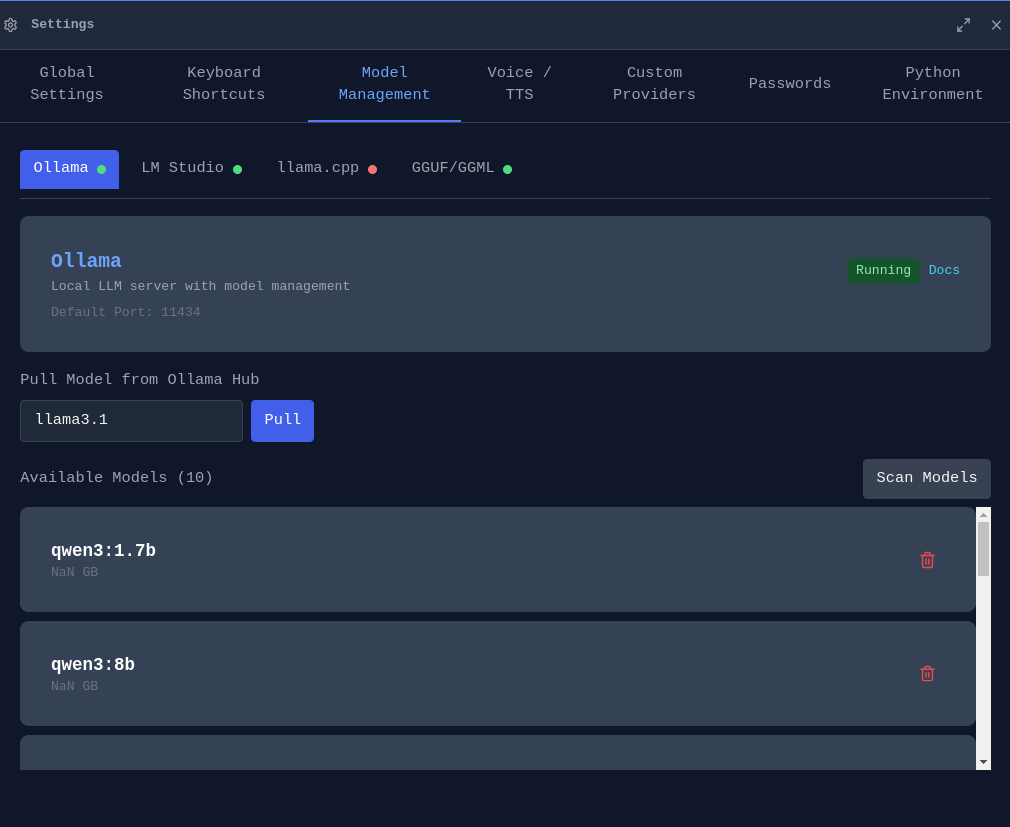
### Model Management
Configure, download, and manage models from multiple sources:
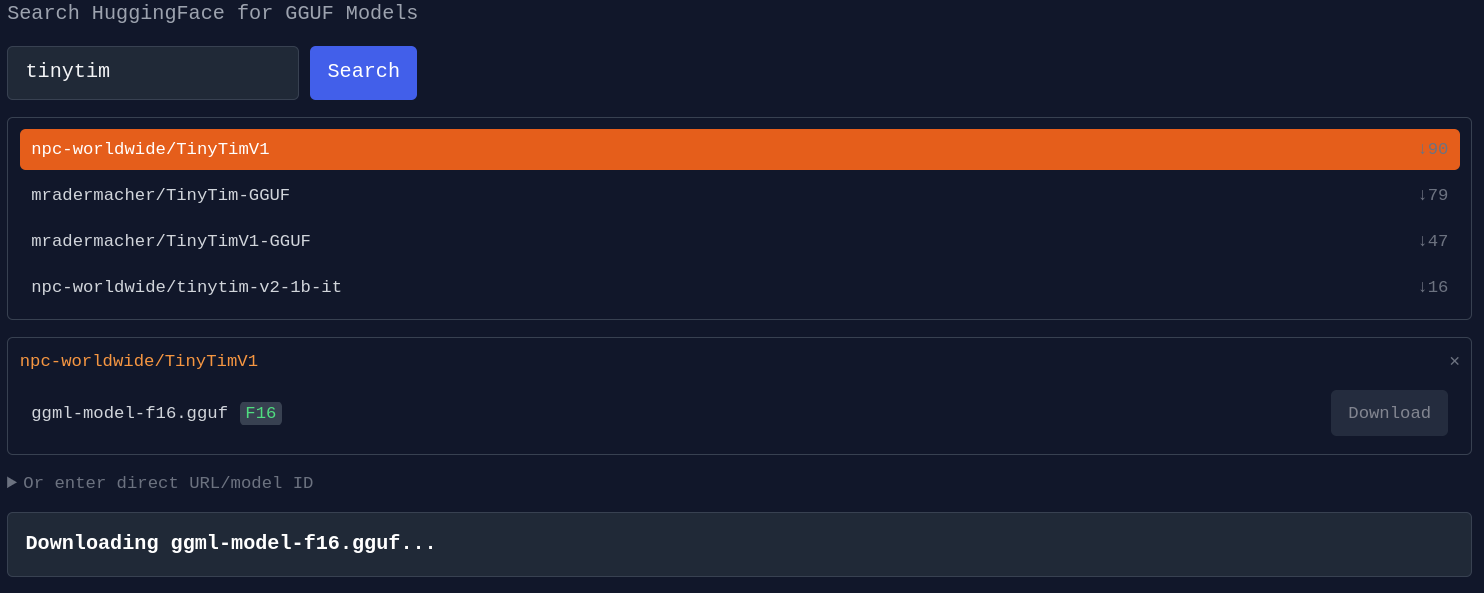
**HuggingFace Integration** - Download GGUF models directly:
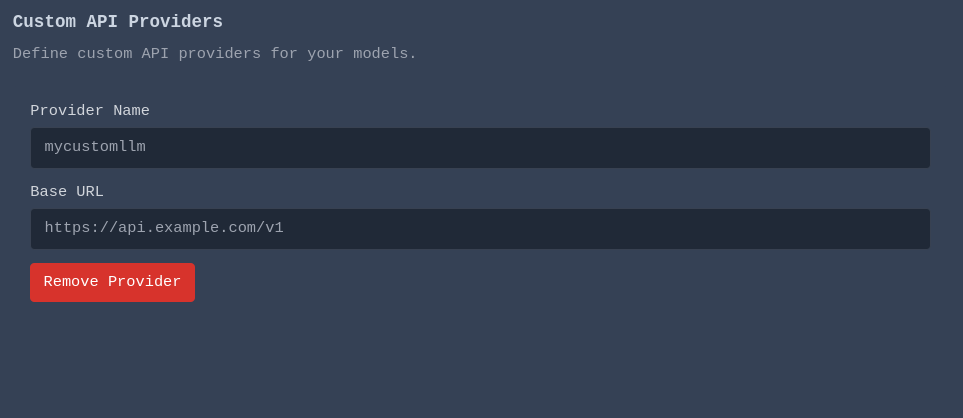
**Custom Providers** - Connect to custom OpenAI-compatible APIs:
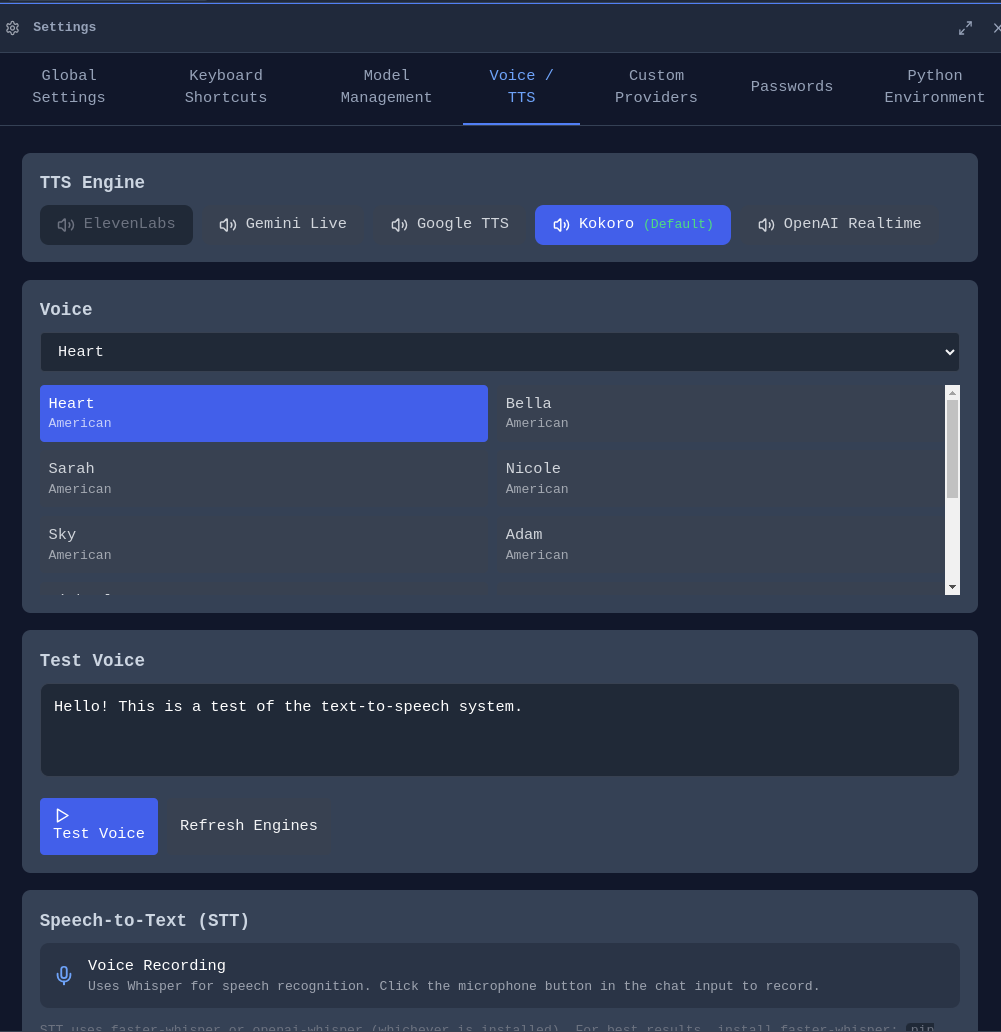
### Voice & Audio
Configure TTS and STT settings:
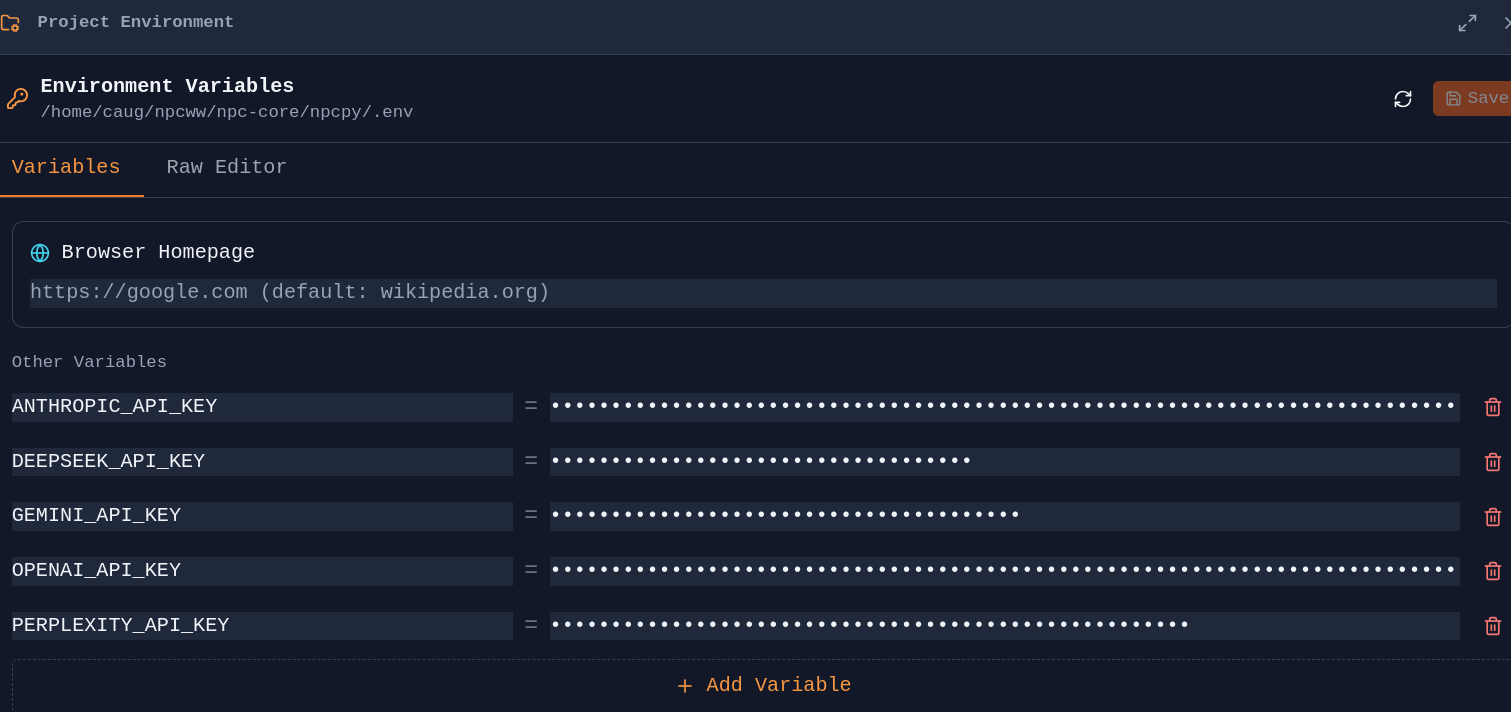
### Python Environment
Configure Python environments per project:
### Keyboard Shortcuts
View and customize keyboard shortcuts:

---
## Installation
Pre-built executables are available for **Linux**, **macOS**, and **Windows** at [enpisi.com/incognide](https://enpisi.com/incognide).
---
## Development Setup
Incognide is an Electron + React frontend with a Python Flask backend powered by [npcpy](https://github.com/npc-worldwide/npcpy). The UI uses [npcts](https://github.com/npc-worldwide/npcts), a React component library.
### Prerequisites
- [npcpy](https://github.com/npc-worldwide/npcpy) - Core Python library
- [npcsh](https://github.com/npc-worldwide/npcsh) - Shell interface (starts the backend)
- [npcts](https://github.com/npc-worldwide/npcts) - React component library (installed via npm)
- Node.js 16+ and npm
- Ollama (optional, for local models)
### Setup
**Option 1: Manual setup**
```bash
git clone https://github.com/npc-worldwide/incognide.git
cd incognide
npm install
```
**Option 2: Via npcsh** (installs to `~/.npcsh/incognide`)
```bash
npcsh> /incognide
```
### Running
```bash
python incognide_serve.py # Backend
npm run dev # Frontend (Vite)
npm start # Electron
```
---
## Community
- **Discord**: [Join us](https://discord.gg/FwnSygWc)
- **Issues & Bugs**: [GitHub Issues](https://github.com/npc-worldwide/incognide/issues)
- **Discussions**: [GitHub Discussions](https://github.com/npc-worldwide/incognide/discussions)
- **NPC Ecosystem**: [npcpy](https://github.com/npc-worldwide/npcpy) | [npcsh](https://github.com/npc-worldwide/npcsh) | [npcts](https://github.com/npc-worldwide/npcts)
---
## License
Incognide is licensed under AGPLv3 with additional terms prohibiting third-party SaaS services and packaged resale. See the [LICENSE](LICENSE) file for details.