https://github.com/npezza93/lecture
Write a slideshow for the terminal
https://github.com/npezza93/lecture
Last synced: 3 months ago
JSON representation
Write a slideshow for the terminal
- Host: GitHub
- URL: https://github.com/npezza93/lecture
- Owner: npezza93
- License: mit
- Created: 2017-08-06T02:10:15.000Z (almost 9 years ago)
- Default Branch: master
- Last Pushed: 2017-08-26T20:23:08.000Z (almost 9 years ago)
- Last Synced: 2025-03-11T12:51:32.005Z (over 1 year ago)
- Language: Ruby
- Size: 241 KB
- Stars: 2
- Watchers: 1
- Forks: 0
- Open Issues: 0
-
Metadata Files:
- Readme: README.md
- License: LICENSE.txt
Awesome Lists containing this project
README
# Lecture
Lecture is a way to present a slideshow through the terminal. All slides are written
in Ruby. There is an example in the examples folder, found [here](https://github.com/npezza93/lecture/tree/master/examples).
## Installation
```bash
❯ gem install lecture
```
## Usage
```bash
❯ lecture #{slides.rb}
```
### Configuration
At the top of your slides.rb file you can use the `configure` method to configure
settings within Lecture.
```ruby
configure do |lecture|
lecture.section_footer_text = "───"
end
```
Configurable settings include:
- character_print_delay
- transition_time
- pygment_style
- section_header_text
- section_footer_text
### Slide Types
When writing your slides.rb file you have four slide types available.
#### center
A center slide centers every line on the screen horizontally and vertically.
```ruby
center <<~SLIDE
Hello
This is a slide
SLIDE
```

#### block
A block slide preserves the text formatting, but centers the slide as a whole on the screen.
```ruby
block <<~SLIDE
The lines in this block of text are
not centered
SLIDE
```

#### section
A section slide has a title and draws a centered string of text above and below the title (default: " § ").
It can be configured with the `section_header_text` and `section_footer_text` keys.
Sections allow you to group slides in your Ruby slide deck, and can yield to a block to promote slide organization.
```ruby
section("This is a section") do
center("This is a centered slide inside a section")
end
```

#### code
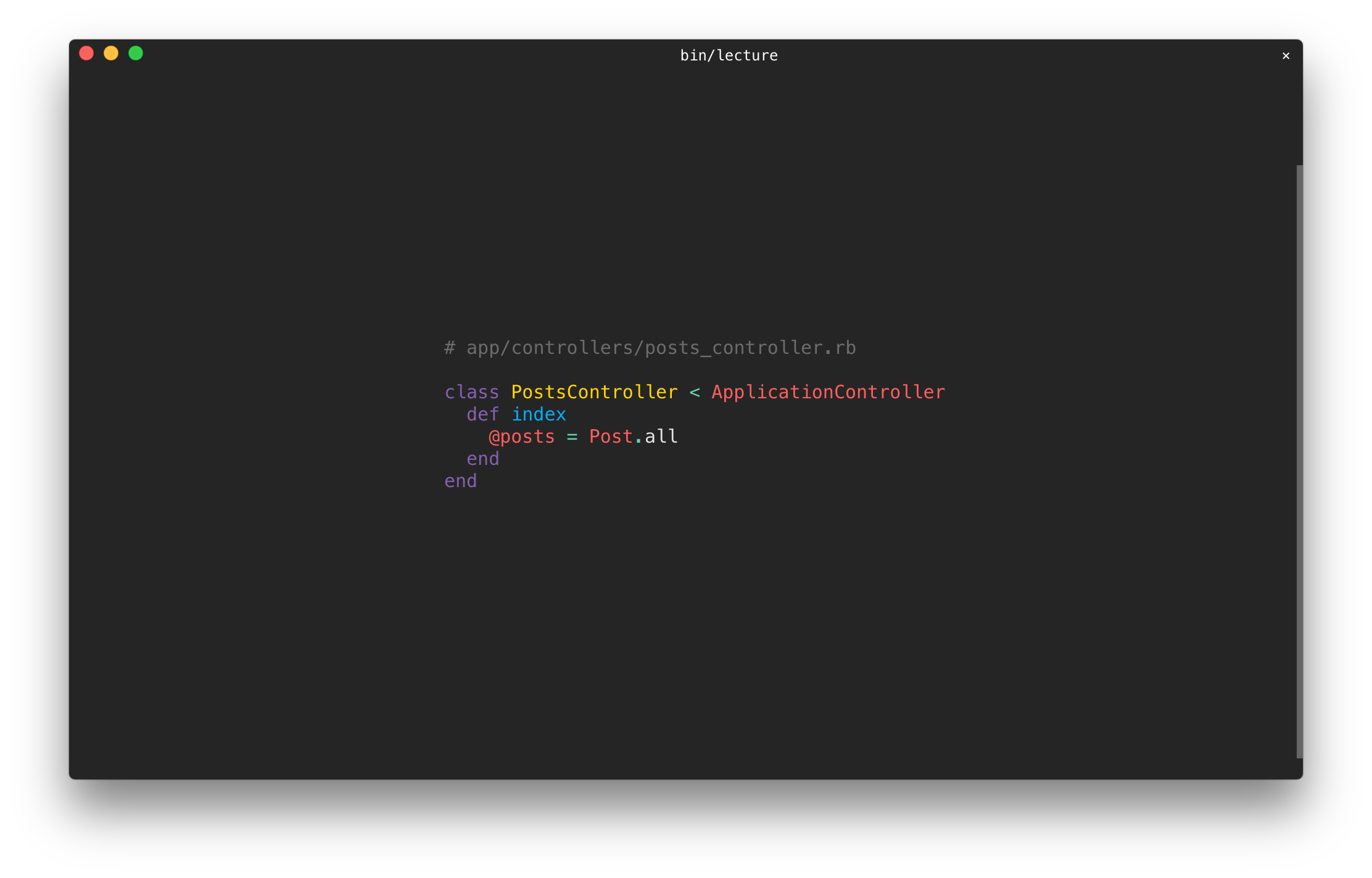
A code slide contains source code and has syntax highlighting.
The code method requires a second keyword argument with the name of the programming language.
The syntax highlighting style can be configured with the `pygment_style` key. Styles can be found [here](https://github.com/tmm1/pygments.rb), default is `paraiso-dark`.
```ruby
code(%(
class PostsController < ApplicationController
def index
@posts = Post.all
end
end
), lexer: :ruby)
```
### Keyboard Controls
- SPACE or → go to the next slide
- ← go to the previous slide
- a jumps to the first slide of the deck
- d jumps to the last slide of the deck
- j followed by a slide number(0 index) jumps to the given slide
- w redraws the slide
- q or ESC exits the slideshow
### String Utilities
You have a variety of string colors and modes available when creating slides. To get a list of colors and modes you can use: `Lecture.available_colors` and `Lecture.available_modes`.
```ruby
center <<~SLIDE
#{'Slide'.bold}
This is a #{'slide'.green}
SLIDE
```
You can also use ANSI escape sequences and unicode characters to spice up your slides.
## Development
After checking out the repo, run `bin/setup` to install dependencies. You can also run `bin/console` for an interactive prompt that will allow you to experiment.
To install this gem onto your local machine, run `bundle exec rake install`. To release a new version, update the version number in `version.rb`, and then run `bundle exec rake release`, which will create a git tag for the version, push git commits and tags, and push the `.gem` file to [rubygems.org](https://rubygems.org).
## Contributing
Bug reports and pull requests are welcome on GitHub at https://github.com/npezza93/lecture.
## License
The gem is available as open source under the terms of the [MIT License](http://opensource.org/licenses/MIT).
---
Inspired by [fxn/tkn](https://github.com/fxn/tkn)