https://github.com/ntwigs/gooka
Unused CSS selectors have nowhere to hide! :knife:
https://github.com/ntwigs/gooka
app css electron
Last synced: about 2 months ago
JSON representation
Unused CSS selectors have nowhere to hide! :knife:
- Host: GitHub
- URL: https://github.com/ntwigs/gooka
- Owner: ntwigs
- License: mit
- Created: 2021-01-05T14:21:58.000Z (over 5 years ago)
- Default Branch: main
- Last Pushed: 2021-04-19T16:56:21.000Z (about 5 years ago)
- Last Synced: 2025-01-18T02:25:43.771Z (over 1 year ago)
- Topics: app, css, electron
- Language: TypeScript
- Homepage:
- Size: 1.18 MB
- Stars: 4
- Watchers: 2
- Forks: 0
- Open Issues: 0
-
Metadata Files:
- Readme: README.md
- License: LICENSE.txt
Awesome Lists containing this project
README

Gooka for Linux and Windows
The naive and simplified way to find unused css selectors.


---
## What's this?
Are you still using CSS-outside-JS (also known as just "CSS") - and you know that there _might_ be some old CSS selectors that are no longer in use? Such as `.deleteLater` and `.testing123`? But you're also quite sure about not wanting something fully automatic - so you know that you're in control? Then **Gooka** is for you!
Gooka is an easy way to find unused CSS classes in your code. It takes a CSS file and some non-CSS files and searches for the selectors inside those files. If no unused selectors are found, **congratulations**. But if Gooka finds some unused selectors - you'll get a list of those selectors, and you'll be able to manually delete them. Also - there's a **dark mode**!
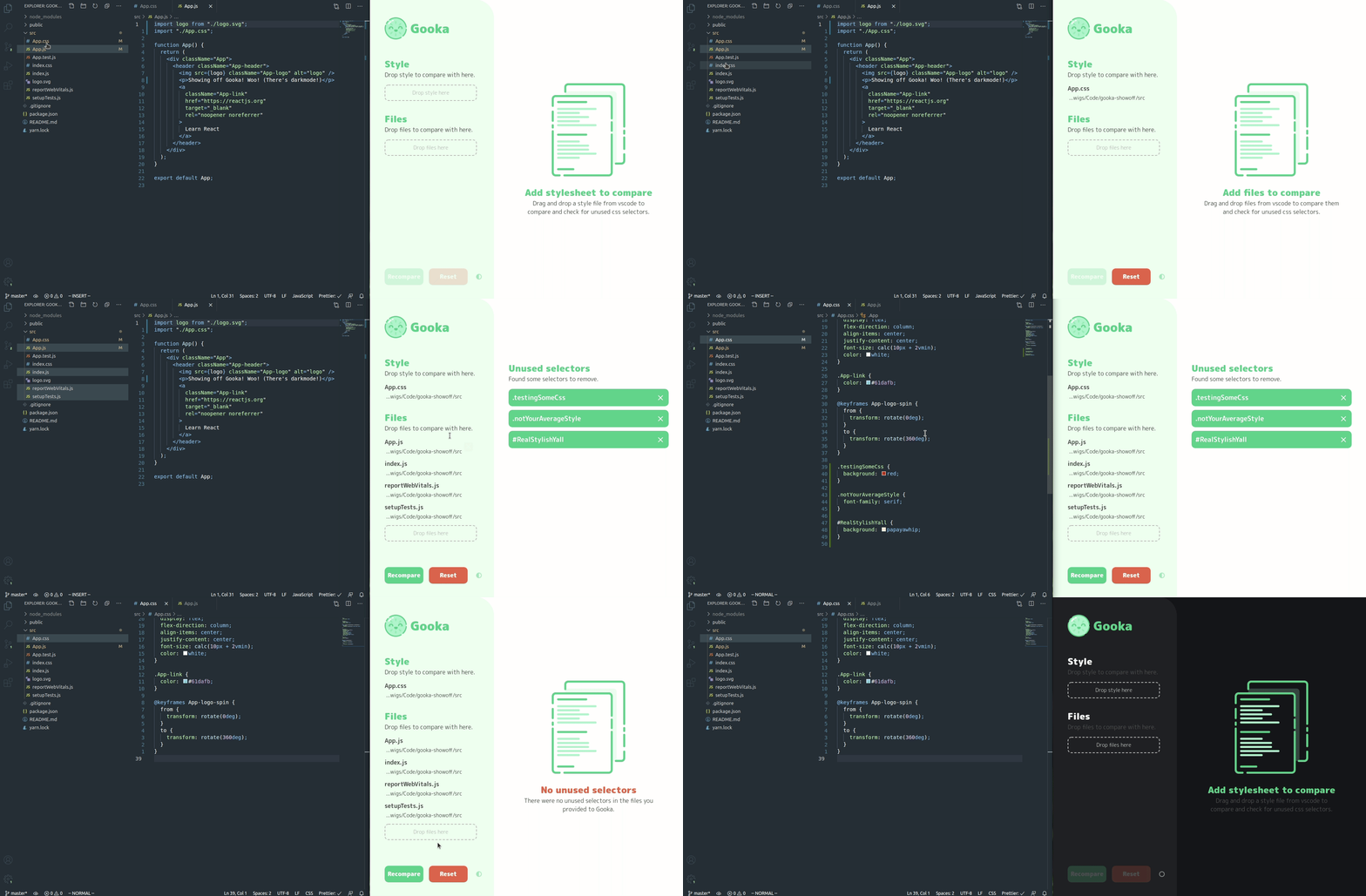
## Why this?
Using scripts such as [PurgeCSS](https://github.com/FullHuman/purgecss), [PurifyCSS](https://github.com/purifycss/purifycss), and [UnCSS](https://github.com/uncss/uncss) is scary. Especially if you're working on a humongous project. Therefore, I created something more manual to be more selective in my selector deletions.
## Pitfalls
It's extremely naive. Let's say you have a selector called `.red` - and you add a file called `explaining-colors.ts` which contains a string `red`. It will take that as a "Ah, `.red` is being used here!". Which it isn't.
## Development prerequisites
So you're going to join the fun world of Gooka - and you're going to give it everything you have? Nice! This is what you'll need.
1. [Node version manager](https://github.com/nvm-sh/nvm) (Optional)
2. [Node >= v12](https://nodejs.org/en/)
3. [Yarn](https://classic.yarnpkg.com/en/)
If you're going to be building the app - it easier with:
4. [Docker](https://docs.docker.com/get-docker/)
## Develop on Linux
It should be super simple to get going - as long as you have the prerequisites.
1. Open your terminal.
2. Install packages with `yarn`.
3. Start development with `yarn electron:dev`.
## Develop on Windows
Basically the same as above. Except it's Windows.
1. Open your terminal.
2. Install packages with `yarn`.
3. Start development with `yarn electron:windows`.
## Build for production
We're building for Linux and Windows! *Woo!*
1. Start the script `build-with-docker` - with the command: `bash build-with-docker`.
If it's your first build -
2. Run `yarn && yarn electron:build`.
else
2. Run `yarn electron:build`.
3. Now there should be a folder called `dist` containing both a `Gooka.x.x.x.exe` and a `Gooka-x.x.x.AppImage`.
### License
MIT