https://github.com/nuintun/impsorter-vscode
A vscode extension to sort selected import statements.
https://github.com/nuintun/impsorter-vscode
sort-imports vscode-extension
Last synced: 6 months ago
JSON representation
A vscode extension to sort selected import statements.
- Host: GitHub
- URL: https://github.com/nuintun/impsorter-vscode
- Owner: nuintun
- License: mit
- Created: 2020-03-01T12:51:33.000Z (over 6 years ago)
- Default Branch: master
- Last Pushed: 2022-12-10T20:02:51.000Z (over 3 years ago)
- Last Synced: 2023-04-05T13:38:00.206Z (over 3 years ago)
- Topics: sort-imports, vscode-extension
- Language: TypeScript
- Homepage: https://marketplace.visualstudio.com/items?itemName=nuintun.impsorter-vscode
- Size: 3.41 MB
- Stars: 1
- Watchers: 0
- Forks: 0
- Open Issues: 3
-
Metadata Files:
- Readme: README.md
- Changelog: CHANGELOG.md
- License: LICENSE
Awesome Lists containing this project
README
# impsorter-vscode
You might think the structure of your imports are important (_no pun intended_).
This is an extension to help you sort your import statement in an easy convenient way.
## Features
### How to use
`vs-impsorter-extension` supports a number of commands for sorting import statements;
These are acessible via the command menu `(Ctrl+Shift+P)` and may be bound to keyboard shortcuts in the normal way.
## Available commands
- "Sort Imports: Line import"
- "Sort Imports: One import per line"
- "Sort Imports: Maximum inputs per line"
- "Sort Imports: Limit on max width"
## Change default settings
Open up _settings.json_ and change default settings
```
impsorter.defaultTabWidth: 2
impsorter.trailingComma: false
impsorter.inputPerLine: 2
impsorter.lineMaxWidth: 128
```
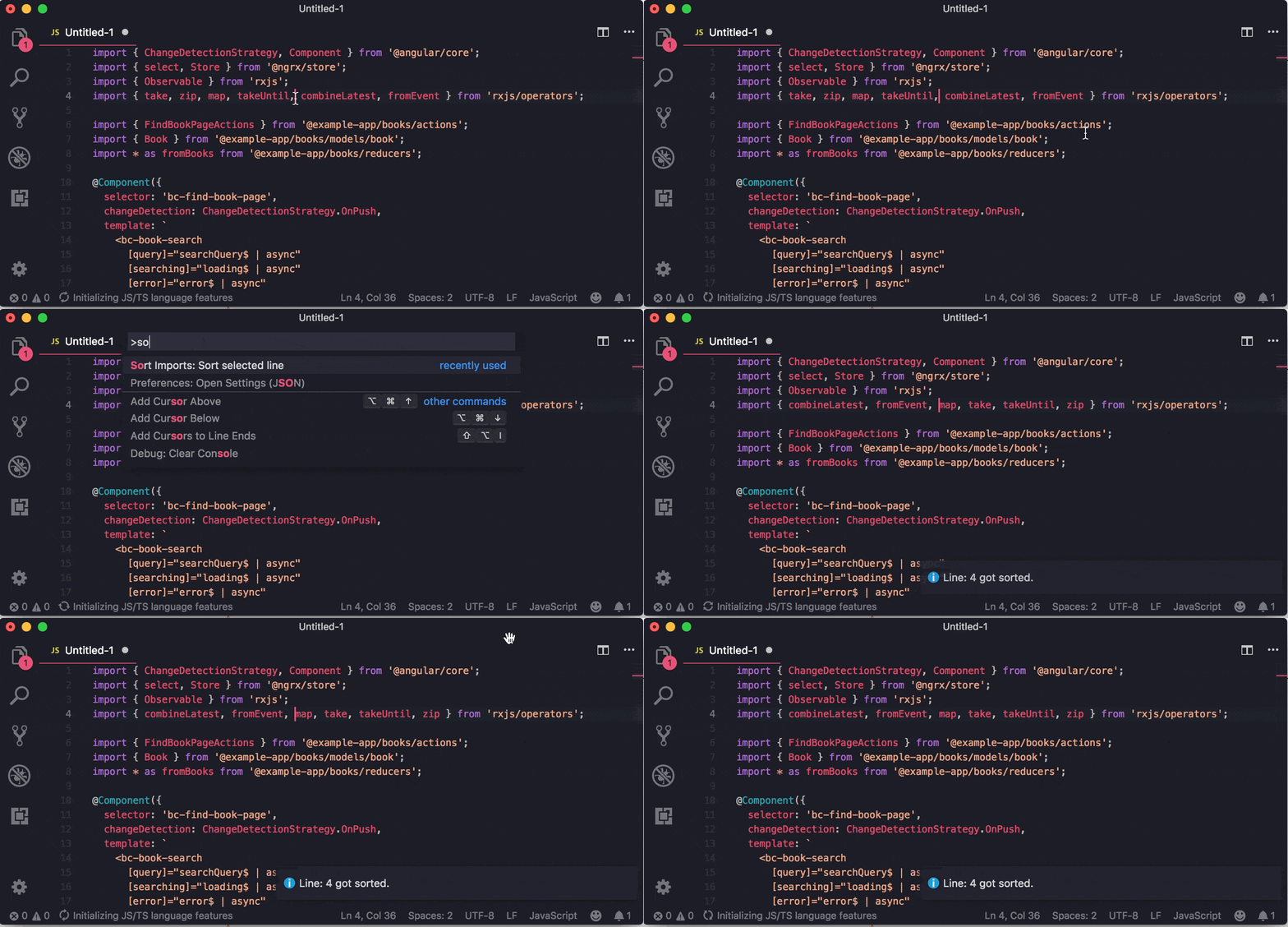
### Sort imports on one line selection
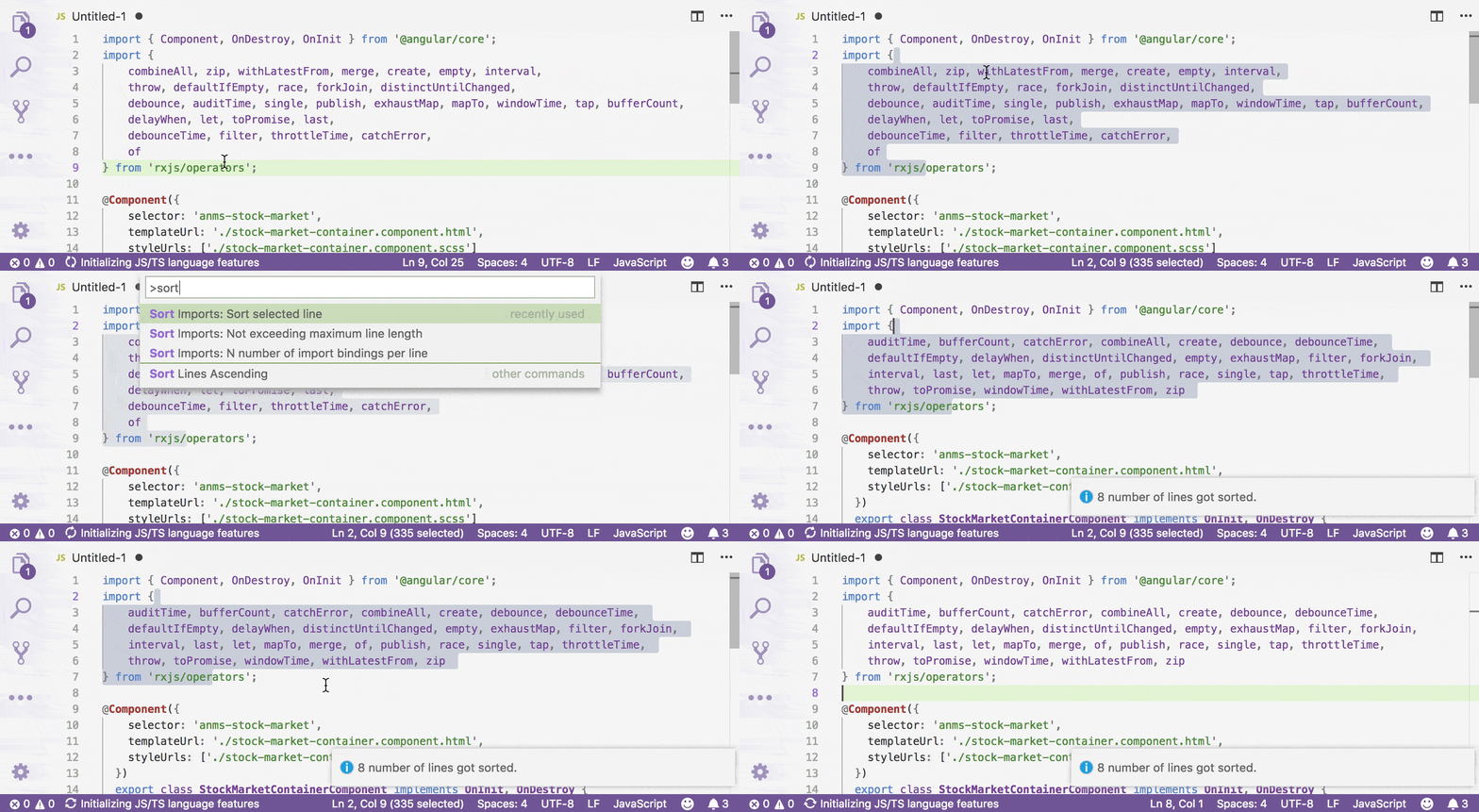
### Sort imports on regard of maximum line width
## Release Notes
- Latest changes are referenced in the changelog.
## See [erhise/impsorter](https://github.com/erhise/impsorter)
- Thanks [erhise](https://github.com/erhise)