https://github.com/nulldev/ssh-starter
:rocket: This is a simple SSH Starter script
https://github.com/nulldev/ssh-starter
expec expectscript nulldev ssh tcl
Last synced: over 1 year ago
JSON representation
:rocket: This is a simple SSH Starter script
- Host: GitHub
- URL: https://github.com/nulldev/ssh-starter
- Owner: NullDev
- License: mit
- Created: 2017-07-30T15:48:12.000Z (about 9 years ago)
- Default Branch: master
- Last Pushed: 2021-01-18T10:11:53.000Z (over 5 years ago)
- Last Synced: 2025-03-19T21:27:41.244Z (over 1 year ago)
- Topics: expec, expectscript, nulldev, ssh, tcl
- Language: Shell
- Homepage:
- Size: 27.3 KB
- Stars: 2
- Watchers: 1
- Forks: 0
- Open Issues: 0
-
Metadata Files:
- Readme: README.md
- License: LICENSE
Awesome Lists containing this project
README
# SSH-Starter-Interface
[](https://travis-ci.org/NullDev/SSH-Starter)
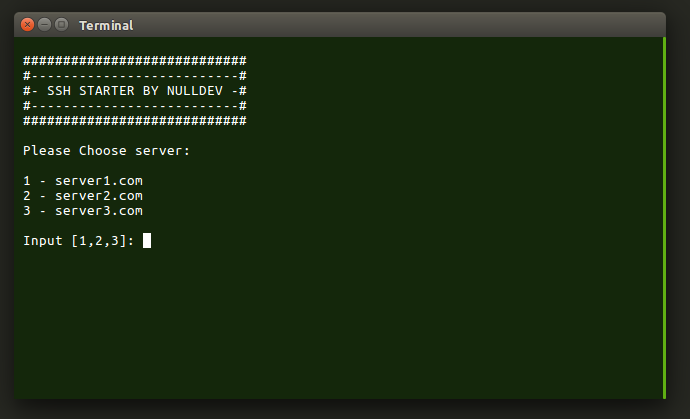
This is a newer version of my SSH Starter script.
A small Expect script which will start SSH sessions with automatically entered password.
You can specify hostname, password, port and username inside the script for **4** different servers.
"ssh.sh" - When 97% of your keyboard is broken...
> Tested on Ubuntu 16.04 and 14.04
This script also features CLI arguments so you can connect to your server instantly without getting prompted to choose a server.
Usage:
$ `./ssh.sh 1`
$ `./ssh.sh 2`
$ `./ssh.sh 3`
$ `./ssh.sh 4`
**Extra feature**: You can pass a command as argument, which will be executed after login!
Example Usage:
$ `./ssh.sh 1 echo hello`
This will execute `echo hello` once the login was sucessful.
### Small code info:
`expect "assword:"` on Line 67 is not a typo.
It matches "Password" as well as "password".
## HOW TO INSTALL
1. Install expect script
$ `sudo apt-get update`
$ `sudo apt-get install expect`
2. Clone and navigate to this repository
$ `git clone https://github.com/NullDev/SSH-Starter.git && cd SSH-Starter`
3. Move the script wherever you want
$ `mv ssh.sh ..`
4. Edit the script as you need it
$ `cd .. && nano ssh.sh`
5. Make the script executable
$ `chmod +x ssh.sh`
6. Thats it! You can either start in from the terminal with
$ `./ssh.sh`
Or by doubleclicking it!
## Optional:
If you do not want to store your password in the script directly, you could create a passwor file. Lets say you create a file called "p" in your home directory and store the password there. Then you can use
`set SERVER_1_PKEY [exec cat ~/p]`
instead of
`set SERVER_1_PKEY "password1"`
on Line 9 to 12.
However, this does not provide additional security (It isn't even security through obscurity). This is just for storing the password somewhere else instead of directly inside the script.
Screenshot