https://github.com/nullxception/cherry-kde
Clean, Flat, Δ Theme for Plasma Desktop
https://github.com/nullxception/cherry-kde
cherry-theme kde-theme plasma-theme
Last synced: 3 months ago
JSON representation
Clean, Flat, Δ Theme for Plasma Desktop
- Host: GitHub
- URL: https://github.com/nullxception/cherry-kde
- Owner: nullxception
- License: gpl-3.0
- Created: 2020-11-18T12:09:36.000Z (over 5 years ago)
- Default Branch: main
- Last Pushed: 2025-09-30T19:11:09.000Z (8 months ago)
- Last Synced: 2025-09-30T21:09:15.474Z (8 months ago)
- Topics: cherry-theme, kde-theme, plasma-theme
- Language: QML
- Homepage:
- Size: 12.5 MB
- Stars: 99
- Watchers: 1
- Forks: 7
- Open Issues: 0
-
Metadata Files:
- Readme: README.md
- License: LICENSE
- Authors: AUTHORS
Awesome Lists containing this project
README

Cherry KDE
Clean, Flat, Δ Theme for Plasma Desktop
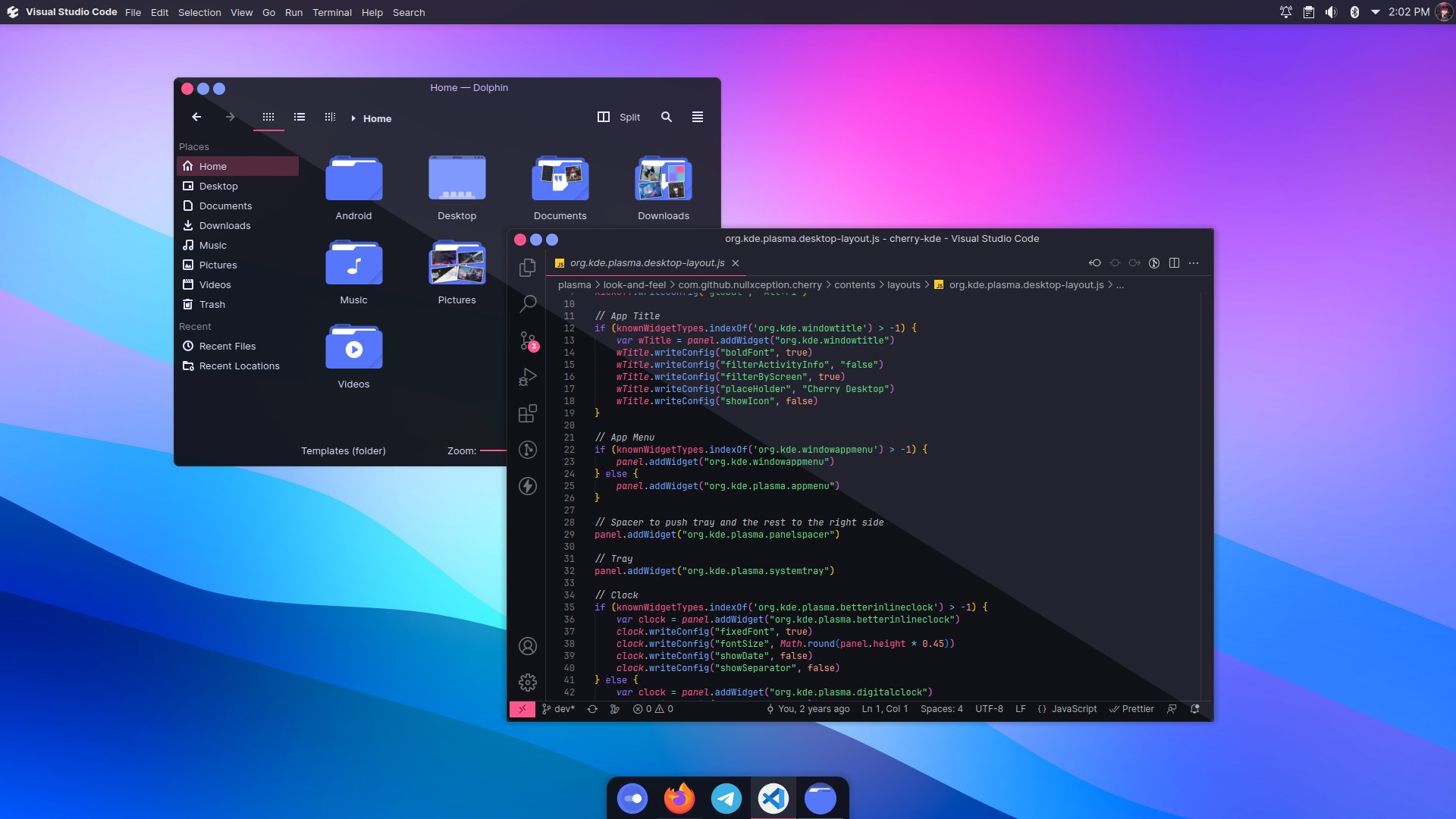
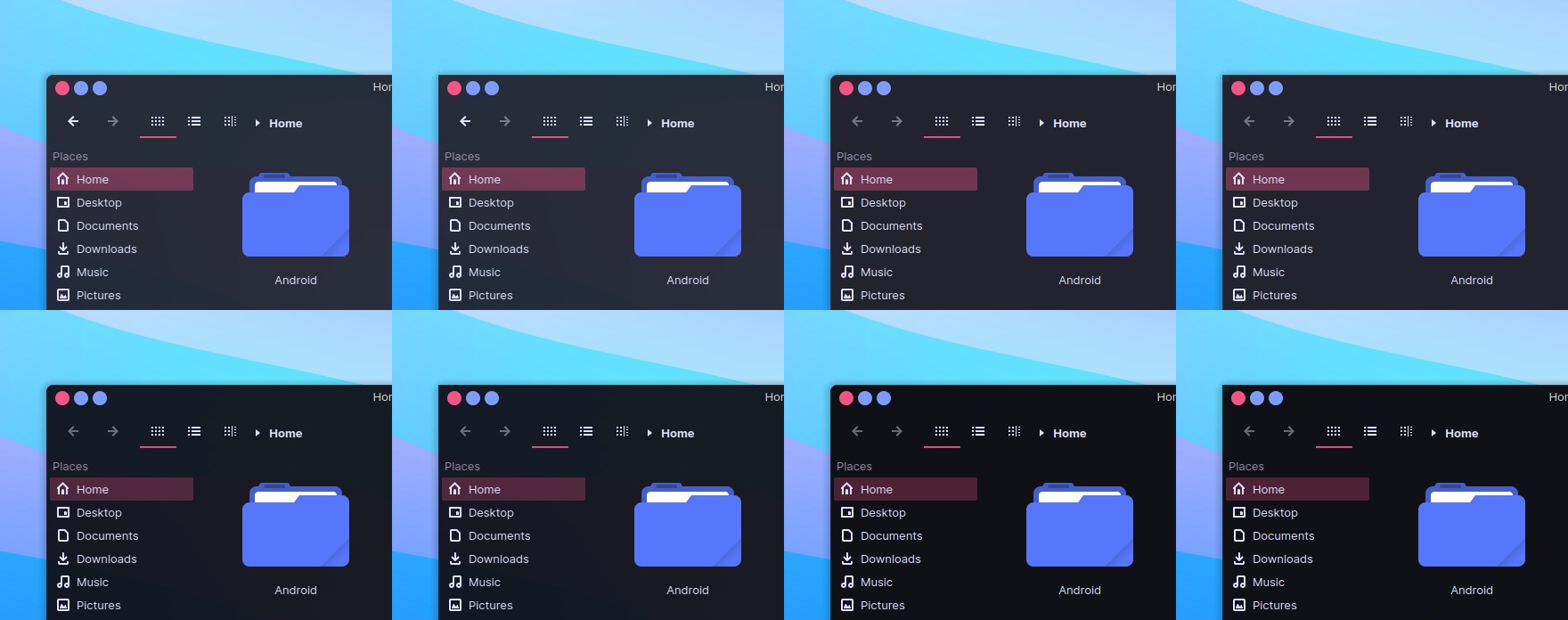
Cherry is a theme inspired by Δ (delta) battlesuit from Honkai Impact 3.
This theme consist of several components including :
- aurorae themes
- konsole and kitty colorscheme
- kvantum theme
- plasma colorscheme
- plasma desktop theme
- splash screen
- wallpaper
## Installation
> Note: Due to the amount of variants on this theme, I decide to give up on
> publishing this theme to the store.kde.org
- Arch Linux (AUR)
- [cherry-kde-git](https://aur.archlinux.org/packages/cherry-kde-git)
- [kvantum-theme-cherry-git](https://aur.archlinux.org/packages/kvantum-theme-cherry-git)
- GitHub
```bash
$ git clone https://github.com/nullxception/cherry-kde.git
$ cd cherry-kde
$ ./install.sh
```
This theme uses [**Kvantum engine**](https://github.com/tsujan/Kvantum) for it's Application style.
So in order to completely apply this theme, you have to set the theme on kvantum:
**From terminal**
```bash
# available theme name: cherry, cherry-solid, cherry-midnight, and cherry-midnight-solid
kvantummanager --set
```
**From Kvantum Manager GUI**
Open **Kvantum Manager**, then select the theme on **Change/Delete Theme** section.
## Recommendation
**Terminal Emulator**
Cherry theme (non-solid variant) has background opacity set to 95%, you can match your term config for nicer setup.
**Kitty Terminal**
Cherry theme is available on official [kitty-themes repository](https://github.com/kovidgoyal/kitty-themes). You can run themes kitten to select and apply it.
```bash
# Open kitty theme selection
# --cache-age=0 to force update theme index
kitty +kitten themes --cache-age=0
# or apply theme directly by passing the theme name
kitty +kitten themes "Cherry Midnight"
```
### Layouts
If you use in-built layout (`Global Theme > Use desktop layout from theme`), it's recommended to have several additional applet before for better setup :
- [Better Inline Clock](https://store.kde.org/p/1245902/)
- [Window Appmenu Applet](https://store.kde.org/p/1274975/)
- [Window Title Applet](https://store.kde.org/p/1274218/)
After installing all of them, you can just re-apply the Global Theme to reload layout.
Also, it's recommended that using Latte Dock for your task manager to get better setup!
## Implementations
Check out other ports/implementations as well 🚀
- **Firefox**
- [Cherry](https://addons.mozilla.org/en-US/firefox/addon/cherry-kde-theme) by [Daste](https://addons.mozilla.org/en-US/firefox/user/16594667)
- [Cherry 3.0](https://addons.mozilla.org/en-US/firefox/addon/cherry3) by [Gotoro](https://addons.mozilla.org/en-US/firefox/user/17172197)
- [Cherry Midnight](https://addons.mozilla.org/en-US/firefox/addon/cherry-midnight)
- [**Cherry VSCode**](https://github.com/nullxception/cherry-vscode)
## License
This theme is based on Layan-KDE theme by [Vinceliuice](https://github.com/vinceliuice).
And licensed under [GNU GPL v3](LICENSE).