https://github.com/numat/midas
Python driver and command line tool for Honeywell Midas gas detectors.
https://github.com/numat/midas
alarms python
Last synced: 6 months ago
JSON representation
Python driver and command line tool for Honeywell Midas gas detectors.
- Host: GitHub
- URL: https://github.com/numat/midas
- Owner: numat
- License: gpl-2.0
- Created: 2015-03-12T00:13:39.000Z (over 11 years ago)
- Default Branch: master
- Last Pushed: 2026-01-01T08:42:55.000Z (6 months ago)
- Last Synced: 2026-01-06T04:52:26.512Z (6 months ago)
- Topics: alarms, python
- Language: Python
- Homepage:
- Size: 129 KB
- Stars: 3
- Watchers: 4
- Forks: 1
- Open Issues: 5
-
Metadata Files:
- Readme: README.md
- License: LICENSE
Awesome Lists containing this project
README
midas
=====
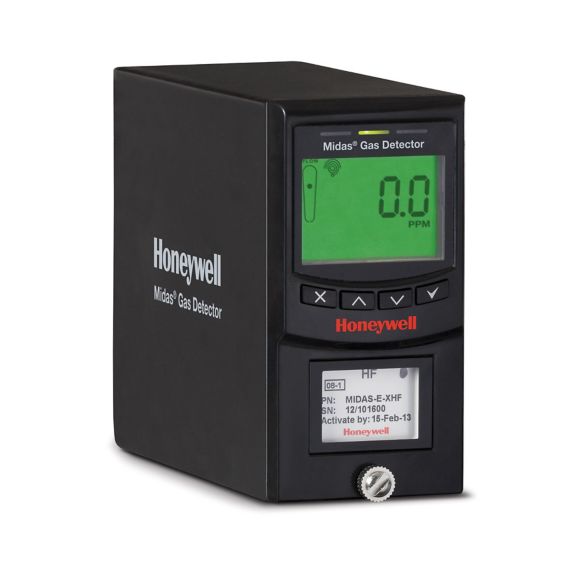
Python ≥3.8 driver for [Honeywell Midas gas detectors](http://www.honeywellanalytics.com/en/products/Midas).
Installation
============
```
pip install midas
```
Usage
=====
### Command Line
To test your connection and stream real-time data, use the command-line
interface. You can read the state with:
```
$ midas 192.168.1.100
```
This will output a JSON object which can be further manipulated. See below for
object structure.
### Python
For more complex behavior, you can write a python script. This solely uses
Python ≥3.5's async/await syntax.
```python
import asyncio
from midas import GasDetector
async def get():
async with GasDetector('192.168.1.100') as detector:
print(await detector.get())
asyncio.run(get())
```
If the detector is operating at that address, this should output a
dictionary of the form:
```python
{
'alarm': 'none', # Can be 'none', 'low', or 'high'
'concentration': 0.0, # Current gas concentration reading
'connected': True, # Monitors heartbeat for connection
'fault': { # Fault data, when applicable
'code': 'F39',
'condition': 'User has generated a simulated fault.',
'description': 'Simulated fault',
'recovery': 'Reset simulated fault.',
'status': 'Instrument fault'
},
'flow': 514, # Flow rate, in cc / minute
'high-alarm threshold': 2.0, # Threshold concentration for high alarm trigger
'ip': '192.168.1.192', # IP address of connection, can be used to link to Honeywell's own web interface
'life': 538.95, # Days until cartridge replacement required
'low-alarm threshold': 1.0, # Threshold concentration for low alarm trigger
'state': 'Monitoring', # Can be any option in `gas_detector.monitoring_status_options`
'temperature': 26, # Detector temperature, in celsius
'units': 'ppm' # Units for concentration values
}
```
Additionally, there are four commands which can be sent to the device
* Clear all alarms and faults - `detector.clear_alarms_and_faults()`
* Inhibit alarms - `detector.inhibit_alarms()`
* Inhibit alarms and faults - `detector.inhibit_alarms_and_faults()`
* Turn off inhibition - `detector.remove_inhibit()`