https://github.com/numat/productivity
Python interface and command-line tool for Productivity Series PLCs.
https://github.com/numat/productivity
driver plc python
Last synced: 6 months ago
JSON representation
Python interface and command-line tool for Productivity Series PLCs.
- Host: GitHub
- URL: https://github.com/numat/productivity
- Owner: numat
- License: gpl-2.0
- Created: 2019-08-08T15:29:40.000Z (almost 7 years ago)
- Default Branch: master
- Last Pushed: 2026-01-15T22:34:09.000Z (6 months ago)
- Last Synced: 2026-01-16T01:51:21.478Z (6 months ago)
- Topics: driver, plc, python
- Language: Python
- Size: 184 KB
- Stars: 9
- Watchers: 5
- Forks: 1
- Open Issues: 10
-
Metadata Files:
- Readme: README.md
- License: LICENSE
Awesome Lists containing this project
README
Productivity
============
##### NOTE: This is in very early stages of development.
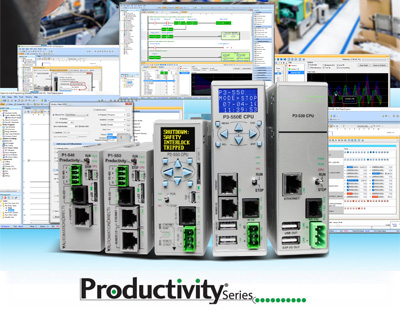
Python ≥3.8 driver and command-line tool for [AutomationDirect Productivity Series PLCs](https://www.automationdirect.com/adc/overview/catalog/programmable_controllers/productivity_series_controllers).
Installation
============
```
pip install productivity
```
Usage
=====
### PLC Configuration
This driver uses Modbus TCP/IP for communication. Unlike the ClickPLC, modbus
addresses need to be manually configured in the Productivity PLC firmware (see
[manual](https://cdn.automationdirect.com/static/manuals/p2userm/p2userm.pdf)).
To use this driver, go to `Write Program → Tag Database`, scroll down to the values
you care about, and double click the `Mod Start` cell of each value to assign an address.
Then, go to `File → Export → Tags` to export a csv file. The file is used here so
you don't need to remember the addresses.
### Command Line
To print the tags and their values, simply call the library with the PLC IP address and the tags file.
```
$ productivity the-plc-ip-address path/to/tags.csv
```
Use --set to set values on the PLC:
```
$ productivity the-plc-ip-address path/to/tags.csv -s "{int_test: 4, float_test: 4.45, string_test: foo}"
```
The --set parameter takes [YAML](https://learnxinyminutes.com/docs/yaml/), a simple data format that allows you to easily set multiple tags at once.
See `productivity --help` for more.
### Python
This driver uses Python ≥3.5's async/await syntax to asynchronously communicate with
a Productivity2000 PLC. For example (note that asyncio.run() requires Python >=3.7):
```python
import asyncio
from productivity import ProductivityPLC
async def run():
async with ProductivityPLC('the-plc-ip-address', 'path/to/tags.csv') as plc:
print(await plc.get())
asyncio.run(run())
```
It is also possible to set tag values:
```python
async def run():
async with ProductivityPLC('the-plc-ip-address', 'path/to/tags.csv') as plc:
await plc.set(start=True, setpoint=1.1)
asyncio.run(run())
```