https://github.com/nunit/dotnet-new-nunit
Project is being maintained by the .NET Team now
https://github.com/nunit/dotnet-new-nunit
dotnet-core hacktoberfest templates
Last synced: 6 months ago
JSON representation
Project is being maintained by the .NET Team now
- Host: GitHub
- URL: https://github.com/nunit/dotnet-new-nunit
- Owner: nunit
- License: mit
- Archived: true
- Created: 2017-05-30T21:53:24.000Z (about 9 years ago)
- Default Branch: master
- Last Pushed: 2022-11-23T18:54:09.000Z (over 3 years ago)
- Last Synced: 2025-10-24T00:26:40.267Z (8 months ago)
- Topics: dotnet-core, hacktoberfest, templates
- Language: Visual Basic .NET
- Homepage: https://github.com/dotnet/test-templates
- Size: 102 KB
- Stars: 34
- Watchers: 7
- Forks: 15
- Open Issues: 4
-
Metadata Files:
- Readme: readme.md
- Changelog: changelog.md
- License: LICENSE
- Code of conduct: CODE_OF_CONDUCT.md
Awesome Lists containing this project
README
NUnit 3 Test Project Template for `dotnet new` CLI
==================================================
| | Status | History |
|-----------------|:--------------:|---------|
| nuget | [](https://www.nuget.org/packages/NUnit3.DotNetNew.Template/) |
| Windows | [](https://ci.appveyor.com/project/halex2005/dotnet-new-nunit-g8axg/branch/master) | [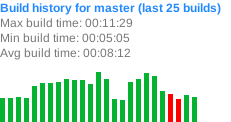](https://ci.appveyor.com/project/halex2005/dotnet-new-nunit-g8axg/history?branch=master)
This repository contains a set of project and item templates to be used when creating projects from .NET Core `dotnet new` command line interface (C#, F# and Visual Basic project templates are supported).
Currently, it contains a project template for a NUnit test library targeting .NET Core.
Installation
------------
To install NUnit Project and Item Templates from nuget, run command:
```
dotnet new -i NUnit3.DotNetNew.Template
```
Usage
-----
### Project Templates
To create new NUnit library project from template, run:
```
dotnet new nunit
```
By default it will create NUnit Test Project targeted to `netcoreapp3.0`.
You can specify `--framework` command line switch to change targeting:
```
dotnet new nunit --framework netcoreapp1.1
```
To specify new folder name for your NUnit Test Project you can use `-n` switch.
Following command will create `NUnit-Tests` folder and will generate NUnit Test Project there:
```
dotnet new nunit -n NUnit-Tests --framework netcoreapp1.0
```
If you'd like to create F# or VB test project, you can specify project language with `-lang` switch:
```
dotnet new nunit -lang F#
dotnet new nunit -lang VB
```
> Note that VB doesn't support dashes in project name. If you have `dotnet-new-nunit-example.vbproj` test project, then you'll get compiler error like this:
>
> vbc : error BC30113: 'dotnet-new-nunit-example' is not a valid name and cannot be used as the root namespace name. [/home/hal/git/dotnet-new-nunit-example/dotnet-new-nunit-example.vbproj]
>
> To workaround this compiler error, rename your project so that it contained no dashes.
### Item templates
To create new C# NUnit test fixture class (with name of folder where it will be created), run:
```
dotnet new nunit-test
```
You can specify filename of test fixture class with `-n` or `--name` parameter:
```
dotnet new nunit-test -n MyTestFixture
```
Unfortunately, this command will create file `MyTestFixture\MyTestFixture.cs`
relatively of current directory.
You can create file `MyTestFixture.cs` in current
directory by overriding output directory with `-o` or `--output` parameter:
```
dotnet new nunit-test -n MyTestFixture -o .
```
If you'd like to create F# or VB test fixture class, you can specify project language with `-lang` switch:
```
dotnet new nunit-test -lang F#
dotnet new nunit-test -lang VB
```
### More information
For more info on `dotnet new` CLI, please read [the documentation](https://docs.microsoft.com/en-us/dotnet/core/tools/dotnet).
For more info on NUnit testing framework, see [nunit.org](http://nunit.org/) website.
License
-------
This package is distributed under conditions of [MIT license](LICENSE).