https://github.com/nur-srijan/markdown-preview-export
Markdown previews with seamless PDF and HTML export
https://github.com/nur-srijan/markdown-preview-export
converter export export-pdf html markdown markdown-to-html markdown-to-pdf pdf pdf-generation visual-studio-code vscode-extension vscode-markdown
Last synced: 8 months ago
JSON representation
Markdown previews with seamless PDF and HTML export
- Host: GitHub
- URL: https://github.com/nur-srijan/markdown-preview-export
- Owner: nur-srijan
- License: other
- Created: 2025-06-16T09:42:55.000Z (about 1 year ago)
- Default Branch: main
- Last Pushed: 2025-09-22T16:30:25.000Z (9 months ago)
- Last Synced: 2025-09-22T18:41:58.042Z (9 months ago)
- Topics: converter, export, export-pdf, html, markdown, markdown-to-html, markdown-to-pdf, pdf, pdf-generation, visual-studio-code, vscode-extension, vscode-markdown
- Language: TypeScript
- Homepage: https://marketplace.visualstudio.com/items?itemName=nur-srijan.markdown-rich-preview
- Size: 11.9 MB
- Stars: 2
- Watchers: 0
- Forks: 0
- Open Issues: 6
-
Metadata Files:
- Readme: README.md
- Changelog: CHANGELOG.md
- License: LICENSE.txt
Awesome Lists containing this project
README
# Markdown Rich Preview & Export 🚀
[](https://marketplace.visualstudio.com/items?itemName=nur-srijan.markdown-rich-preview)
[](https://marketplace.visualstudio.com/items?itemName=nur-srijan.markdown-rich-preview)
[](https://open-vsx.org/extension/nur-srijan/markdown-rich-preview)
[](https://open-vsx.org/extension/nur-srijan/markdown-rich-preview)
[](https://marketplace.visualstudio.com/items/nur-srijan.markdown-rich-preview/license)
**💡 Feature requests or issues?** → Open an issue [here](https://github.com/nur-srijan/markdown-preview-export/issues/new/choose)
A powerful VS Code extension that brings GitHub-style Markdown previews and one-click PDF/HTML exports right into your editor—no more Pandoc hacks or context-switching.
## ✨ Features
- **Rich Markdown Preview** - Instant, side-by-side preview with GitHub-like styling
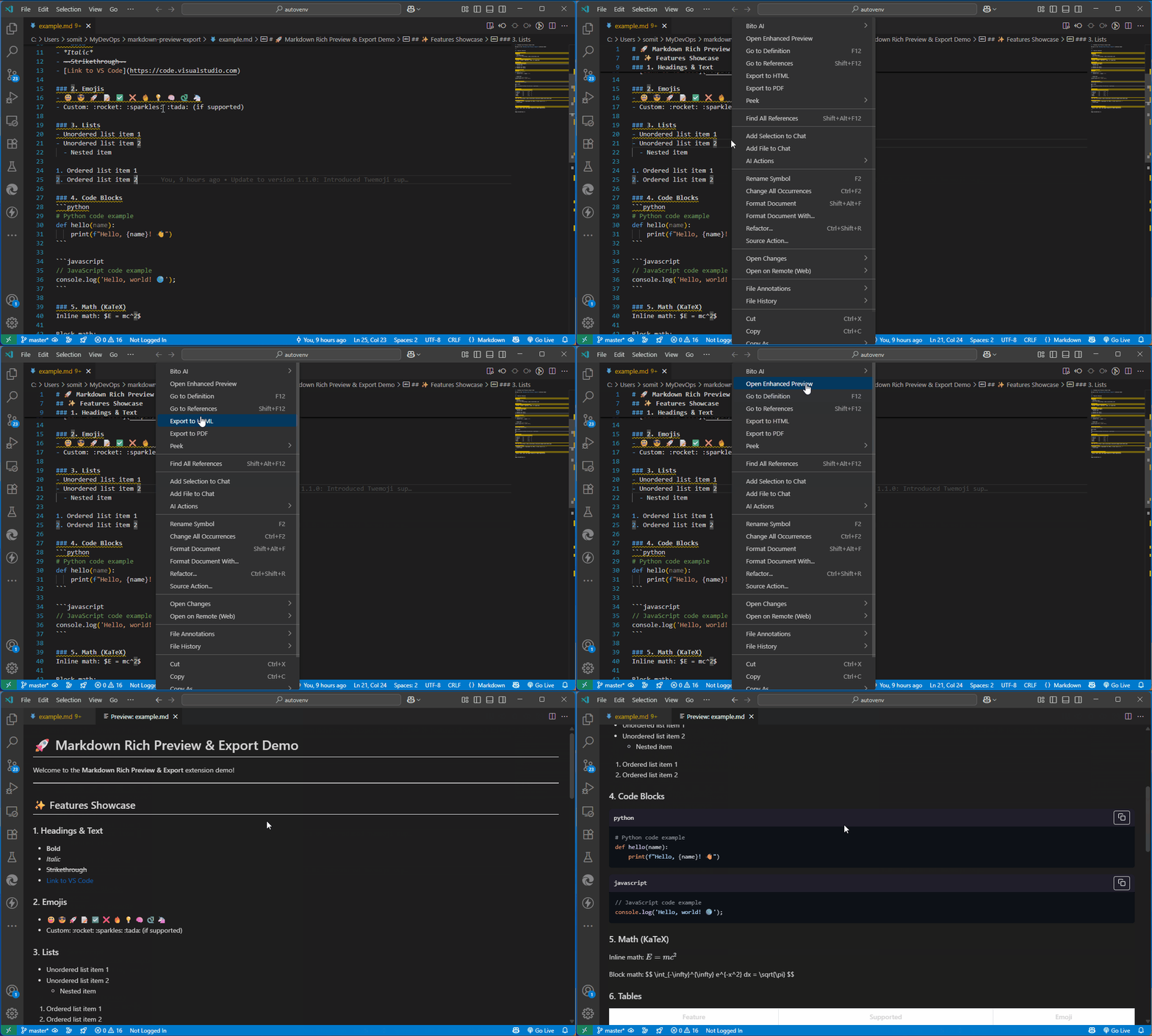
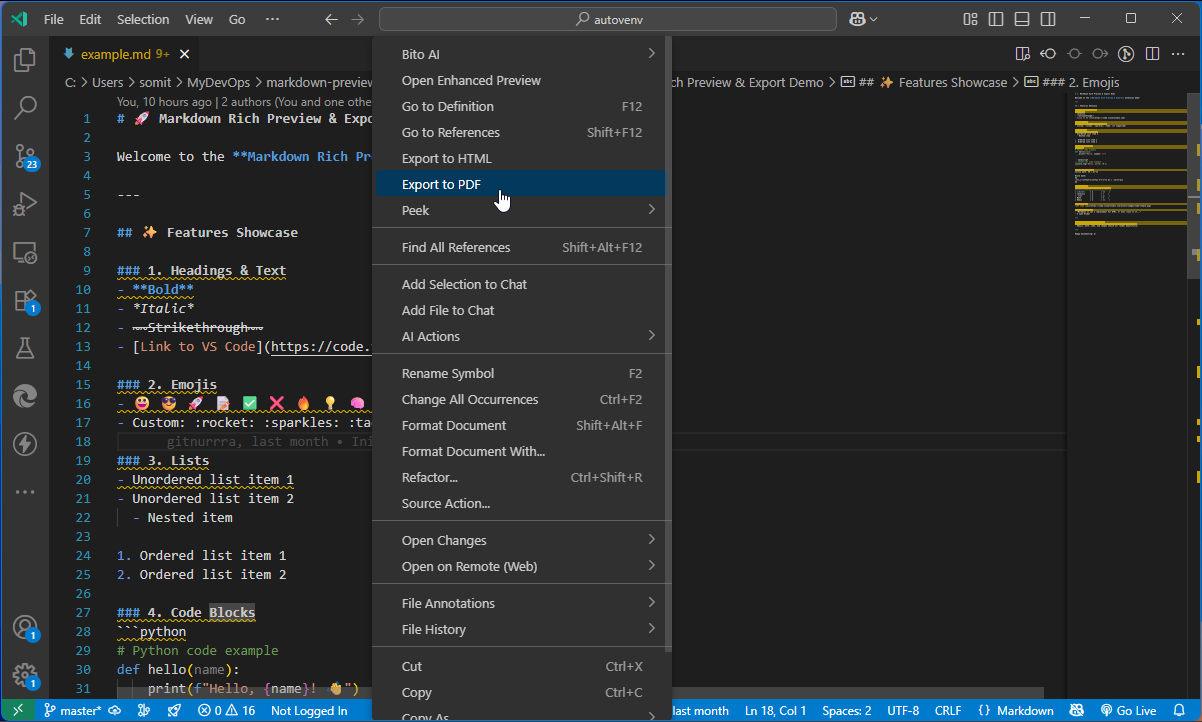
- **Export to PDF** - Create professional PDF documents with proper formatting
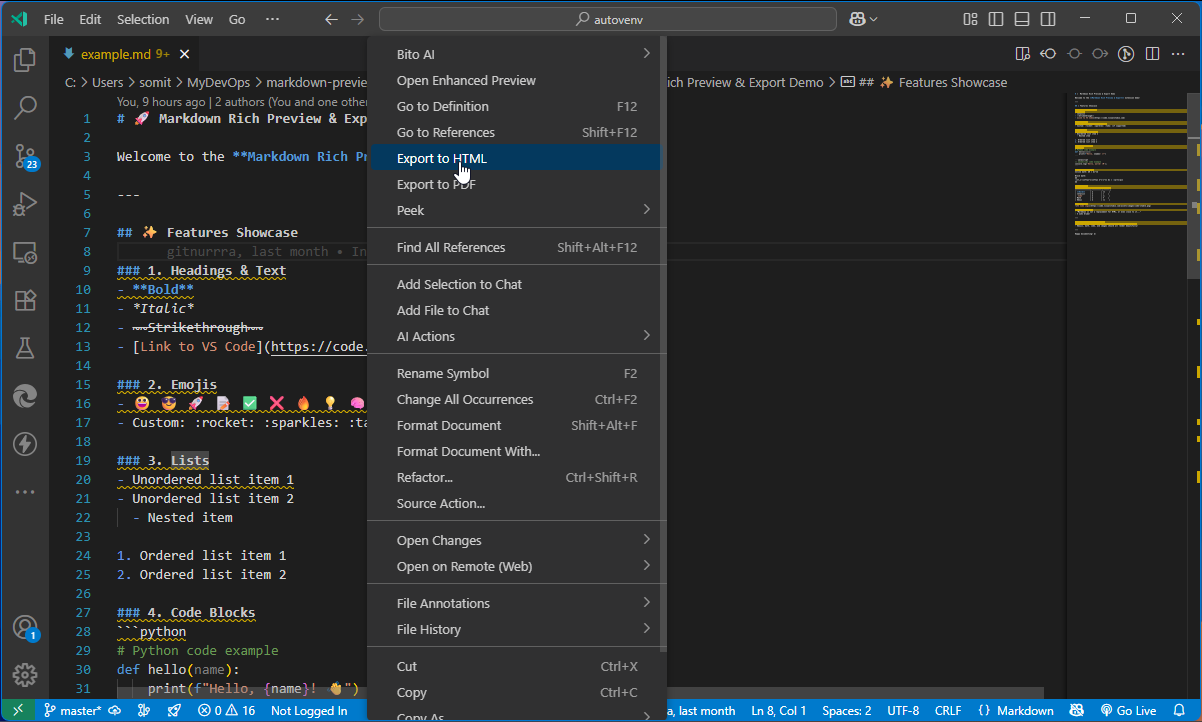
- **Export to HTML** - Generate standalone HTML files with all styles included
- **Real-time Updates** - See changes instantly as you type
- **Syntax Highlighting** - Beautiful code blocks with syntax highlighting
- **Math Support** - Support for KaTeX math rendering
- **Responsive Design** - Looks great on any device or screen size
## 🚀 Quick Start
1. **Install** the extension from the [VS Code Marketplace](https://marketplace.visualstudio.com/items?itemName=nur-srijan.markdown-rich-preview)
2. **Open** any Markdown ([.md]()) file
3. **Right-click** in the editor and choose one of these options:
- "Markdown: Open Enhanced Preview" - For live preview
- "Markdown: Export to HTML" - To save as HTML
- "Markdown: Export to PDF" - To create a PDF document
## 🎯 Why Choose This Extension?
✅ **All-in-One Solution** - Preview and export without leaving VS Code
✅ **No Pandoc Hacks** - No need to switch to another tool or use Pandoc for export
✅ **Beautiful Output** - Professional, clean formatting for all your documents
✅ **Keyboard Shortcuts** - Quick access to all features
✅ **Lightweight** - Fast performance with minimal resource usage
✅ **Open Source** - Free to use and contribute to
## 🛠️ For Developers
### Prerequisites
- Node.js
- VS Code
- npm
### Building from Source
```bash
# Clone the repository
git clone https://github.com/nur-srijan/markdown-preview-export.git
cd markdown-preview-export
# Install dependencies
npm install
# Package the extension (creates .vsix file)
npx vsce package
# Install the extension
code --install-extension markdown-rich-preview-*.vsix
```
### Testing
1. Press F5 to open a new VS Code window with the extension loaded
2. Open a Markdown file
3. Use the right-click context menu to test all features
## 📝 Contributing
We welcome contributions! Here's how you can help:
1. Fork the repository
2. Create a feature branch (git checkout -b feature/amazing-feature)
3. Commit your changes (git commit -m 'Add some amazing feature')
4. Push to the branch (git push origin feature/amazing-feature)
5. Open a Pull Request
## 📄 License
This project is licensed under the MIT License - see the LICENSE file for details.
## 🙏 Acknowledgments
- [Marked](https://github.com/markedjs/marked) - For Markdown parsing
- [Highlight.js](https://highlightjs.org/) - For syntax highlighting
- [Puppeteer](https://pptr.dev/) - For PDF generation
---
Made with ❤️ by Nur Srijan | [GitHub](https://github.com/nur-srijan) | [X]()