https://github.com/nusky7/n7tools
Custom conversion tool for images, fonts and YouTube videos.
https://github.com/nusky7/n7tools
javascript node-js tailwindcss
Last synced: 3 months ago
JSON representation
Custom conversion tool for images, fonts and YouTube videos.
- Host: GitHub
- URL: https://github.com/nusky7/n7tools
- Owner: Nusky7
- Created: 2025-01-14T17:10:52.000Z (over 1 year ago)
- Default Branch: master
- Last Pushed: 2025-01-14T18:21:26.000Z (over 1 year ago)
- Last Synced: 2025-06-30T19:52:01.619Z (about 1 year ago)
- Topics: javascript, node-js, tailwindcss
- Language: CSS
- Homepage: https://www.nusky7studio.es/N7Tools
- Size: 11.7 MB
- Stars: 0
- Watchers: 1
- Forks: 0
- Open Issues: 0
-
Metadata Files:
- Readme: README.md
Awesome Lists containing this project
README
###
###
N7Tools is a custom web application that streamlines the process of converting images, fonts, and YouTube videos into various formats with ease and efficiency, simplifying daily tasks for frontend developers and designers.
Please note the backend is not currently deployed, it requires more CPU than the available with free hosting plans.
You can still convert images using the frontend, or download the code and run it locally to access all features.
🌐 Visit Frontend Here:
www.nusky7studio.es/N7Tools
###
🚀 Features
###
★ Modern and Responsive UI: Designed with Tailwind CSS for a sleek and adaptable user experience.
★ Powerful Backend: Built with Node.js and Express to ensure efficient and scalable operations.
★ Simple Setup: Easy to run locally with minimal configuration required.
###
⚙️ How it Works
###
N7Tools handles conversions efficiently by dividing tasks between the frontend and backend:
🎨 Frontend:
Image conversions are handled directly in the browser for faster processing and immediate results.
📡 Backend:
Video and font conversions are processed server-side to handle more complex operations and larger file sizes.
###
🧩 Dependencies
###
The following dependencies are needed to run the project:
🎨 Frontend
★ Tailwind CSS: For styling building modern and responsive UI designs.
★ Parcel: For bundling and serving the frontend files during development and production.
###
📡 Backend
★ Node.js: To power the backend operations.
★ Express: For building a robust and scalable server.
★ FFmpeg: For video encoding and conversion.
★ youtube-dl-exec: To download and process YouTube videos.
★ Fontmin: For optimizing and converting font files.
###
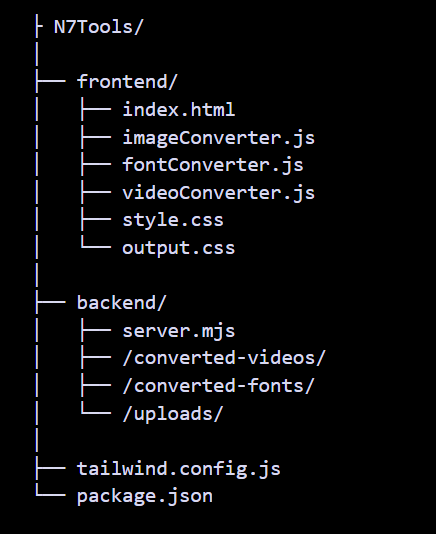
📂 Repository Structure
###
###
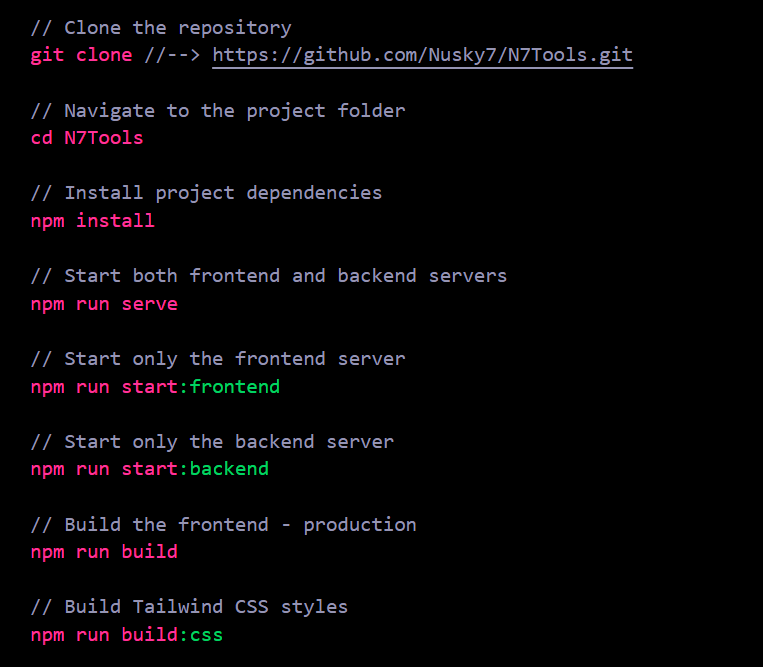
⬇️ Installation
###
Steps to Serve & Build the project:
###
###
🔧 Configuration
###
★ Cookies Setup
To ensure proper functionality, a cookies file is required for some backend operations, especially for handling certain video conversions. Here’s what you need to know:
★ For Local Development:
A cookies file is not required when running the project locally.
All operations will work without additional configuration.
★ For Deployed Backend:
When deploying the backend to a server, you will need to create your own cookies file to enable advanced video processing.
###
🍪 Creating Your Cookies File
###
Follow this steps to create your cookies file:
- Use your browser's developer tools (usually accessible via
F12 or Ctrl+Shift+I) to export cookies for the relevant service (e.g., YouTube).
- You can also use browser extensions like Get Cookies.txt LOCALLY (Chrome) or built-in tools in Firefox to save the cookies in
.txt format.
- Save the exported cookies file as
cookies.txt and place it in the backend/ directory.
- Ensure the file path is correctly referenced in your backend code, where tools like youtube-dl-exec may need it.
- Add the file to
.gitignore to prevent sensitive information from being uploaded to your repository.
###
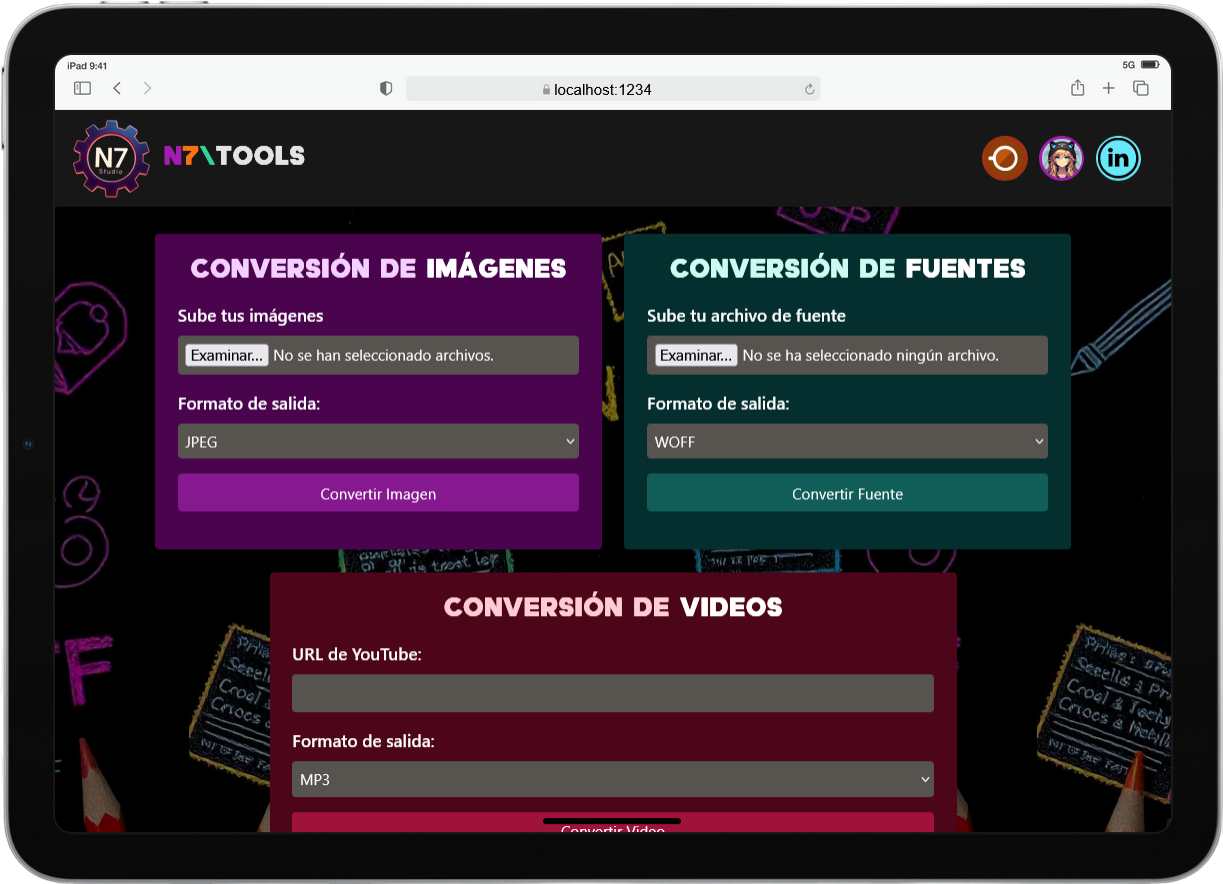
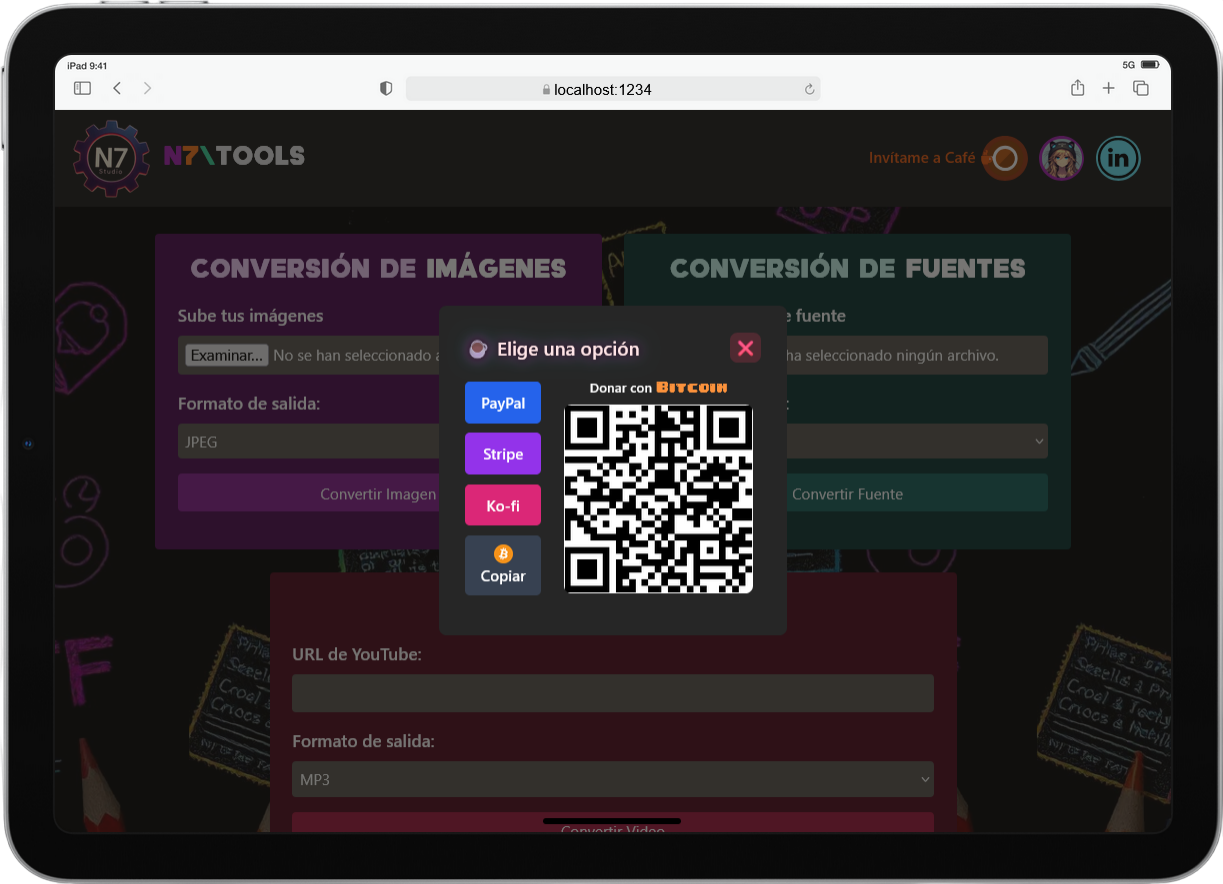
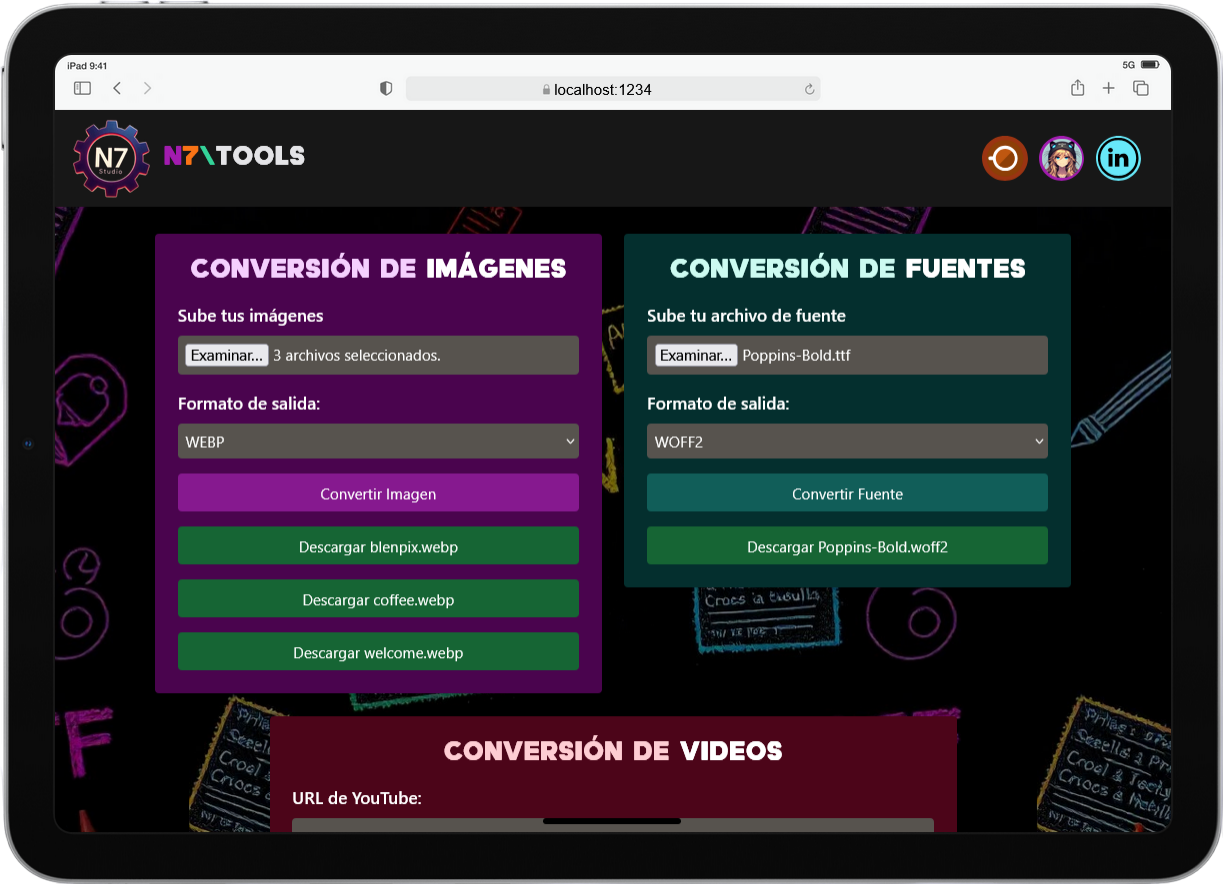
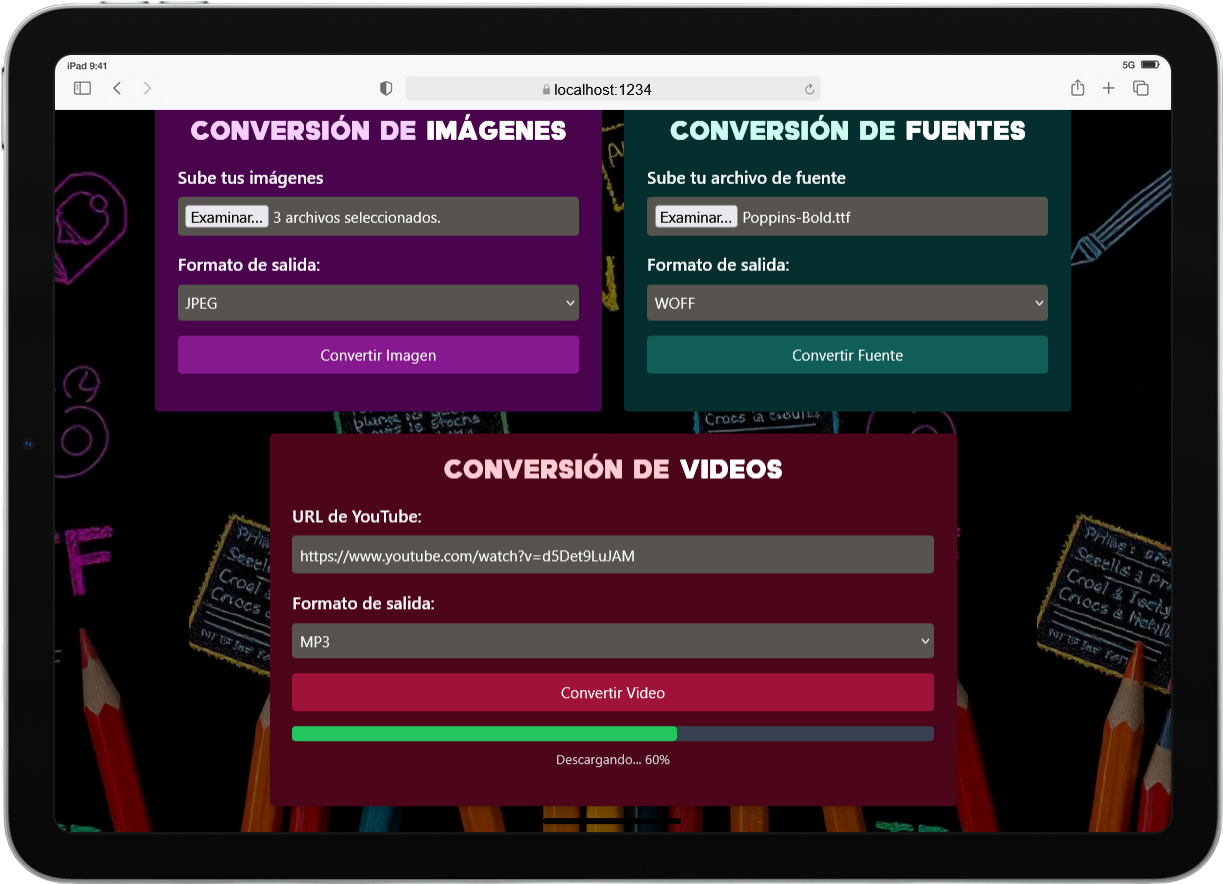
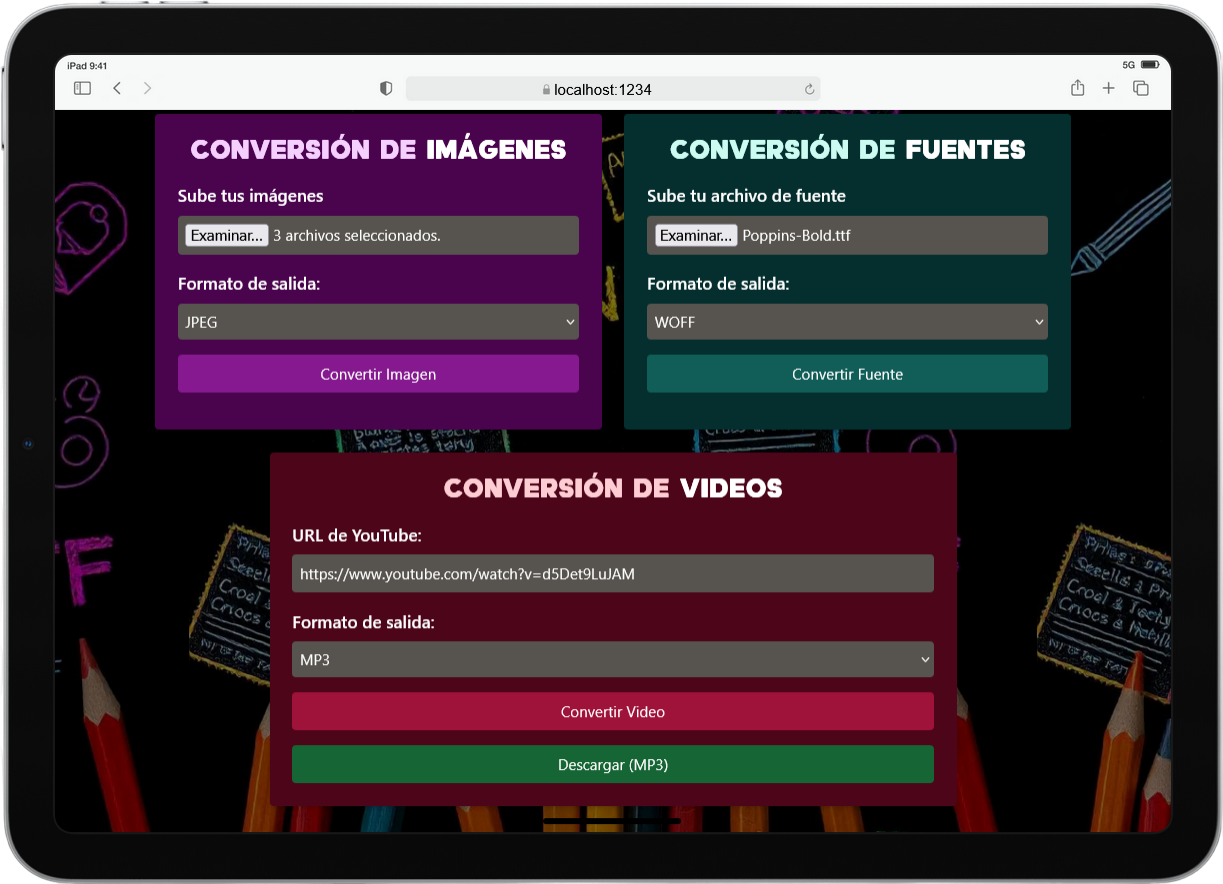
📸 Screenshots
###
###
###
###
###
###
🛠️ Built Using
###

![]()

![]()

![]()

![]()

![]()

![]()

![]()

###
📬 Let's Connect!
###


###