https://github.com/nuvious/upnpseudograph
https://github.com/nuvious/upnpseudograph
Last synced: over 1 year ago
JSON representation
- Host: GitHub
- URL: https://github.com/nuvious/upnpseudograph
- Owner: nuvious
- License: gpl-3.0
- Created: 2024-07-20T14:51:54.000Z (almost 2 years ago)
- Default Branch: main
- Last Pushed: 2024-07-23T06:06:14.000Z (almost 2 years ago)
- Last Synced: 2025-03-20T08:14:54.022Z (over 1 year ago)
- Language: Python
- Size: 1.32 MB
- Stars: 0
- Watchers: 1
- Forks: 0
- Open Issues: 0
-
Metadata Files:
- Readme: README.md
- License: LICENSE
Awesome Lists containing this project
README
# UPNPseudograph
A detailed overview is available in a whitepapaer in [markdown](Whitepaper.md) and [pdf](Whitepaper.pdf) formats.
## Demonstration
[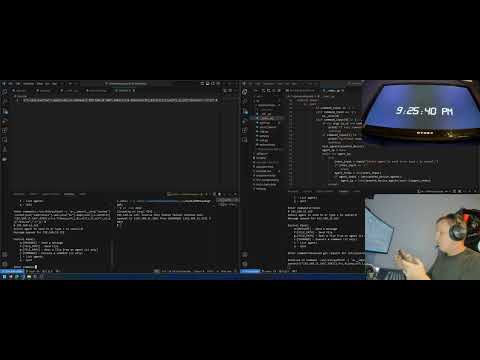](https://www.youtube.com/watch?v=BKqg3oSyqzU)
A detailed overview is available in a whitepapaer in [markdown](Whitepaper.md) and [pdf](Whitepaper.pdf) formats.
## Dependencies
Clone the repository:
```bash
git clone https://github.com/nuvious/UPNPseudograph.git
```
This project uses Pillow which requires external libraries:
```bash
sudo apt-get install -y \
libjpeg-dev \
zlib1g-dev \
libtiff5-dev \
libfreetype6-dev \
liblcms2-dev \
libwebp-dev \
tcl8.6-dev \
tk8.6-dev \
python-tk
```
You can then install the python requirements:
```bash
pip install UPNPseudograph
```
## Usage
### List Supported Devices
Before starting an agent, you must copy a fully qualified class path for one of the supported devices:
```bash
$> upnpseudograph --supported-devices
upnpseudograph.upnp.RokuDevice
```
### C2 Agent
A C2 agent is one that can send out messages and command for other agents to run.
```bash
upnpseudograph --preferred-device=upnpseudograph.upnp.RokuDevice --is-c2
```
### Generic Agent
A generic agent will only send messages out and will not have a command line interface
to interact with. It will receive messages and commands from the C2.
```bash
upnpseudograph --preferred-device=upnpseudograph.upnp.RokuDevice
```
### Interacting with Agent
After a device is cloned you will receive a prompt to interact with other agents:
```bash
Control Panel:
m:[MESSAGE] - Send a message
f:[FILE_PATH] - Send file
g:[FILE_PATH] - Gets a file from an agent (c2 only)
c:[COMMAND] - Execute a command (c2 only)
l - List agents
q - quit
Enter command:m:hello
0 192.168.1.42
Select agent to send to or type c to cancel:0
Message queued for 192.168.1.42
```
### Other Arguments
There are other arguments you can pass in depending on preference:
|Argument|Description|
|-|-|
|--disable-passthrough|By default passthrough is enabled forwarding all requests to the cloned device to the actual device to help minimize an unintentional denial of service. This flag disables that functionality.|
|--search-frequency|Sets the number of seconds to search for other agents. Default is 30 seconds.|
# References
[1] Contributing Members of the UPnP Forum, “UPnPTM Device Architecture 1.1,” 2008. Available: https://upnp.org/specs/arch/UPnP-arch-DeviceArchitecture-v1.1.pdf. [Accessed: Jul. 23, 2024]
[2] x011, “x011/SecretPixel,” GitHub, Mar. 29, 2024. Available: https://github.com/x011/SecretPixel. [Accessed: Jul. 22, 2024]