https://github.com/nuxt/vue-devtools
⚙️ Browser devtools extension for debugging Vue.js applications.
https://github.com/nuxt/vue-devtools
Last synced: 10 months ago
JSON representation
⚙️ Browser devtools extension for debugging Vue.js applications.
- Host: GitHub
- URL: https://github.com/nuxt/vue-devtools
- Owner: nuxt
- License: mit
- Fork: true (vuejs/devtools-v6)
- Created: 2018-04-13T09:18:18.000Z (over 8 years ago)
- Default Branch: master
- Last Pushed: 2024-06-05T05:30:47.000Z (about 2 years ago)
- Last Synced: 2025-01-20T09:37:43.280Z (over 1 year ago)
- Language: JavaScript
- Homepage:
- Size: 6.17 MB
- Stars: 7
- Watchers: 3
- Forks: 1
- Open Issues: 0
-
Metadata Files:
- Readme: README.md
- License: LICENSE
Awesome Lists containing this project
README
# vue-devtools
### Important Usage Notes
1. If the page uses a production/minified build of Vue.js, devtools inspection is disabled by default so the Vue pane won't show up.
2. To make it work for pages opened via `file://` protocol, you need to check "Allow access to file URLs" for this extension in Chrome's extension management panel.
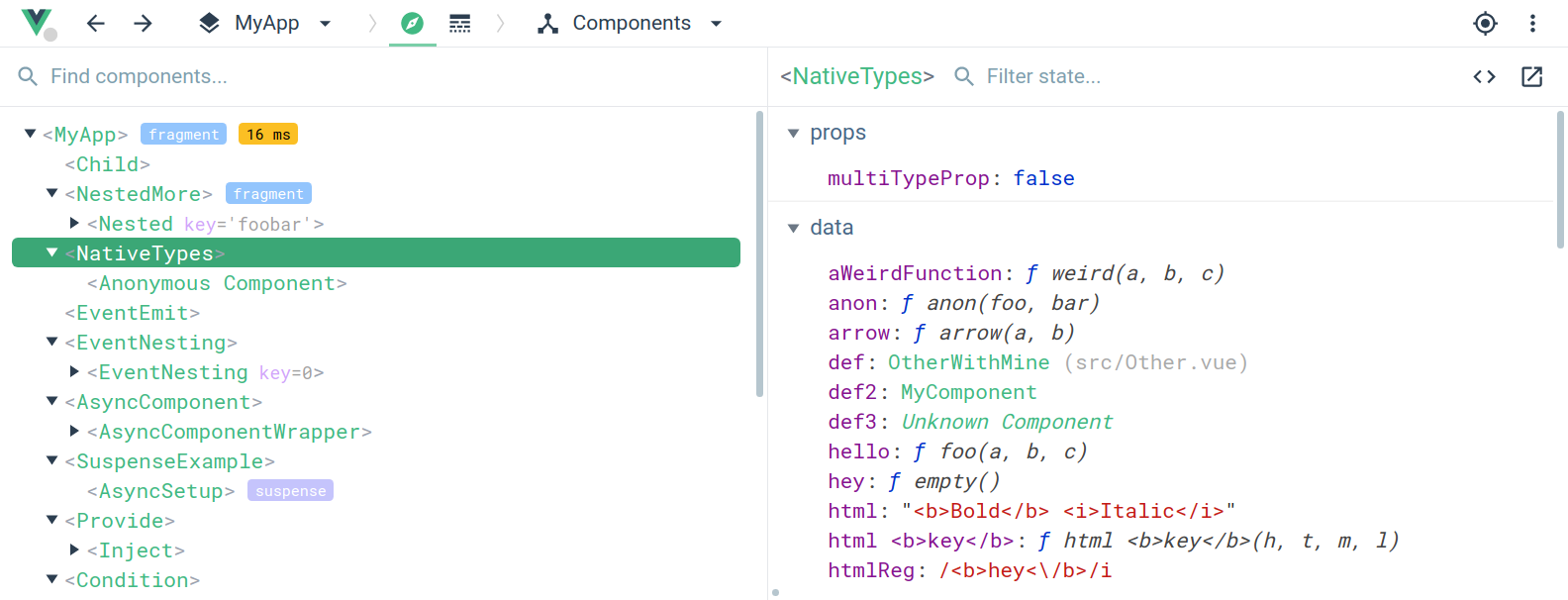
Works with [vuex](https://github.com/vuejs/vuex) for time-travel debugging:

### Installation
- [Get the Chrome Extension](https://chrome.google.com/webstore/detail/vuejs-devtools/nhdogjmejiglipccpnnnanhbledajbpd)
- [Get the Firefox Addon](https://addons.mozilla.org/en-US/firefox/addon/vue-js-devtools/)
- [Get standalone Electron app (works with any environment!)](https://github.com/vuejs/vue-devtools/blob/master/shells/electron/README.md)
#### Open component in editor
To enable this feature, follow [this guide](./docs/open-in-editor.md).
### Manual Installation
**Make sure you are using Node 6+ and NPM 3+**
1. Clone this repo
2. `npm install` (Or `yarn install` if you are using yarn as the package manager)
3. `npm run build`
4. Open Chrome extension page
5. Check "developer mode"
6. Click "load unpacked extension", and choose `shells/chrome`.
### Hacking
1. Clone this repo
2. `npm install`
3. `npm run dev`
4. A plain shell with a test app will be available at `localhost:8080`.
### Testing as Firefox addon
1. Install `web-ext`
~~~~
$ npm install --global web-ext
~~~~
Or, for Yarn:
~~~~
$ yarn global add web-ext
~~~~
Also, make sure `PATH` is set up. Something like this in `~/.bash_profile`:
~~~~
$ PATH=$PATH:$(yarn global bin)
~~~~
2. Build and run in Firefox
~~~~
$ npm run build
$ npm run run:firefox
~~~~
When using Yarn, just replace `npm` with `yarn`.
### Common problems and how to fix
1. Fixing "Download the Vue Devtools for a better development experience" console message when working locally over `file://` protocol:
1.1 - Google Chrome: Right click on vue-devtools icon and click "Manage Extensions" then search for vue-devtools on the extensions list. Check the "Allow access to file URLs" box.
2. How to use the devtools in IE/Edge/Safari or any other browser? [Get the standalone Electron app (works with any environment!)](https://github.com/vuejs/vue-devtools/blob/master/shells/electron/README.md)
### License
[MIT](http://opensource.org/licenses/MIT)