https://github.com/obestwalter/py3status-pewpew
py3status module to control i3wm with the pewpew
https://github.com/obestwalter/py3status-pewpew
hardware i3wm py3status tinkering
Last synced: 4 months ago
JSON representation
py3status module to control i3wm with the pewpew
- Host: GitHub
- URL: https://github.com/obestwalter/py3status-pewpew
- Owner: obestwalter
- License: mit
- Created: 2019-07-13T10:01:44.000Z (almost 7 years ago)
- Default Branch: master
- Last Pushed: 2019-08-09T09:34:23.000Z (almost 7 years ago)
- Last Synced: 2025-12-01T12:38:34.868Z (6 months ago)
- Topics: hardware, i3wm, py3status, tinkering
- Language: Python
- Homepage:
- Size: 85.9 KB
- Stars: 2
- Watchers: 3
- Forks: 1
- Open Issues: 5
-
Metadata Files:
- Readme: README.md
- Changelog: CHANGELOG.md
- License: LICENSE
Awesome Lists containing this project
README
[](https://travis-ci.org/obestwalter/py3status-pewpew)
[](https://pypi.org/project/py3status-pewpew/)
# py3status-pewpew
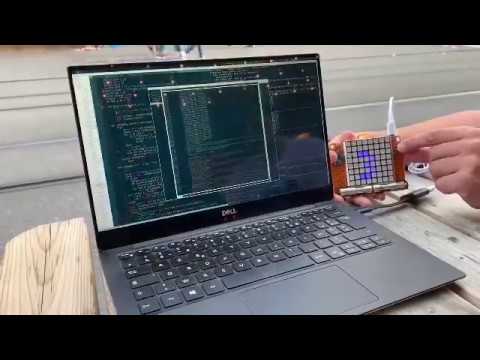
A [py3status](https://github.com/ultrabug/py3status) module turning the [PewPew](https://pewpew.readthedocs.io) into a controller and external workspace display for the [i3wm](https://i3wm.org/) tiling window manager.
[](http://www.youtube.com/watch?v=0Oy2CE2GZ7s "py3status-pewpew status controller")
Extend i3 with your PewPew. Use the buttons to send messages to i3 (or do whatever else you like) and always see which workspace you are on.
## install
```text
pip install py3status-pewpew
```
See install-ubuntu16.04.md for specific instructions on that distribution.
# testing
run the tests with tox:
```console
$ cd
$ tox
```
## development
install a development environment:
```console
$ cd
$ tox -e dev
```
... and activate it e.g via `source .tox/dev/bin/activate`. Then run tests with `pytest`.
Debugging hint - use screen to get direct access and run commands in the REPL:
$ screen /dev/ttyACM0
This will open a screen session. Ctrl+C and Enter is useful to soft reboot pewpew in there.