https://github.com/offsetmods538/loot-table-modifier
A Minecraft mod for Fabric that allows datapack and mods to modify loot tables instead of replacing them. All changes are applied at data loading, so there's no performance impact during gameplay.
https://github.com/offsetmods538/loot-table-modifier
fabric-mod loot-table loot-tables minecraft-mod
Last synced: 6 months ago
JSON representation
A Minecraft mod for Fabric that allows datapack and mods to modify loot tables instead of replacing them. All changes are applied at data loading, so there's no performance impact during gameplay.
- Host: GitHub
- URL: https://github.com/offsetmods538/loot-table-modifier
- Owner: OffsetMods538
- License: mit
- Created: 2024-12-14T09:35:15.000Z (over 1 year ago)
- Default Branch: master
- Last Pushed: 2026-01-10T21:30:19.000Z (6 months ago)
- Last Synced: 2026-01-11T06:35:17.923Z (6 months ago)
- Topics: fabric-mod, loot-table, loot-tables, minecraft-mod
- Language: Java
- Homepage: https://loot-table-modifier.docs.offsetmonkey538.top/
- Size: 1.1 MB
- Stars: 0
- Watchers: 0
- Forks: 1
- Open Issues: 2
-
Metadata Files:
- Readme: README.md
- License: LICENSE
Awesome Lists containing this project
README
# Loot Table Modifier
[](https://discord.offsetmonkey538.top/)
[](https://modrinth.com/mod/loot-table-modifier)
[](https://modrinth.com/mod/fabric-api)
Allows datapacks (and thus mods as well) to add to loot tables, instead of just overwriting them.
Also provides a datagen provider for creating loot table modifiers in mods.
A modifier json file includes two components:
1. `"modifies"` - string or array, which defines the loot tables to modify. For example `"minecraft:entities/creeper"` or `"minecraft:chests/abandoned_mineshaft"`
2. `"pools"` - array of loot pools. This works exactly the same as the `"pools"` in a vanilla loot table, thus you can generate a loot table online with a tool like [misode.github.io](https://misode.github.io/loot-table/) and copy over the `"pools"` from the generated json. (I may fork it and add a generator for specifically this mod in the future™)
An example json file:
```json5
// example_pack/data/example/loot-table-modifier/loot_modifier/drop_tnt.json
{
// Can also be a single identifier without an array
// "modifies": "minecraft:entities/creeper",
"modifies": [
"minecraft:entities/creeper",
"minecraft:entities/zombie"
],
"pools": [
{
"bonus_rolls": 0.0,
"entries": [
{
"type": "minecraft:item",
"functions": [
{
"add": false,
"count": {
"type": "minecraft:uniform",
"max": 1.0,
"min": 0.0
},
"function": "minecraft:set_count"
}
],
"name": "minecraft:tnt"
}
],
"rolls": 1.0
}
]
}
```
Depend on inside mod:
```groovy
repositories {
// ...
maven {
name = "OffsetMods538"
url = "https://maven.offsetmonkey538.top/releases"
content {
includeGroup "top.offsetmonkey538.loottablemodifier"
}
}
}
dependencies {
// ...
modImplementation "top.offsetmonkey538.loottablemodifier:loot-table-modifier:1.0.1+1.21.1"
}
```
## Badges
###### No need to use them if you don't want to
Badges are meant for developers to put on their project pages, so users can see that Loot Table Modifier is used or requires.
They're based on [Devin's Badges](https://github.com/intergrav/devins-badges).
The `uses` badge is meant for mods or modpacks which want to display that Loot Table Modifier is included.
It can be used in Markdown like this: `[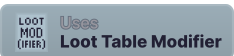](https://modrinth.com/mod/loot-table-modifier)`
And will look like this:
[](https://modrinth.com/mod/loot-table-modifier)
Clicking it will bring the user to the Modrinth page for Loot Table Modifier
The `requires` badge is meant for datapacks which want to display that Loot Table Modifier is required for the pack to function.
It can be used in Markdown like this: `[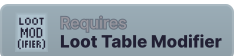](https://modrinth.com/mod/loot-table-modifier)`
And will look like this:
[](https://modrinth.com/mod/loot-table-modifier)
Clicking it will bring the user to the Modrinth page for Loot Table Modifier