https://github.com/oleksis/wsl2-linux-kernel-config
Custom Linux/x86 Kernel Configuration
https://github.com/oleksis/wsl2-linux-kernel-config
linux-kernel wsl2
Last synced: about 1 year ago
JSON representation
Custom Linux/x86 Kernel Configuration
- Host: GitHub
- URL: https://github.com/oleksis/wsl2-linux-kernel-config
- Owner: oleksis
- Created: 2021-12-05T02:58:23.000Z (over 4 years ago)
- Default Branch: master
- Last Pushed: 2023-05-05T15:28:39.000Z (about 3 years ago)
- Last Synced: 2025-04-10T21:38:13.329Z (over 1 year ago)
- Topics: linux-kernel, wsl2
- Language: Jupyter Notebook
- Homepage:
- Size: 2.76 MB
- Stars: 12
- Watchers: 1
- Forks: 2
- Open Issues: 1
-
Metadata Files:
- Readme: README.md
Awesome Lists containing this project
README
# Custom Linux/x86 Kernel Configuration
Merge the last [linux kernel configuration from Microsoft for Windows Subsystem for Linux 2](https://github.com/microsoft/WSL2-Linux-Kernel/blob/linux-msft-wsl-6.1.y/Microsoft/config-wsl) with the [upstream torvalds linux sources](https://github.com/torvalds/linux/)
## Compile Mainline Kernel for WSL2
Steps for compile [Kernel Linux 6.1.y](https://github.com/microsoft/WSL2-Linux-Kernel/tree/linux-msft-wsl-6.1.y).
Can use the script `build.sh` to automate the download, configuration, and compilation of the kernel source code for WSL2
## Video Youtube
[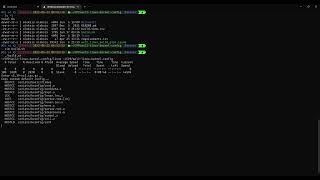](https://youtu.be/4QSsyZsQMqE)
## Actual Kernel
```bash
uname -a
Linux DESKTOP-ID 4.19.128-microsoft-standard #1 SMP Tue Jun 23 12:58:10 UTC 2020 x86_64 GNU/Linux
```
## Work dir linux
```bash
mkdir -p linux
cd linux
```
## Install requirements for Build
```bash
sudo apt install git bc build-essential flex bison libssl-dev libelf-dev dwarves
```
## Download Linux source code
```bash
wget https://github.com/torvalds/linux/archive/refs/tags/v5.15.tar.gz -O v5.15.tar.gz
```
## Untar linux sources
```bash
tar -xf v5.15.tar.gz
```
## Download config WSL
```bash
wget https://github.com/microsoft/WSL2-Linux-Kernel/raw/linux-msft-wsl-5.10.y/Microsoft/config-wsl
```
## Copy config WSL as default config to the linux config dir
```bash
cp config-wsl linux-5.15/arch/x86/configs/wsl_defconfig
```
## Generate the Configuration and Build
```bash
cd linux-5.15
make KCONFIG_CONFIG=arch/x86/configs/wsl_defconfig -j4
```
## Copy Linux kernel to YOUR_USER
```bash
powershell.exe /C 'Copy-Item .\arch\x86\boot\bzImage $env:USERPROFILE'
```
## Point to your custom kernel in .wslconfig:
```bash
powershell.exe /C 'Write-Output [wsl2]`nkernel=$env:USERPROFILE\bzImage | % {$_.replace("\","\\")} | Out-File $env:USERPROFILE\.wslconfig -encoding ASCII'
```
```
[wsl2]
kernel=C:\\Users\\\\bzImage
```
## Shutdown WSL
```bash
wsl --shutdown
```
## Check shutdown the distro WSL
```bash
wsl -l -v
```
## Start distro
```bash
wsl -d Debian
```
## New Kernel Linux
```bash
uname -a
```
```
Linux HP450-2 5.15.0-oleksis-microsoft-standard-WSL2 #1 SMP Mon Nov 29 01:14:26 EST 2021 x86_64 x86_64 x86_64 GNU/Linux
```