https://github.com/ollej/rusty-slider
A small tool to display markdown files as a slideshow written in Rust.
https://github.com/ollej/rusty-slider
macroquad markdown presentation rust slideshow
Last synced: 6 months ago
JSON representation
A small tool to display markdown files as a slideshow written in Rust.
- Host: GitHub
- URL: https://github.com/ollej/rusty-slider
- Owner: ollej
- License: mit
- Created: 2021-04-06T19:39:35.000Z (over 5 years ago)
- Default Branch: main
- Last Pushed: 2025-02-20T19:05:20.000Z (over 1 year ago)
- Last Synced: 2025-04-04T08:42:11.215Z (over 1 year ago)
- Topics: macroquad, markdown, presentation, rust, slideshow
- Language: Rust
- Homepage:
- Size: 123 MB
- Stars: 64
- Watchers: 1
- Forks: 5
- Open Issues: 2
-
Metadata Files:
- Readme: README.md
- License: LICENSE
Awesome Lists containing this project
- awesome-quads - Rusty Slider - markdown slideshow viewer. (Apps or visualizations / Apps or visualizations: On top of macroquad)
README
# Rusty Slider
[](https://github.com/ollej/rusty-slider/actions/workflows/rust.yml)
A small tool to display markdown files as a slideshow.
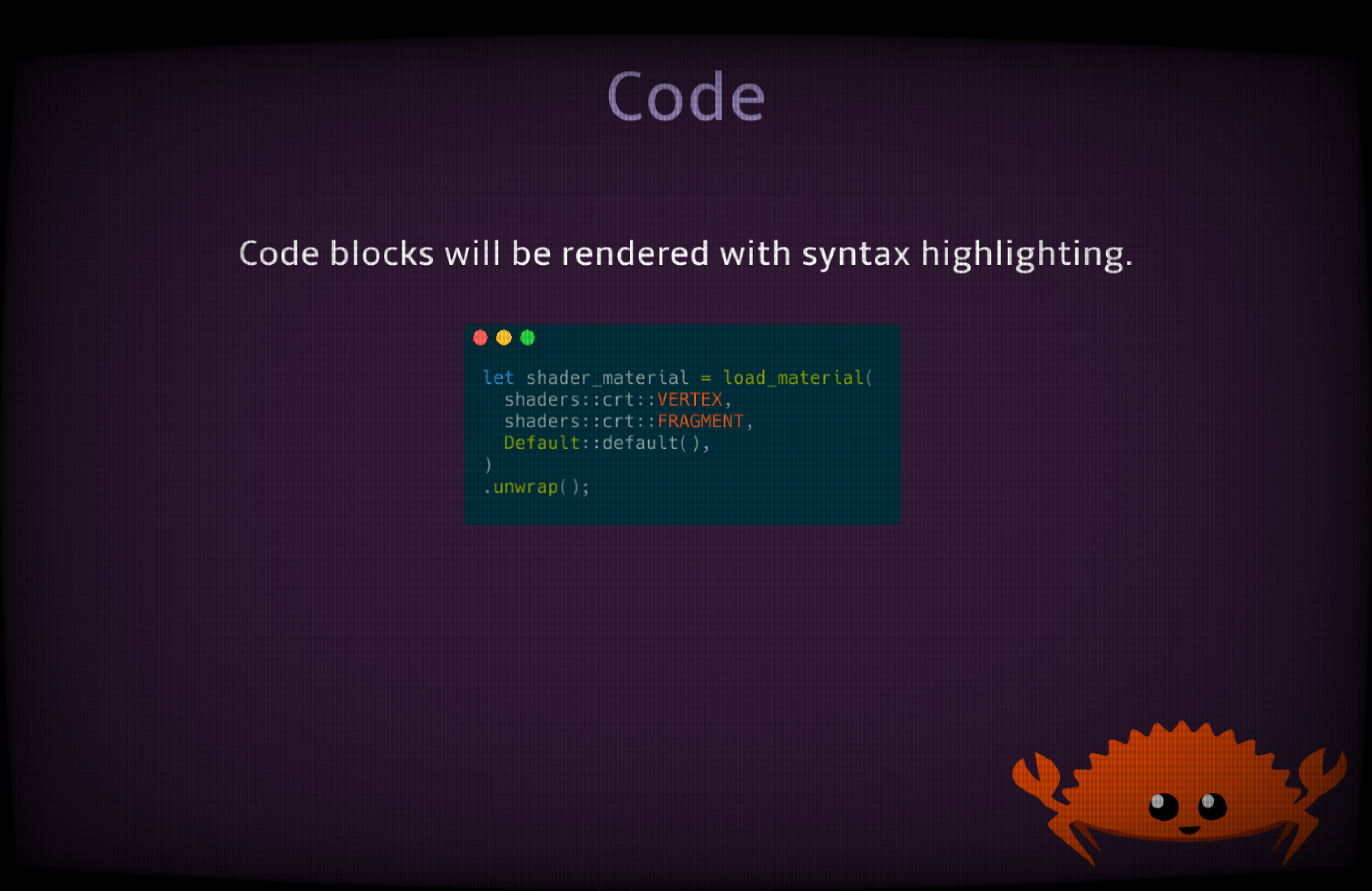
## Demo
Try out Rusty Slider online:
* [Example slideshows](https://ollej.github.io/rusty-slider/demo/example-slideshows.html).
## Download
Rusty Slider is available for multiple platforms, such as Windows,
Linux, MacOS, and the web. Download the latest binary build from github:
[https://github.com/ollej/rusty-slider/releases/](https://github.com/ollej/rusty-slider/releases/)
## Usage
The file `assets/rusty-slider.md` will be read and split into slides on
horizontal lines: `---`
At the moment, the markdown supported is headers, paragraphs, code blocks,
blockquotes, simple lists and images. Emphasis and strong are supported if the
theme has italic and bold fonts.
Heading level 1 can be used as title page, as it will render in the
middle of the slide and can have a larger font size set by the theme
option `font_size_header_title`.
You may use html comments (``) in the markdown for anything you
don't want to be shown.
### Images
Images can be added to the slideshow by using the image markdown It needs to
be placed on its own at the start of a line, anything else in the same
paragraph will be ignored.
```

```
### Background image
A default background image can be set in the theme file. In addition to this,
it is possible to override this and set a background image per slide. This is
done by adding an image markdown tag with `background` as the title text.
```

```
### Shortcuts
Use `Left`/`H` and `Right`/`L` keys or left and right mouse button to move
back and forth between slides. `Up`/`K`/`Home` keys jump to first slide,
and `Down`/`J`/`End` keys jump to last slide.
The `S` key saves the current slide as a PNG on disk.
On supported platforms `C` copies the first codeblock to the clipboard.
Use the key `Q` or `Escape` to exit the slideshow.
Press `?` to show a help screen.
### Command line options
Use flag `--automatic N` when starting the application to automatically switch
slide every N seconds.
The flag `--number N` can be used to start the slideshow at that slide.
### Run code blocks
When the command line flag `--enable-code-execution` is used, it is possible
to run code in code blocks and show the result.
When a code block with a recognized language is showing on a slide, it can be
executed by pressing the `enter` key. The output will be added in a new code
block at the bottom of the slide.
This feature only works when running locally on a machine that has the
interpretator for each language installed. Be careful when using this as
there is no checks done on the shell script.
Only the first code block on a slide can be executed.
#### Supported languages
* Bash
* Python
* Perl
* Ruby
* Rust
## Theme
Create a file called `assets/default-theme.json` to modify default display values.
If you make your own theme file, and want to share it, I'd be happy to add it
to the release.
### Transitions
These are all the available transitions that can be used in the option
`transition`.
* bignoise
* blobs
* checkerboard
* circleswipe
* cubicnoise
* curtainsclose
* curtainsopen
* diagonalleft
* diagonalright
* fan
* halftone
* implode
* lines
* maze
* mosaic
* noise
* plasma
* radialin
* radialout
* smoke
* split
* starburst
* stripes
* swipedown
* swipeleft
* swiperight
* swipeup
* swirl
* triangles
* vortex
* waves
* zebra
### Available code themes
The following code themes can be set in the config option `code_theme`:
* base16-ocean.dark
* base16-eighties.dark
* base16-mocha.dark
* base16-ocean.light
* InspiredGitHub
* Solarized (dark)
* Solarized (light)
### Example theme.json
```json
{
"background_image": "assets/background.png",
"background_color": "#753204",
"heading_color": "#8f4d22",
"text_color": "#cccccc",
"align": "right",
"font": "assets/Amble-Regular.ttf",
"font_bold": "assets/Amble-Bold.ttf",
"font_italic": "assets/Amble-Italic.ttf",
"font_size_header_title": 100,
"font_size_header_slides": 80,
"font_size_text": 40,
"vertical_offset": 20.0,
"horizontal_offset": 100.0,
"line_height": 2.0,
"blockquote_background_color": "#333333",
"blockquote_padding": 20.0,
"blockquote_left_quote": "“",
"blockquote_right_quote": "„",
"font_code": "assets/Hack-Regular.ttf",
"font_code_size": 20,
"code_line_height": 1.2,
"code_background_color": "#002b36",
"code_theme": "Solarized (dark)",
"code_tab_width": 2,
"bullet": "• ",
"shader": true,
"transition": "swirl"
}
```
## Command line options
The command line options can also be used as URL arguments to the
web demo.
```
A small tool to display markdown files as a slideshow.
Usage: rusty_slider [OPTIONS]
Options:
-d, --directory Path to directory to load slideshow files from [default: assets]
-s, --slides Markdown files with slides text [default: rusty-slider.md]
-t, --theme File with theme options [default: default-theme.json]
-a, --automatic Automatically switch slides every N seconds [default: 0]
--demo-transitions Switch transitions for every slide
-S, --screenshot When taking screenshot, store PNG at this path [default: screenshot.png]
--enable-code-execution Enable executing code in code blocks
-A, --assets Path to directory where application files are loaded from [default: assets]
-n, --number Slide number to start at [default: 0]
-h, --help Print help information
```
## Licenses
### Rusty Slider
Copyright 2022 Olle Wreede, released under the MIT License.
### Amble font
By Punchcut
Apache License
Version 2.0, January 2004
http://www.apache.org/licenses/
### Hack font
Copyright Chris Simpkins
SIL OFL 1.1 and Bitstream Vera v0.00
https://www.fontsquirrel.com/license/hack
### Transition
Copyright (c) 2021 TanTanDev
MIT License
# Related links
* ollej @ mastodon
* [Rusty Aquarium](https://ollej.github.io/rusty-aquarium/)
* [Olle's portfolio](https://olle.wreede.se/)