https://github.com/omenapps/django-tomselect
Autocomplete widgets and views using TomSelect
https://github.com/omenapps/django-tomselect
autocomplete django forms select tomselect views
Last synced: 5 months ago
JSON representation
Autocomplete widgets and views using TomSelect
- Host: GitHub
- URL: https://github.com/omenapps/django-tomselect
- Owner: OmenApps
- License: mit
- Created: 2023-07-02T03:43:02.000Z (about 3 years ago)
- Default Branch: main
- Last Pushed: 2025-03-27T21:39:24.000Z (over 1 year ago)
- Last Synced: 2025-03-27T22:31:14.545Z (over 1 year ago)
- Topics: autocomplete, django, forms, select, tomselect, views
- Language: Python
- Homepage: https://django-tomselect.readthedocs.io/en/latest/
- Size: 5.56 MB
- Stars: 67
- Watchers: 2
- Forks: 4
- Open Issues: 3
-
Metadata Files:
- Readme: README.md
- Changelog: CHANGELOG.md
- Contributing: CONTRIBUTING.md
- License: LICENSE
- Code of conduct: CODE_OF_CONDUCT.md
- Security: SECURITY.md
Awesome Lists containing this project
README
# Django TomSelect
[](https://pypi.org/project/django-tomselect/)
[](https://pypi.org/project/django-tomselect/)
[](https://pypi.org/project/django-tomselect/)
[](https://django-tomselect.readthedocs.io/en/latest/)
[](https://opensource.org/licenses/MIT)
A powerful, lightweight Django package for dynamic select inputs with autocomplete, tagging, and more.
Django TomSelect integrates [Tom Select](https://tom-select.js.org/) into your Django projects, providing beautiful and intuitive select inputs with features like:
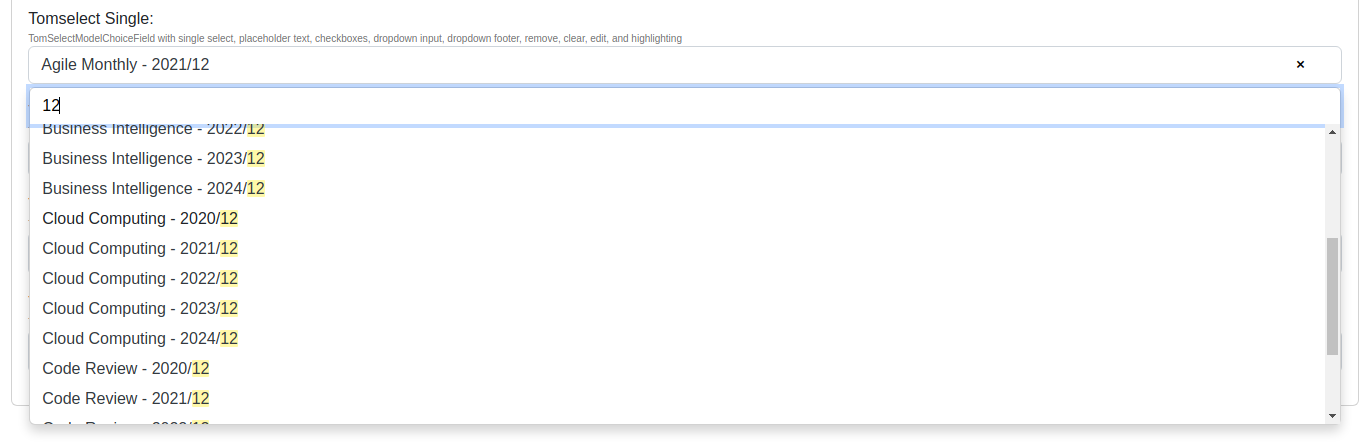
- **Live Search & Autocomplete**
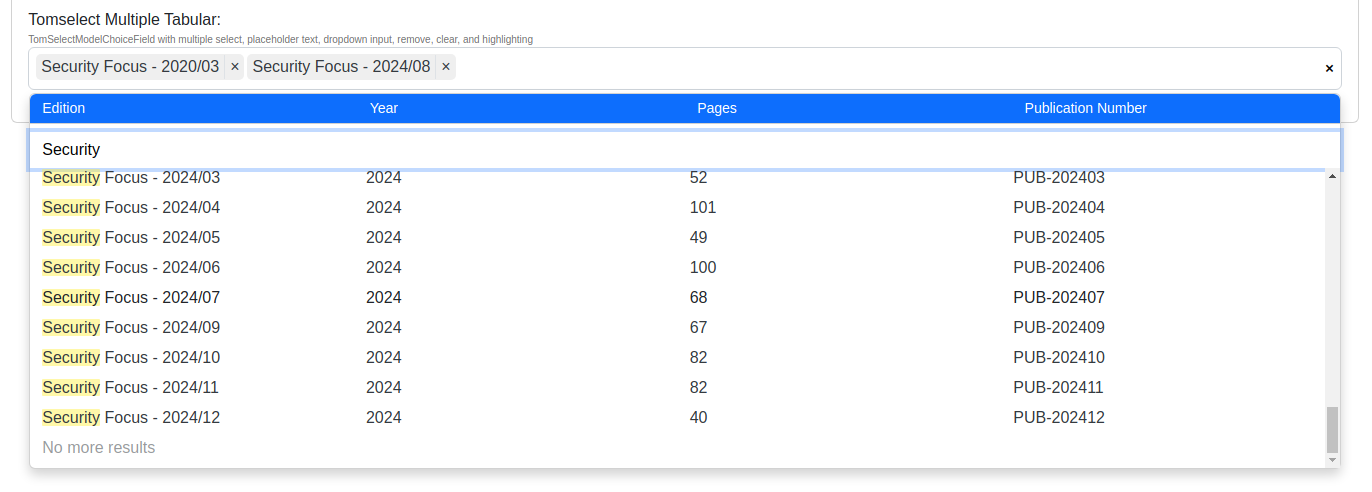
- Real-time filtering and highlighting as you type
- Server-side search with customizable lookups
- Automatic pagination for large datasets
- Customizable minimum query length
- **Rich UI Options**
- Single and multiple selection modes
- Tabular display with custom columns
- Bootstrap 4/5 theming support
- Clear/remove buttons
- Dropdown headers & footers
- Checkbox options
- Customizable templates
## Quick Start
1. **Install the package:**
```bash
pip install django-tomselect
```
2. **Update settings.py:**
```python
INSTALLED_APPS = [
...
"django_tomselect"
]
MIDDLEWARE = [
...
"django_tomselect.middleware.TomSelectMiddleware",
...
]
TEMPLATES = [
{
"OPTIONS": {
"context_processors": [
...
"django_tomselect.context_processors.tomselect",
...
],
},
},
]
```
3. **Create an autocomplete view:**
```python
from django_tomselect.autocompletes import AutocompleteModelView
class PersonAutocompleteView(AutocompleteModelView):
model = Person
search_lookups = ["full_name__icontains"]
value_fields = ["id","full_name"]
```
4. **Add URL pattern:**
```python
urlpatterns = [
path("person-autocomplete/", PersonAutocompleteView.as_view(), name="person_autocomplete"),
]
```
5. **Use in your forms:**
```python
from django_tomselect.forms import TomSelectModelChoiceField, TomSelectConfig
class MyForm(forms.Form):
person = TomSelectModelChoiceField(
config = TomSelectConfig(
url="person_autocomplete",
value_field="id",
label_field="full_name",
)
)
```
6. **Include in your template:**
```html
{{ form.media }} {# Adds the required CSS/JS #}
{{ form }}
```
## Other Features
### Advanced Filtering
- Dependent/chained select fields
- Field exclusion support
- Custom search implementations
- Hooks for overriding functionality
### Flexible Configuration
- Support for [Tom Select Plugins](https://tom-select.js.org/plugins/)
- Global settings and per-form-field configuration
- Override any template
### Security
- Built-in permission handling
- including django auth, custom auth, object perms
### Internationalization
- Translation support
- Customizable messages
## Example Project
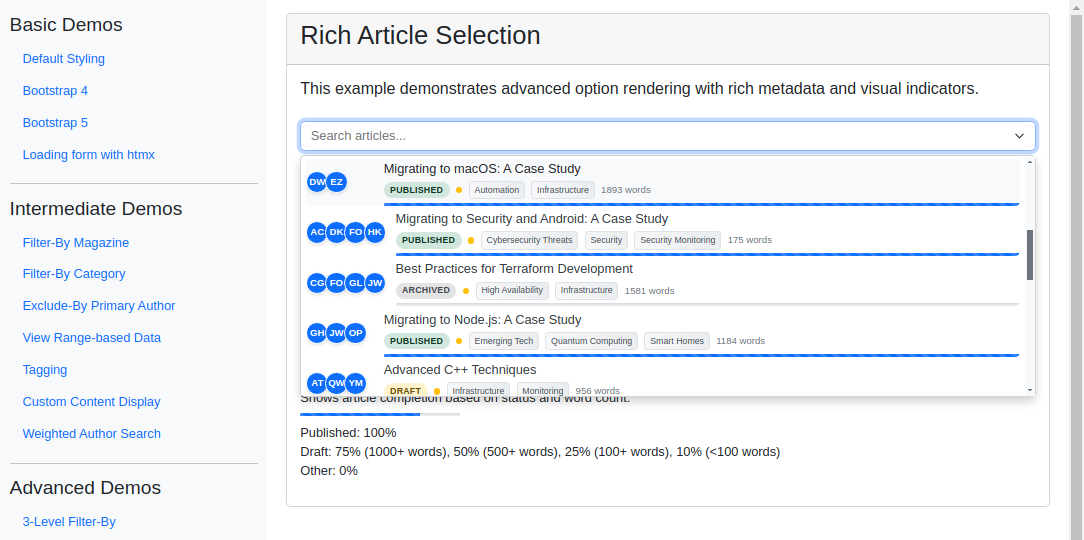
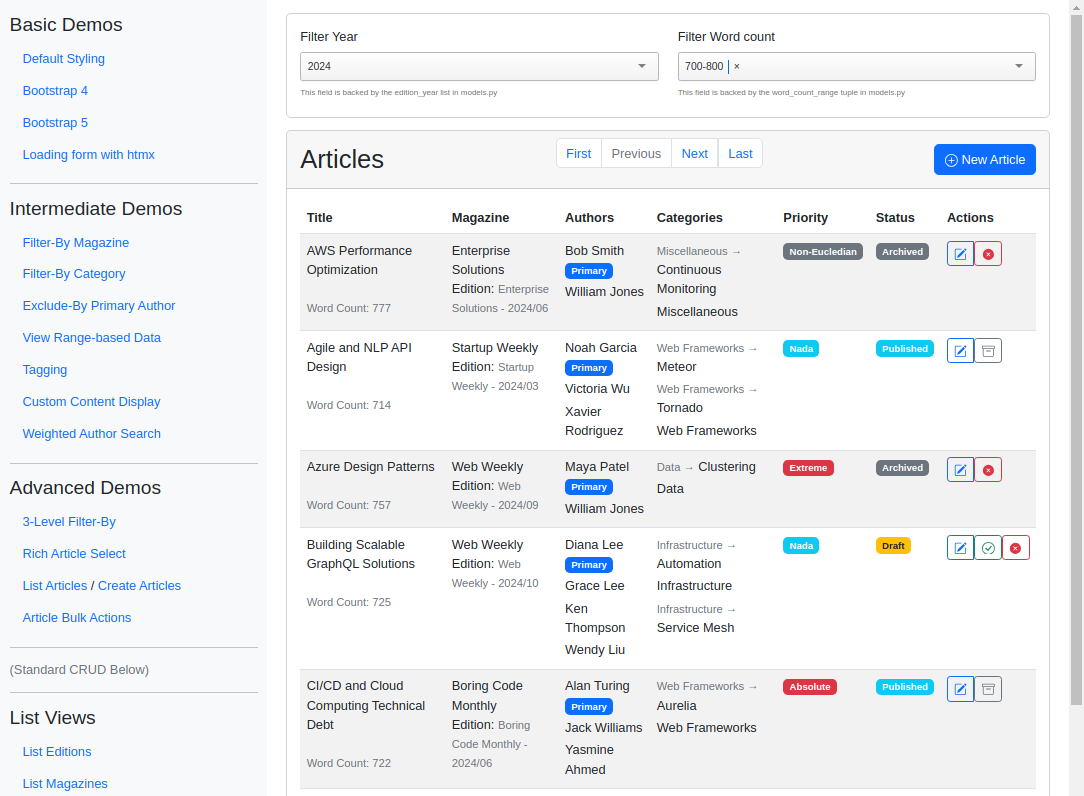
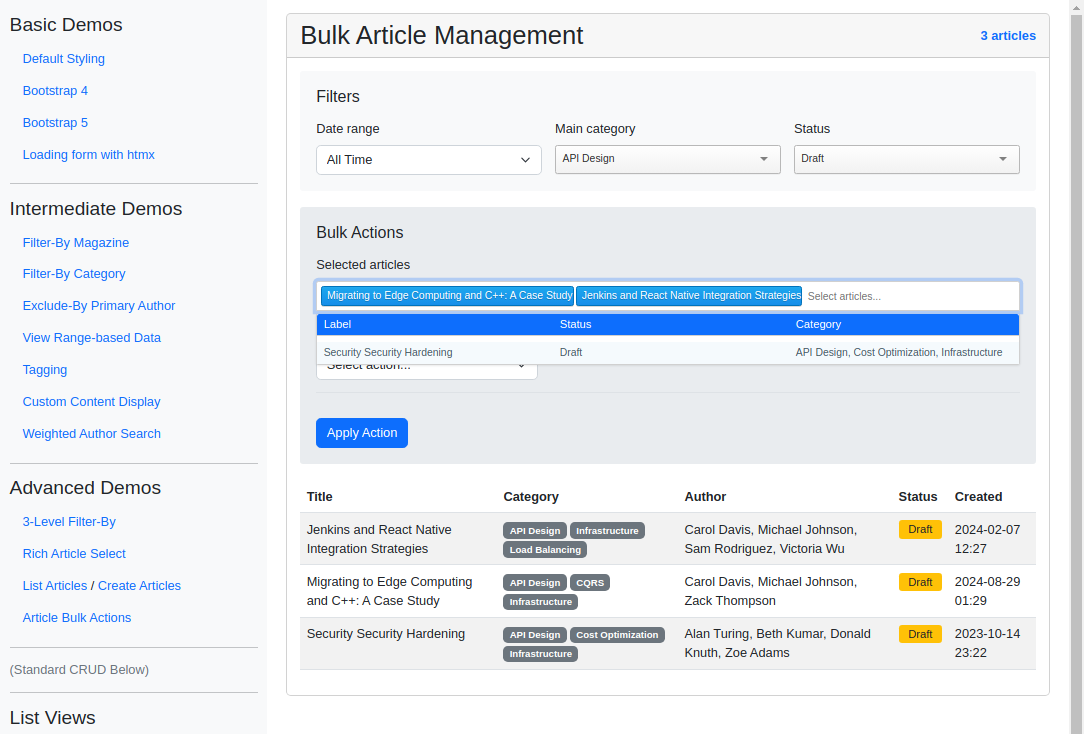
To see Django TomSelect in action, check out the [Example Project](https://github.com/OmenApps/django-tomselect/tree/main/example_project). It demonstrates a variety of use cases, with **15 different implementations** from basic atocompletion to advanced applications, showing how to use django-tomselect's autocomplete fields in a Django project.
Each of the examples is described in [the Example Project docs](https://django-tomselect.readthedocs.io/en/latest/example_app/introduction.html).
Here are a few screenshots from the example project:
---
---
## Documentation
- [Complete Usage Guide](https://django-tomselect.readthedocs.io/en/latest/usage.html)
- [Configuration Reference](https://django-tomselect.readthedocs.io/en/latest/api/config.html)
- [Example Project](https://django-tomselect.readthedocs.io/en/latest/example_app/introduction.html)
## Contributing
Contributions are welcome! Check out our [Contributor Guide](https://github.com/OmenApps/django-tomselect/blob/main/CONTRIBUTING.md) to get started.
## License
This project is licensed under the MIT License - see the [License](https://github.com/OmenApps/django-tomselect/blob/main/LICENSE) file for details.
## Acknowledgments
This package builds on the excellent work of [Philip Becker](https://pypi.org/user/actionb/) in [mizdb-tomselect](https://www.pypi.org/project/mizdb-tomselect/), with a focus on generalization, Django templates, translations, and customization.