https://github.com/omgimalexis/upcast
A JavaScript type checking/casting library
https://github.com/omgimalexis/upcast
casting-library converts type type-checking types upcast
Last synced: 7 months ago
JSON representation
A JavaScript type checking/casting library
- Host: GitHub
- URL: https://github.com/omgimalexis/upcast
- Owner: OmgImAlexis
- License: mit
- Created: 2013-01-02T20:32:02.000Z (over 13 years ago)
- Default Branch: master
- Last Pushed: 2020-10-29T23:47:53.000Z (over 5 years ago)
- Last Synced: 2025-08-09T18:21:45.187Z (11 months ago)
- Topics: casting-library, converts, type, type-checking, types, upcast
- Language: JavaScript
- Homepage:
- Size: 429 KB
- Stars: 74
- Watchers: 4
- Forks: 7
- Open Issues: 12
-
Metadata Files:
- Readme: README.md
- Changelog: CHANGELOG.md
- License: LICENSE.md
Awesome Lists containing this project
README
# Upcast [](https://travis-ci.org/OmgImAlexis/upcast) [](https://codecov.io/gh/OmgImAlexis/upcast) [](https://app.fossa.io/projects/git%2Bgithub.com%2FOmgImAlexis%2Fupcast?ref=badge_shield)
> Upcast is a low-level JavaScript type checking and casting library. Upcast simplifies type-checking and converts between types in a more sensible and predictable way than using plain ol' JavaScript.
Getting Started
---------------
You can use Upcast on the server side with [Node.js][node] and yarn/npm:
```console
$ yarn add upcast
$ npm install upcast
```
Usage
-----
Upcast exposes three simple functions:
- **[type](#upcasttype)**: get the type of an object
- **[is](#upcastis)**: check whether an object is of a given type
- **[to](#upcastto)**: convert an object to a specific type
### upcast.type
Get the type of an object. This accepts a single argument:
**val:** *(mixed)* The object to get the type of.
Types in Upcast are different to `typeof` in what is reported for arrays and `null`. See the example below:
```js
upcast.type([]); // 'array'
upcast.type(true); // 'boolean'
upcast.type(function () {}); // 'function'
upcast.type(null); // 'null'
upcast.type(123); // 'number'
upcast.type({}); // 'object'
upcast.type('foo'); // 'string'
upcast.type(undefined); // 'undefined'
```
### upcast.is
Check whether an object is of a given type. This accepts two arguments:
**val:** *(mixed)* The object to check the type of.
**type:** *(string)* The type to check for. One of `array`, `boolean`, `function`, `null`, `number`, `object`, `string` or `undefined`.
This function follows the same rules outlined in [`upcast.type`](#upcasttype) and allows you to use [type aliases](#type-aliases).
```js
upcast.is('foo', 'string'); // true
upcast.is(123, 'string'); // false
upcast.is([], 'array'); // true
upcast.is([], 'object'); // false
upcast.is(null, 'null'); // true
upcast.is(null, 'object'); // false
```
### upcast.to
Convert an object to a specific type. This accepts two arguments:
**val:** *(mixed)* The object to convert.
**type:** *(string)* The type to convert to. One of `array`, `boolean`, `function`, `null`, `number`, `object`, `string` or `undefined`.
The way types are converted aims to be sensible and allow easy switching back-and-forth of common types. For example, switching between strings and arrays is quite fluid:
```js
upcast.to('foo', 'array'); // ['f', 'o', 'o']
upcast.to(['f', 'o', 'o'], 'string'); // 'foo'
```
You can use [type aliases](#type-aliases) with this function. The examples below illustrate the way types are converted.
#### Converting to an array
Converting to an array from a boolean, function, number or object simply wraps the value in an array:
```js
upcast.to(123, 'array'); // [123]
```
Strings are handled differently, an array is returned with each character in the string as an item:
```js
upcast.to('foo', 'array'); // ['f', 'o', 'o']
```
Null and undefined are converted to an empty array:
```js
upcast.to(null, 'array'); // []
```
#### Converting to a boolean
Boolean conversion simply converts to `true` or `false` based on whether the value is truthy or not. The only case where this doesn't follow JavaScript's standard behaviour is with empty arrays which are converted to `false`:
```js
upcast.to([1, 2, 3], 'boolean') // true
upcast.to([], 'boolean') // false
```
#### Converting to a function
When converting to a function, the original value is simply wrapped in a new function. This function returns the original value:
```js
upcast.to('foo', 'function'); // function () { return 'foo'; }
```
#### Converting to null
As expected, converting to null will always return `null`:
```js
upcast.to('foo', 'null'); // null
```
#### Converting to a number
Converting to a number from a boolean, function, null or object simply calls `Number` with the original value as an argument, returning the expected value:
```js
upcast.to('true', 'number'); // 1
```
Arrays and strings are handled differently, an array is joined to create a string, then evaluated with `parseInt`; strings are simply evaluated with `parseInt`:
```js
upcast.to([1, 2, 3], 'number'); // 123
upcast.to('123', 'number'); // 123
upcast.to('foo', 'number'); // 0
```
Undefined is converted to `0` rather than `NaN`:
```js
upcast.to(undefined, 'number'); // 0
```
#### Converting to an object
Converting to an object simply calls `Object` with the value as a first argument. The following are equivalent:
```js
upcast.to('foo', 'object');
Object('foo');
```
#### Converting to a string
Converting to a string from a boolean, function, number or object simply returns the value added to an empty string, using JavaScript's default type conversion:
```js
upcast.to(true, 'string'); // 'true'
upcast.to(123, 'string'); // '123'
```
Arrays are handled differently, they are joined with an empty string:
```js
upcast.to(['f', 'o', 'o'], 'string'); // 'foo'
```
Null and undefined are converted to an empty string rather than `'null'` and `'undefined'`:
```js
upcast.to(null, 'string'); // ''
```
#### Converting to undefined
As expected, converting to undefined will always return `undefined`:
```js
upcast.to('foo', 'undefined'); // undefined
```
### Type aliases
The [`is`](#upcastis) and [`to`](#upcastto) functions allow you to use aliases to certain core types. The following are equivalent:
```js
upcast.is([], 'array');
upcast.is([], 'arr');
upcast.is([], 'a');
```
The aliases available by default are:
* **array:** `arr`, `a`
* **boolean:** `bool`, `b`
* **function:** `fn`, `f`
* **number:** `num`, `n`
* **object:** `obj`, `o`
* **string:** `str`, `s`
Development
-----------
To work on Upcast you'll need to clone the repo and it's install dependencies with `git clone https://github.com/OmgImalexis/upcast && cd upcast && yarn install`.
Once you're set up, you can run the following commands:
```console
$ yarn lint # Run xo to lint all js files
$ yarn test # Run unit tests with ava
$ yarn test-coverage # Run unit tests and coverage report with ava + nyc
```
License
-------
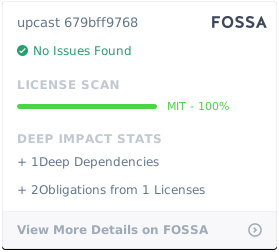
Upcast is licensed under the [MIT][mit] license.
[mit]: http://opensource.org/licenses/mit-license.php
[lts]: https://github.com/nodejs/Release
[node]: http://nodejs.org/
[travis]: https://travis-ci.org/OmgImAlexis/upcast
[travis-status]: https://travis-ci.org/OmgImAlexis/upcast.svg?branch=master
## License
[](https://app.fossa.io/projects/git%2Bgithub.com%2FOmgImAlexis%2Fupcast?ref=badge_large)