https://github.com/omkarcloud/botasaurus-desktop-starter
Quickly create desktop data extraction apps for Windows, macOS, and Linux.
https://github.com/omkarcloud/botasaurus-desktop-starter
Last synced: 4 months ago
JSON representation
Quickly create desktop data extraction apps for Windows, macOS, and Linux.
- Host: GitHub
- URL: https://github.com/omkarcloud/botasaurus-desktop-starter
- Owner: omkarcloud
- License: mit
- Created: 2025-03-05T16:00:12.000Z (over 1 year ago)
- Default Branch: master
- Last Pushed: 2026-03-03T14:58:56.000Z (4 months ago)
- Last Synced: 2026-03-03T18:57:04.995Z (4 months ago)
- Language: TypeScript
- Homepage: https://github.com/omkarcloud/botasaurus-desktop-tutorial
- Size: 2.93 MB
- Stars: 4
- Watchers: 0
- Forks: 2
- Open Issues: 0
-
Metadata Files:
- Readme: README.md
- Changelog: CHANGELOG.md
- License: LICENSE
- Code of conduct: CODE_OF_CONDUCT.md
Awesome Lists containing this project
README

✨ Official Starter Template for Botasaurus Desktop Application✨
(Programming Language - TypeScript)


# Botasaurus Desktop Starter
This is a starter template for building **Botasaurus Desktop Applications**
## 🚀 Project Setup
To run locally, follow these steps:
1️⃣ Clone the Magic 🧙♀️:
```bash
git clone https://github.com/omkarcloud/botasaurus-desktop-starter my-botasaurus-desktop-app
cd my-botasaurus-desktop-app
```
2️⃣ Install Packages 📦:
```bash
npm install
```
3️⃣ Launch the App 🚀:
```bash
npm run dev
```
This will launch your **Botasaurus** desktop application in development mode.
## 💡 Learn to Develop Scraping Apps
To understand how to develop desktop apps using **Botasaurus**, please refer to the [Botasaurus Desktop Documentation](https://github.com/omkarcloud/botasaurus/blob/master/botasaurus-desktop-tutorial.md).
## 📦 Create Installers for Your OS
To create an installer for your operating system, run the following command:
```bash
npm run package
```
After executing the command, you can find the installer for your OS in the `release/build` folder.
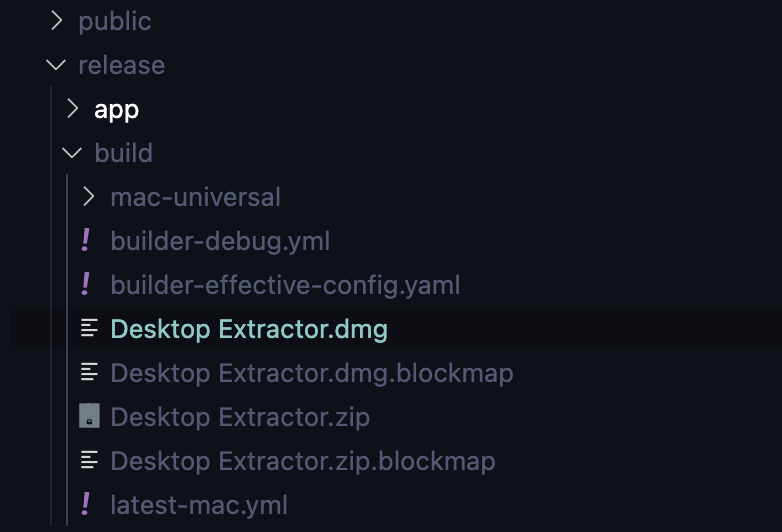
**Note**
On Windows, if you face the "resource busy or locked" error:
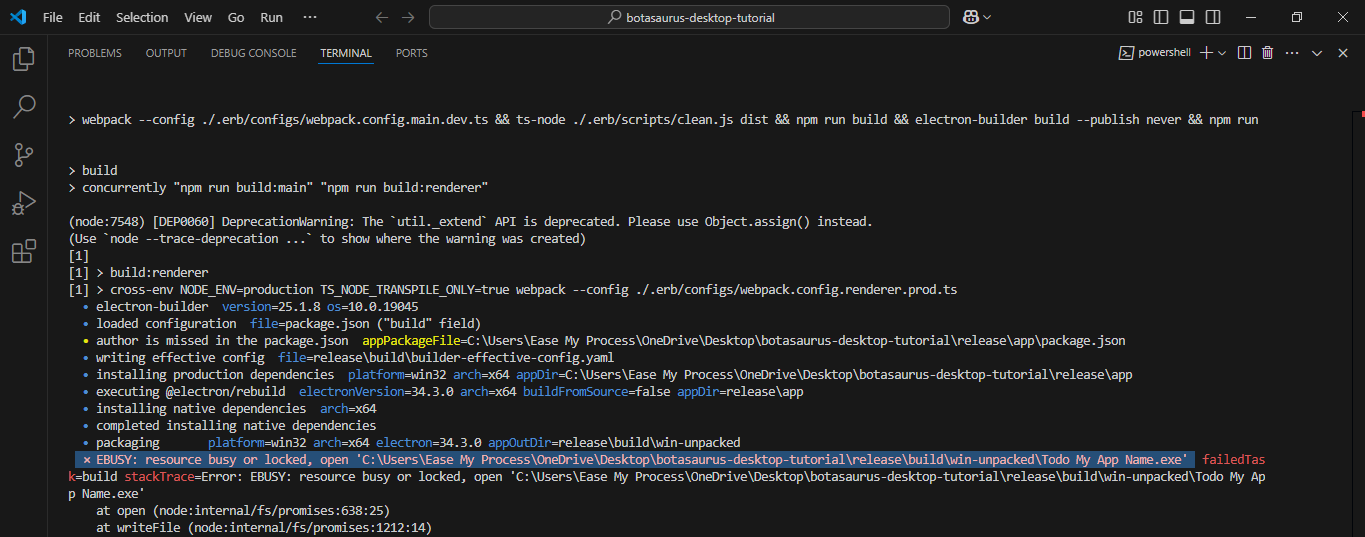
Please follow these steps to resolve the issue:
1. Run the Command Prompt as an administrator.
2. Use the 'cd' command to navigate to your project directory.
3. Run the command `npm run package` again to create the installer.
This will resolve the error and allow the installer to be created successfully.
## 📦 Creating Installers for All Operating Systems (Recommended Method)
To automatically create installers for all operating systems whenever you push changes to GitHub, you can set up GitHub Actions. For step-by-step instructions, please follow the guide [here](https://github.com/omkarcloud/botasaurus/blob/master/botasaurus-desktop-tutorial.md#how-do-i-create-installers-for-multiple-platforms).
This is the recommended method for creating installers.