https://github.com/omkarcloud/botasaurus-driver
Super Fast, Super Anti-Detect, and Super Intuitive Web Driver
https://github.com/omkarcloud/botasaurus-driver
Last synced: about 1 year ago
JSON representation
Super Fast, Super Anti-Detect, and Super Intuitive Web Driver
- Host: GitHub
- URL: https://github.com/omkarcloud/botasaurus-driver
- Owner: omkarcloud
- License: mit
- Created: 2024-04-24T12:33:56.000Z (about 2 years ago)
- Default Branch: master
- Last Pushed: 2025-03-08T14:25:19.000Z (over 1 year ago)
- Last Synced: 2025-03-28T20:42:21.579Z (about 1 year ago)
- Language: Python
- Size: 709 KB
- Stars: 55
- Watchers: 0
- Forks: 13
- Open Issues: 9
-
Metadata Files:
- Readme: README.md
- License: LICENSE
Awesome Lists containing this project
README
# Botasaurus Driver
Botasaurus Driver is a powerful Driver Automation Python library that offers the following benefits:
- It is really humane; it looks and works exactly like a real browser, allowing it to access any website.
- Compared to Selenium and Playwright, it is super fast to launch and use.
- The API is designed by and for web scrapers, and you will love it.
## Installation
```bash
pip install botasaurus-driver
```
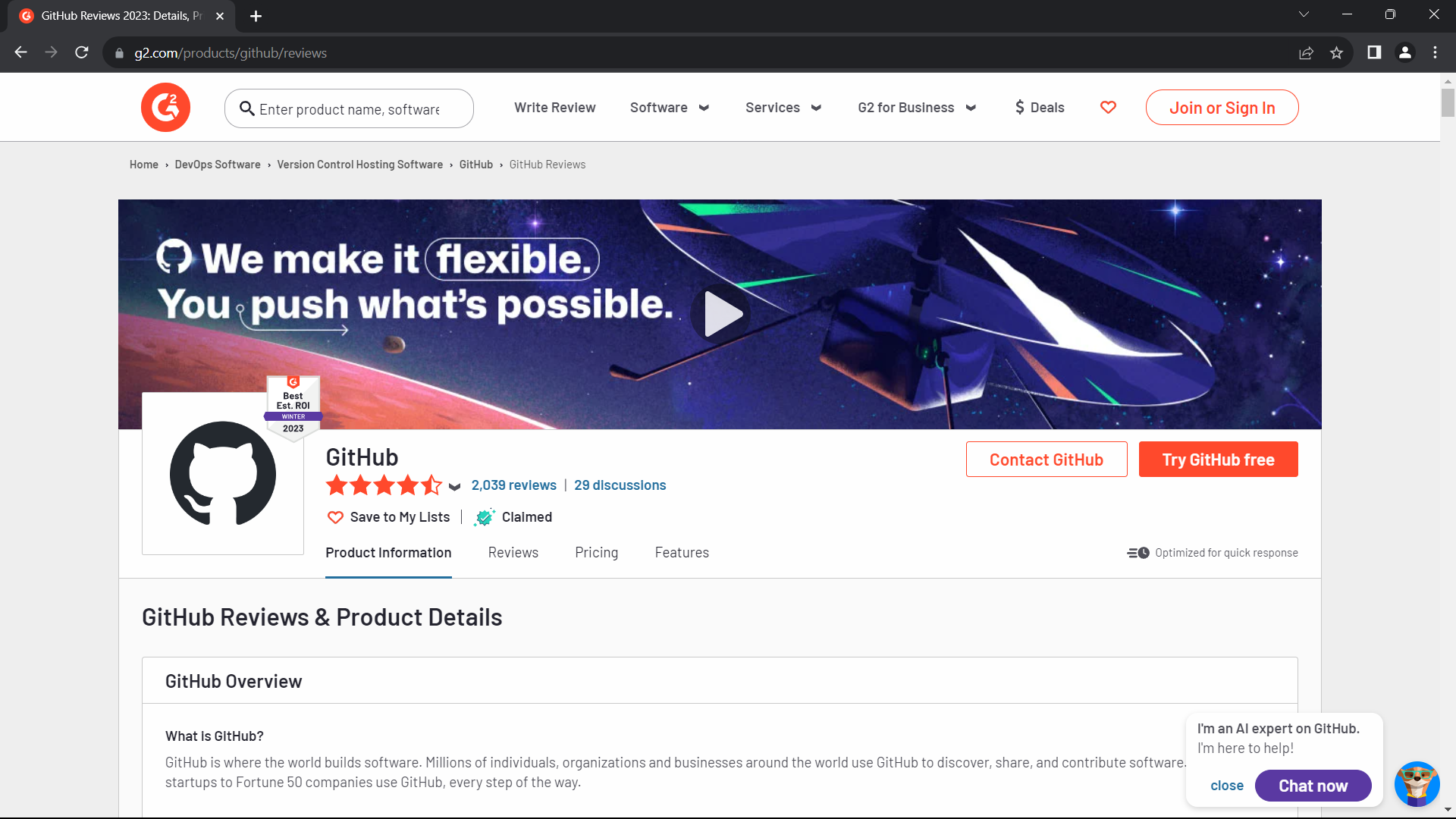
## Bypassing Bot Detection: Code Example
```python
from botasaurus_driver import Driver
driver = Driver()
driver.google_get("https://www.g2.com/products/github/reviews.html?page=5&product_id=github", bypass_cloudflare=True)
driver.prompt()
heading = driver.get_text('.product-head__title [itemprop="name"]')
print(heading)
```
**Result**
## API
Botasaurus Driver provides several handy methods for web automation tasks such as:
- Navigate to URLs:
```python
driver.get("https://www.example.com")
driver.google_get("https://www.example.com") # Use Google as the referer [Recommended]
driver.get_via("https://www.example.com", referer="https://duckduckgo.com/") # Use custom referer
driver.get_via_this_page("https://www.example.com") # Use current page as referer
```
- For finding elements:
```python
from botasaurus.browser import Wait
search_results = driver.select(".search-results", wait=Wait.SHORT) # Wait for up to 4 seconds for the element to be present, return None if not found
search_results = driver.wait_for_element(".search-results", wait=Wait.LONG) # Wait for up to 8 seconds for the element to be present, raise exception if not found
hello_mom = driver.get_element_with_exact_text("Hello Mom", wait=Wait.VERY_LONG) # Wait for up to 16 seconds for an element having the exact text "Hello Mom"
```
- Interact with elements:
```python
driver.type("input[name='username']", "john_doe") # Type into an input field
driver.click("button.submit") # Clicks an element
element = driver.select("button.submit")
element.click() # Click on an element
```
- Retrieve element properties:
```python
header_text = driver.get_text("h1") # Get text content
error_message = driver.get_element_containing_text("Error: Invalid input")
image_url = driver.select("img.logo").get_attribute("src") # Get attribute value
```
- Work with parent-child elements:
```python
parent_element = driver.select(".parent")
child_element = parent_element.select(".child")
child_element.click() # Click child element
```
- Execute JavaScript:
```python
result = driver.run_js("return document.title")
text_content = element.run_js("(el) => el.textContent")
```
- Working with iframes:
```python
driver.get("https://www.freecodecamp.org/news/using-entity-framework-core-with-mongodb/")
iframe = driver.get_iframe_by_link("www.youtube.com/embed")
# OR following works as well
# iframe = driver.select(".embed-wrapper iframe")
freecodecamp_youtube_subscribers_count = iframe.select(".ytp-title-expanded-subtitle").text
```
- Miscellaneous:
```python
form.type("input[name='password']", "secret_password") # Type into a form field
container.is_element_present(".button") # Check element presence
page_html = driver.page_html # Current page HTML
driver.select(".footer").scroll_into_view() # Scroll element into view
driver.close() # Close the browser
```
## Love It? [Star It ⭐!](https://github.com/omkarcloud/botasaurus-driver)
Become one of our amazing stargazers by giving us a star ⭐ on GitHub!
It's just one click, but it means the world to me.
[](https://github.com/omkarcloud/botasaurus-driver/stargazers)
## Made with ❤️ using [Botasaurus Web Scraping Framework](https://github.com/omkarcloud/botasaurus)