https://github.com/omkarcloud/web-scraping-template
🚀 THIS WEB SCRAPING TEMPLATE PROVIDES YOU WITH A GREAT STARTING POINT WHEN CREATING WEB SCRAPING BOTS. 🤖
https://github.com/omkarcloud/web-scraping-template
beautifulsoup crawler crawling crawling-framework crawling-python crawling-tool headless node-crawler python-crawler scraper scraping scraping-framework scraping-python scraping-tool selenium web-crawler web-crawling web-scraper web-scraping webscraping
Last synced: 9 months ago
JSON representation
🚀 THIS WEB SCRAPING TEMPLATE PROVIDES YOU WITH A GREAT STARTING POINT WHEN CREATING WEB SCRAPING BOTS. 🤖
- Host: GitHub
- URL: https://github.com/omkarcloud/web-scraping-template
- Owner: omkarcloud
- License: mit
- Created: 2023-07-01T09:03:14.000Z (about 3 years ago)
- Default Branch: master
- Last Pushed: 2023-07-16T08:15:36.000Z (about 3 years ago)
- Last Synced: 2025-10-05T02:57:45.774Z (10 months ago)
- Topics: beautifulsoup, crawler, crawling, crawling-framework, crawling-python, crawling-tool, headless, node-crawler, python-crawler, scraper, scraping, scraping-framework, scraping-python, scraping-tool, selenium, web-crawler, web-crawling, web-scraper, web-scraping, webscraping
- Language: Python
- Homepage: https://www.omkar.cloud/bose/docs/templates/web-scraping-template/
- Size: 104 KB
- Stars: 8
- Watchers: 1
- Forks: 4
- Open Issues: 0
-
Metadata Files:
- Readme: README.md
- License: LICENSE
Awesome Lists containing this project
README

✨ Web Scraping Template ✨
(Programming Language - Python 3)


---
This Web Scraping Template provides you with a great starting point when creating web scraping bots.
## ⭐ Usecase of Web Scraping Template
This template can be utilized in various scenarios, including:
- Scraping articles from a blog, like the [Omkar Cloud Blog](https://www.omkar.cloud/blog/).
- Extracting product information from e-commerce stores, for example, by scraping products from [Amazon](https://www.amazon.in/).
- Gathering items from paginated lists, such as extracting product details from [g2](https://www.g2.com/categories/personalization).
## 🚀 Getting Started
1️⃣ Clone the Magic 🧙♀️:
```shell
git clone https://github.com/omkarcloud/web-scraping-template
cd web-scraping-template
```
2️⃣ Install Dependencies 📦:
```shell
python -m pip install -r requirements.txt
```
3️⃣ Write Code to scrape your target website. 🤖
4️⃣ Run Scraper 😎:
```shell
python main.py
```
## ✨ Best Practices for Web Scraping?
Here are some best practices for web scraping:
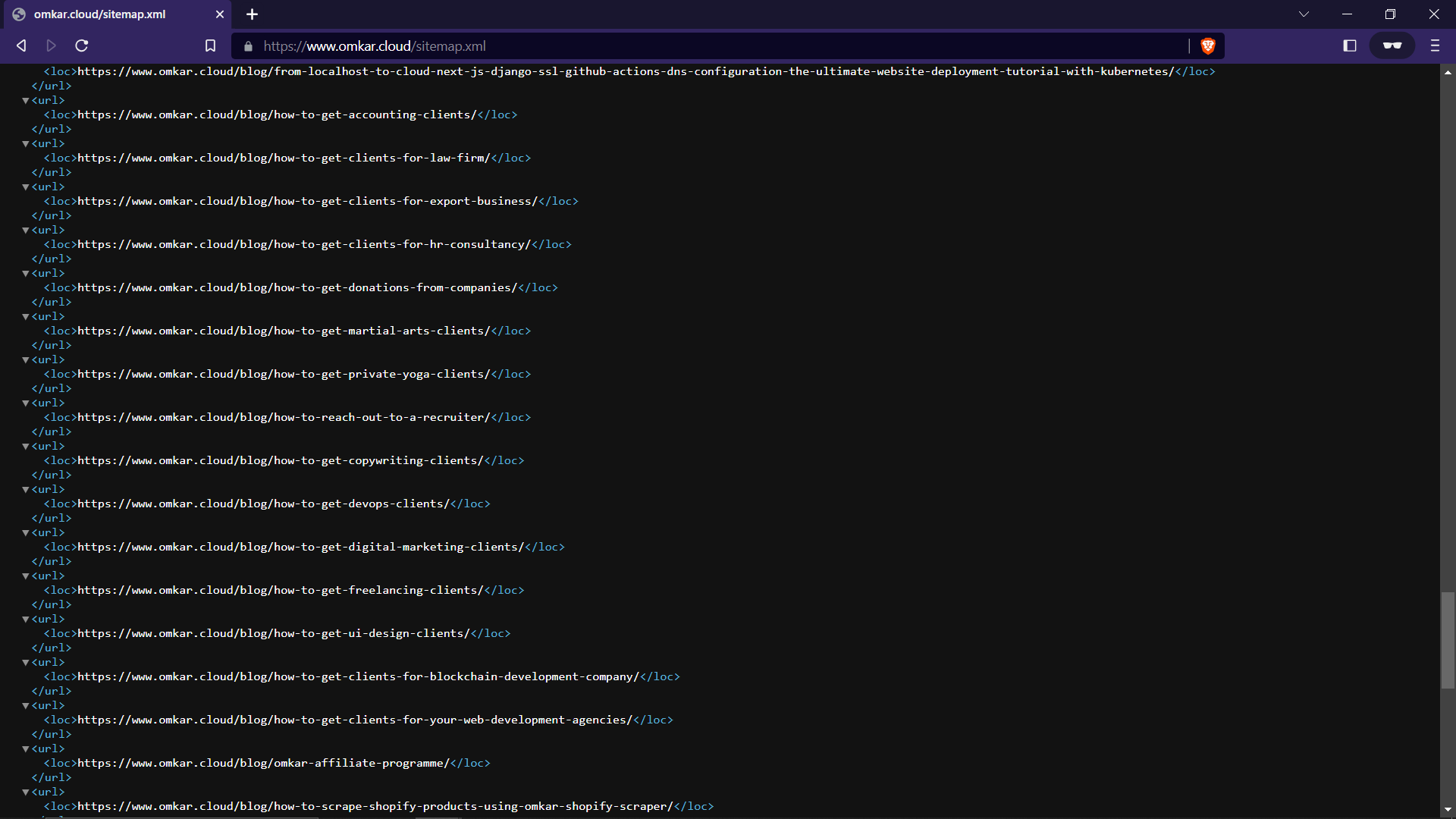
1. Instead of individually visiting each page to gather links, it is advisable to search for pagination links within sitemaps or RSS feeds. In most cases, these sources provide all links in an organized manner.
2. Make the bot look humane by adding random waits using methods like `driver.short_random_sleep` and `driver.long_random_sleep`.
3. If you need to scrape a large amount of data in a short time, consider using proxies to prevent IP-based blocking.
4. If you are responsible for maintaining the scraper in the long run, it is recommended to avoid using hash-based selectors. These selectors will break with the next build of the website, resulting in increased maintenance work.
Note that most websites do not implement bot protection as many frontend developers are not taught bot protection in their courses.
So, it is recommended to only add IP rotation or random waits if you are getting blocked.