https://github.com/omkz/waroong
Simple E-Commerce Website built with Ruby On Rails 7
https://github.com/omkz/waroong
bootstrap5 ecommerce esbuild postgresql ruby ruby-on-rails
Last synced: 8 months ago
JSON representation
Simple E-Commerce Website built with Ruby On Rails 7
- Host: GitHub
- URL: https://github.com/omkz/waroong
- Owner: omkz
- License: other
- Created: 2018-12-05T18:40:08.000Z (over 7 years ago)
- Default Branch: master
- Last Pushed: 2023-03-08T19:58:34.000Z (over 3 years ago)
- Last Synced: 2024-04-12T16:15:04.612Z (about 2 years ago)
- Topics: bootstrap5, ecommerce, esbuild, postgresql, ruby, ruby-on-rails
- Language: Ruby
- Homepage:
- Size: 2.5 MB
- Stars: 20
- Watchers: 2
- Forks: 10
- Open Issues: 10
-
Metadata Files:
- Readme: README.md
- Funding: .github/FUNDING.yml
- License: LICENSE
Awesome Lists containing this project
README
# Waroong!
Waroong is an open-source e-commerce solution based on Ruby on Rails 7.
[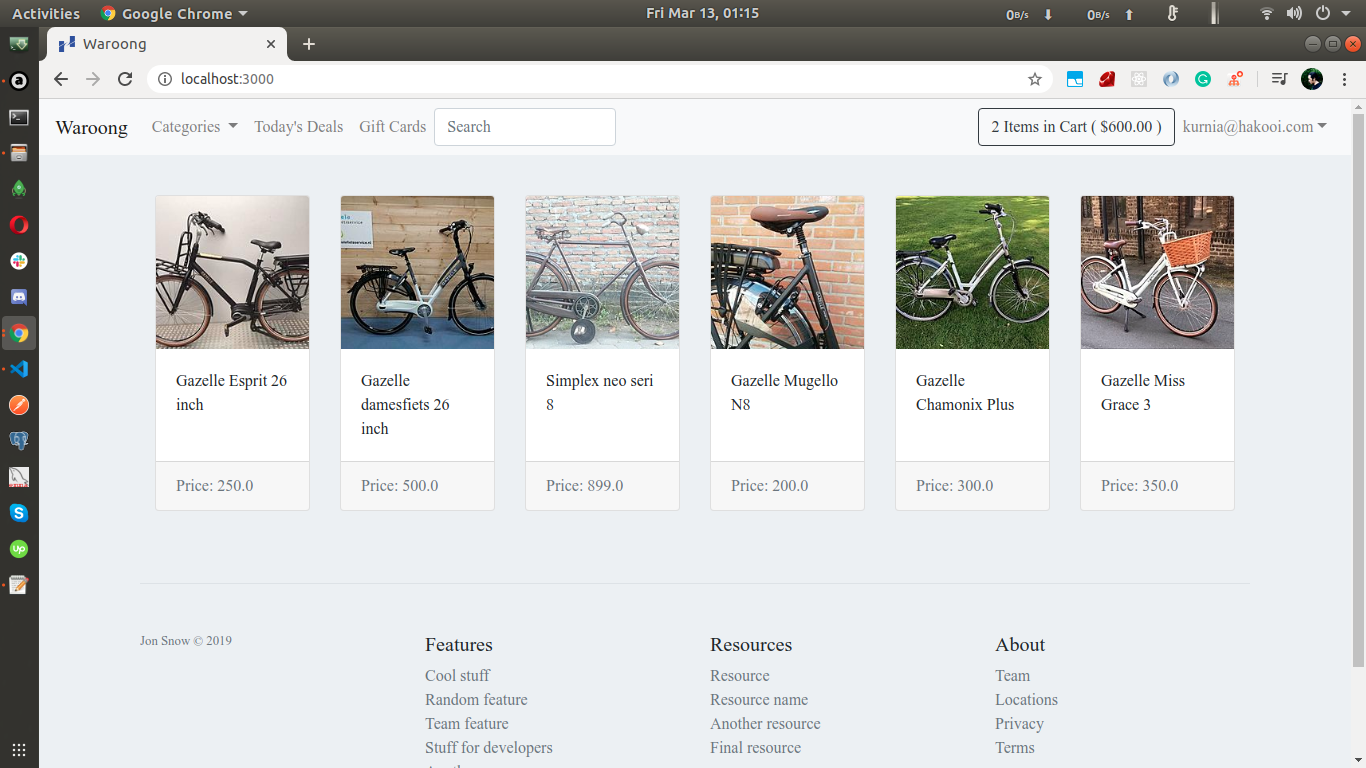](https://www.youtube.com/watch?v=4hOGtcj1WBE)
## Tech Stack
- Ruby 3.x
- Ruby on Rails 7.x
- PostgreSQL 9.5
- Esbuild
- Twitter Bootstrap 5
- Stripe
- Gem:
- [devise](https://github.com/plataformatec/devise) | Authentication
- [pg](https://github.com/ged/ruby-pg) | PostgreSQL library for Ruby
## Installation
### Requirements
Before you get started, the following needs to be installed:
* **Ruby**. Version 3.1.0 is currently used and we don't guarantee everything works with other versions. If you need multiple versions of Ruby, [rbenv](https://rbenv.org) is recommended.
* [**RubyGems**](http://rubygems.org/)
* **Bundler**: `gem install bundler`
* [**Git**](http://help.github.com/git-installation-redirect)
* **A database**. Only PostgreSQL 9.5 has been tested, so we give no guarantees that other databases (e.g. MySQL) work. If you're using OS X and have Homebrew installed, install it with `brew install postgresql`
### Setting up the development environment
1. Get the code. Clone this git repository:
```bash
git clone git://github.com/omkz/waroong.git
cd waroong
```
2. Install the required gems by running the following command in the project root directory:
```bash
bundle install
```
3. Setup the database:
```bash
bundle exec rails db:setup
```
4. Start the development server:
```bash
bin/dev
```
## If you want to contribute
The best way to contribute is to do one of the following :
* Creating tests
* Refactoring
* Coding features
* Correcting logged issues
* Correcting my English! (I'm an Indonesian, so don't hesitate to fix my sentences or whole paragraphs.)
## License
Waroong is open source under the MIT license. See [LICENSE](LICENSE) for details.