https://github.com/omochice/textable.vim
The Vim/Neovim plugin that convert CSV-like text to TeX's table.
https://github.com/omochice/textable.vim
latex neovim vim vim-plugin
Last synced: about 2 months ago
JSON representation
The Vim/Neovim plugin that convert CSV-like text to TeX's table.
- Host: GitHub
- URL: https://github.com/omochice/textable.vim
- Owner: Omochice
- License: mit
- Created: 2021-12-01T08:28:11.000Z (over 4 years ago)
- Default Branch: main
- Last Pushed: 2023-09-11T02:30:28.000Z (almost 3 years ago)
- Last Synced: 2025-07-18T09:14:35.758Z (11 months ago)
- Topics: latex, neovim, vim, vim-plugin
- Language: Vim Script
- Homepage:
- Size: 15.6 KB
- Stars: 0
- Watchers: 1
- Forks: 0
- Open Issues: 1
-
Metadata Files:
- Readme: README.md
- License: LICENSE
Awesome Lists containing this project
README
[](https://github.com/Omochice/TeXTable.vim/actions/workflows/ci.yml)
# TeXTable.vim
The Vim/Neovim plugin that convert CSV-like text to TeX's table.
## Installation
Use your favorite plugin manager.
- vim-plug
```
Plug 'Omochice/TeXTable.vim'
```
- dein.vim
```
call dein#add('Omochice/TeXTable.vim')
```
## Usage
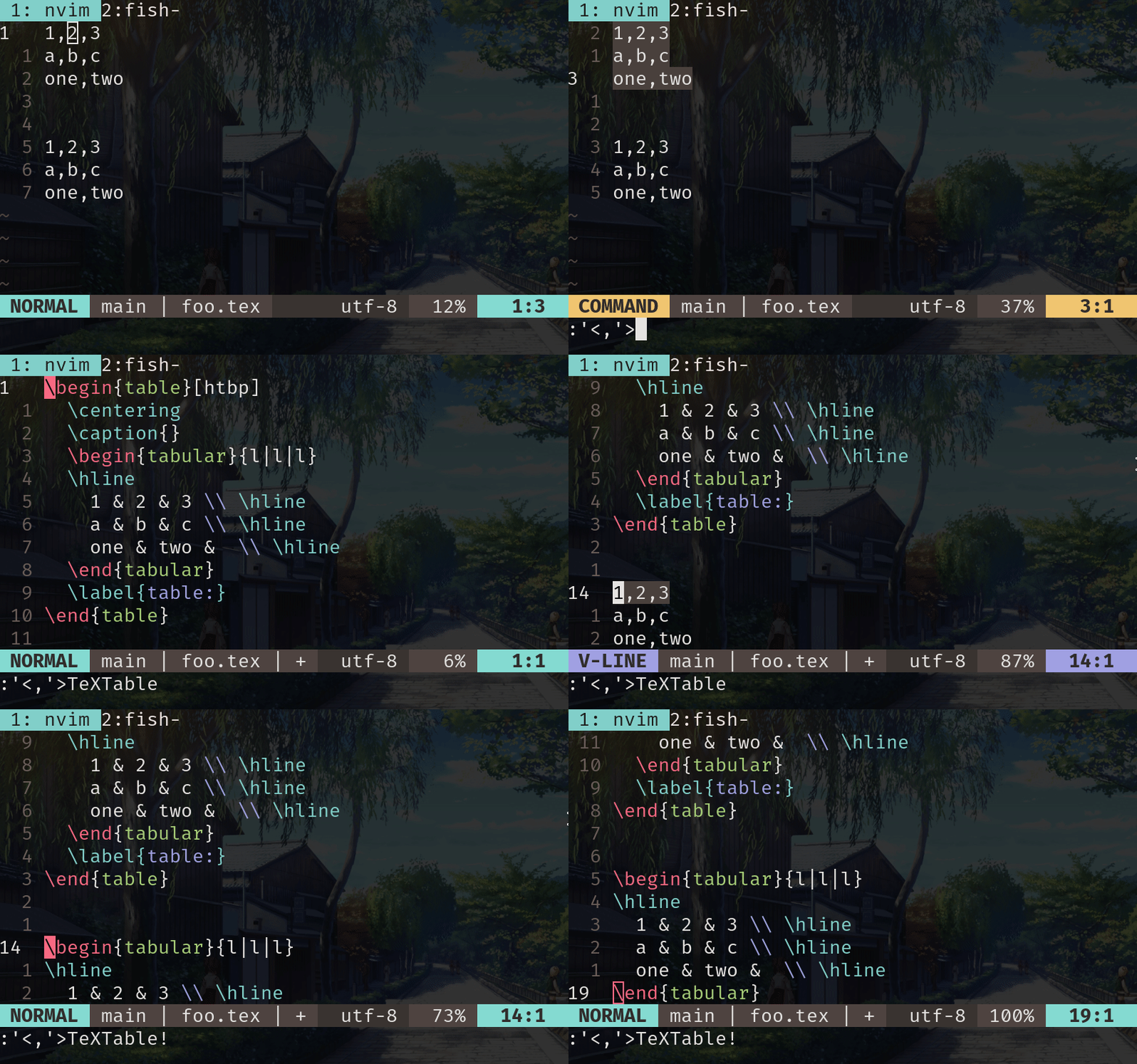
```tex
1,2,3
a,b,c
```
Select the text on visual-mode and execute `'<,'>TeXTable` then it become below.
```tex
\begin{table}[htbp]
\centering
\caption{}
\begin{tabular}{l|l|l}
\hline
1 & 2 & 3 \\ \hline
a & b & c \\ \hline
\end{tabular}
\label{table:}
\end{table}
```
If you need only `tabular`, execute `TeXTable!`.
```tex
\begin{tabular}{l|l|l}
\hline
1 & 2 & 3 \\ \hline
a & b & c \\ \hline
\end{tabular}
```
If you want to separate with `.`, use `TeXTable .`.
NOTE: The length of columns in `tabular` fit as same as longest one.
## Variables
- `g:textable_align`
The character used as aligner in `tabular`.
Default: `'l'`
## LICENSE
MIT