https://github.com/one-with-violets-in-her-lap/bind
Add keyboard shortcuts to any website
https://github.com/one-with-violets-in-her-lap/bind
bun
Last synced: 2 months ago
JSON representation
Add keyboard shortcuts to any website
- Host: GitHub
- URL: https://github.com/one-with-violets-in-her-lap/bind
- Owner: one-with-violets-in-her-lap
- Created: 2025-09-26T15:33:27.000Z (9 months ago)
- Default Branch: main
- Last Pushed: 2025-12-14T22:27:35.000Z (6 months ago)
- Last Synced: 2025-12-17T10:26:05.496Z (6 months ago)
- Topics: bun
- Language: Vue
- Homepage: https://addons.mozilla.org/firefox/addon/bind/
- Size: 5.38 MB
- Stars: 2
- Watchers: 0
- Forks: 0
- Open Issues: 0
-
Metadata Files:
- Readme: README.md
Awesome Lists containing this project
README
# Bind
Browser extension that lets you bind a hotkey to any button on any site
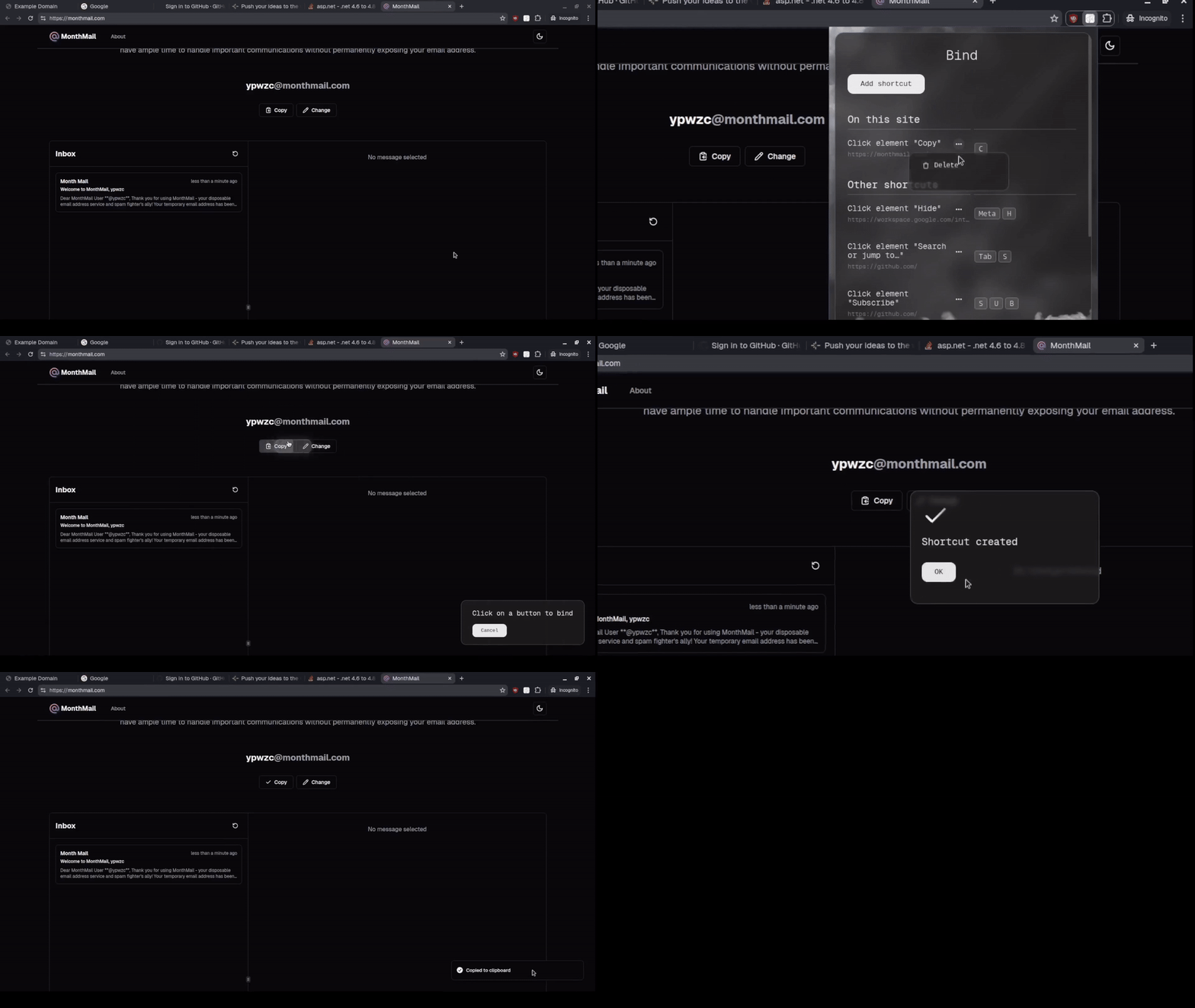
> ⚠️ The extension is currently in early development. Expect new features - scroll, input and browser actions (e.g. new tab)
on key press
## Installation
### Chrome
Download [`bind-chrome.zip`](https://github.com/one-with-violets-in-her-lap/bind/releases/latest) archive and extract it
Go to `chrome://extensions` page and enable the developer mode. Then, press the "Load unpacked" button and choose the extracted folder

### Firefox
[🍁 Install from Firefox Add-ons](https://addons.mozilla.org/firefox/addon/bind/)
### Manual
1. Install [bun](https://bun.sh/)
2. Install deps
```sh
bun i
```
3. Build the extension with manifest v2 or v3
```sh
BIND_MANIFEST_VERSION=v2 BIND_MODE=production bun run build
```
After steps above, you will have an unpacked extension in a `dist` directory. You can load it or pack it in a CRX file in the browser