https://github.com/onemnemo/mnemo
Mnemo is a free, open-source study application built with Avalonia UI and .NET 10, designed to help students, researchers, and lifelong learners master any subject.
https://github.com/onemnemo/mnemo
anki avalonia avalonia-ui edtech education flashcards free knowledge learning memory note-app note-taking notes notion open-source productivity spaced-repetition study study-app study-tool
Last synced: about 19 hours ago
JSON representation
Mnemo is a free, open-source study application built with Avalonia UI and .NET 10, designed to help students, researchers, and lifelong learners master any subject.
- Host: GitHub
- URL: https://github.com/onemnemo/mnemo
- Owner: onemnemo
- License: apache-2.0
- Created: 2025-07-30T18:30:59.000Z (11 months ago)
- Default Branch: main
- Last Pushed: 2026-06-05T01:23:47.000Z (8 days ago)
- Last Synced: 2026-06-05T03:13:18.951Z (8 days ago)
- Topics: anki, avalonia, avalonia-ui, edtech, education, flashcards, free, knowledge, learning, memory, note-app, note-taking, notes, notion, open-source, productivity, spaced-repetition, study, study-app, study-tool
- Language: C#
- Homepage: https://mnemo.one/
- Size: 15.5 MB
- Stars: 21
- Watchers: 2
- Forks: 1
- Open Issues: 2
-
Metadata Files:
- Readme: README.md
Awesome Lists containing this project
README

[](https://opensource.org/licenses/MIT)
[](https://github.com/onemnemo/mnemo)


Free. Open-source. Cross-platform. Built by learners, for learners.
## What is Mnemo?
Mnemo is a fully modular, cross-platform learning platform built with **Avalonia 11** and **.NET 10**.
It brings flashcards, notes, mind maps, learning paths, games, and more into one focused app.
> No subscriptions. No ads. No tracking. Ever.
Mnemo is designed to be:
* **Extensible**: Features are built as modular parts that can grow independently.
* **Customizable**: Themes, languages, fonts, colors, sizing, and localization can all be adjusted.
* **Cross-platform**: Runs on Windows, macOS, and Linux.
* **Accessible**: Includes support features aimed at making learning more inclusive.
## Screenshots
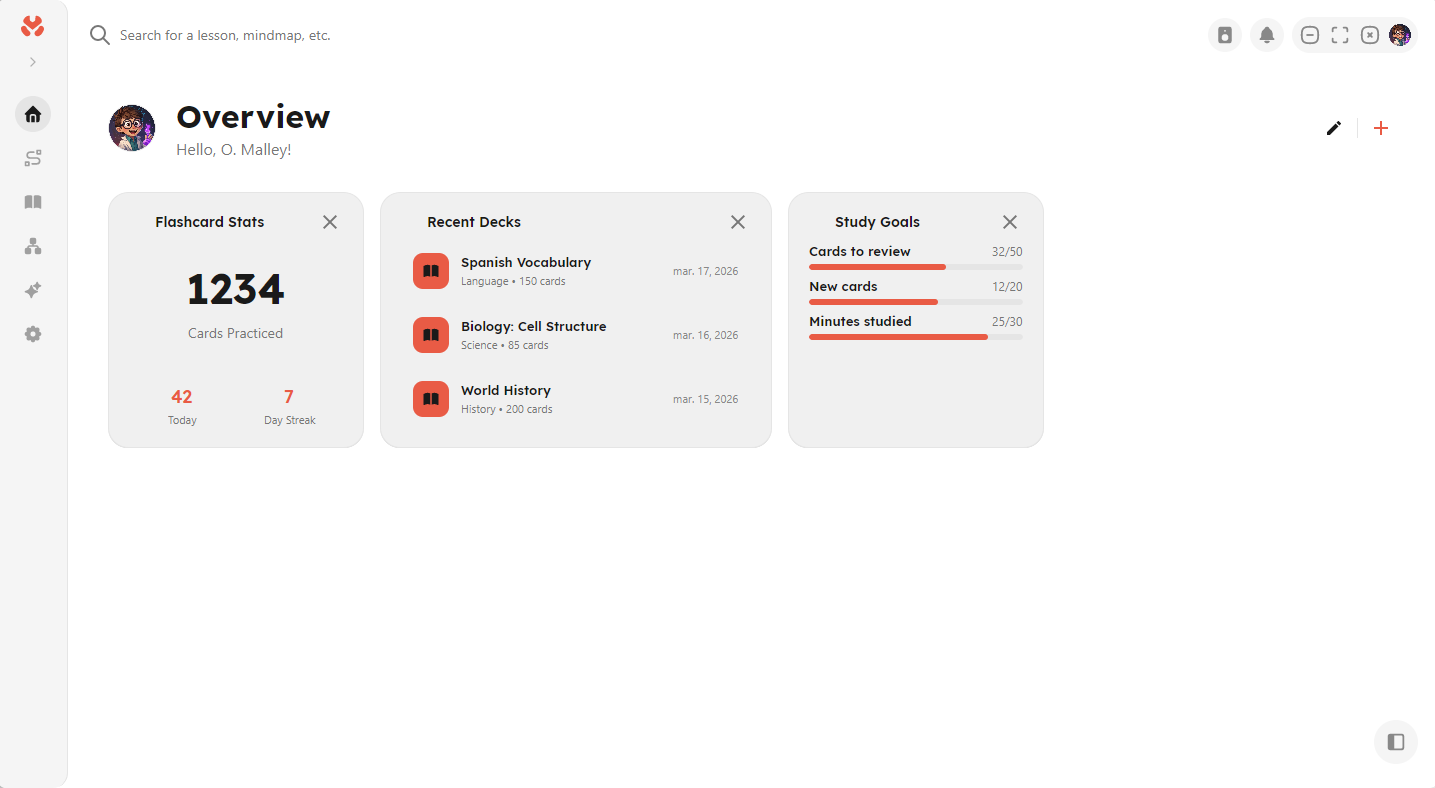
**Overview**
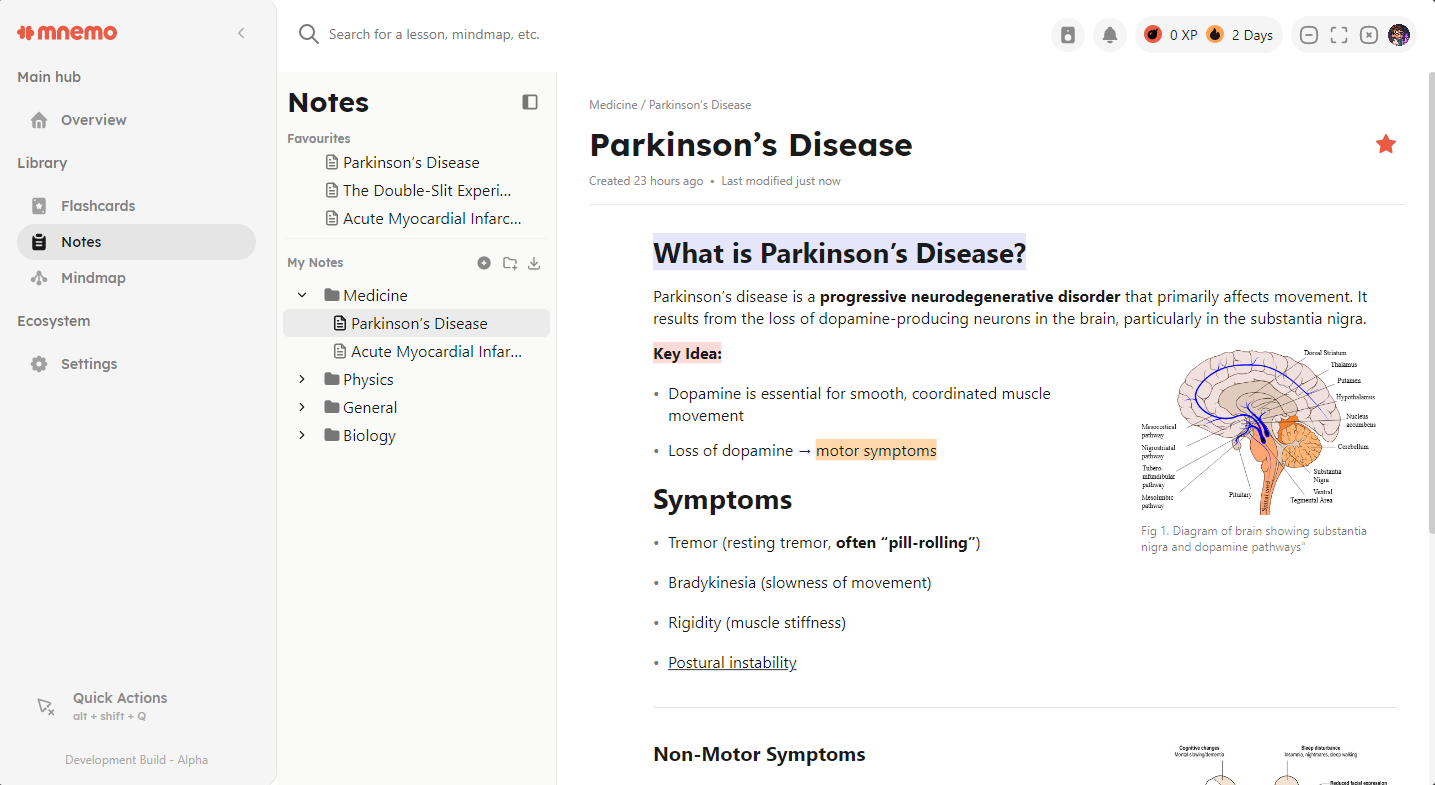
**Notes Editor**
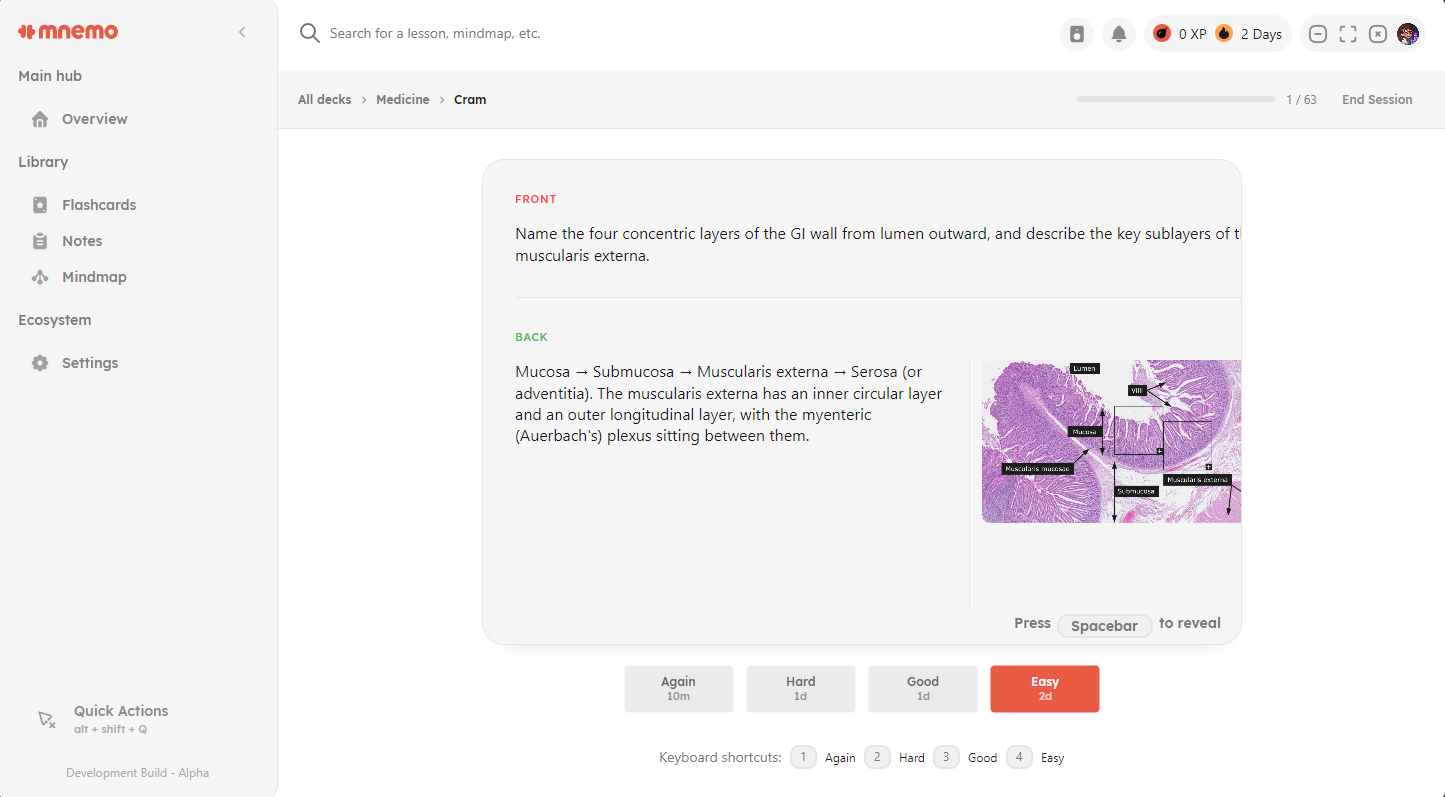
**Flashcards Module**
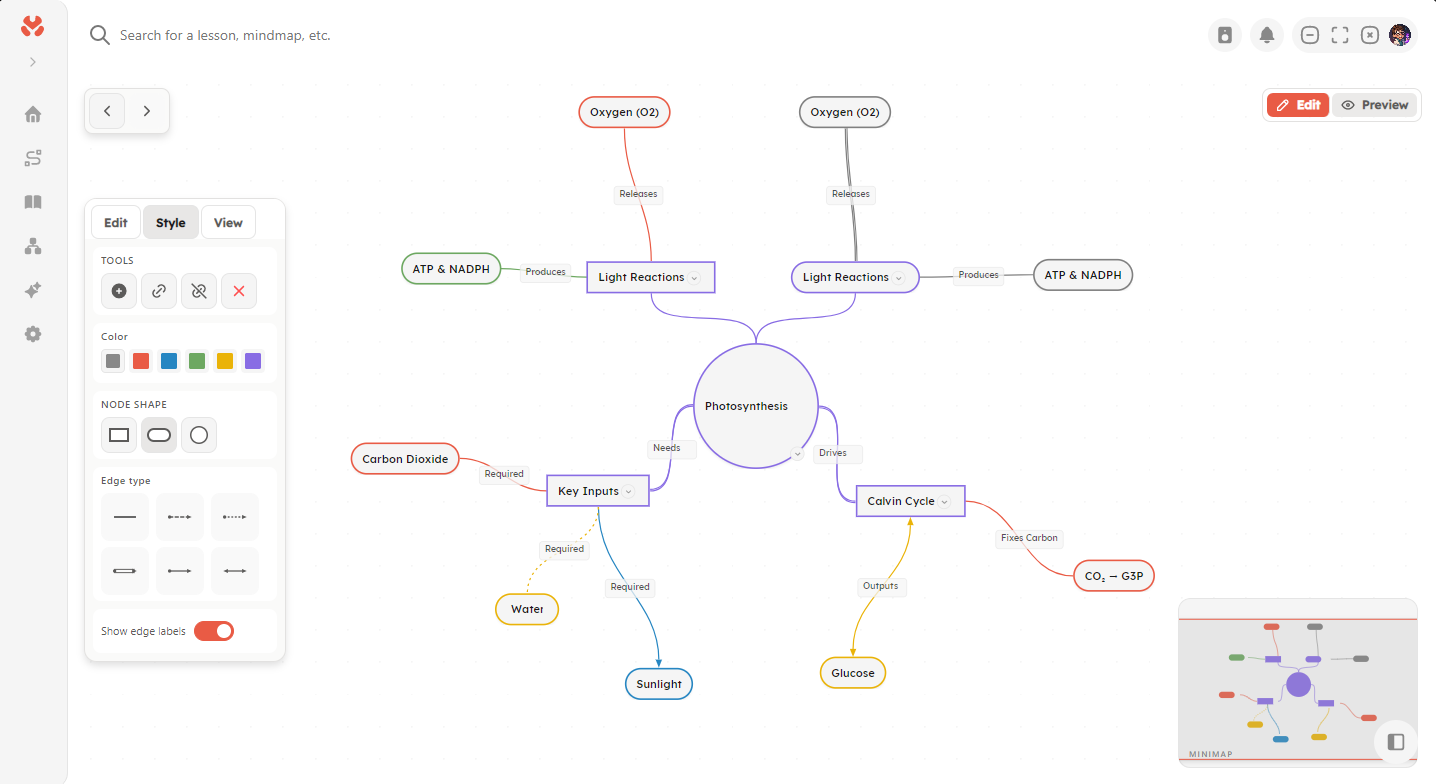
**Mindmap**
## Current Status
Mnemo is under active development and not yet feature-complete.
**What works today:**
- Core application shell and navigation
- Mindmaps
- Block based notes editor
- Flashcard module with various algorithms
- Basic Widget system
- Theming, settings, and localization infrastructure
## Features (WIP)
- **AI-Powered Text Generation**: Local LLM support via LLamaSharp with CUDA acceleration
- **Knowledge Management**: Vector-based RAG (Retrieval-Augmented Generation) with semantic search and embeddings
- **Learning Paths**: AI-generated personalized learning paths from your knowledge base
- **Rich Text**: Markdown support with custom LaTeX rendering for mathematical expressions
- **Modular Architecture**: Extensible module system with auto-discovery
- **Theming**: Customizable themes
- **Localization**: Multi-language support infrastructure
- **Modules**:
- **Overview**: Dashboard and welcome screen
- **Notes**: Rich text note-taking with block-based editor
- **Chat**: AI-powered conversational interface
- **Mindmap**: Visual knowledge mapping
- **Path**: Learning path creation and management
- **Settings**: Comprehensive application configuration
> Note: Many features are under active development and may be incomplete or disabled in current builds.
### Roadmap
- **Flashcards** with spaced repetition algorithms (Anki, Quizlet...)
- **Text notes** and organization tools
- **Mindmaps** to visualize concepts
- **Learning paths** structured ways to learn
- **Games** powered by the same engine as *Stardew Valley* (known as [Monogame](https://monogame.net/))
- **Explore** a place to download games, extensions, themes, languages etc.
- **Progress analytics** track your study progress
- **Extension development** create fully integrated extensions
- **Read Aloud, Audio Review, AI-generated video lessons** (done locally)
## Architecture
Mnemo is organized into three main layers, each with a clear responsibility:
* **Mnemo.Core**: Shared models, interfaces, and application contracts. This layer has no external dependencies and serves as the foundation of the application.
* **Mnemo.Infrastructure**: Concrete implementations for core services, including AI integration, storage, and knowledge management.
* **Mnemo.UI**: The Avalonia-based presentation layer, responsible for the user interface and user interactions.
## Project Structure
```text
MnemoApp/
├── Mnemo.Core/ # Shared models, interfaces, and contracts
│ ├── Models/ # Domain and data models
│ └── Services/ # Service abstractions
├── Mnemo.Infrastructure/ # Service implementations
│ └── Services/ # AI, storage, and knowledge services
└── Mnemo.UI/ # Avalonia UI application
├── Components/ # Reusable UI components
├── Modules/ # Self-contained feature modules
├── Services/ # UI-specific services
└── Themes/ # Styling and theme resources
```
This separation keeps the application easier to maintain, test, and extend as new features are added.
## Tech Stack
* **.NET 10.0**: Core runtime and C# platform
* **Avalonia UI 11.3.6**: Cross-platform desktop UI
* **LLama.cpp**: Local LLM inference
* **ONNX Runtime**: Experimental support for embedding model inference
* **SQLite**: Local storage for app data and vectors
* **Markdig**: Markdown parsing and rendering
* **CommunityToolkit.Mvvm**: MVVM helpers and source generators
* **Custom tooling**: Several purpose-built systems and implementations tailored to the app
## Getting Started
### Prerequisites
- .NET 10.0 SDK
- Windows, Linux, or macOS
- For CUDA acceleration (optional): NVIDIA GPU with CUDA 12.x support
### Building
```bash
# Build the solution
dotnet build MnemoApp.sln
# Run the application
cd Mnemo.UI
dotnet run
```
### Installation
1. [Download the latest release from GitHub](https://github.com/onemnemo/mnemo/releases/latest).
(This link will navigate you away)
2. Choose the installer for your operating system:
* Windows: `.exe`
* Linux: `.AppImage`
* macOS: `.pkg` *(currently untested)*
3. Open the installer.
4. Follow the setup instructions to install Mnemo.
For a step-by-step guide, see the [installation documentation](https://www.docs.mnemo.one/students/installing).
## Development
See [coding-standard.md](coding-standard.md) for detailed coding standards and architecture guidelines.
## Documentation
Project documentation is available [here](https://www.docs.mnemo.one/).
### Key Principles
* **MVVM pattern**: Keep business logic in ViewModels and make Views focused on presentation.
* **Dependency injection**: Register services through the DI container so dependencies stay easy to manage.
* **Async/await**: Use asynchronous calls for all I/O work to keep the app responsive.
* **Modular design**: Build features as self-contained modules that can be discovered automatically.
* **Interface-based services**: Define services with interfaces to make testing and swapping implementations easier.
## Contributing
Contributions are welcome! Please read the [coding standards](coding-standard.md) before submitting pull requests.
If you're new to the project, look for issues labeled `good first issue`.
## License
This project is licensed under the Apache License 2.0 License - see the [LICENSE](LICENSE) file for details.
---
> "Education is not the learning of facts, but the training of the mind to think."
> — Albert Einstein