https://github.com/onmotion/docker-nginx-php
docker-nginx-php
https://github.com/onmotion/docker-nginx-php
Last synced: 3 months ago
JSON representation
docker-nginx-php
- Host: GitHub
- URL: https://github.com/onmotion/docker-nginx-php
- Owner: onmotion
- Created: 2020-10-14T09:38:59.000Z (over 5 years ago)
- Default Branch: main
- Last Pushed: 2021-02-08T10:47:50.000Z (over 5 years ago)
- Last Synced: 2025-11-28T16:21:58.811Z (6 months ago)
- Language: Dockerfile
- Homepage:
- Size: 514 KB
- Stars: 0
- Watchers: 1
- Forks: 0
- Open Issues: 0
-
Metadata Files:
- Readme: README.md
Awesome Lists containing this project
README
# docker-nginx-php
Webserver based on nginx + php-fpm stack
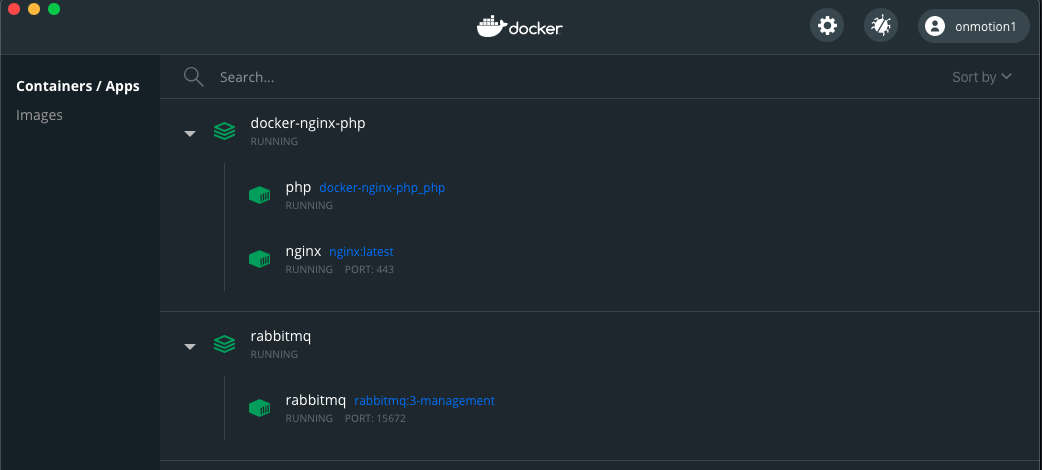
## How To Start
### Clone the project
```bash
git clone git@github.com:onmotion/docker-nginx-php.git
cd docker-nginx-php
```
### Config
1. Edit .env file: \
`PROJECTS_DIR=/Users/a.kozhevnikov/www` - root dir where is your php projects
`PHP_VERSION` - which php version will be installed
1. Edit (if it necessary) images/php/Dockerfile \
You can add php modules which will be installed, just add it to section
`RUN apt-get update && apt-get install -y \`
For example if you need intl module:
`php${PHP_VERSION}-intl`
1. Add nginx hosts to `nginx/conf.d`
1. Add `127.0.0.1 your-host.lh` to **hosts** file
### Run
```bash
docker-compose build
docker-compose up -d
```
### Usage
After the container successfully started up, you can access your host `http://your-host.lh:80`
You can access container by `host.docker.internal` alias. So, if you have locally installed _postgres_, you should set up your app as `host.docker.internal:5432` instead of `127.0.0.1:5432`, and add port to **docker-compose.yml** to services - php - ports section
> After each change of config you should do `docker-compose build && docker-compose up -d && docker-compose restart`
### PHP alias
If you want to run **php** from bash, you can add bash alias. For example add `alias php="docker exec -it php php"` to .bashrc or .bash_profile
```bash
echo -e "alias php=\"docker exec -it php php\"" >> ~/.bashrc
source ~/.bashrc
php -v
```
### Additional services
#### RabbitMQ
```bash
docker-compose -f ./services/rabbitmq/docker-compose.yml up -d
```
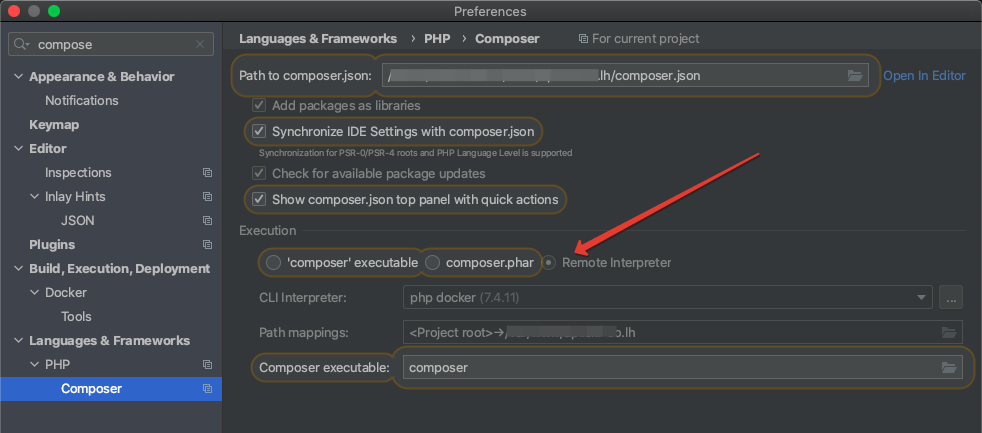
### Using Composer in PHPStorm
### Debug with PHPStorm and Xdebug


