https://github.com/open-rdc/nav_cloning
Imitation Learning for navigation
https://github.com/open-rdc/nav_cloning
deep-learning imitation-learning navigation python ros
Last synced: 5 months ago
JSON representation
Imitation Learning for navigation
- Host: GitHub
- URL: https://github.com/open-rdc/nav_cloning
- Owner: open-rdc
- Created: 2021-09-05T08:45:51.000Z (almost 5 years ago)
- Default Branch: pytorch
- Last Pushed: 2025-03-04T07:12:54.000Z (over 1 year ago)
- Last Synced: 2025-03-04T08:19:39.060Z (over 1 year ago)
- Topics: deep-learning, imitation-learning, navigation, python, ros
- Language: Python
- Homepage:
- Size: 356 KB
- Stars: 7
- Watchers: 17
- Forks: 6
- Open Issues: 6
-
Metadata Files:
- Readme: README.md
Awesome Lists containing this project
README
# nav_cloning
フレームワークをpytorchに移行(開発中)
## Running simulation
### 一括して起動
* nav_cloning (一定経路の模倣学習)
```
roscd nav_cloning/experiments/
./experiment_use_dl_output.sh
```
`nav_cloning/data`フォルダにログと学習済みモデルを保存
シェルファイルのパラメータを変更することで様々な条件で実験可能
* nav_cloning_with_direction (経路選択を含む模倣学習)
```
roscd nav_cloning/experiments/
./experiment_with_direction_use_dl_output.sh
```
`nav_cloning/data`フォルダにログと学習済みモデルが保存
シェルファイルのパラメータを変更することで様々な条件で実験可能
[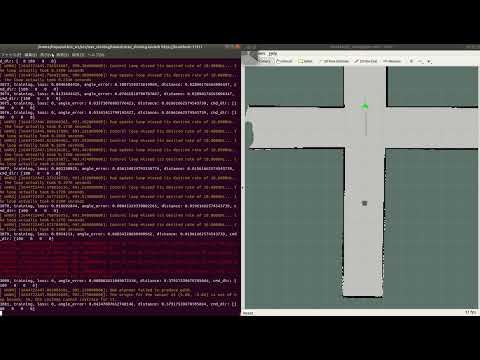](https://youtu.be/6LG06ZbCjto)
### 分割して起動
* シミュレータの起動
```
roslaunch nav_cloning nav_cloning_sim.launch
```
* rviz上の2D Pose Estimateで自己位置を合わせる
* 実行
```
rosservice call /start_wp_nav
```
* save data: /nav_cloning/data/result \
loss \
angle_error : navigationの出力と訓練されたモデルの出力の差 \
distance : 目標経路とロボットの位置の間の距離
## install
* Environment
* ubuntu20.04
* [ros noetic](http://wiki.ros.org/noetic/Installation/Ubuntu)
* Python3
* Install python3-catkin-tools
```
sudo sh -c 'echo "deb http://packages.ros.org/ros/ubuntu `lsb_release -sc` main" > /etc/apt/sources.list.d/ros-latest.list'
wget http://packages.ros.org/ros.key -O - | sudo apt-key add -
sudo apt update
sudo apt install python3-catkin-tools
```
* Install nav_cloning
```
mkdir -p ~/catkin_ws/src
cd ~/catkin_ws/src
git clone https://github.com/open-rdc/nav_cloning
wstool init
wstool merge nav_cloning/nav_cloning.install
wstool up
rosdep install --from-paths . --ignore-src --rosdistro $ROS_DISTRO -y
cd ~/catkin_ws
catkin build
sudo apt install python3-pip
pip3 install torch torchvision scikit-image tensorboard
pip3 install --upgrade numpy scikit-image
echo "export TURTLEBOT3_MODEL=waffle_pi" >> ~/.bashrc
source ~/.bashrc
```
* for CPU
```
pip3 install torchaudio --extra-index-url https://download.pytorch.org/whl/cpu
```
----- old version -----
* nav_cloningの用意
```
cd ~/catkin_ws/src
wget https://raw.githubusercontent.com/open-rdc/nav_cloning/pytorch/nav_cloning.install
wstool init
wstool merge nav_cloning.install
wstool up
```
* 依存パッケージのインストール
```
cd ~/catkin_ws/src
rosdep init
rosdep install --from-paths . --ignore-src --rosdistro $ROS_DISTRO -y
cd ../
catkin_make
```
* その他インストール
GPUを使用するかでインストールするものが変わります.
GPU関連の設定は細心の注意をはらっておこなってください.
<共通>
```
pip3 install scikit-image
pip3 install tensorboard
```
```
pip3 install torch torchvision torchaudio --extra-index-url https://download.pytorch.org/whl/cpu
```
使用しているデバイスを確認し,セットアップします
* nvidia driver
* CUDA
* cuDNN
その後インストールしたCUDAのバージョンに対応したPytorchのバージョンを下記からダウンロードします
```
https://pytorch.org/get-started/locally/
```
## Docker
作成次第追加