https://github.com/openstitching/stitching
A Python package for fast and robust Image Stitching
https://github.com/openstitching/stitching
computer-vision image-stitching opencv-python panorama python
Last synced: about 1 year ago
JSON representation
A Python package for fast and robust Image Stitching
- Host: GitHub
- URL: https://github.com/openstitching/stitching
- Owner: OpenStitching
- License: apache-2.0
- Created: 2022-05-08T08:30:48.000Z (about 4 years ago)
- Default Branch: main
- Last Pushed: 2025-03-31T19:51:28.000Z (over 1 year ago)
- Last Synced: 2025-05-11T00:17:26.410Z (about 1 year ago)
- Topics: computer-vision, image-stitching, opencv-python, panorama, python
- Language: Python
- Homepage:
- Size: 138 KB
- Stars: 2,306
- Watchers: 19
- Forks: 184
- Open Issues: 10
-
Metadata Files:
- Readme: README.md
- Contributing: CONTRIBUTING.md
- Funding: .github/FUNDING.yml
- License: LICENSE
- Code of conduct: CODE_OF_CONDUCT.md
Awesome Lists containing this project
README
# stitching
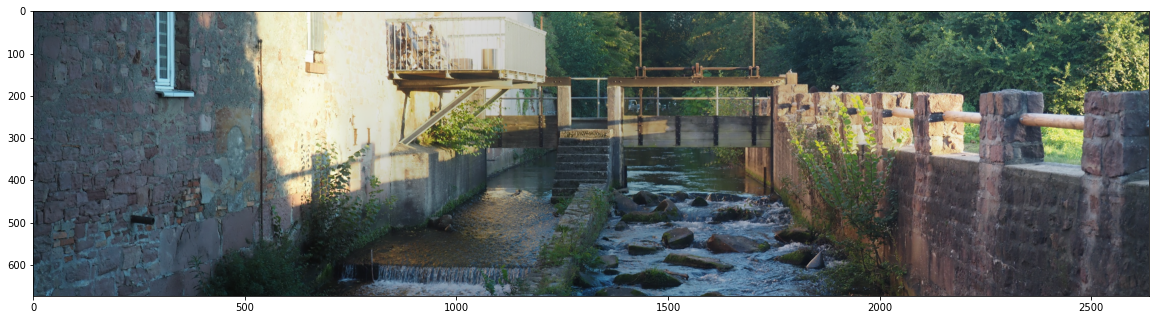
A Python package for fast and robust Image Stitching.
Based on opencv's [stitching
module](https://github.com/opencv/opencv/tree/4.x/modules/stitching)
and inspired by the
[stitching_detailed.py](https://github.com/opencv/opencv/blob/4.x/samples/python/stitching_detailed.py)
python command line tool.

## Installation
use the [docker image](#docker-cli)
or `pip` to install `stitching` from
[PyPI](https://pypi.org/project/stitching/).
```bash
pip install stitching
```
for server (headless) environments (such as Docker, cloud environments etc.)
use `stitching-headless`
```bash
pip install stitching-headless
```
## Usage
### Python CLI
The command line interface
([cli](https://github.com/lukasalexanderweber/stitching/tree/main/stitching/cli/stitch.py))
is available after installation
`stitch -h` show the help
`stitch *.jpg` stitches all jpg files in the current directory
`stitch img_dir/IMG*.jpg` stitches all files in the img_dir directory
starting with "IMG" and ending with ".jpg"
`stitch img1.jpg img2.jpg img3.jpg`
stitches the 3 explicit files of the current directory
Enable verbose mode with `stitch *.jpg -v`.
This will create a folder where all intermediate results are stored so that
you can find out where there are problems with your images, if any
### Docker CLI
If you are familiar with Docker and don't feel like
setting up Python and an environment, you can also use the
[openstitching/stitch](https://hub.docker.com/r/openstitching/stitch)
Docker image
`docker container run --rm -v
/path/to/data:/data openstitching/stitch:{version} -h`
You can use the Python CLI as described above
(read "current directory" as "/data directory").
### Python Script
You can also use the Stitcher class in your script
```python
from stitching import Stitcher
stitcher = Stitcher()
```
Specify your custom settings as
```python
stitcher = Stitcher(detector="sift", confidence_threshold=0.2)
```
or
```python
settings = {"detector": "sift", "confidence_threshold": 0.2}
stitcher = Stitcher(**settings)
```
Create a Panorama from your Images:
- from a list of filenames
```python
panorama = stitcher.stitch(["img1.jpg", "img2.jpg", "img3.jpg"])
```
- from a single item list with a wildcard
```python
panorama = stitcher.stitch(["img?.jpg"])
```
- from a list of already loaded images
```python
panorama = stitcher.stitch([cv.imread("img1.jpg"), cv.imread("img2.jpg")])
```
The equivalent of the `--affine` cli parameter within the script is
```python
from stitching import AffineStitcher
stitcher = AffineStitcher()
panorama = stitcher.stitch(...)
```
The equivalent of the `-v`/`--verbose` cli parameter within the script is
```python
panorama = stitcher.stitch_verbose(...)
```
## Questions
For questions please use our [discussions](https://github.com/OpenStitching/stitching/discussions).
Please do not use our issue section for questions.
## Contribute
Read through [how to contribute](CONTRIBUTING.md) for information on topics
like finding and fixing bugs and improving / maintaining this package.
## Tutorial
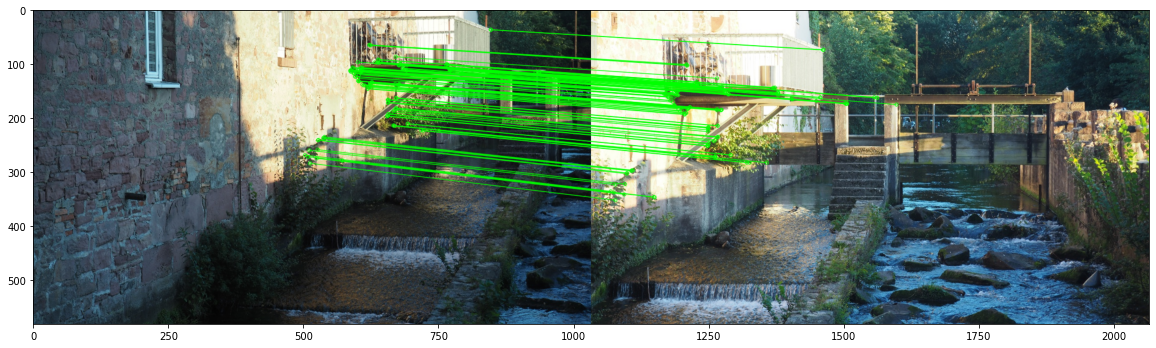
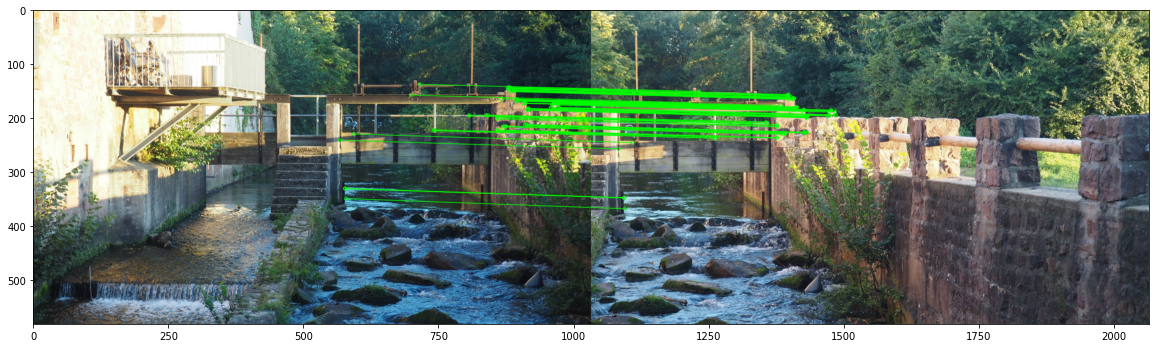
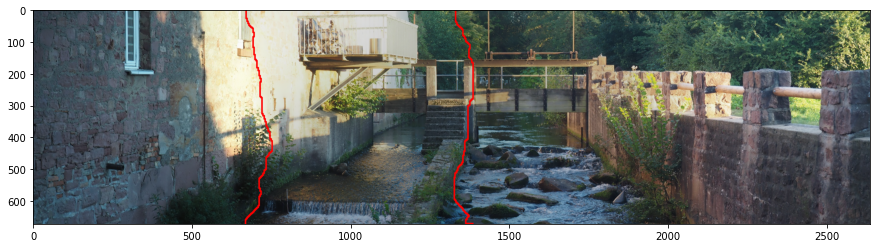
This package provides utility functions to deeply analyse what's
happening behind the stitching. A tutorial was created as [Jupyter
Notebook](https://github.com/lukasalexanderweber/stitching_tutorial). The
preview is
[here](https://github.com/lukasalexanderweber/stitching_tutorial/blob/master/docs/Stitching%20Tutorial.md).
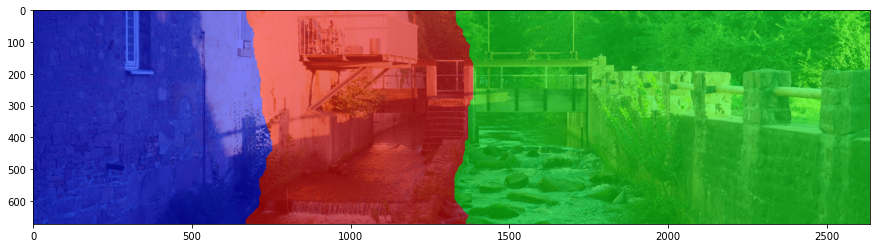
You can e.g. visualize the RANSAC matches between the images or the
seam lines where the images are blended:
## Literature
This package was developed and used for our paper [Automatic stitching
of fragmented construction plans of hydraulic
structures](https://hdl.handle.net/20.500.11970/112696)
## License
[Apache License
2.0](https://github.com/lukasalexanderweber/lir/blob/main/LICENSE)