https://github.com/opentmi/opentmi-default-gui
web interface for OpenTMI
https://github.com/opentmi/opentmi-default-gui
opentmi
Last synced: over 1 year ago
JSON representation
web interface for OpenTMI
- Host: GitHub
- URL: https://github.com/opentmi/opentmi-default-gui
- Owner: OpenTMI
- License: mit
- Created: 2015-11-21T11:42:29.000Z (over 10 years ago)
- Default Branch: master
- Last Pushed: 2024-11-28T03:33:51.000Z (over 1 year ago)
- Last Synced: 2025-01-08T11:41:26.099Z (over 1 year ago)
- Topics: opentmi
- Language: Vue
- Homepage: http://opentmi.github.io/opentmi-default-gui/
- Size: 75.9 MB
- Stars: 4
- Watchers: 6
- Forks: 5
- Open Issues: 16
-
Metadata Files:
- Readme: README.md
- License: LICENSE
Awesome Lists containing this project
README



## Introduction
This is VUE based frontend for OpenTMI
## Example
Playground [here](http://opentmi.github.io/opentmi-default-gui/)
## Deployment
TBD
## Features
```
- Login / Logout
* github login is not ready yet
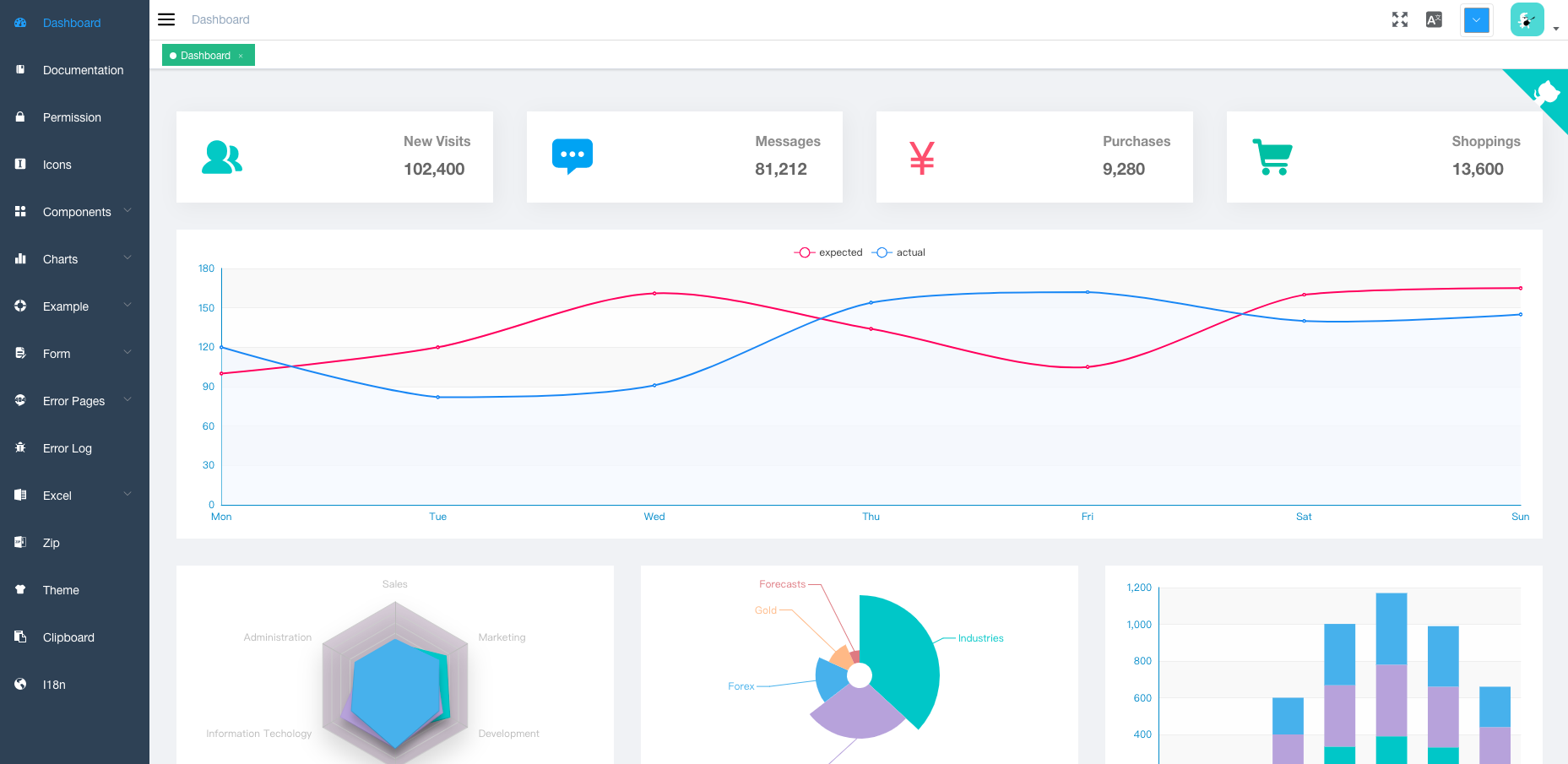
- Dashboard
* overall status of opentmi
- Test Case
- Test case list view
- Result
- list view
- pivot view
- tree view
- Resources
- list view
```
## Preparation
You need to install [node](https://nodejs.org/) and [git](https://git-scm.com/) locally. The project is based on [ES2015+](https://es6.ruanyifeng.com/), [vue](https://cn.vuejs.org/index.html), [vuex](https://vuex.vuejs.org/zh-cn/), [vue-router](https://router.vuejs.org/zh-cn/), [vue-cli](https://github.com/vuejs/vue-cli) , [axios](https://github.com/axios/axios) and [element-ui](https://github.com/ElemeFE/element), all request data is simulated using [Mock.js](https://github.com/nuysoft/Mock).
Understanding and learning this knowledge in advance will greatly help the use of this project.
## Getting started
```bash
# clone the project
git clone https://github.com/opeontmi/opentmi-default-gui.git
# enter the project directory
cd opentmi-default-gui
# install dependency
npm install
# develop
npm run dev
```
This will automatically open http://localhost:9527
## Build
```bash
# build for test environment
npm run build:stage
# build for production environment
npm run build:prod
```
## Advanced
```bash
# preview the release environment effect
npm run preview
# preview the release environment effect + static resource analysis
npm run preview -- --report
# code format check
npm run lint
# code format check and auto fix
npm run lint -- --fix
```
Refer to [Documentation](https://panjiachen.github.io/vue-element-admin-site/guide/essentials/deploy.html) for more information
## Changelog
Detailed changes for each release are documented in the [release notes](https://github.com/opentmi/opentmi-default-gui/releases).
## Browsers support
Modern browsers and Internet Explorer 10+.
| [ ](https://godban.github.io/browsers-support-badges/)IE / Edge | [
 ](https://godban.github.io/browsers-support-badges/)Firefox | [
 ](https://godban.github.io/browsers-support-badges/)Chrome | [
 ](https://godban.github.io/browsers-support-badges/)Safari |
| --------- | --------- | --------- | --------- |
| IE10, IE11, Edge| last 2 versions| last 2 versions| last 2 versions
## License
[MIT](LICENSE)
Copyright (c) 2019-present Jussi Vatjus-Anttila