https://github.com/oprypin/sixcells
Level editor for Hexcells
https://github.com/oprypin/sixcells
hexcells level-editor python
Last synced: about 1 year ago
JSON representation
Level editor for Hexcells
- Host: GitHub
- URL: https://github.com/oprypin/sixcells
- Owner: oprypin
- License: gpl-3.0
- Created: 2014-09-12T13:17:32.000Z (almost 12 years ago)
- Default Branch: master
- Last Pushed: 2020-08-23T22:33:39.000Z (almost 6 years ago)
- Last Synced: 2025-04-30T09:55:11.290Z (about 1 year ago)
- Topics: hexcells, level-editor, python
- Language: Python
- Homepage:
- Size: 300 KB
- Stars: 72
- Watchers: 8
- Forks: 8
- Open Issues: 1
-
Metadata Files:
- Readme: README.md
- License: LICENSE
Awesome Lists containing this project
README
# SixCells
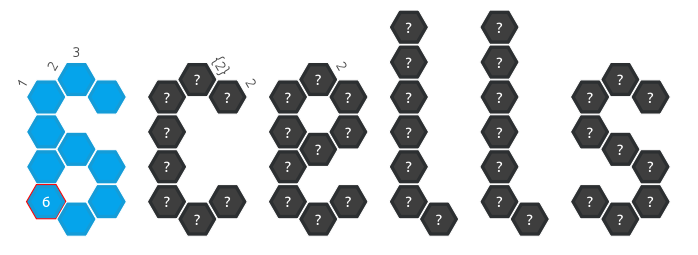
Level editor for [Hexcells](http://store.steampowered.com/app/304410/).
---
### Contents
- [How to Use](#usage)
- [Player](#player)
- [Editor](#editor)
- [Installation](#installation)
- [Windows](#windows)
- [Linux](#linux)
- [Mac](#mac)
- [Sharing Levels](#sharing-levels)
- [Technical Details](#technical-details)
- [Level File Structure](#level-file-structure)
---
## How to Use
### Player
Open a level or paste one from clipboard and play it.
Loading multiple levels at once is supported. Use the tab bar to switch between them.
Left-click/right-click an orange cell to reveal it as blue/black. In case of a mistake the cell will not be revealed.
Press Z to undo.
Shift + left-click/right-click an orange cell to annotate it as blue/black. Repeat this to clear the annotation.
Annotations don't affect anything, they're just marks. Revealing a cell will clear the annotation regardless of its color.
*Edit* menu also contains options to clear all the annotations, confirm them (as if all of the annotated cells were clicked with a matching color) or deny them (...clicked with the opposite color).
See also: [Text annotations](#annotations)
When you close a level, you will have an option to save the current progress. It will be loaded automatically next time. There is an option to clear progress.
If you use the *Player* to playtest right from *Editor*, it will save state between sessions.
Right click to revert a cell to yellow.
Full auto-solving capabilities are present.
### Editor
[Video demonstration](http://youtu.be/fFq36x8fSew)
##### Creating and Deleting Items
Action | Button
------------------------- | ------------------------------------
Create blue cell | Left-click
Create black cell | Right-click
Create column number | Left-click on cell and drag outwards
Delete cell/column number | Right-click
##### Modifying Items
Action | Button
--------------------------------- | --------------------------------
Cycle through information display | Left-click on cell/column number
Mark/unmark cell as revealed | Ctrl + left-click on cell
##### Selection
Action | Button
---------------------- | --------------------------
Freehand selection | Shift + drag on empty space
Select/deselect a cell | Shift + left-click on cell
Deselect all | Shift + left-click on empty space
Drag and drop selected | Left-click and drag
##### Navigation
Action | Button
------------ | --------------------------
Pan the view | Press and drag mouse wheel
Zoom in/out | Mouse wheel up/down
##### Play Test Mode
Action | Button
-------------------- | ------
Toggle playtest mode | Tab
Play from start | Shift + Tab
#### Annotations
Hover over a cell and press a number on the keyboard (or hold Shift and type any text) to add up to 3 characters of annotations.
Press Backspace or Tilde `~ to delete.
Additional color annotations are available in [Player](#player).
#### Alternative Controls
All mouse actions (except for pointer movement) can be replaced with keyboard presses:
Action | Button
----------- | ------
Left-click | Q
Right-click | W
Pan | E
Zoom in | +
Zoom out | -
---
## Installation
### Windows
Download the newest *-win32.zip* [**release**](https://github.com/oprypin/sixcells/releases), extract the folder and you're ready to go!
### Linux
Install `git`, `python-pyqt5` or `python-pyside`, `python-pulp` (`pip install pulp`), optionally `glpk`:
- Debian, Ubuntu:
```bash
sudo apt-get update
sudo apt-get install git python-pyqt5 glpk-utils python-pip
sudo pip install pulp
```
Go to a folder where you would like *SixCells* to be and obtain the source code (a subdirectory "sixcells" will be created):
```bash
git clone https://github.com/oprypin/sixcells
```
Now you can start `editor.py` and `player.py` by opening them in a file explorer or from command line.
To update *SixCells* to the latest version without deleting and redownloading, execute `git pull` inside its directory.
#### Arch Linux
[**sixcells**](https://aur.archlinux.org/packages/sixcells/) on *AUR*. Optional dependency is needed for solving.
### Mac
Make sure you have [installed *command line developer tools*](http://osxdaily.com/2014/02/12/install-command-line-tools-mac-os-x/).
[Install *Homebrew*](http://brew.sh/#install).
Use *Homebrew* and *pip* to install Python and the needed libraries:
```bash
brew install python3
pip3 install pyqt5 pulp
```
Go to a folder where you would like *SixCells* to be and obtain the source code (a subdirectory "sixcells" will be created):
```bash
git clone https://github.com/oprypin/sixcells
cd sixcells
```
Now you can run `python3 editor.py` and `python3 player.py`.
To update *SixCells* to the latest version without deleting and redownloading, execute `git pull` inside its directory.
---
## Sharing Levels
To find levels to play and share your own, visit [reddit.com/r/hexcellslevels](http://reddit.com/r/hexcellslevels).
---
## Technical Details
*SixCells* is written using [Python](http://python.org/) and [Qt](http://qt-project.org/).
[PuLP](https://pypi.python.org/pypi/PuLP) is used for solving.
It is guaranteed to work on Python 3.3 and later; Versions 2.7 and 3.* should also work.
*SixCells* supports Qt 4 and Qt 5, and can work with either [PySide](http://pyside.org/), [PyQt4](http://www.riverbankcomputing.co.uk/software/pyqt/download) or [PyQt5](http://www.riverbankcomputing.co.uk/software/pyqt/download5).
License: GNU General Public License Version 3.0 (GPLv3)
### Level File Structure
#### *.hexcells format
Encoding: UTF-8
A level is a sequence of 38 lines, separated with '\n' character:
- "Hexcells level v1"
- Level title
- Author
- Level custom text, part 1
- Level custom text, part 2
- 33 level lines follow:
- A line is a sequence of 33 2-character groups.
- '.' = nothing, 'o' = black, 'O' = black revealed, 'x' = blue, 'X' = blue revealed, '\','|','/' = column number at 3 different angles (-60, 0, 60)
- '.' = blank, '+' = has number, 'c' = consecutive, 'n' = not consecutive