https://github.com/orangomango/basicmultiplayergame
Simple multiplayer game in LAN
https://github.com/orangomango/basicmultiplayergame
java javafx multiplayer socket threading
Last synced: about 1 month ago
JSON representation
Simple multiplayer game in LAN
- Host: GitHub
- URL: https://github.com/orangomango/basicmultiplayergame
- Owner: OrangoMango
- License: mit
- Created: 2022-04-16T08:56:13.000Z (about 4 years ago)
- Default Branch: main
- Last Pushed: 2022-04-17T15:01:42.000Z (about 4 years ago)
- Last Synced: 2025-02-26T15:38:04.044Z (over 1 year ago)
- Topics: java, javafx, multiplayer, socket, threading
- Language: Java
- Homepage:
- Size: 57.6 KB
- Stars: 0
- Watchers: 2
- Forks: 0
- Open Issues: 0
-
Metadata Files:
- Readme: README.md
- License: LICENSE
Awesome Lists containing this project
README
# BasicMultiplayerGame
## What you need
* java 8+
* javafx 11+
* every player and the server in the same LAN
## How to run
* Clone the repository by using this command:
```bash
git clone https://github.com/OrangoMango/BasicMultiplayerGame
cd BasicMultiplayerGame/bin
```
* Create an environment variable for your javafx path:
```bash
export FX_PATH=/path/to/javafx/lib
```
### Server
Run the server:
```
java com.orangomango.multiplayer.Server
```
### Player
Connect a player:
```
java --module-path $FX_PATH --add-modules javafx.controls com.orangomango.multiplayer.Game
```
For example: `java --module-path $FX_PATH --add-modules javafx.controls com.orangomango.multiplayer.Game 127.0.0.1 1234 Paul 200 200 "#ff3333"`
## Controls
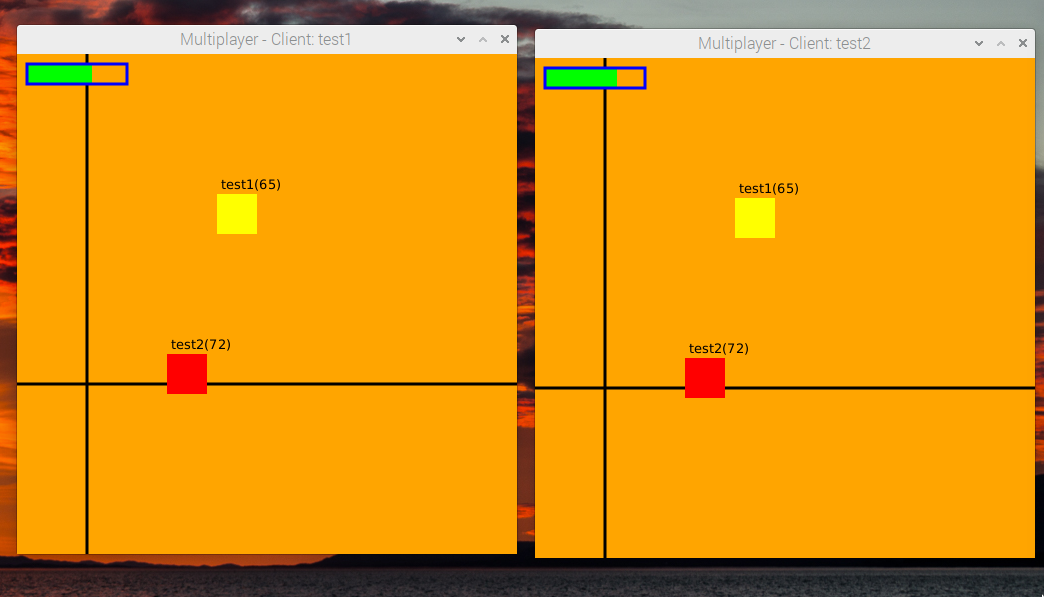
Use WASD or arrow keys to move the player and SPACE to jump. **Avoid the bars by jumping**
## Screenshot