https://github.com/orta/appcode
Custom Setup for App Code
https://github.com/orta/appcode
Last synced: 5 months ago
JSON representation
Custom Setup for App Code
- Host: GitHub
- URL: https://github.com/orta/appcode
- Owner: orta
- License: mit
- Created: 2014-01-22T08:31:25.000Z (over 12 years ago)
- Default Branch: master
- Last Pushed: 2014-12-20T15:08:00.000Z (over 11 years ago)
- Last Synced: 2025-02-04T22:55:56.653Z (over 1 year ago)
- Size: 4.62 MB
- Stars: 66
- Watchers: 4
- Forks: 8
- Open Issues: 0
-
Metadata Files:
- Readme: README.md
- License: LICENSE
Awesome Lists containing this project
README
AppCode
=======
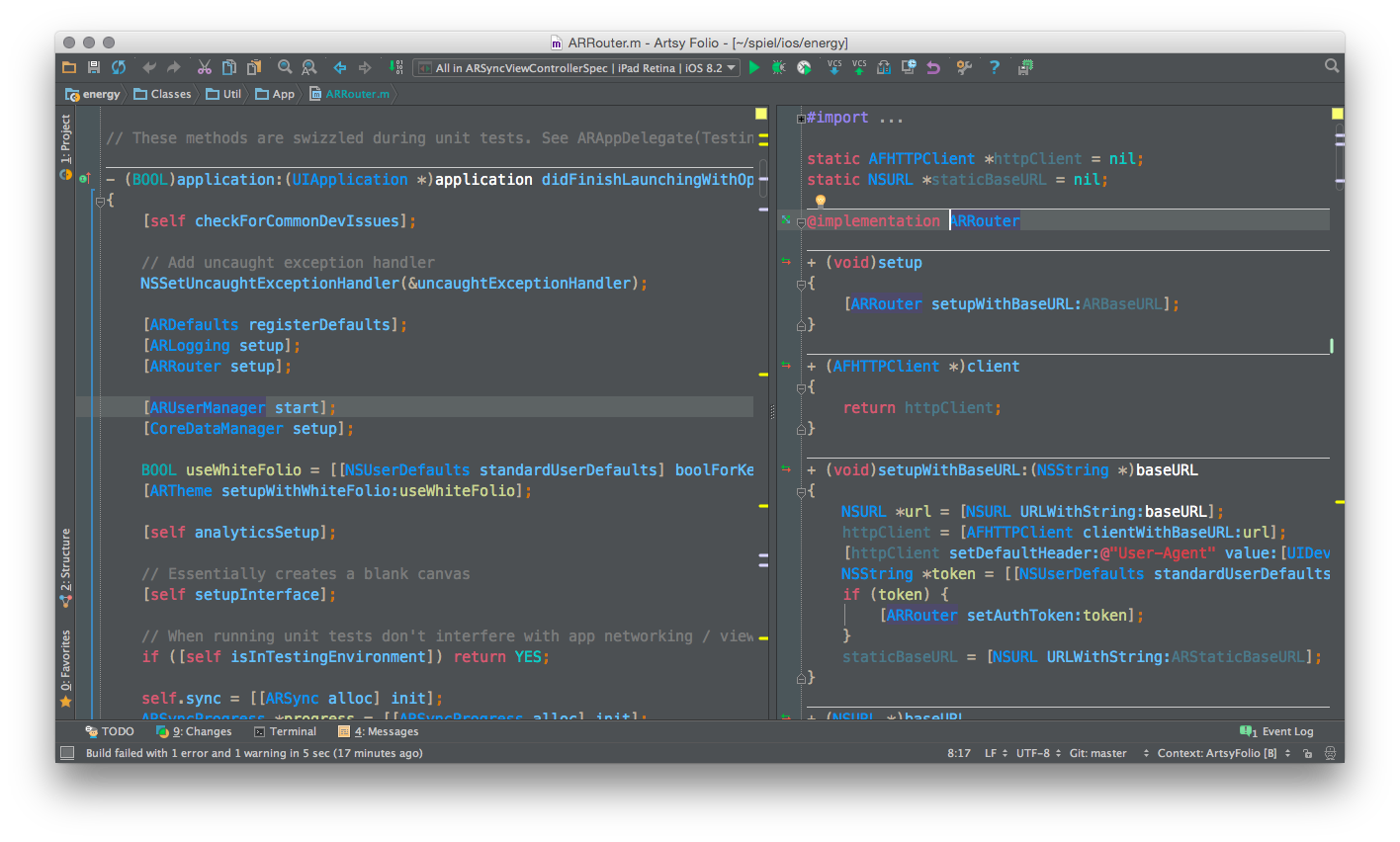
My custom Setup for App Code. Import via `File > Import Settings`. Some of these are defaults in AppCode, but some of them are not and it's been too long for me to remember which now.
Currently looks like:
### What I like about AppCode
Consult my [delight file](delight.md).
I like my custom shortcuts to begin with `⌘` + `^` ( command + ctrl ).
### Download link
[Download the .jar](https://github.com/orta/AppCode/raw/master/settings.jar)
### Keybindings
| Feature | Explanation | Key Binding |
| ------------- |-------------|:-----:|
| Refactor button | This is the gateway to everything, memorise what the `1`-`0` keys do after for superwin. | `⌥ + t` |
| Do whatever AppCode wants | This is for things like auto-import. | `⌘ + ↵` |
| Open Symbol | Used to open any source file. | `⌘ + t` |
| Open File | Used to open any other file. | `⌘ + ⌥ + o` |
| Run... | Pressing this then `2` will allow you to run all the tests in a file. | `⌘ + ^ + r` |
| Switch to test file | Only works if you have a matching spec name. | `⌘ + ^ + t` |
| Find all uses of _x_ | Like find all, but with context. | `⌘ + ^ + f` |
| Commit changes | Do all your git stuff in AppCode | `⌘ + ⌥ + c` |
| Open Selection in Github | (This is a plugin, you may have to install yourself.) | `⌘ + ⌥ + g` |
| Select Context | Do it with ↑ once to select the word, then repeat to expand the scope. Mindblowing. | `⌥ + ↑` / `⌥ + ↓` |
| Hide _all_ sidebars | Bottom / Left & Right. Same as hide debugger in Xcode | `⌘ + ⇧ + y` |
| Open Task | Search through your tickets on Github and say you're working on that | `⌘ + ^ + n` |
| Open in Xcode | The opposite of this plugin: [OROpenInAppCode](https://github.com/orta/OROpenInAppCode) | `⌘ + ^ + x` |
| Create a view Split | Splits editor into two | `⌘ + ^ + s` |
### Custom snippets
* `__weak` will offer a `__weak __typeof(self)weakSelf = self;`
* `init` will offer a golden path version of the `self = [super init]` function.
### Code Style
The generated code style is mostly the same as what the [NYTimes released](https://github.com/NYTimes/objective-c-style-guide). Think I only disagreed with them on [minor issues](https://twitter.com/mb/status/425980211067621376).
### Keys reference
* `⌘` = cmd
* `⌥` = alt
* `^` = control
* `⇧` = shift
* `↵` = enter
* `↑` = up arrow
* `↓` = down arrow
* `__` = dunder