https://github.com/oslabs-beta/dockure
Simplifying the containerization process
https://github.com/oslabs-beta/dockure
docker electron javascript nodejs postgresql prometheus react
Last synced: 9 months ago
JSON representation
Simplifying the containerization process
- Host: GitHub
- URL: https://github.com/oslabs-beta/dockure
- Owner: oslabs-beta
- Created: 2021-08-13T23:14:41.000Z (almost 5 years ago)
- Default Branch: main
- Last Pushed: 2022-02-08T13:50:41.000Z (over 4 years ago)
- Last Synced: 2025-04-08T10:53:15.574Z (over 1 year ago)
- Topics: docker, electron, javascript, nodejs, postgresql, prometheus, react
- Language: JavaScript
- Homepage: http://dockure.com/
- Size: 3.39 MB
- Stars: 76
- Watchers: 3
- Forks: 15
- Open Issues: 0
-
Metadata Files:
- Readme: README.md
Awesome Lists containing this project
README
[![Contributors][contributors-shield]][contributors-url]
[![Forks][forks-shield]][forks-url]
[![Stargazers][stars-shield]][stars-url]
[![Issues][issues-shield]][issues-url]
Simplifying the containerization process outside of the command line.
Explore the docs »
View Demo
·
Report Bug
·
Request Feature
Table of Contents
## About The Project
### Built With
* [React](https://reactjs.org/docs/getting-started.html)
* [Redux](https://redux.js.org/)
* [Express](https://expressjs.com/)
* [Docker](https://docs.docker.com/)
* [Docker REST API](https://docs.docker.com/engine/api/v1.41/#)
* [Node child_process](https://nodejs.org/api/child_process.html)
* [Electron](https://www.electronjs.org/docs)
* [Prometheus](https://prometheus.io/docs/introduction/overview/)
* [CAdvisor](https://github.com/google/cadvisor/blob/master/docs/storage/prometheus.md)
* [Socat (in the localhost)]()
## Getting Started
Starting our app is super easy! Just make sure you have Yarn and Docker if you don't already.
### Prerequisites
In order for the application to work:
1. Must have [Docker Desktop](https://www.docker.com/products/docker-desktop) or Docker Daemon running in the background.
2. Must install yarn:
```sh
npm install yarn
```
* For security purposes, please make sure you use this app in your local network unless you provide your own TCP TLS/SSH security. Pre-packaged SSH capabilities are currently in beta!
### Installation
The pre-bundled app will be coming in Dockure 2.0, but for now:
1. Clone the repo
2. install dependencies
```sh
yarn install
```
3. create an .env file in the root directory filling in your personal DB_host and JWT secret like below:
```
# Database
DB_HOST=your.db.here
# Bcrypt
BCRYPT_SALT_ROUNDS=10
# JWT
JWT_SECRET=your.secret.here
JWT_EXPIRES_SEC=86400
```
```
|-- .github (folder)
|-- client (folder)
|-- electron (folder)
|-- server (folder)
|-- .env (file) <----- right here!
|-- index.html
|-- etcetra...
```
4. build the app
```sh
yarn build
```
5. start it
```sh
yarn start
```
* After logging in for the first time, it may take some time for dependencies to load.
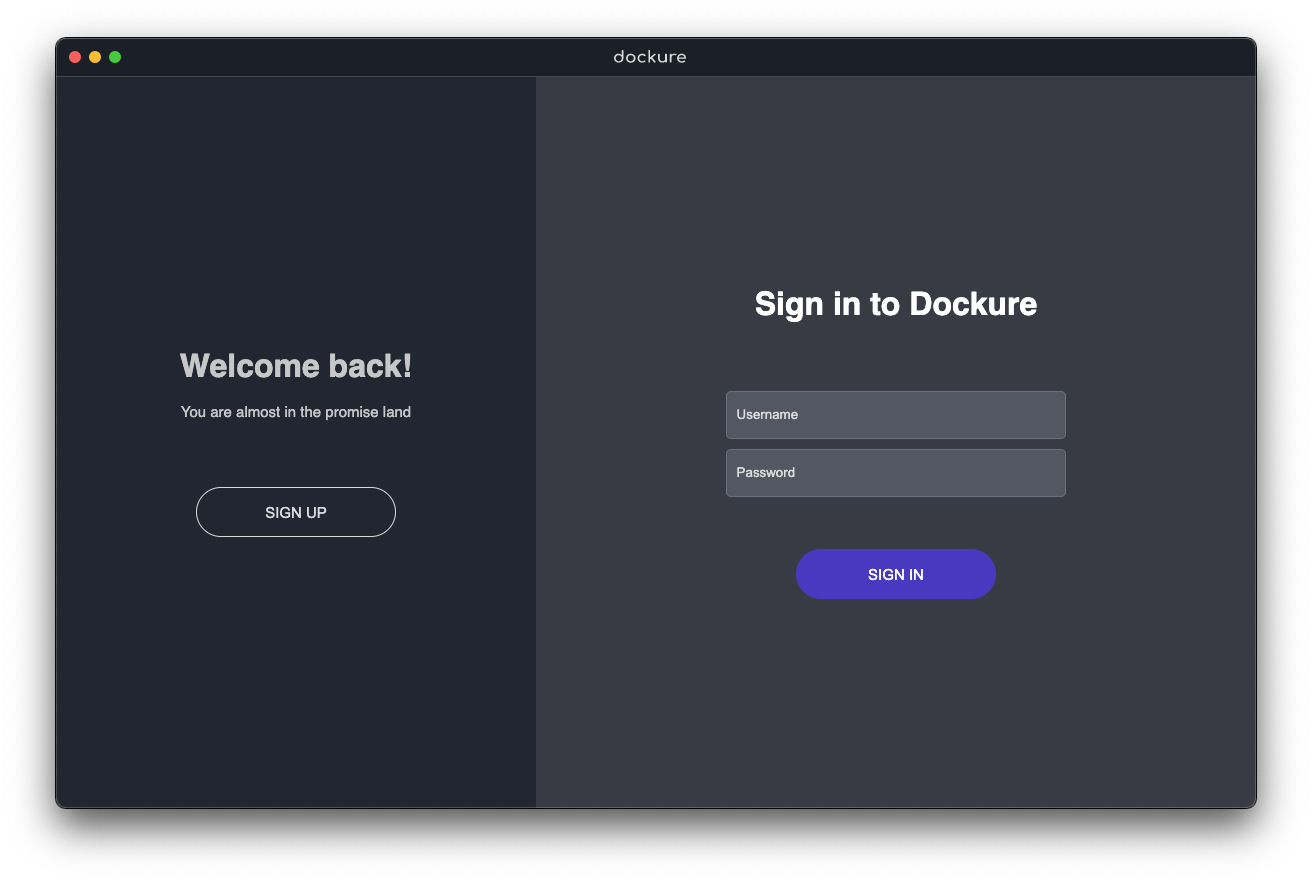
Alternatively, you can skip steps 4-5 and run this application in dev mode outside of electron:
```sh
yarn dev
```
## Usage
Once you are logged in there are loads you can do. Here are some examples:
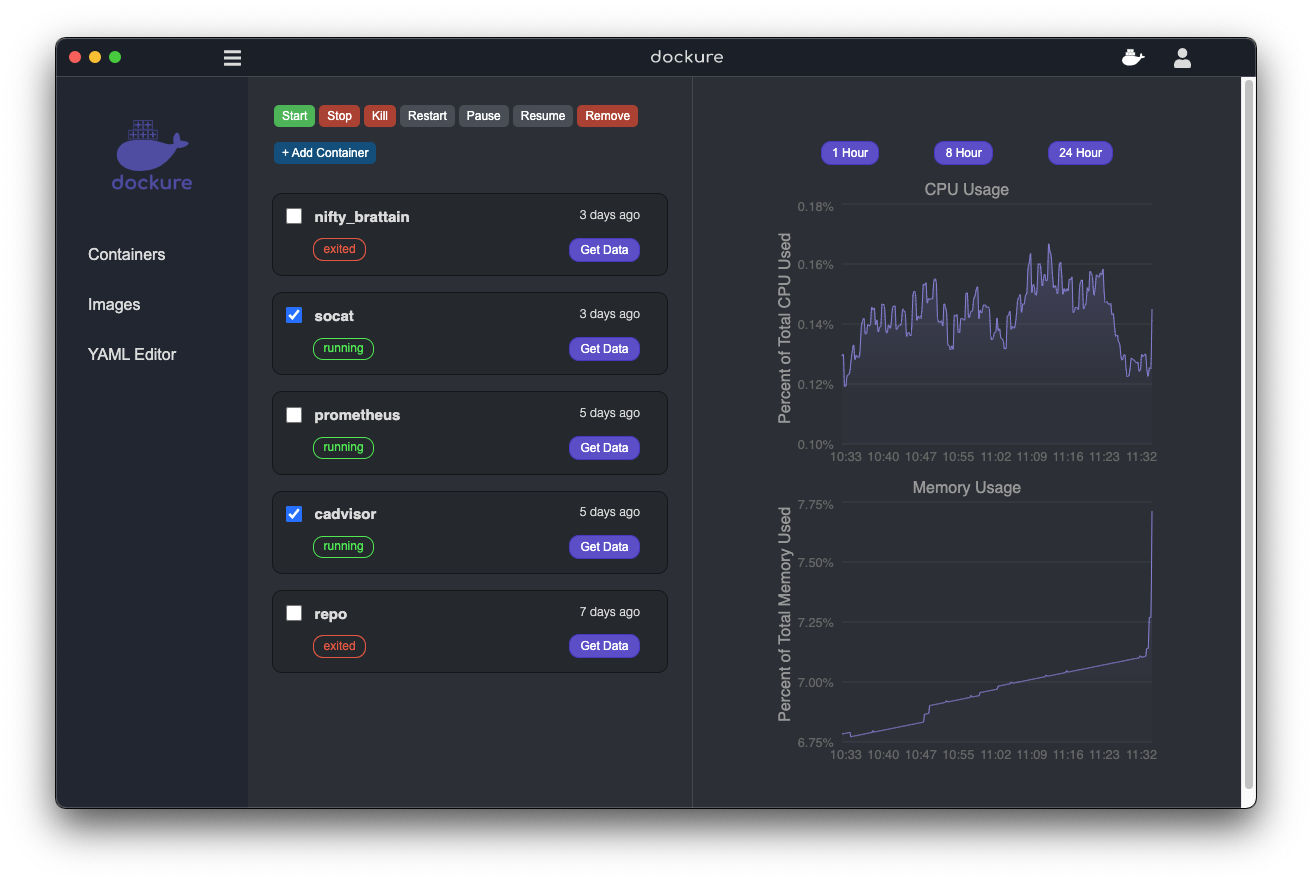
* Our simple homepage displays containers and their data. You can view container data and/or select multiple containers you'd like to start and stop
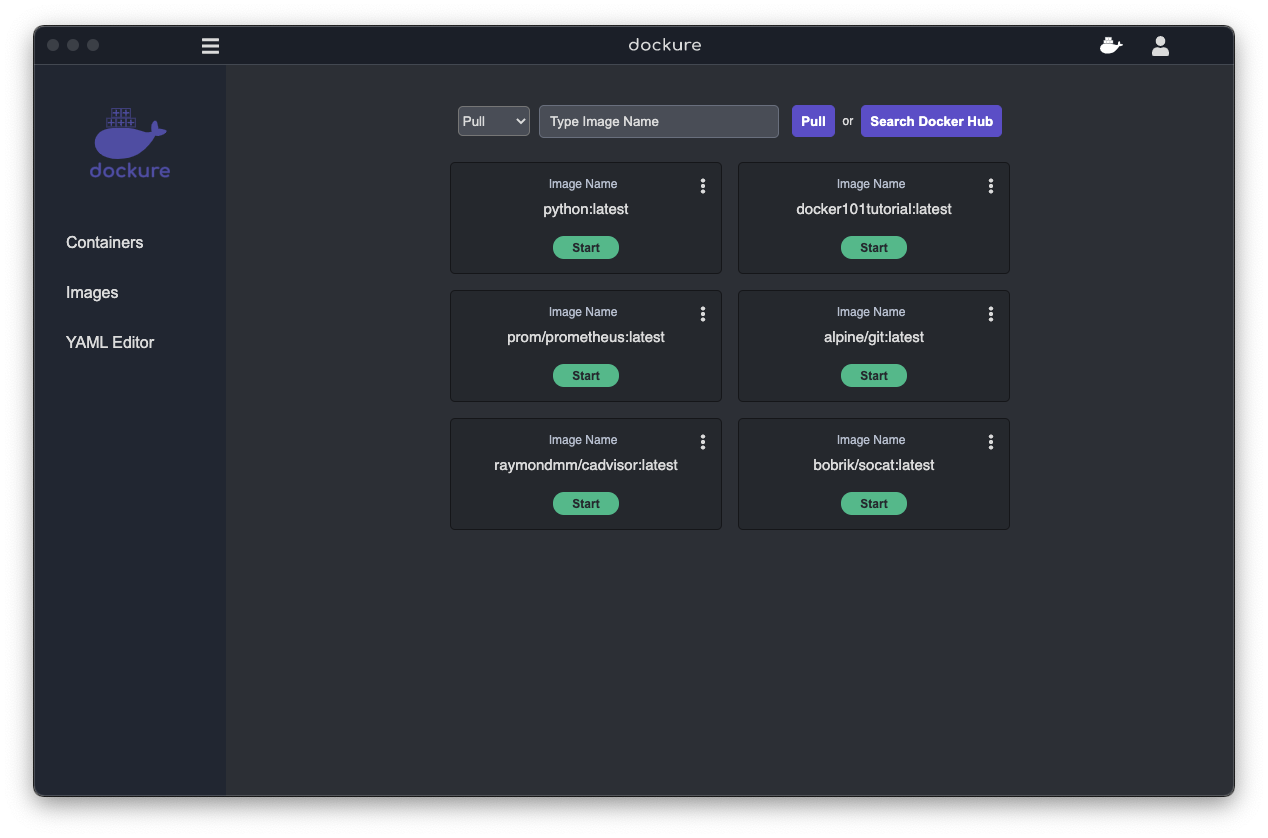
* In our images tab, you can run your images to build containers. You can also pull locally or on Docker Hub and build images.

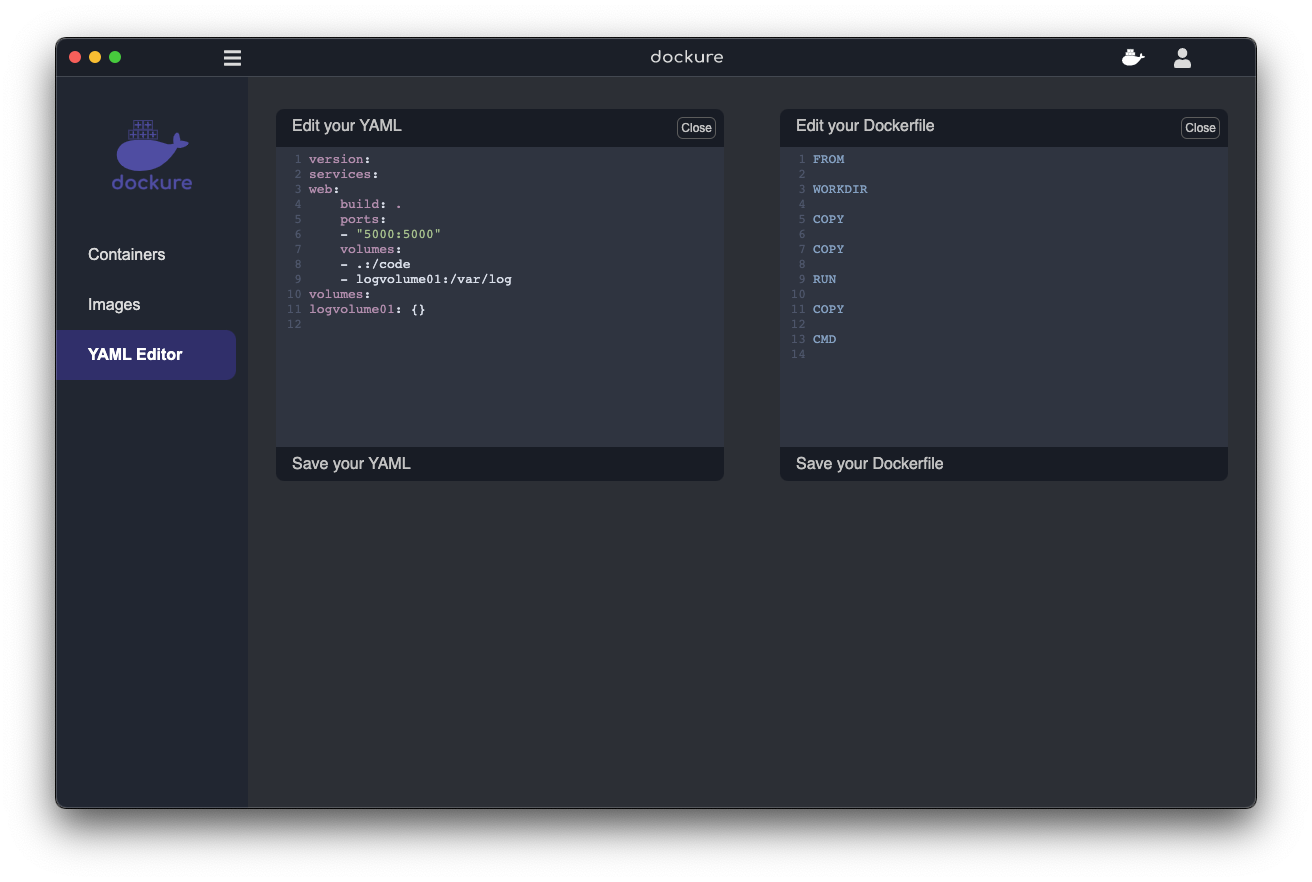
* In our YAML/Dockerfile editor tab, we provide a simple Dockerfile or YAML editor for you to create, edit and save your own files without opening up an IDE.
## Roadmap
See the [open issues](https://github.com/oslabs-beta/dockure/issues) for a list of proposed features (and known issues).
## Contributing
Contributions are what make the open source community such an amazing place to learn, inspire, and create. Any contributions you make are **greatly appreciated**.
1. Fork the Project
2. Create your Feature Branch (`git checkout -b feature/AmazingFeature`)
3. Commit your Changes (`git commit -m 'Add some AmazingFeature'`)
4. Push to the Branch (`git push origin feature/AmazingFeature`)
5. Open a Pull Request
## License
Distributed under the MIT License. See `LICENSE` for more information.
## Contact
* Liam - [LinkedIn](https://www.linkedin.com/in/liamtalty/), [Github](https://github.com/lptalty)
* Van - [LinkedIn](https://www.linkedin.com/in/van-biet-nguyen/), [Github](https://github.com/vanbietnguyen)
* Alex - [LinkedIn](https://www.linkedin.com/in/alexander-zayas-jr/), [Github](https://github.com/AlexZayas)
* Hazel - [LinkedIn](https://www.linkedin.com/in/hyeseon-na/), [Github](https://github.com/hazel0109)
* Nate - [LinkedIn](https://Linkedin.com/in/nathanael-tracy/), [Github](https://github.com/n-tracy1)
## Acknowledgements
* [Yarn](https://classic.yarnpkg.com/en/docs/)
* [Webpack](https://webpack.js.org/)
* [CodeMirror](https://codemirror.net/doc/manual.html)
* [BCrypt](https://www.npmjs.com/package/bcrypt)
* [PostGreSQL](https://www.postgresql.org/docs/)
[contributors-shield]: https://img.shields.io/github/contributors/oslabs-beta/dockure.svg?style=for-the-badge
[contributors-url]: https://github.com/oslabs-beta/dockure/graphs/contributors
[forks-shield]: https://img.shields.io/github/forks/oslabs-beta/dockure.svg?style=for-the-badge
[forks-url]: https://github.com/oslabs-beta/dockure/network/members
[stars-shield]: https://img.shields.io/github/stars/oslabs-beta/dockure.svg?style=for-the-badge
[stars-url]: https://github.com/oslabs-beta/dockure/stargazers
[issues-shield]: https://img.shields.io/github/issues/oslabs-beta/dockure.svg?style=for-the-badge
[issues-url]: https://github.com/oslabs-beta/dockure/issues