https://github.com/oslabs-beta/neptune
A light-weight, simple, and straightforward learning tool for your Kubernetes cluster
https://github.com/oslabs-beta/neptune
expressjs kubernetes nodejs prometheus react
Last synced: 12 months ago
JSON representation
A light-weight, simple, and straightforward learning tool for your Kubernetes cluster
- Host: GitHub
- URL: https://github.com/oslabs-beta/neptune
- Owner: oslabs-beta
- Created: 2022-06-24T16:02:31.000Z (about 4 years ago)
- Default Branch: main
- Last Pushed: 2022-08-11T03:24:01.000Z (almost 4 years ago)
- Last Synced: 2025-04-30T19:11:20.948Z (about 1 year ago)
- Topics: expressjs, kubernetes, nodejs, prometheus, react
- Language: JavaScript
- Homepage: https://exploreneptune.io/
- Size: 31.8 MB
- Stars: 109
- Watchers: 4
- Forks: 7
- Open Issues: 0
-
Metadata Files:
- Readme: README.md
Awesome Lists containing this project
README
# Introducing Neptune

Light-weight, simple, and straightforward learning tool for your Kubernetes cluster
Neptune is an approachable learning tool, light-weight in nature with a few monitoring features. PromQL has a steep learning curve and not everyone needs to learn how to use these queries. We have pre-selected a few relevant queries that display basic data about a simple Kubernetes cluster. This is to reduce the amount of noise when engaging with Prometheus. Neptune is meant to be an easy, visual way to understand a K8s cluster.
Learn more about Neptune here.
## Focus on what matters, with built in alerts and health monitoring.
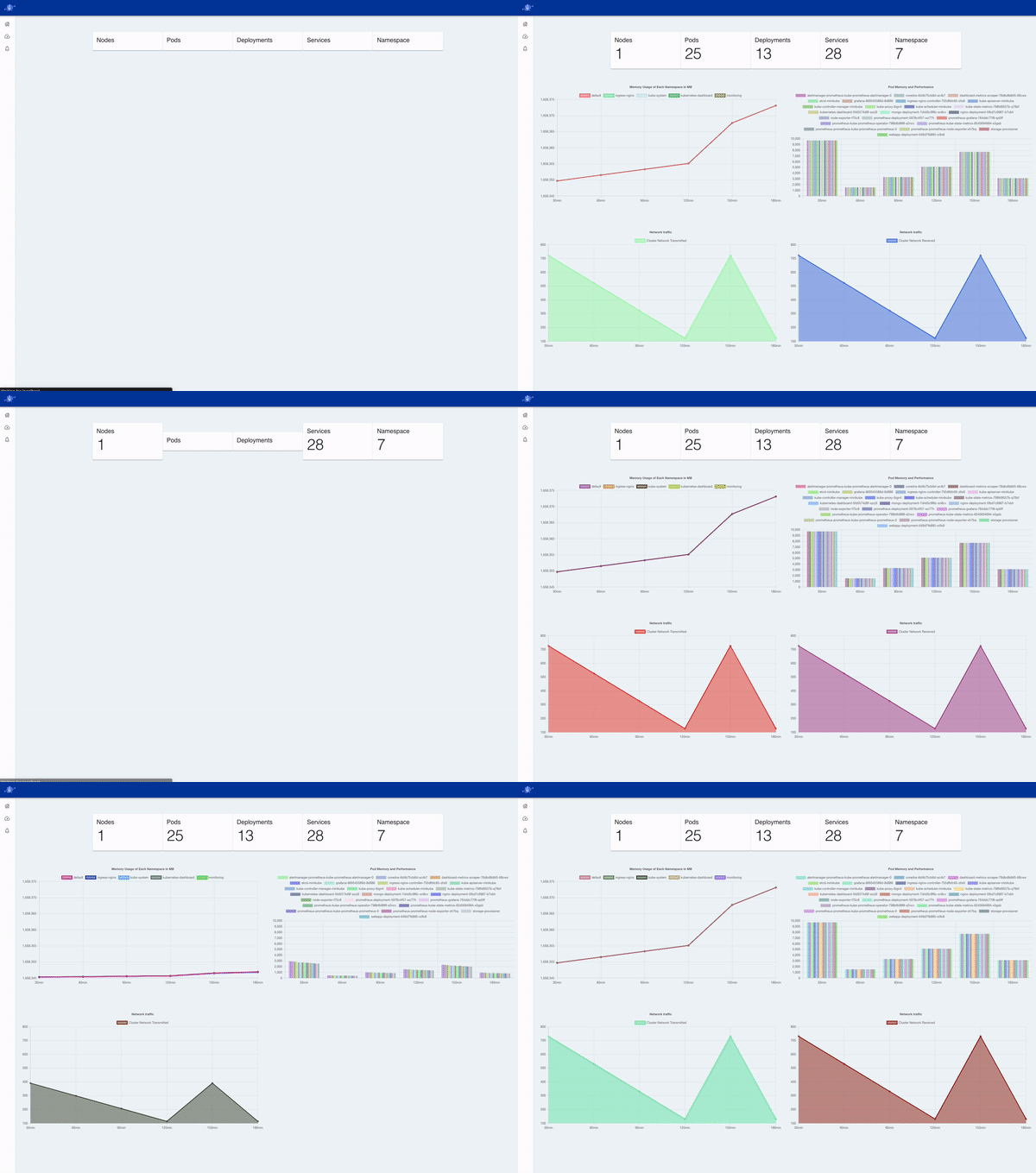
Render the metrics of your nodes, pods, and namespaces all in one easy to visualize UI.
## Metrics that matter
Rather than being overloaded with countless metrics, focus on the ones that matter. We highlighted prominent data points related to CPU, Memory, and Network Usage

## Alerts, Event Logs, and Cluster Health
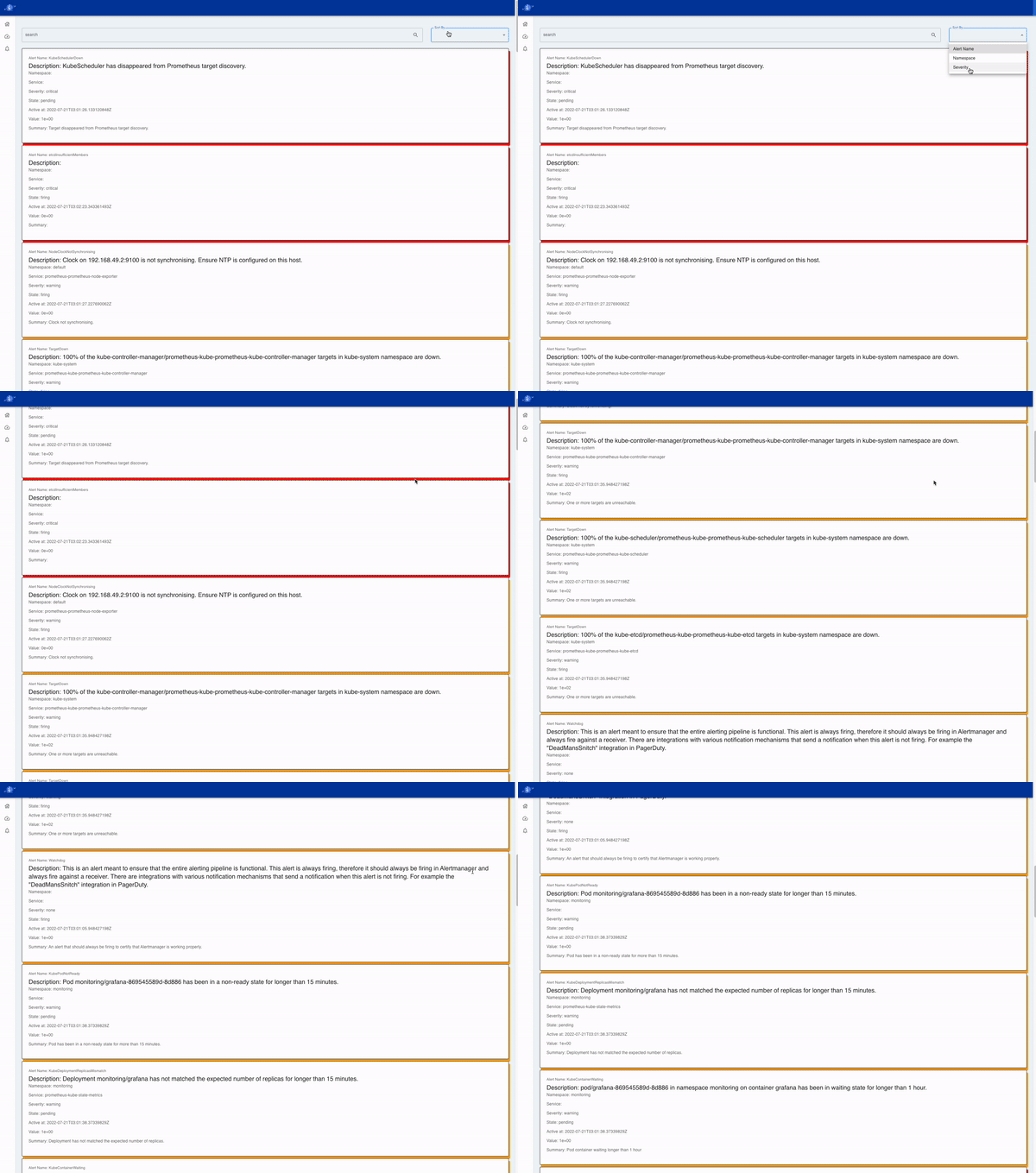
Sort through your firing alerts by severity to stay on top of your alerts
Quick and simplified overview of your cluster health and performance
# Getting Started
Prerequisites
There are some prerequisites before you start with Neptune, so make sure you have Docker and Minikube setup. We highly recommend that you follow the order below.
Install Docker Desktop - the fastest way to containerize applications
Install minikube - minikube quickly sets up a local Kubernetes cluster on macOS, Linux, and Windows
Install Helm - package manager for Kubernetes
Deploy Prometheus - software application that scrapes clusters and returns metrics
Note: Make sure your minikube cluster is actively running!
1. Clone this repo and then change directory into the root folder. Then run the command below:
git clone git@github.com:oslabs-beta/Neptune.git
2. Install dependencies
Run these commands from within the root directory:
npm install
npm run build
npm run start
3. Port-forward Prometheus to 9090
To port-forward Prometheus, run the following command. Remember that your minikube cluster needs to be actively running!
kubectl port-forward prometheus-prometheus-kube-prometheus-prometheus-0 --namespace=default 9090:9090
4. Explore Neptune!
Go to http://localhost:3000/ and start exploring your Kubernetes cluster!
## 🛠 Built With :


## The Core Team

Swan Htet
GitHub
LinkedIn

Miranda Jaramillo
GitHub
LinkedIn

Lawrence Yeh
GitHub
LinkedIn

Jin Yoo
GitHub
LinkedIn